
Indledning
The Portronics Sound Slick X is a powerful 250W soundbar system designed to enhance your home audio experience. Featuring a 2.1 channel setup with a wired subwoofer, it delivers deep bass and clear sound for movies, music, and gaming. This manual provides detailed instructions for setting up, operating, and maintaining your Sound Slick X soundbar.
Hvad er der i æsken
- Wireless Soundbar (1 unit)
- Wired Subwoofer (1 unit)
- Fjernbetjening (1 enhed)
- Documentation (User Manual, Warranty Card)
Produkt overview
Soundbar og Subwoofer
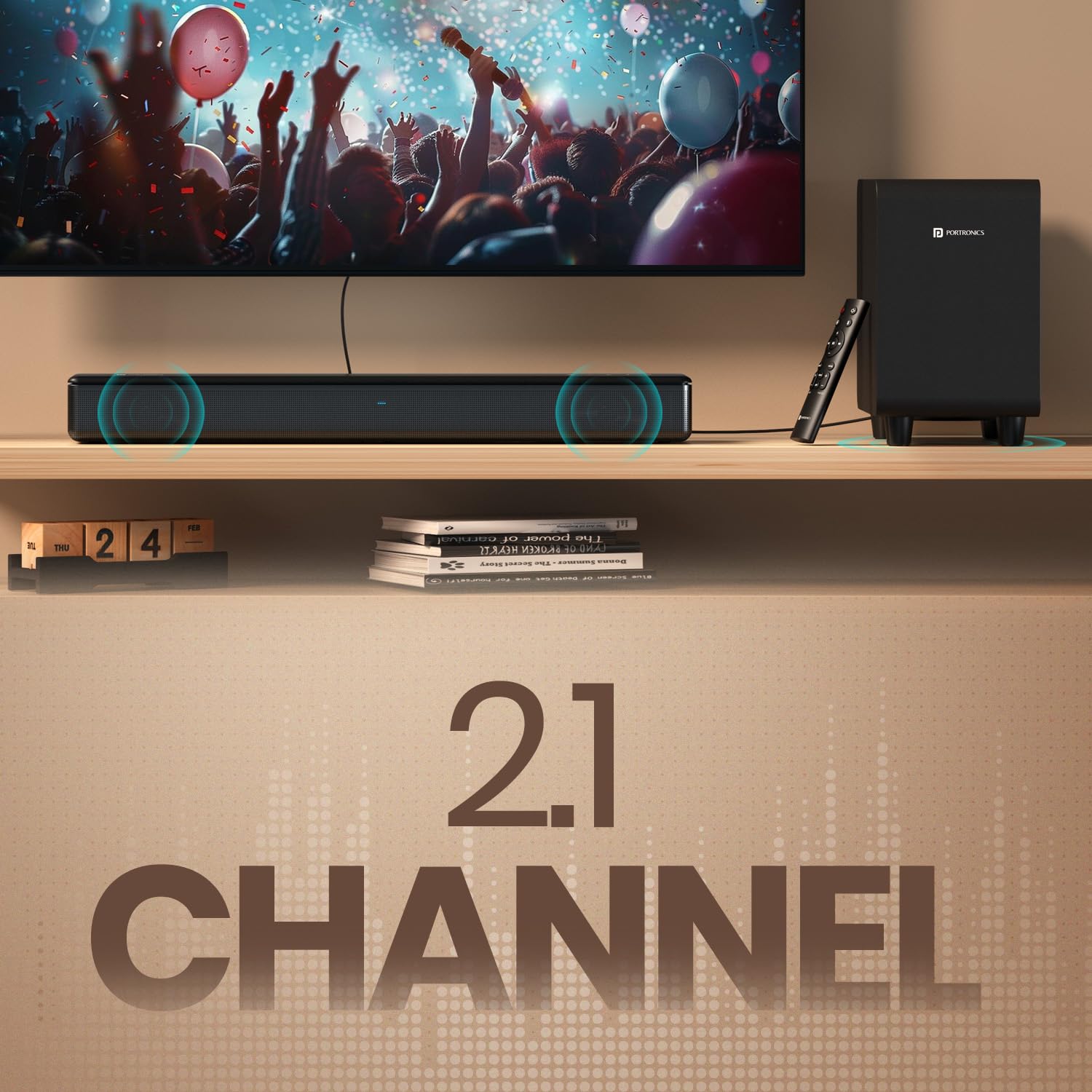
Image: The Portronics Sound Slick X soundbar and its wired subwoofer, showcasing the 2.1 channel setup.
The Sound Slick X system includes a main soundbar unit and a separate wired subwoofer. The soundbar houses the main speakers, while the subwoofer is dedicated to producing deep bass frequencies, enhancing the overall audio impact.
Wired Subwoofer for Deep Bass

Image: Close-up of the wired subwoofer, highlighting its design for deep bass delivery.
The dedicated wired subwoofer ensures powerful, room-filling bass. Connect it to the soundbar using the provided cable for optimal performance.
Kontrolpanel og fjernbetjening

Image: The touch control panel on the soundbar, showing power, volume, and mode selection buttons.

Image: The sleek remote control for the Sound Slick X, featuring dedicated buttons for EQ modes, volume, and input selection.
The soundbar features an intuitive touch control panel on its top surface for basic operations. A comprehensive remote control is also included, allowing for easy adjustment of volume, input modes, and EQ presets from a distance.
Multiport Connectivity

Billede: Bagside view of the soundbar showing the various input ports: AUX In, USB Drive In, HDMI (ARC), Optical In, and Subwoofer output.
The Sound Slick X offers multiple connectivity options including HDMI (ARC), Optical, AUX, and USB, ensuring compatibility with a wide range of devices.
Opsætningsinstruktioner
- Placering: Place the soundbar on a stable, flat surface directly in front of your TV. Position the wired subwoofer on the floor near the soundbar, ensuring it has adequate ventilation.
- Tilslut subwoofer: Tilslut den kablede subwoofer til soundbaren ved hjælp af det dedikerede subwooferkabel.
- Strømtilslutning: Tilslut strømadapteren til soundbaren, og sæt den derefter i en stikkontakt.
- Første gang tændt: Press the power button on the soundbar or remote control to turn on the device. The LED indicator will light up.
Tilslutningsmuligheder
Bluetooth 5.3 forbindelse
- Tænd for soundbaren.
- Press the 'Mode' button on the soundbar or the 'Bluetooth' button on the remote control to select Bluetooth mode. The LED indicator will flash blue.
- Aktiver Bluetooth på din enhed (smartphone, tablet, bærbar computer), og søg efter tilgængelige enheder.
- Select "Portronics Sound Slick X" from the list. Once paired, the LED indicator will turn solid blue.
HDMI (ARC) -forbindelse
- Tilslut et HDMI-kabel fra HDMI (ARC)-porten på soundbaren til HDMI (ARC)-porten på dit tv.
- Select the HDMI (ARC) input on the soundbar using the 'Mode' button or remote.
- Ensure your TV's audio output is set to HDMI ARC.
Optisk forbindelse
- Connect an optical cable from the OPTICAL IN port on the soundbar to the optical output port on your TV or audio source.
- Select the Optical input on the soundbar using the 'Mode' button or remote.
AUX tilslutning
- Connect a 3.5mm audio cable from the AUX IN port on the soundbar to the audio output port on your device.
- Select the AUX input on the soundbar using the 'Mode' button or remote.
USB-afspilning
- Indsæt et USB-drev, der indeholder lyd files i USB-porten på soundbaren.
- Select the USB input on the soundbar using the 'Mode' button or remote. The soundbar will automatically begin playing audio files.
Betjeningsvejledning
Tænd/sluk
- Tryk på Magt button on the soundbar's touch panel or the remote control to turn the unit on or off.
Lydstyrkekontrol
- Tryk på Volumen + or Volumen - knapperne på soundbaren eller fjernbetjeningen til at justere lydstyrkeniveauet.
Valg af inputtilstand
- Tryk på Mode button on the soundbar or the dedicated input buttons (BT, HDMI, OPT, AUX, USB) on the remote control to switch between input sources.
Equalizer-tilstande (EQ)

Image: Display showing different EQ modes: Music Mode, Movie Mode, and News Mode, available on the Sound Slick X.
The Sound Slick X offers multiple EQ presets to optimize audio for different content types:
- Musiktilstand: Forbedret til musikafspilning.
- Filmtilstand: Optimized for cinematic sound effects and dialogue.
- Nyhedstilstand: Clearer vocal reproduction for news and talk shows.
Press the corresponding EQ mode buttons on the remote control to select your desired audio profile.
Fejlfinding
| Problem | Mulig årsag | Løsning |
|---|---|---|
| Ingen strøm | Strømkabel ikke tilsluttet; Strømudtag defekt. | Sørg for, at strømkablet er korrekt tilsluttet. Prøv en anden stikkontakt. |
| Ingen lyd | Forkert indgangskilde valgt; Lydstyrken er for lav; Kablerne er ikke tilsluttet korrekt. | Vælg den korrekte inputkilde. Skru op for lydstyrken. Kontroller, at alle lydkabler er korrekt tilsluttet. |
| Problemer med Bluetooth-parring | Soundbaren er ikke i parringstilstand; Enheden er for langt væk; Interferens. | Ensure soundbar is in Bluetooth pairing mode (flashing blue LED). Move device closer. Avoid strong interference sources. |
| Fjernbetjening virker ikke | Batterierne er opbrugt; Blokering mellem fjernbetjening og soundbar. | Udskift batterierne i fjernbetjeningen. Fjern eventuelle forhindringer. |
Specifikationer
| Feature | Detalje |
|---|---|
| Mærke | Portronics |
| Modelnavn | Sound Slick X |
| Modelnummer | POR-2929 |
| Højttaler Maksimal udgangseffekt | 250 watt |
| Forbindelsesteknologi | Bluetooth, HDMI, Optical, AUX, USB |
| Bluetooth version | 5.3 |
| Lydudgangstilstand | Omgive |
| Monteringstype | Bordplademontering |
| Indkapslingsmateriale | ABS plast |
| Højttaler type | Soundbar med kabelbaseret subwoofer |
| Antal lydkanaler | 2.1 |
| Kontrolmetode | Fjernbetjening, berøringsbetjening |
| Varedimensioner (D x B x H) | 60D x 45B x 13.5H Centimeter |
| Varens vægt | 5850 gram |
| Kompatible enheder | Television, Laptop, Smartphone, Projector |
Garanti og support
The Portronics Sound Slick X comes with a 1-års garanti from the date of purchase. For any support or warranty claims, please contact Portronics customer service:
- E-mail: help@portronics.com
- Telefon: +91 9555-245-245
Gem venligst din købskvittering for garantivalidering.
Produktvideoer
Sound Slick X in Action
Video: A demonstration of the Portronics Sound Slick X soundbar and subwoofer playing music, showcasing its audio performance and visual integration with a television setup. This video highlights the sound quality and the physical presence of the system.