
Indledning
Thank you for choosing the Wentronic Y05 Bluetooth Headphones. This manual provides essential information for setting up, operating, and maintaining your headphones to ensure optimal performance and longevity. Please read this manual thoroughly before using the product.
Pakkens indhold
Bekræft, at alle nedenstående varer er inkluderet i din pakke:
- Y05 trådløse hovedtelefoner
- USB-C ladekabel
- 3.5 mm lydkabel
- Brugermanual

Image: Contents of the Wentronic Y05 headphone package, showing the headphones, charging cable, audio cable, and user manual.
Produkt overviewBetjeningselementer og porte
Familiarize yourself with the various buttons and ports on your Y05 headphones:

Image: A close-up of the right earcup of the Wentronic Y05 headphones, illustrating the control buttons and ports. Labels indicate functions such as power on/off, volume up/previous track, play/pause/callback, volume down/next track, Type-C charging port, and 3.5mm jack for wired mode.
- Power knap: Langt tryk for at tænde/slukke.
- Knap til lydstyrke op / Forrige nummer: Short press for previous track, long press for volume up.
- Afspil/Pause/Opkald-knap: Short press to play/pause music. Double press to initiate callback.
- Knap til lydstyrke ned / Næste nummer: Short press for next track, long press for volume down.
- Type-C opladningsport: Til opladning af høretelefoner.
- 3.5 mm lydstik: Til kablet lydforbindelse.
- Mikrofon: Integreret til opkald.
Opsætning
1. Opladning af hovedtelefonerne
Before first use, fully charge your headphones. Connect the supplied USB-C charging cable to the Type-C port on the headphones and the other end to a USB power source (e.g., computer USB port, wall adapter). The indicator light will show charging status and turn off when fully charged. A full charge provides approximately 48 hours of listening time.

Image: Wentronic Y05 headphones displayed on a desk, highlighting the 48-hour battery life for extended listening. The image also shows the headphones in a folded position.
2. Tænd/sluk
- Tænd: Long press the Power button until the indicator light flashes.
- Sluk: Tryk længe på tænd/sluk-knappen, indtil indikatorlampen slukker.
3. Bluetooth-parring
- Sørg for, at hovedtelefonerne er slukket.
- Long press the Power button until the indicator light flashes blue and red alternately, indicating pairing mode.
- Aktiver Bluetooth på din enhed (smartphone, tablet, bærbar computer), og søg efter tilgængelige enheder.
- Vælg "Y05" fra listen over fundne enheder.
- Når parringen er afsluttet, blinker indikatorlampen langsomt blåt.
The headphones feature Bluetooth 5.3 for stable, low-latency connections up to 50 feet. After the initial pairing, the headphones will automatically connect to your device when powered on, if Bluetooth is enabled on your device.
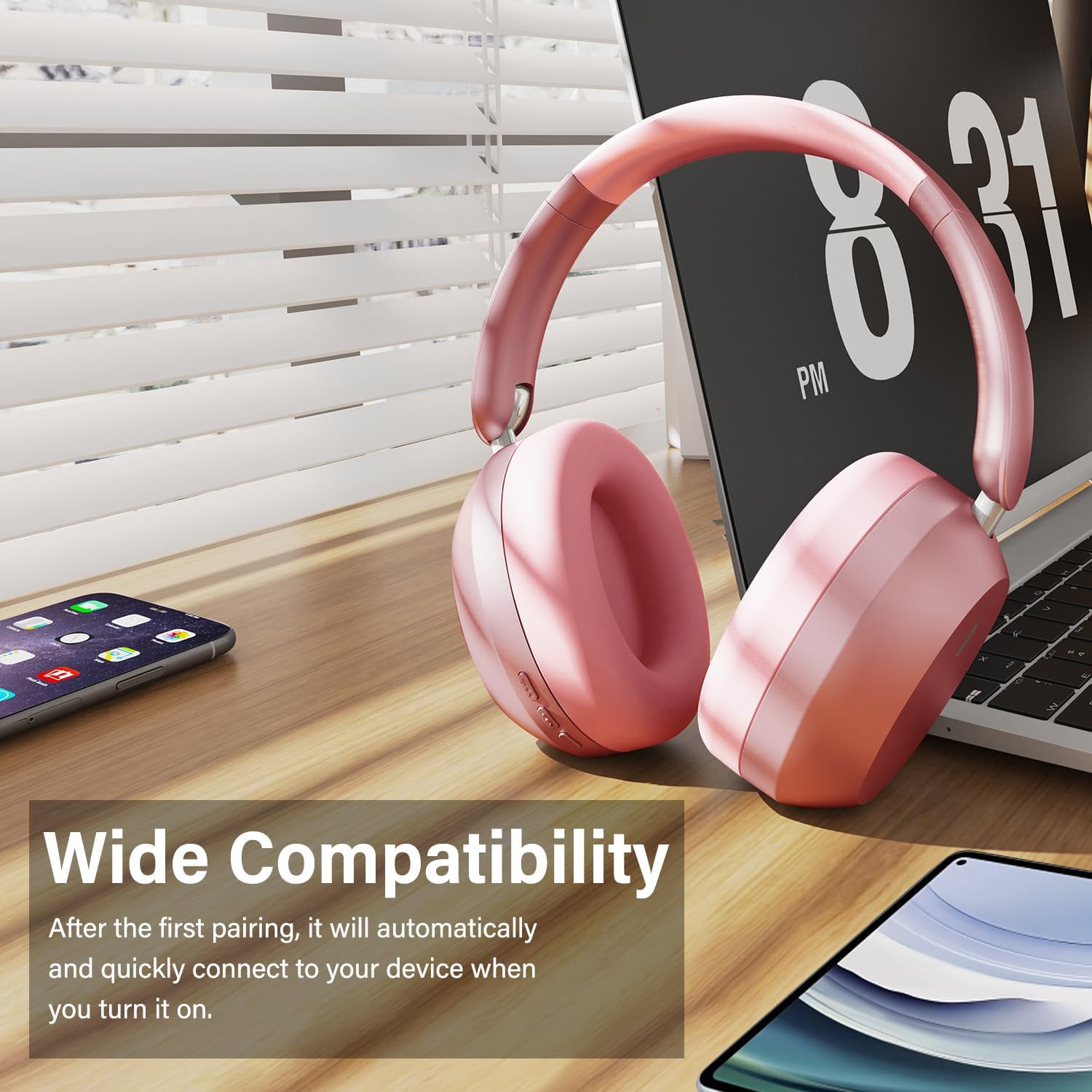
Image: Wentronic Y05 headphones positioned near a laptop, smartphone, and tablet, illustrating their wide compatibility with various Bluetooth-enabled devices.
4. Kabelbaseret forbindelse
To use the headphones in wired mode, connect one end of the 3.5mm audio cable to the audio jack on the headphones and the other end to your audio source. Wired mode can be used when the battery is low or when Bluetooth is not desired.
Betjeningsvejledning
Musikafspilning
- Afspil/pause: Tryk kort på Play/Pause-knappen.
- Næste nummer: Short press the Volume Down / Next Track button.
- Forrige nummer: Short press the Volume Up / Previous Track button.
- Lydstyrke op: Long press the Volume Up / Previous Track button.
- Skrue ned for lyden: Long press the Volume Down / Next Track button.
Opkaldsstyring
- Besvar/afslut opkald: Tryk kort på Play/Pause-knappen.
- Afvis opkald: Tryk længe på Afspil/Pause-knappen.
- Ring tilbage: Dobbelttryk på Afspil/Pause-knappen.
The built-in microphone helps isolate your voice for clear phone calls by canceling unwanted external sound.

Image: A woman smiling while wearing white Wentronic Y05 headphones and holding a smartphone, illustrating the clear call quality provided by the built-in microphone.
Aktiv støjafbrydelse (ANC)
The Y05 headphones feature Active Noise Cancellation. To activate or deactivate ANC, locate the dedicated ANC button (refer to the Product Overview section for button location). Press the button to toggle the ANC function. When ANC is active, it helps reduce ambient noise for a more immersive listening experience.

Image: A person wearing pink Wentronic Y05 headphones while using a tablet, with text indicating 'Active Noise Cancellation' and the ability to immerse oneself in their own world.
Vedligeholdelse og pleje
- Rensning: Brug en blød, tør klud til at rengøre hovedtelefonerne. Brug ikke slibende rengøringsmidler eller opløsningsmidler.
- Opbevaring: Når hovedtelefonerne ikke er i brug, skal de opbevares køligt og tørt, væk fra direkte sollys og ekstreme temperaturer. Det foldbare design muliggør kompakt opbevaring.
- Batteripleje: For at spare på batteriet, undgå at aflade hovedtelefonerne helt ofte. Oplad dem regelmæssigt, selvom de ikke bruges i længere perioder.
- Vandeksponering: Disse hovedtelefoner er ikke vandtætte. Undgå udsættelse for vand eller overdreven fugt.

Image: Hands folding the Wentronic Y05 headphones to fit into a bag, illustrating the travel-ready and space-saving design.
Fejlfinding
If you encounter issues with your Wentronic Y05 headphones, refer to the following common problems and solutions:
| Problem | Løsning |
|---|---|
| Hovedtelefonerne tændes ikke. | Sørg for, at hovedtelefonerne er opladet. Tilslut til en strømkilde med USB-C-kablet. |
| Kan ikke parres med en Bluetooth-enhed. | Ensure headphones are in pairing mode (flashing blue/red). Turn off and on Bluetooth on your device. Move closer to the headphones. Clear previous Bluetooth connections on your device. |
| Ingen lyd eller lav lydstyrke. | Check volume levels on both headphones and your connected device. Ensure headphones are properly paired or the 3.5mm cable is fully inserted. |
| Lydkvaliteten er dårlig. | Flyt tættere på din Bluetooth-enhed for at undgå interferens. Prøv en anden lydkilde eller file. Ensure the 3.5mm cable is not damaged if in wired mode. |
| Mikrofon virker ikke. | Ensure the headphones are connected and selected as the input device on your computer/phone. Check application microphone settings. |
Specifikationer
| Feature | Detalje |
|---|---|
| Modelnavn | Y05 |
| Forbindelsesteknologi | Wireless (Bluetooth 5.3) / Wired (3.5 mm Jack) |
| Hovedtelefonstik | 3.5 mm Jack |
| Trådløs kommunikationsteknologi | Bluetooth |
| Kontroltype | Knap kontrol |
| Øreplacering | Over Ear |
| Formfaktor | Over Ear |
| Støjkontrol | Sound Isolation (Active Noise Cancellation mentioned in images) |
| Batterilevetid | Up to 48 hours (listening time) |
| Driver størrelse | 40 mm dynamiske drivere |
| Materiale | Plastic (with memory-protein ear cushions) |
| Varens vægt | 2.89 ounces (ca. 0.08 kilogram) |
| Kompatible enheder | Mobiltelefoner, stationære computere, bærbare computere |
Garanti og support
Wentronic products are designed for reliability and performance. For information regarding warranty coverage, please refer to the warranty card included with your purchase or the retailer's return policy. For technical support or further assistance, please contact Wentronic customer service through the official webwebstedet eller dit købssted.
You can visit the Wentronic Store for more information: Wentronic Store on Amazon.