
1. Introduktion
This manual provides essential information for the safe and efficient operation of your Optoma GT4000UHD Ultra-Short Throw 4K UHD Home Cinema Laser Projector. Please read it thoroughly before using the product and retain it for future reference.
The Optoma GT4000UHD is designed to deliver high-quality 4K UHD visuals for various entertainment purposes, including console gaming, PC gaming, and streaming video content. Its ultra-short throw capability allows for large images from a minimal distance.
2. Sikkerhedsoplysninger
Overhold følgende sikkerhedsforanstaltninger for at forhindre skader på projektoren og sikre brugerens sikkerhed:
- Bloker ikke ventilationsåbningerne. Sørg for tilstrækkelig luftgennemstrømning omkring projektoren.
- Se ikke direkte ind i projektorlinsen, når lamp er tændt. Det skarpe lys kan forårsage øjenskader.
- Avoid placing the projector in direct sunlight, near heat sources, or in environments with high humidity or dust.
- Brug kun den strømadapter, der følger med projektoren.
- Frakobl strømkablet under tordenvejr eller når apparatet ikke bruges i længere perioder.
- Do not attempt to open or service the projector yourself. Refer all servicing to qualified personnel.
3. Pakkens indhold
Bekræft at alle varer er til stede i pakken:
- Optoma GT4000UHD Projector
- Strømledning
- Fjernbetjening
- Brugervejledning (dette dokument)
4. Produktet er slutview
4.1 Projector Front and Top View
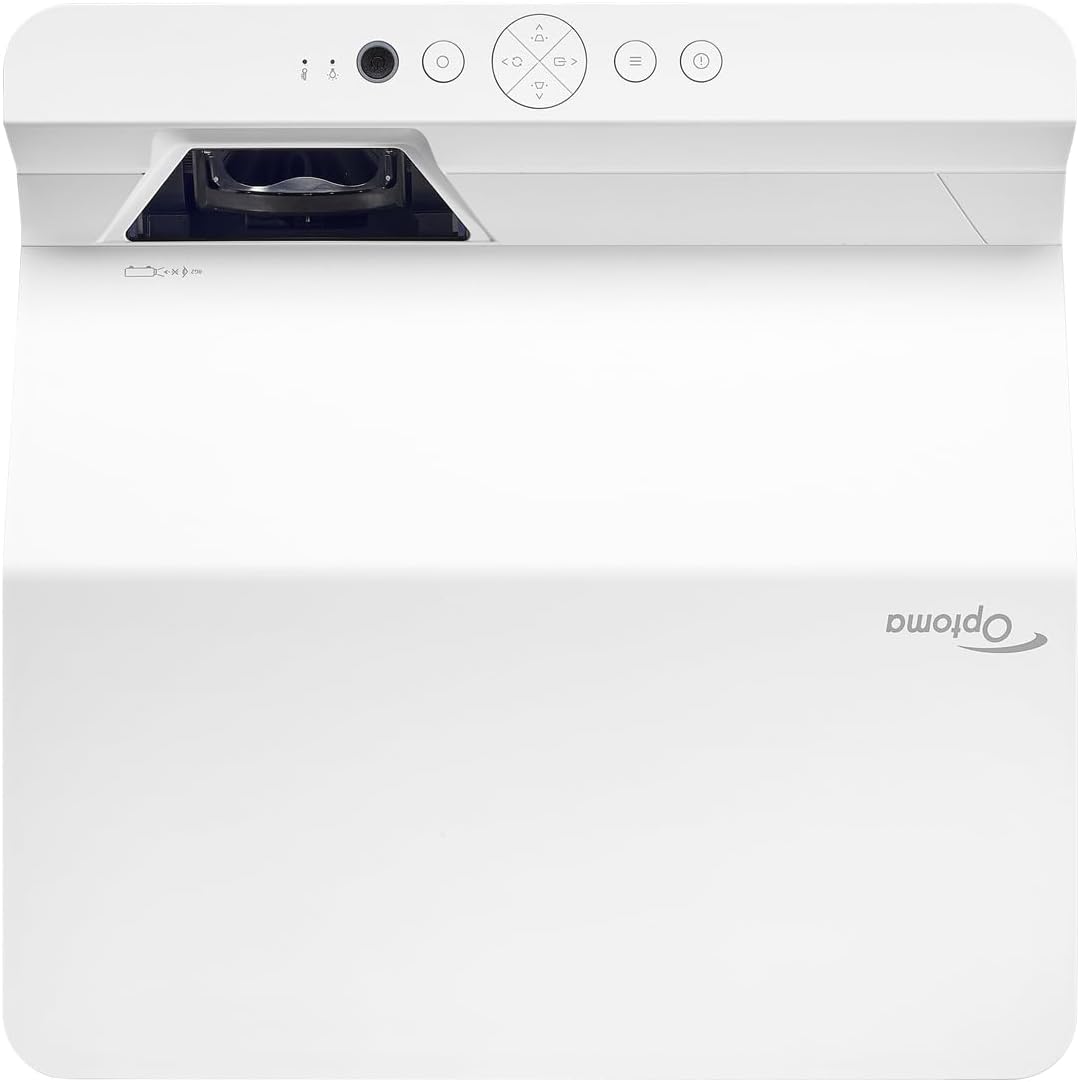
Beskrivelse: Dette billede viser toppen og forsiden view of the Optoma GT4000UHD projector. The ultra-short throw lens is visible at the front, along with basic control buttons on the top panel. The Optoma logo is prominently displayed.
4.2 Rear Panel and Connectivity
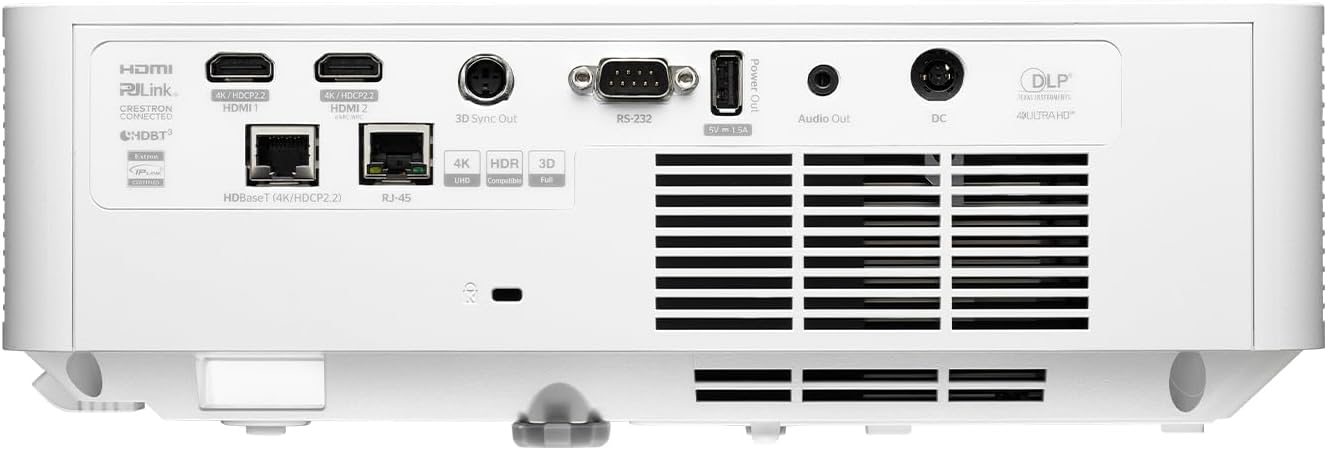
Beskrivelse: This image shows the rear panel of the Optoma GT4000UHD projector, highlighting its connectivity options. Ports include HDMI, HDBaseT, RJ-45, 3D Sync Out, RS232, Audio Out, and DC power input.
4.3 Fjernbetjening
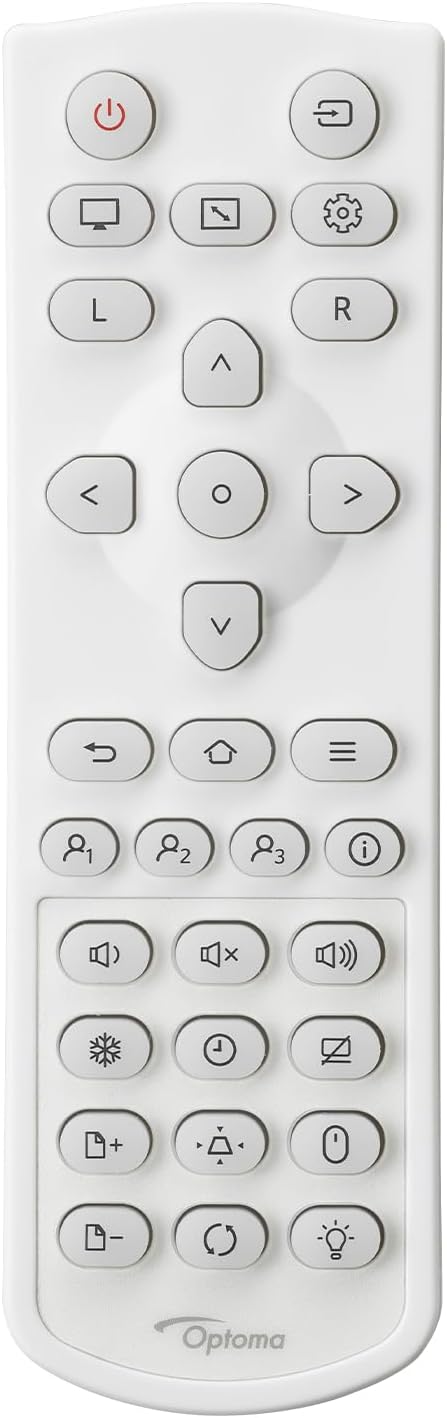
Beskrivelse: This image displays the remote control for the Optoma GT4000UHD projector. It features buttons for power, source selection, menu navigation, volume control, and other functions.
5. Opsætning
5.1 Projektorplacering
The GT4000UHD is an ultra-short throw projector, capable of producing large images from a very short distance. Place the projector on a stable, flat surface directly in front of your screen or wall.
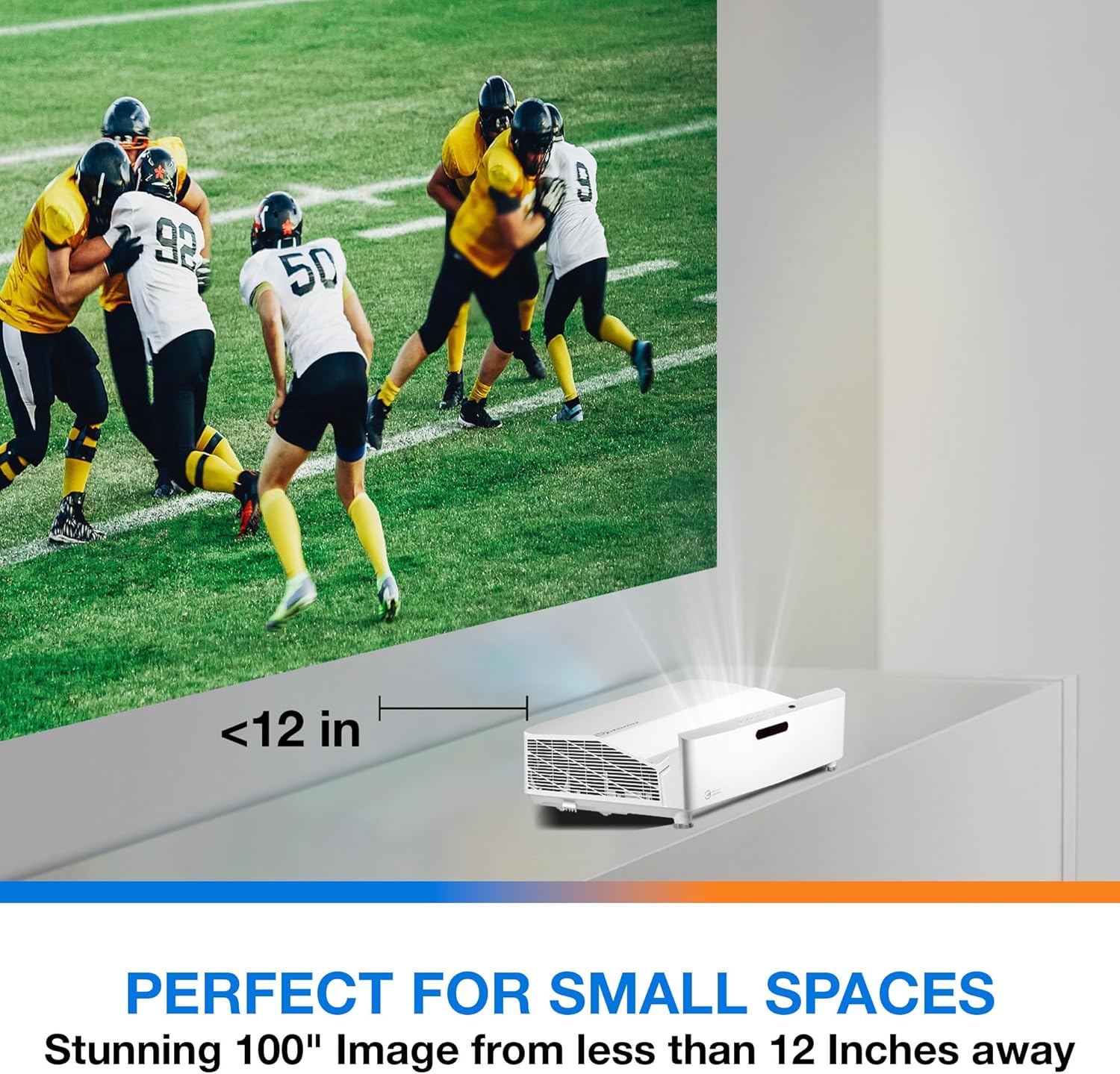
Beskrivelse: This image illustrates the ultra-short throw capability of the GT4000UHD, showing it projecting a 100-inch image from less than 12 inches away from the projection surface. This allows for flexible placement in small spaces.
- For a 100-inch image, position the projector approximately 10-12 inches (25-30 cm) from the projection surface.
- Ensure the projector is level to avoid image distortion. Use the adjustable feet if necessary.
5.2 Tilslutning af enheder
Connect your video sources (e.g., gaming console, Blu-ray player, streaming device) to the projector's HDMI ports. For network control or HDBaseT connectivity, use the respective ports on the rear panel.
- HDMI: Connect HDMI cables from your source devices to the HDMI 1 or HDMI 2 ports.
- Lydudgang: For external audio systems, connect an audio cable from the Audio Out port to your sound system.
- Magt: Connect the power cord to the DC input on the projector and then to a power outlet.
5.3 Tænd/sluk
- Tænd: Press the power button on the projector or the remote control. The power indicator light will turn on.
- Sluk: Tryk på tænd/sluk-knappen igen. Der vises muligvis en bekræftelsesmeddelelse; bekræft for at slukke projektoren.
6. Betjeningsvejledning
6.1 Grundlæggende betjening
- Kildevalg: Use the 'Source' button on the remote control to cycle through available input sources (HDMI 1, HDMI 2, etc.).
- Menu navigation: Use the 'Menu' button to access settings. Use the arrow keys and 'OK' button to navigate and select options.
- Lydstyrkekontrol: Juster lydstyrken ved hjælp af de dedikerede lydstyrkeknapper på fjernbetjeningen.
6.2 Image Adjustment (4-Corner Geometric Correction)
The GT4000UHD features 4-Corner Adjustment for precise image alignment, especially useful when the projector is not perfectly perpendicular to the screen.
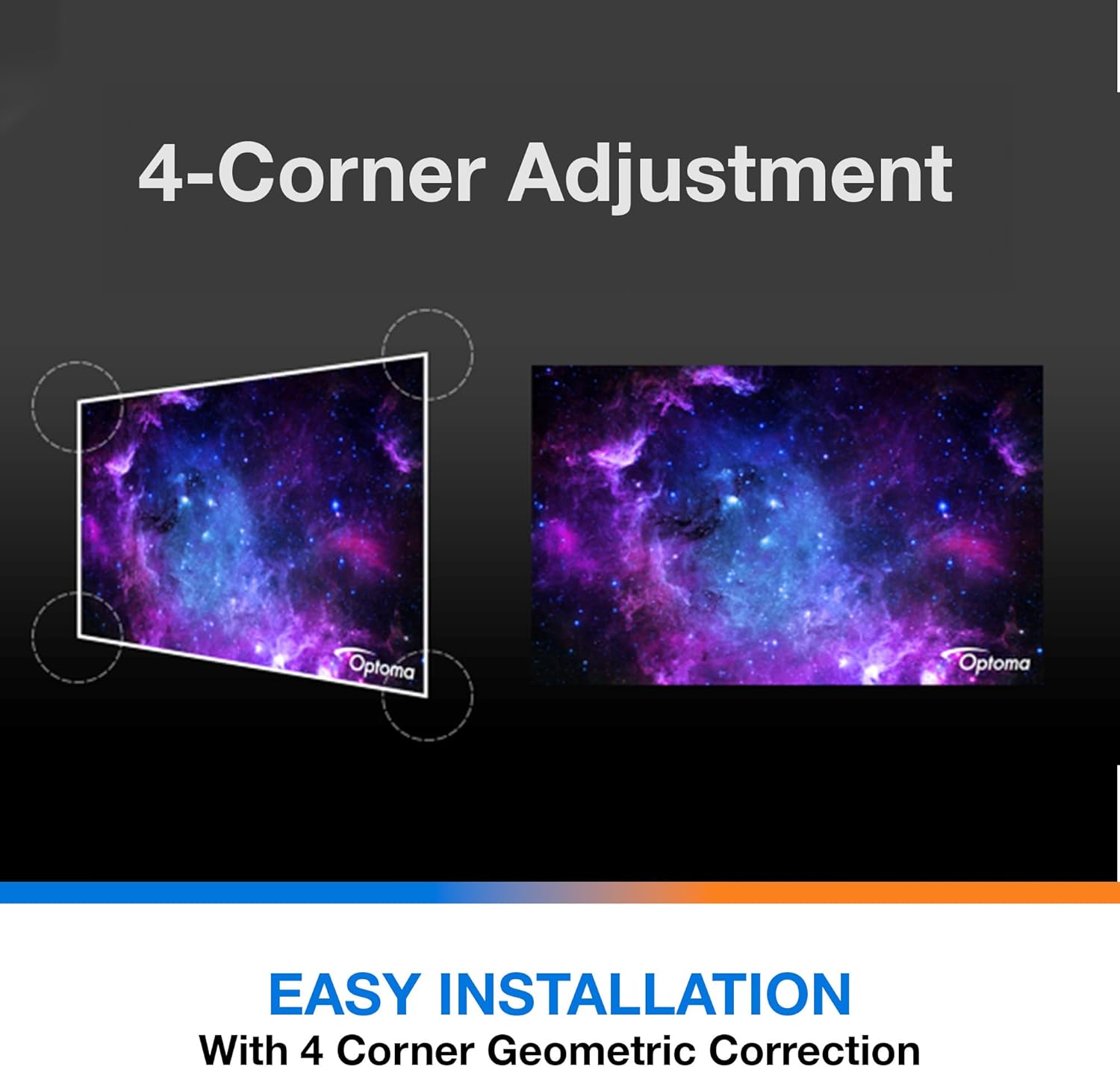
Beskrivelse: This diagram illustrates the function of 4-Corner Adjustment. It shows a trapezoidal, distorted image being geometrically corrected to form a perfect rectangular projection, ensuring easy installation and optimal viewing.
- Access the 'Image' or 'Geometric Correction' menu.
- Select '4-Corner Adjustment' and use the arrow keys to individually adjust each corner of the projected image until it forms a perfect rectangle.
6.3 Forbedret spiltilstand
The projector includes an Enhanced Gaming Mode to minimize input lag, providing a more responsive gaming experience.
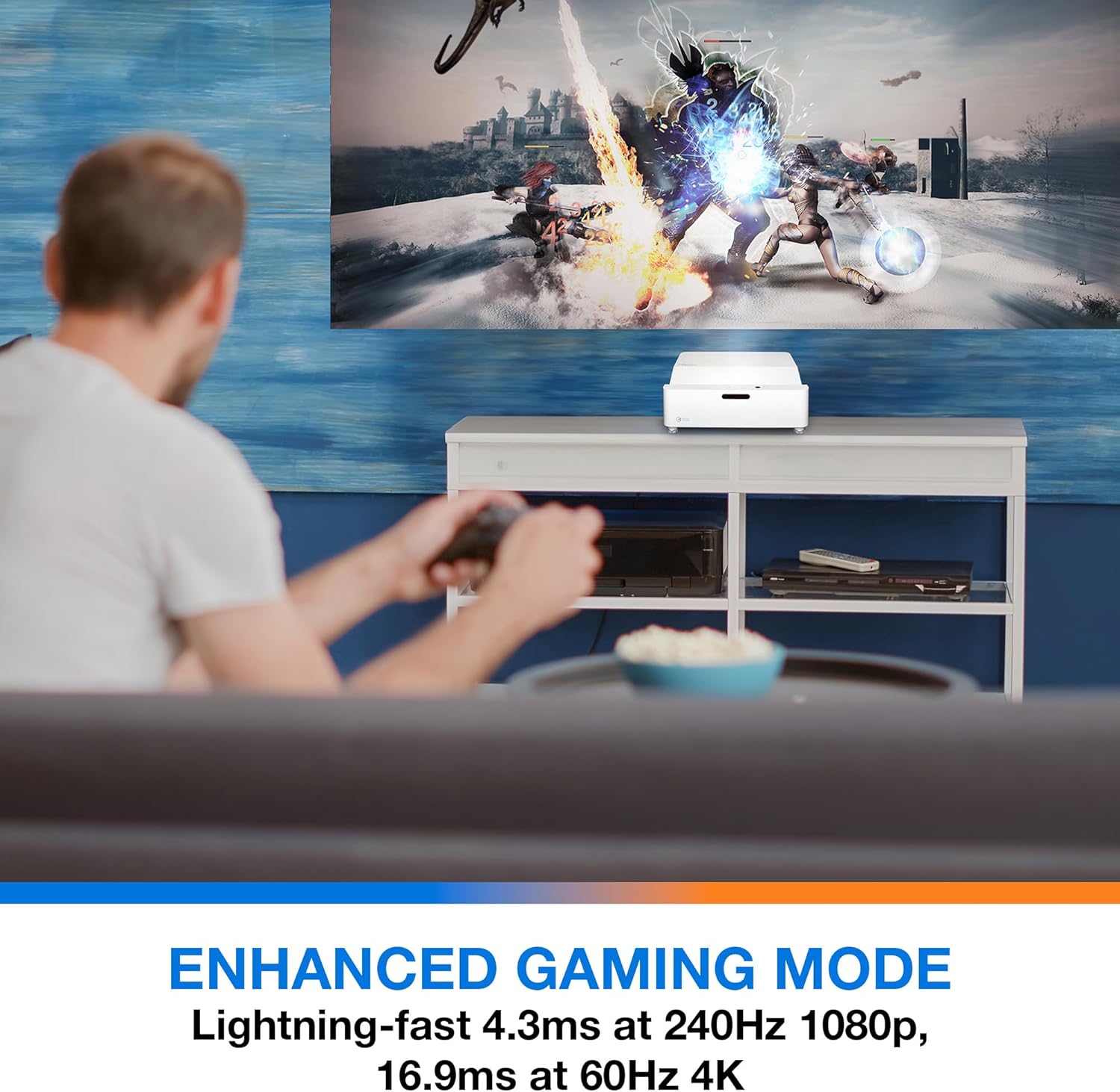
Beskrivelse: This image shows a user engaged in gaming with the Optoma GT4000UHD projector, highlighting the Enhanced Gaming Mode. This mode offers low input lag for a responsive gaming experience.
- To activate, navigate to the 'Display' or 'Picture Mode' settings in the menu and select 'Gaming Mode'.
- This mode optimizes the projector for fast-paced action, reducing input latency to as low as 4.3ms at 240Hz 1080p, or 16.9ms at 60Hz 4K.
6.4 Firmware Updates (FOTA Integration)
The projector supports Firmware Over-The-Air (FOTA) updates, allowing for convenient software enhancements.
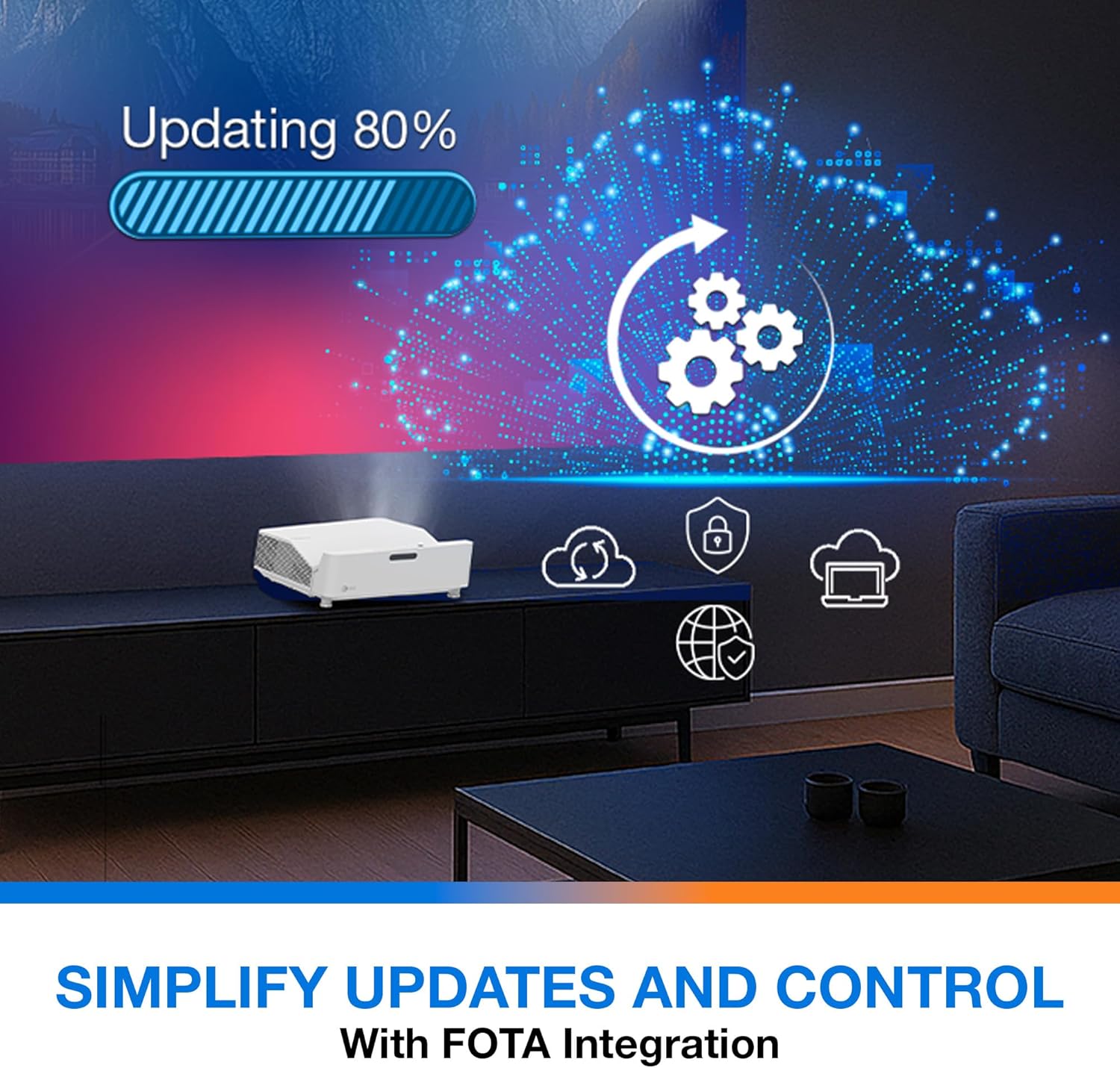
Beskrivelse: This image depicts the FOTA (Firmware Over-The-Air) integration feature, showing a progress bar for an update and cloud icons representing simplified updates and control for the projector.
- Ensure the projector is connected to the internet via its network port.
- Check for updates in the 'System' or 'About' menu. Follow on-screen prompts to download and install any available firmware updates.
7. Vedligeholdelse
- Rengøring af linser: Tør forsigtigt linsen af med en blød, fnugfri klud, der er specielt designet til optiske overflader. Brug ikke slibende rengøringsmidler.
- Ventilation: Regularly check and clean the air vents to prevent dust buildup, which can affect performance and lifespan.
- Opbevaring: When not in use for extended periods, store the projector in a cool, dry place, protected from dust.
8. Fejlfinding
Hvis du støder på problemer, kan du bruge følgende almindelige løsninger:
| Problem | Mulig årsag | Løsning |
|---|---|---|
| Intet billede vises | Løst strømkabel, forkert inputkilde, kildeenhed slukket | Kontroller strømtilslutningerne, vælg den korrekte inputkilde, og sørg for, at kildeenheden er tændt. |
| Image distorted/not rectangular | Projector not level, keystone/corner adjustment needed | Adjust projector position, use 4-Corner Adjustment feature. |
| Ingen lyd | Volume too low, external audio system not connected/selected | Increase volume, check external audio connections and settings. |
| Fjernbetjening virker ikke | Batteries depleted, obstruction between remote and projector | Udskift batterier, fjern forhindringer, og sørg for frit udsyn. |
If the problem persists, contact Optoma customer support.
9. Specifikationer
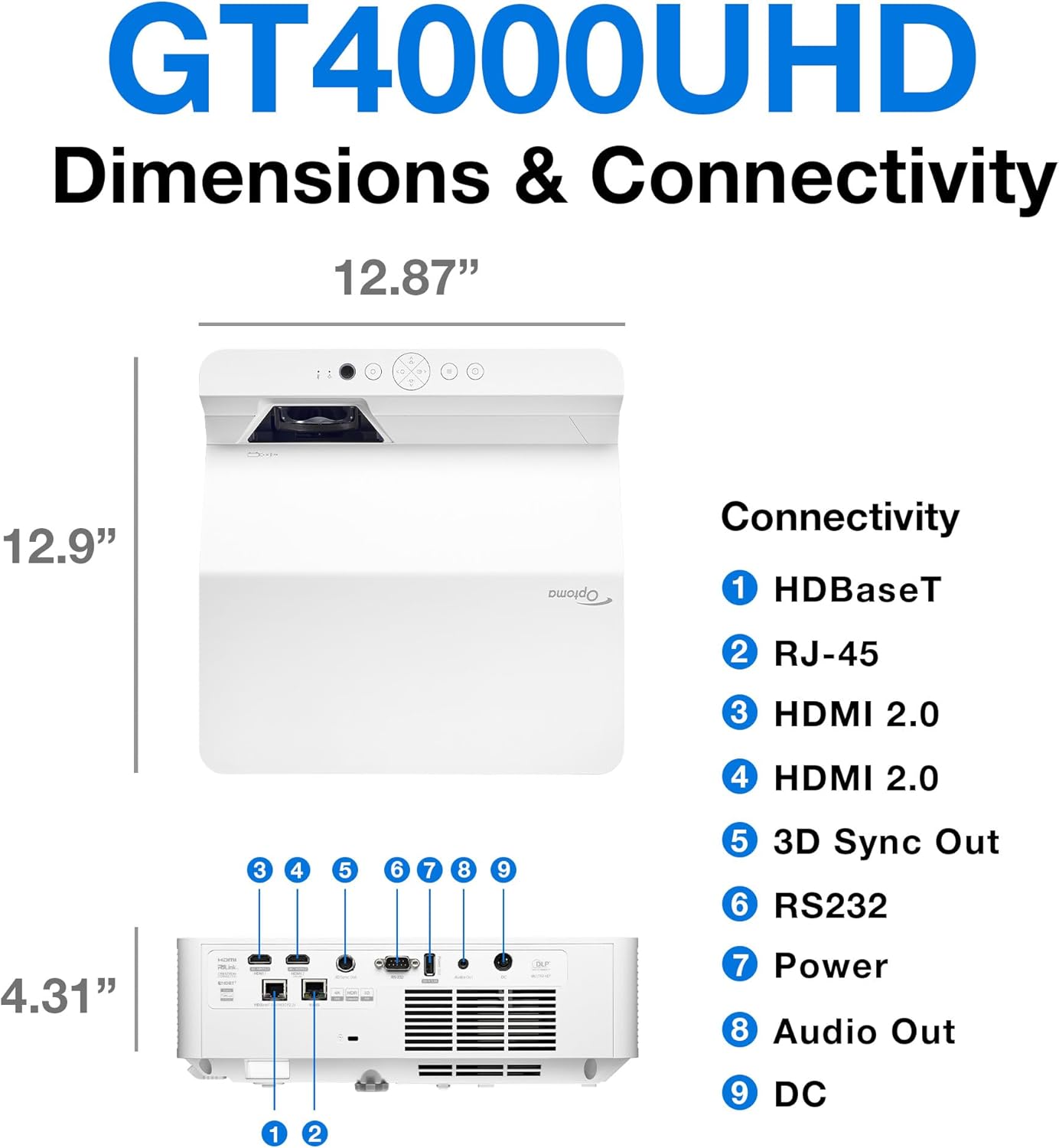
Beskrivelse: This image provides a detailed diagram of the Optoma GT4000UHD projector, including its dimensions (12.87" x 12.9" x 4.31") and a labeled overview of its connectivity ports such as HDBaseT, RJ-45, HDMI 2.0, 3D Sync Out, RS232, Power, Audio Out, and DC.
| Feature | Specifikation |
|---|---|
| Modelnavn | GT4000UHD |
| Mærke | Optoma |
| Skærmopløsning | 3840 x 2160 (4K UHD) |
| Lysstyrke | 4,000 lumen |
| Forbindelsesteknologi | HDMI, RCA |
| Speciel funktion | Ultra kort kast |
| Anbefalede anvendelser | Spil, Hjemmebiograf |
| Maksimal billedstørrelse | 100 tommer |
| Minimum kasteafstand | 0.28 meter |
| Maksimal kasteafstand | 0.56 meter |
| Varens vægt | 9.8 pund |
| Monteringstype | Bordplademontering |
10. Garanti og support
10.1 Garantioplysninger
The Optoma GT4000UHD projector comes with a 1 Year Projector Parts and Labor Manufacturer’s WarrantyGem venligst din købsbevis i tilfælde af garantikrav.
10.2 Kundesupport
For technical assistance, troubleshooting beyond this manual, or warranty inquiries, please visit the official Optoma support website or contact their customer service department. Contact information can typically be found on the Optoma webwebsted eller i produktemballagen.