
1. Introduktion
This manual provides instructions for the Quntis 20.5-inch Monitor Light Bar. This device is designed to provide precise, eye-care illumination for your workspace, featuring radar motion sensing, auto-dimming, and remote control capabilities. Please read this manual thoroughly before use to ensure proper operation and safety.
2. Pakkens indhold
Bekræft, at alle nedenstående varer er inkluderet i din pakke:
- Monitor Light Bar (20.5 inches)
- Trådløs fjernbetjening
- USB Type-C strømkabel
- Brugermanual
- AAA Batteries (3x) for Remote Control (Note: Batteries may not be included in all regions. Please check packaging.)
- Allen Key (for clamp adjustment, if applicable)
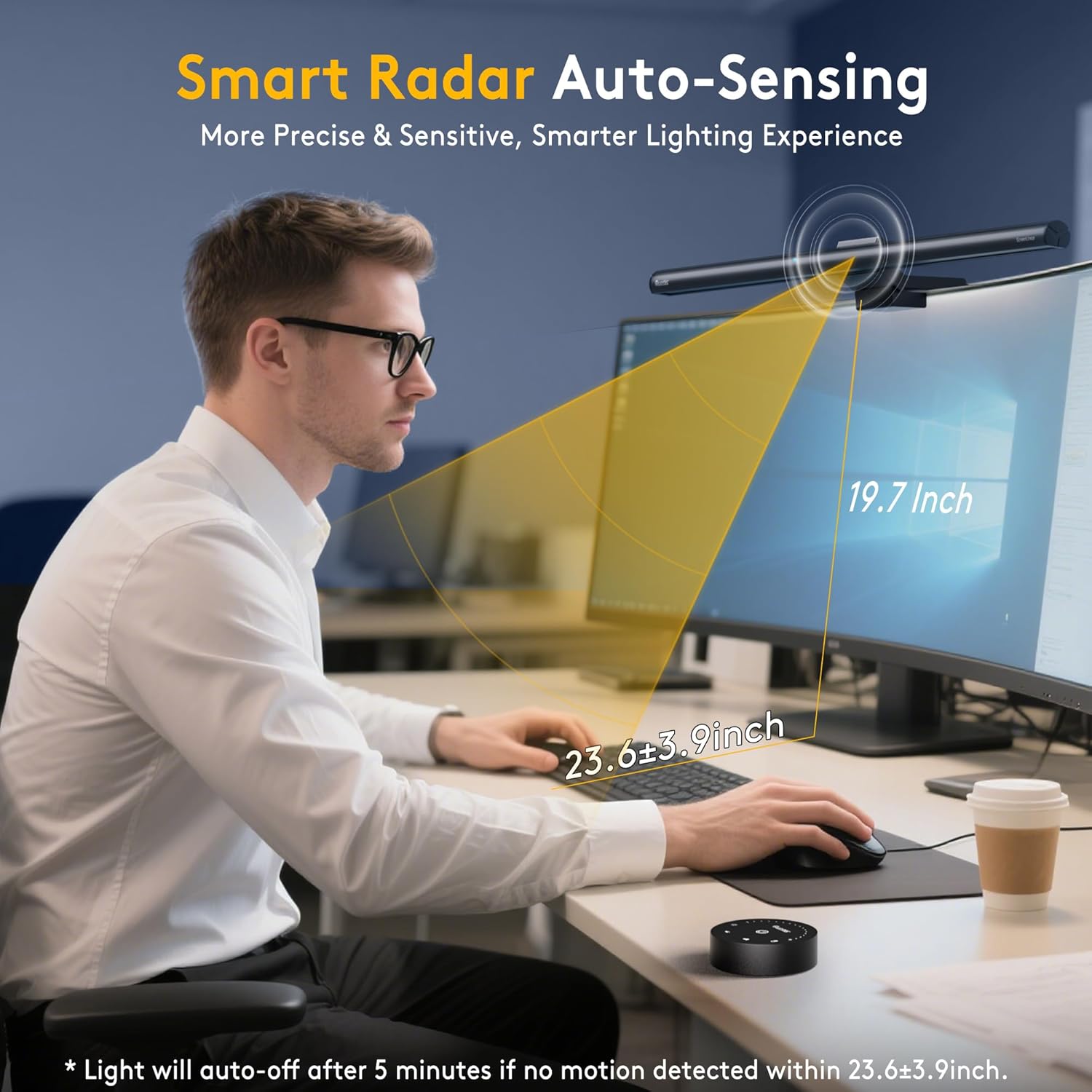
Image: All components included in the Quntis monitor light bar package.
Video: Unboxing and installation guide for the Quntis ScreenLinear Radar Monitor Light Bar.
3. Opsætning
3.1 Installation af batteri i fjernbetjening
- Remove the protective film from the remote control.
- Gently twist and open the bottom cover of the remote control.
- Indsæt tre AAA-batterier, og sørg for korrekt polaritet (+/-).
- Close the bottom cover securely.
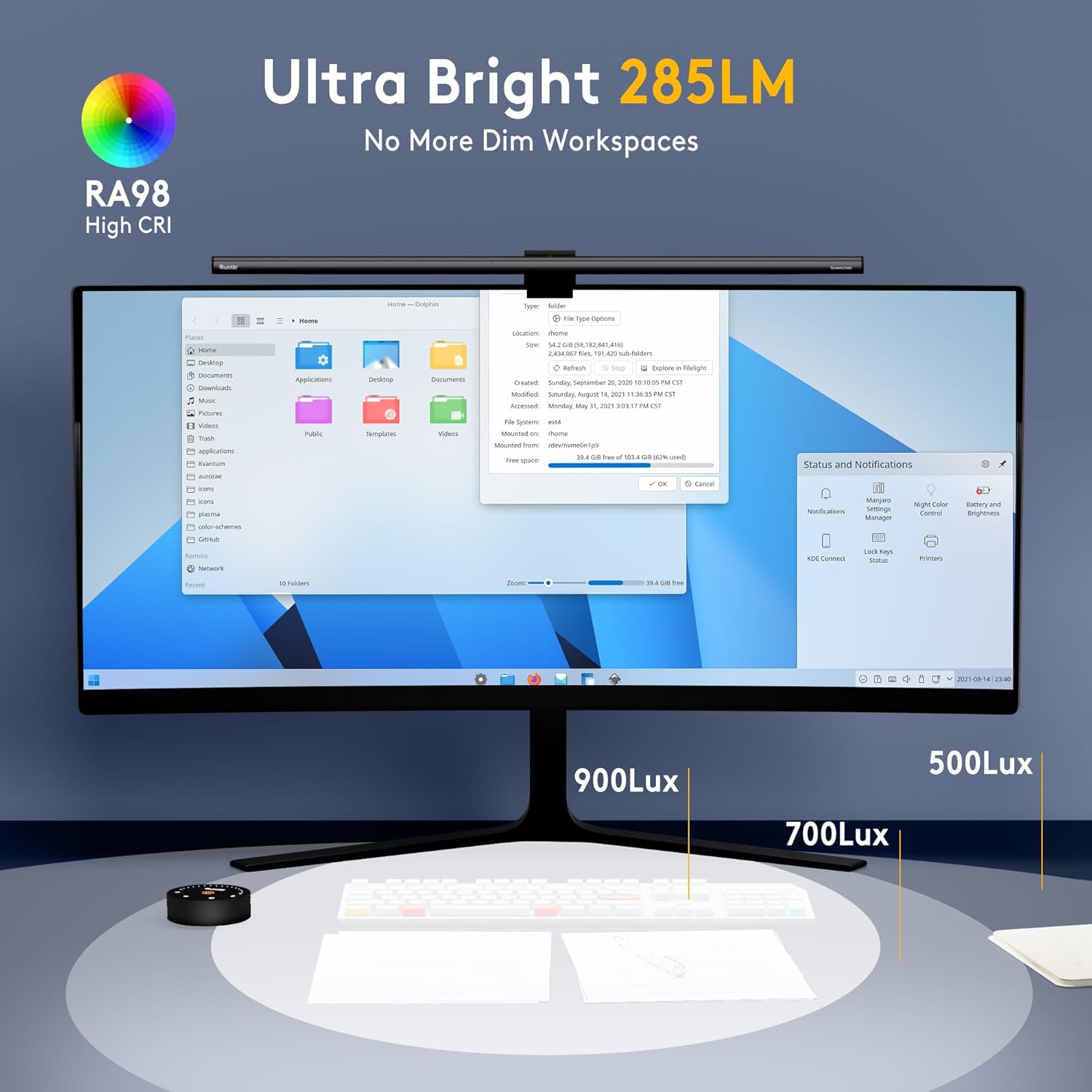
Image: Installing AAA batteries into the remote control.
3.2 Montering af lysbjælken
- Juster clamp to fit the thickness of your monitor. The clamp is designed for various monitor types, including curved, ordinary, and irregular screens.
- Place the light bar securely on top of your monitor. Ensure the counterweight block provides stable balance.
- Connect the USB Type-C power cable to the light bar and then to a USB power source (e.g., computer USB port, USB wall adapter).
Billede: Detaljeret view of the adjustable clamp mechanism for various monitor types.
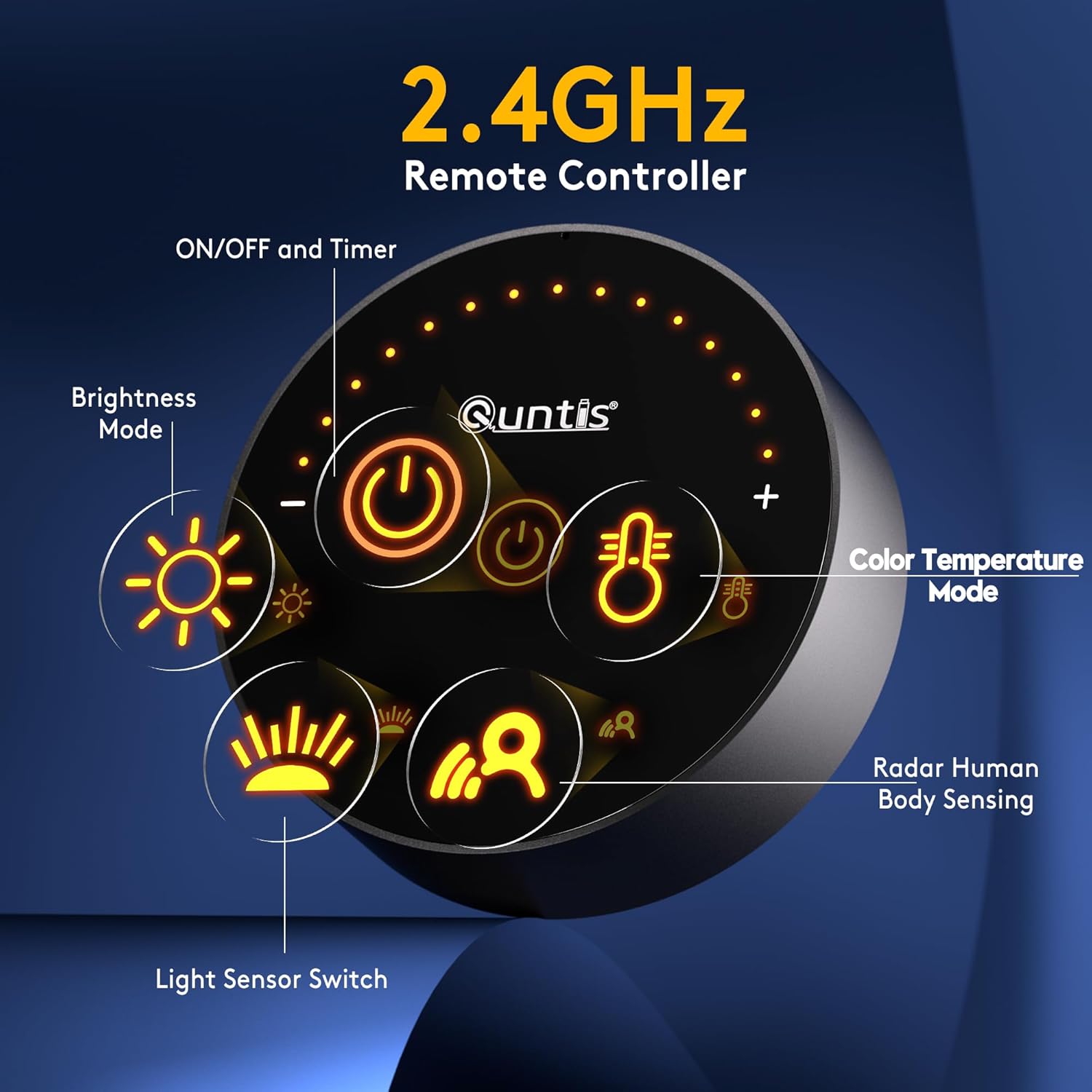
Image: The monitor light bar mounted on a screen, highlighting the reserved space for a webcam.
4. Betjening
4.1 Tænd/sluk
- Press the power button on the remote control to turn the light bar on or off.
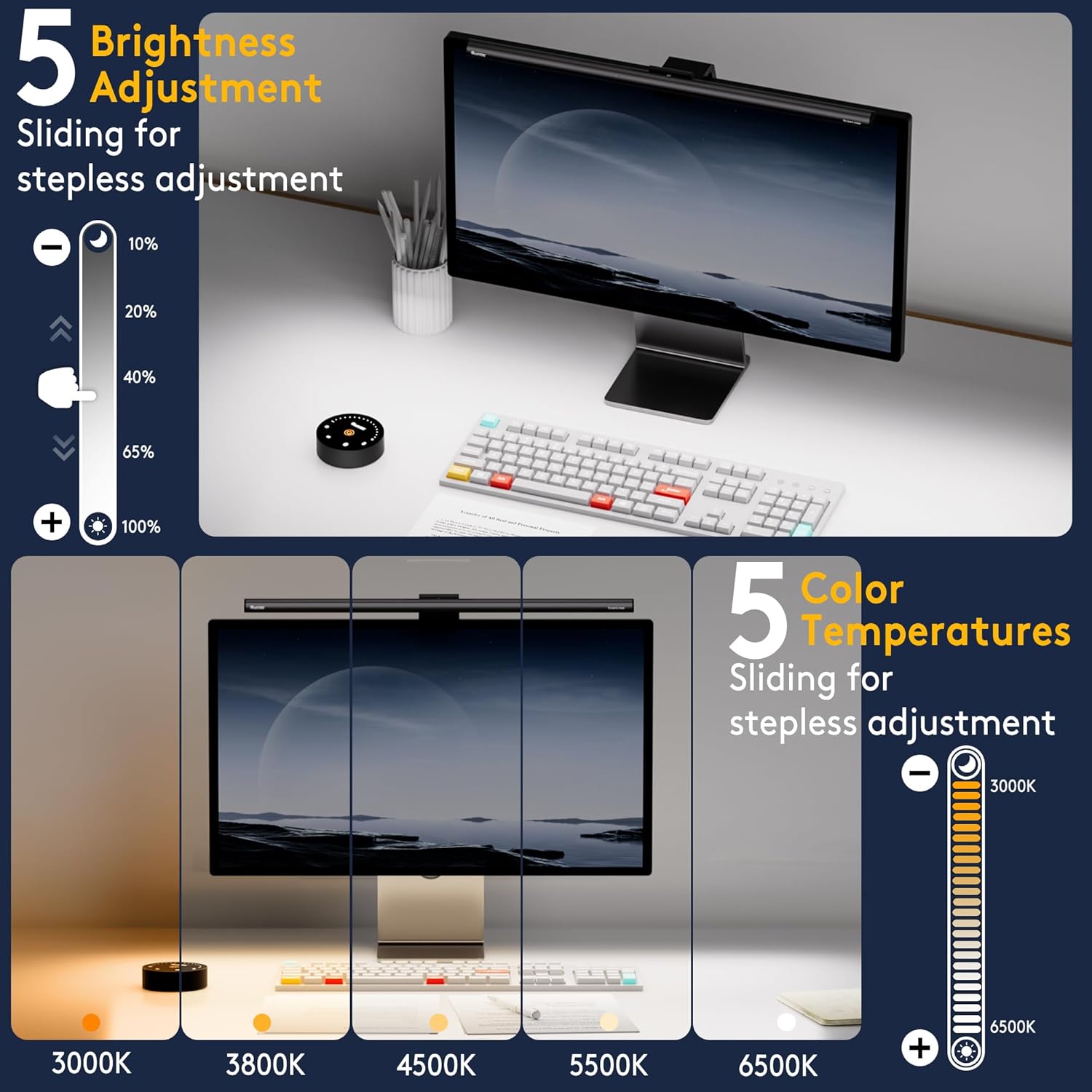
4.2 Justering af lysstyrke
- Tryk på: Tap the brightness buttons (+/-) on the remote control for incremental adjustments.
- Langt tryk: Long press the brightness buttons (+/-) for stepless dimming, allowing fine-tuned brightness levels from 10% to 100%.

Image: The remote control interface for adjusting brightness and color temperature.
4.3 Farvetemperaturjustering
- Tryk på: Tap the color temperature buttons (+/-) on the remote control for incremental adjustments.
- Langt tryk: Long press the color temperature buttons (+/-) for stepless adjustment of color temperature, ranging from 3000K (warm white) to 6500K (cool white).
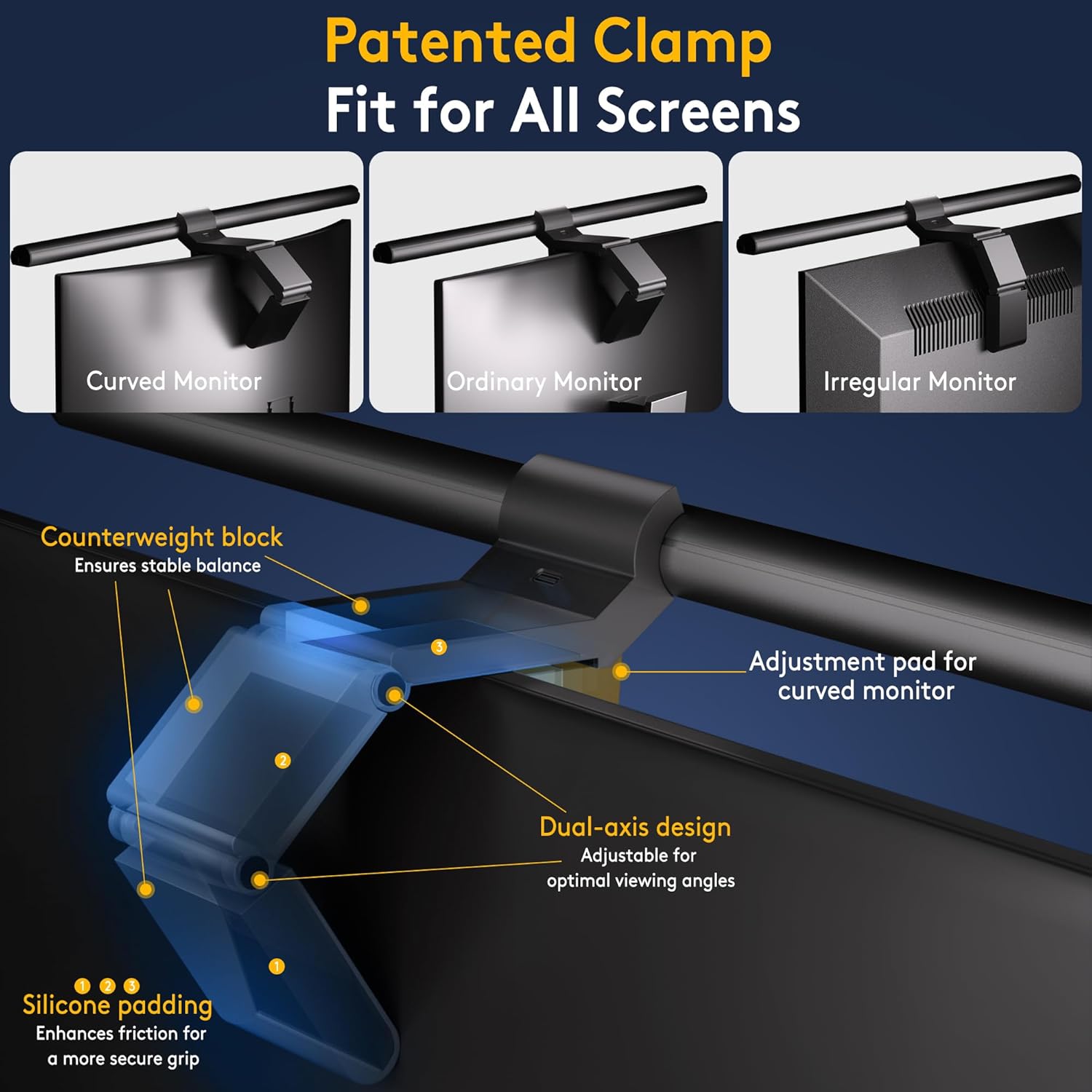
Image: Visual representation of various color temperature settings available on the light bar.
4.4 Automatisk dæmpningsfunktion
- Press the auto-dimming button (sun icon) on the remote control to activate this feature. The integrated light sensor will automatically adjust the brightness based on ambient light conditions.
4.5 Radar Motion Sensor
- Press the radar motion sensor button (person icon) on the remote control to enable this function. The light bar will automatically turn on when movement is detected within a 23.6" ±3.9" range and turn off 5 minutes after no movement is detected.
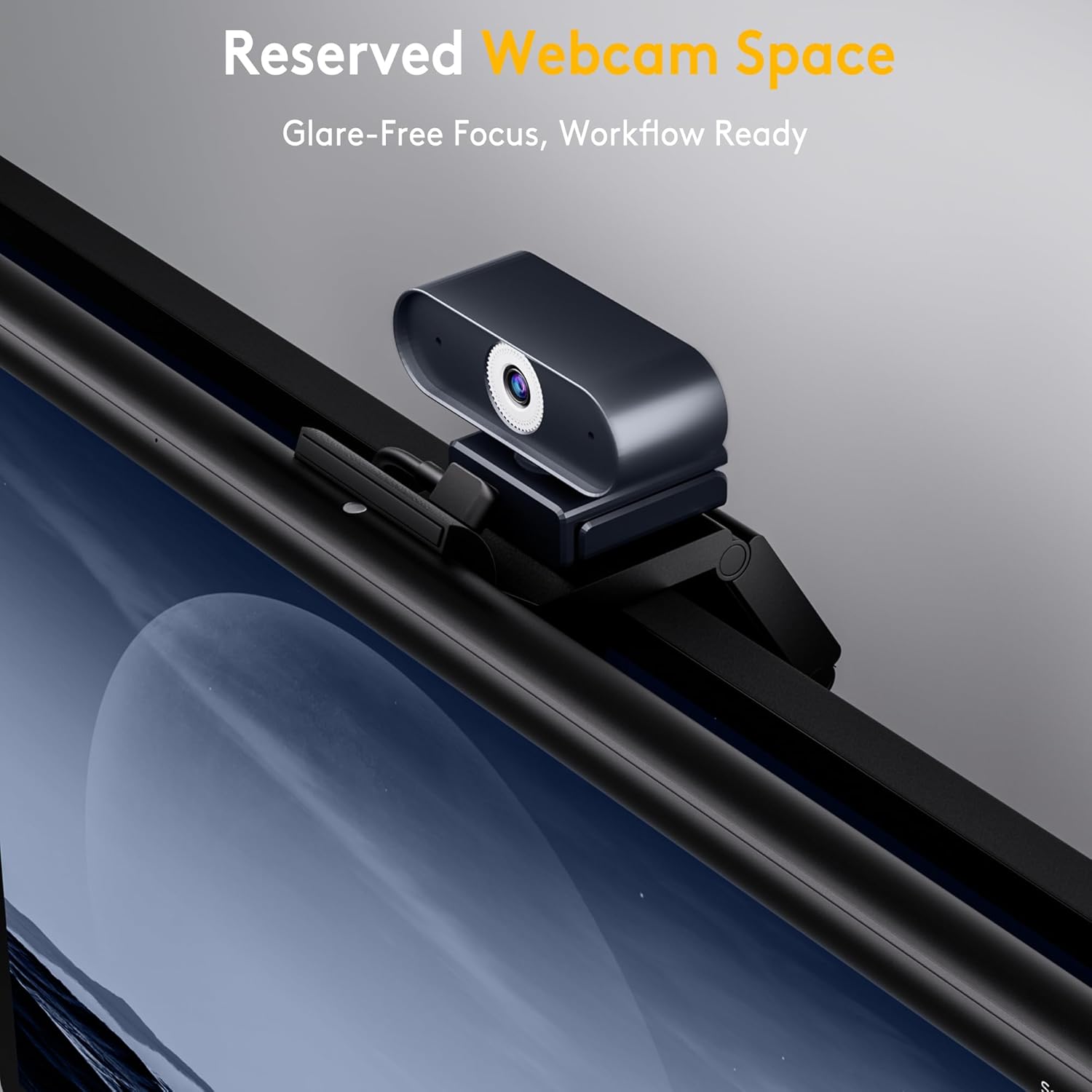
Image: The radar motion sensor detecting a user and automatically activating the light.
4.6 2-Hour Auto-Off Timer
- Press the timer button on the remote control to activate the 2-hour auto-off timer. This feature promotes healthy eye habits by reminding you to take breaks.
5. Nøglefunktioner
- Precision Lighting: Provides over 900lx of center brightness for wide, precise illumination.
- Smart bevægelsessensor: Automatically turns on/off based on user presence (23.6" ±3.9" range, 5-minute auto-off).
- Intelligent Auto-Dimming: Adjusts brightness to ambient surroundings.
- 2-timers timer: Promotes eye health by reminding users to take breaks.
- Tilpasset belysning: Stepless adjustment of brightness (10%-100%) and color temperature (3000K-6500K) via remote control.
- Pladsbesparende Clamp: Securely mounts on most curved (1000R to 1800R) and non-flat top monitors.
- Webcam Mount Compatibility: Integrated design allows easy attachment of a webcam without blocking the lens.
- Højt farvegengivelsesindeks (CRI): Ra98 for faithful reproduction of real-world colors.
- Asymmetric Light Design: Illuminates the desk without causing screen glare.
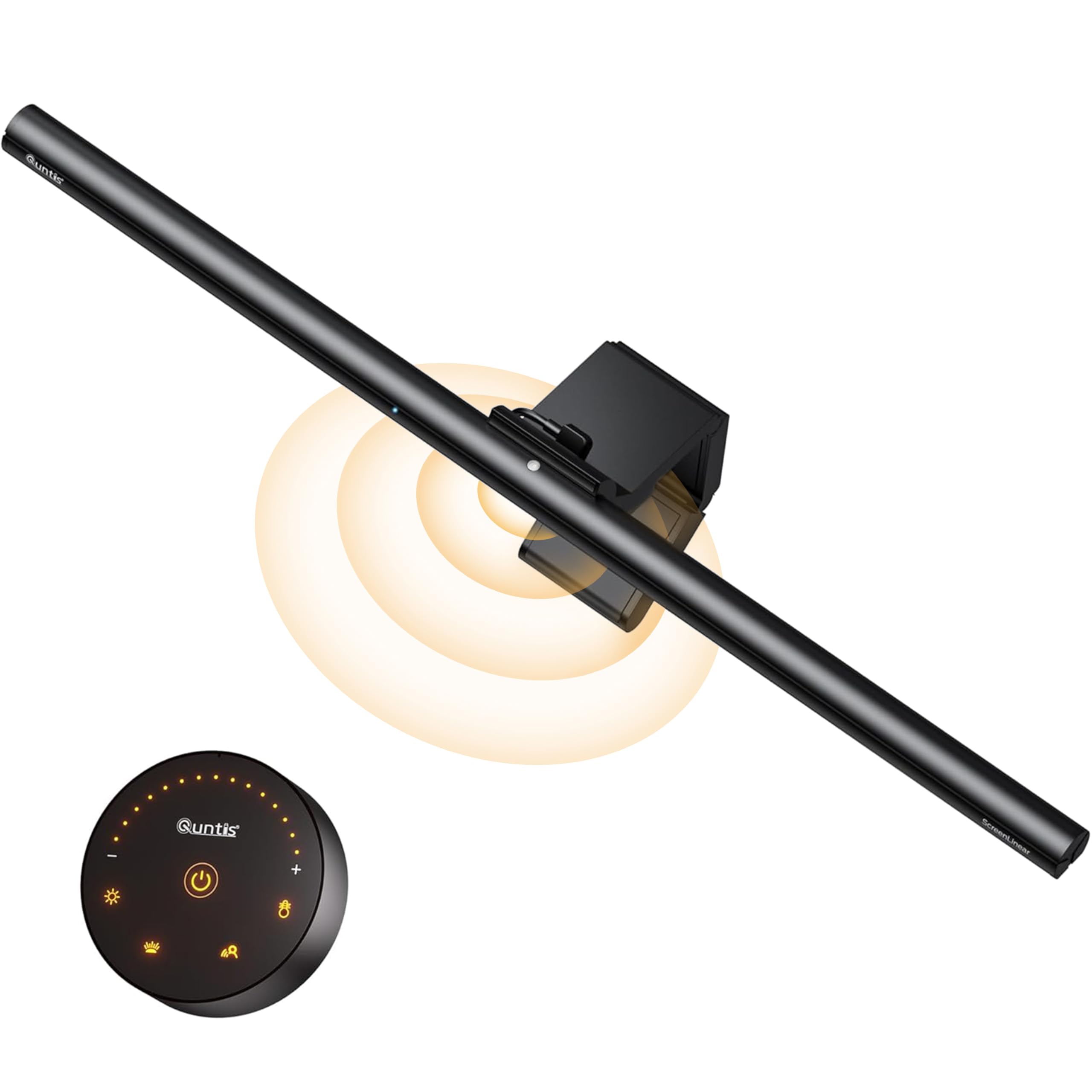
Image: The monitor light bar illuminating a workspace with ultra-wide coverage.
Video: Overståetview of the Quntis ScreenLinear Radar Professional Monitor Light Bar features, including eye-care technology, smart auto-sensing, and remote control.
6. Specifikationer
| Feature | Detalje |
|---|---|
| Mærke | Quntis |
| Modelnummer | LI-HY-0209-GY |
| Farve | Grå |
| Produktdimensioner | 0.78" D x 20.08" B x 0.78" H |
| Varens vægt | 2.35 pund |
| Materiale | Aluminium |
| Strømkilde | Elektrisk med ledning |
| Voltage | 5 volt (DC) |
| Wattage | 5 watt |
| Type pære | LED |
| Farvetemperaturområde | 3000K – 6500K |
| Lysstyrke | Over 900lx (center brightness) |
| Bevægelsessensor rækkevidde | 23.6" ±3.9" |
| Særlige funktioner | Adjustable Brightness & Color Temperature, Auto-Dimming & Timer, Memory Function, Radar Motion Sensor, Ultra-wide Illumination |
| Monteringstype | Desktop (Hanging) |
7. Vedligeholdelse
- Rensning: Disconnect the power before cleaning. Use a soft, dry cloth to wipe the light bar and remote control. Avoid using abrasive cleaners or solvents.
- Udskiftning af batteri: Replace the AAA batteries in the remote control when the indicator light dims or the remote becomes unresponsive.
- Opbevaring: If storing the device for an extended period, remove the batteries from the remote control and store the light bar in a cool, dry place.
8. Fejlfinding
| Problem | Mulig årsag | Løsning |
|---|---|---|
| Lysbjælken tændes ikke. | Ingen strømforsyning. Fjernbetjeningens batterier er døde eller forkert isat. | Sørg for, at USB-kablet er korrekt tilsluttet en fungerende strømkilde. Udskift batterierne i fjernbetjeningen, og sørg for at polariteten vender korrekt. |
| Fjernbetjeningen reagerer ikke. | Lave eller døde batterier. Interferens. | Udskift batterierne. Ensure no obstructions between the remote and the light bar. Try re-pairing if applicable (refer to manufacturer's specific pairing instructions if available). |
| Auto-dimming or motion sensor not working. | Funktionen er ikke aktiveret. Sensor blokeret. Ambient light too high/low for auto-dimming to register significant change. | Ensure the respective function is enabled via the remote control. Clear any obstructions from the sensor area on the light bar. Test in varying light conditions or adjust manually. |
| Lyset flimrer eller er ustabilt. | Ustabil strømforsyning. Løs forbindelse. | Prøv en anden USB-strømkilde eller et andet USB-kabel. Re-seat the USB cable connection. |
9. Garanti og support
The Quntis 20.5-inch Monitor Light Bar comes with a 1-års garanti fra købsdatoen. Denne garanti dækker fabrikationsfejl og funktionsfejl ved normal brug. Den dækker ikke skader forårsaget af misbrug, ulykker, uautoriserede ændringer eller forkert installation.
For warranty claims, technical support, or product inquiries, please contact Quntis customer service through their official website or the retailer where the product was purchased. Please have your proof of purchase and model number (LI-HY-0209-GY) ready.
For yderligere support og produktinformation, besøg Quntis Store on Amazon.