
1. Introduktion
The RX-350 Infrared Thermal Imager is a high-performance device designed for precise temperature measurements using infrared technology. It is ideal for monitoring areas where identifying temperature variations is crucial. The RX-350 offers excellent thermal resolution, allowing detection of even small temperature differences on objects and surfaces.
This manual provides essential information for the safe and effective operation of your thermal imager. Please read it thoroughly before use and keep it for future reference.

2. Sikkerhedsoplysninger
Always observe the following safety precautions to prevent injury and avoid damage to the device:
- Do not point the camera directly at high-intensity light sources (e.g., sun, lasers) as this may damage the infrared sensor.
- Undgå at udsætte enheden for ekstreme temperaturer, fugtighed eller ætsende miljøer.
- Forsøg ikke at skille enheden ad eller ændre den. Overlad al service til kvalificeret personale.
- Use only the provided charger and battery type.
- Opbevar enheden utilgængeligt for børn.
3. Produktet er slutview
3.1. Komponenter og kontroller

Familiarize yourself with the following parts:
- Infrarød linse: Indfanger termisk stråling.
- Digitalkameraobjektiv: Captures visible light images for fusion mode.
- LED lys: Provides illumination for visible light photography in dark environments.
- Camera Screen: Displays thermal and visible images, menu, and data.
- Power ON/OFF Key: Tænder eller slukker for enheden.
- Menutast: Accesses the device's settings and options.
- Selection/Enter Key: Bekræfter valg i menuen.
- Navigation Keys (Up, Down, Left, Right): Navigerer gennem menupunkter.
- Udløser: Used to capture images or videos.
- Micro USB -port: For charging and data export to a computer.
- Håndledsrem: For sikker håndtering.
3.2. Screen Elements Explanation

The screen displays various information during operation:
- Strålingsevne: Current emissivity setting.
- Batteriniveau: Angiver resterende batteriopladning.
- Highest Temperature Cursor: Marks the hottest point in the image.
- Farvekode: Represents the temperature scale.
- Central Point Temperature Cursor: Viser temperaturen midt på skærmen.
- Tid: Aktuel tid.
- Dato: Nuværende dato.
- Lowest Temperature Cursor: Marks the coldest point in the image.
- Central Temperature: Numerical value of the central point temperature.
3.3. Farvepalet Beskrivelse
The device offers several color palettes to visualize temperature differences:
- Regnbue: A common palette showing a full spectrum of colors for temperature variations.
- Iron Oxide Red: Highlights hotter areas in red/yellow tones.
- Rock Red: Similar to Iron Oxide Red, with slightly different color mapping.
- Hvid varme: Displays hotter areas as white and colder areas as black.
- Sort varme: Displays hotter areas as black and colder areas as white.
- Cold Color: Emphasizes colder temperatures.
The radiation coefficient (emissivity) can be adjusted to increase the measurement accuracy of objects with half-reflection surfaces. The highest and lowest temperature cursors guide users to areas with the highest and lowest temperatures in the thermal images. Selectable color palettes are provided to meet various imaging needs.
4. Opsætning
4.1. Udpakning og indledende inspektion
Upon receiving your RX-350 Thermal Imager, carefully unpack all components and inspect them for any signs of damage. The package should contain:
- 1x RX-350 Thermal Imager
- 1x beskyttelsesetui
- 1x Oplader (Strømadapter)
- 1x USB Cable (Micro USB)
- 1x Brugermanual (dette dokument)

4.2. Opladning af batteriet
Before first use, fully charge the device's removable 18650 Lithium Battery. Connect the Micro USB cable to the camera's USB port and the other end to the charger. Plug the charger into a power outlet. The charging indicator on the screen will show the charging status. A full charge typically takes 2 to 3 hours.

4.3. Tænd/sluk
- For at tænde: Press and hold the Power ON/OFF key until the screen illuminates.
- For at slukke: Press and hold the Power ON/OFF key until the device shuts down.
The device features an automatic shutdown function, configurable for 5 minutes, 20 minutes, or disabled.
5. Betjeningsvejledning
5.1. Grundlæggende temperaturmåling
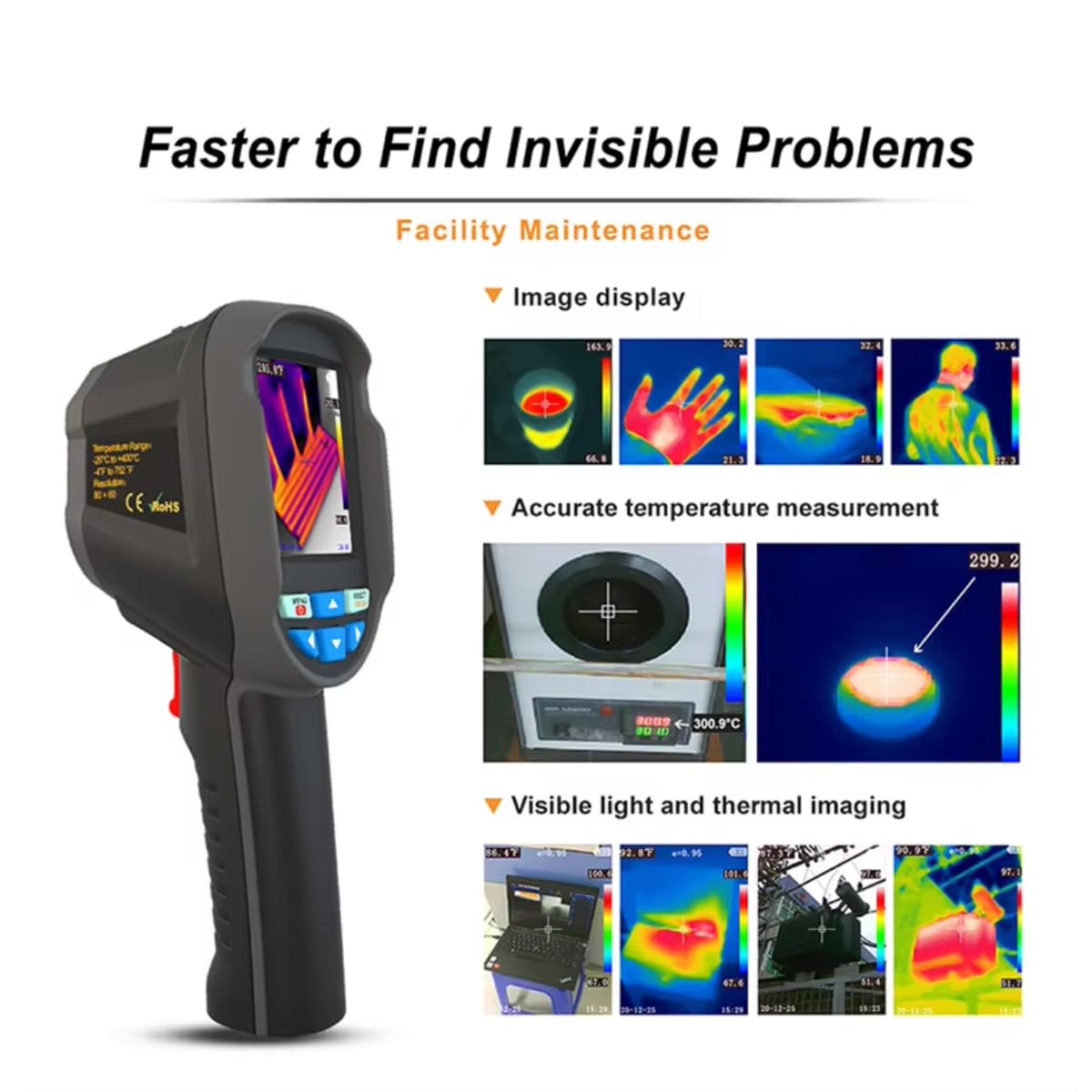
Once powered on, the camera will display a thermal image. Point the infrared lens towards the object or area you wish to measure. The screen will show real-time temperature readings, including the central point temperature, and the highest and lowest temperatures detected within the field of view.
5.2. Justering af emissivitet
Emissivity is a crucial setting for accurate temperature measurement. Different materials have different emissivities. To adjust:
- Tryk på Menu nøgle.
- Navigate to the 'Emissivity' setting using the Navigation keys.
- Tryk på Selection/Enter nøgle.
- Adjust the value between 0.01 and 1.00 using the Navigation keys.
- Tryk på Selection/Enter tasten for at bekræfte.
Consult a reference table for common material emissivities if precise measurements are required.
5.3. Changing Color Palettes
To change the visual representation of temperature:
- Tryk på Menu nøgle.
- Navigate to the 'Color Palette' setting.
- Tryk på Selection/Enter nøgle.
- Select your desired palette (e.g., Rainbow, Iron, Cold Color, White Hot, Black Hot) using the Navigation keys.
- Tryk på Selection/Enter tasten for at bekræfte.
5.4. Image/Video Capture and Storage
The device supports image (JPG) and video (MP4) storage on its built-in 4GB eMMC memory (approximately 3GB user available space).
- Sådan tager du et billede: Aim the camera and press the Udløser knap kortvarigt.
- To Record a Video: Tryk og hold på Udløser button to start recording, and press it again to stop.
5.5. Connecting to PC for Data Export
To export captured images and videos:
- Connect the camera to your computer using the provided Micro USB cable.
- The camera will appear as a removable storage device on your computer.
- You can then copy the JPG images and MP4 videos to your computer.
The device also supports standalone image analysis on a PC.

6. Vedligeholdelse
6.1. Rensning
- Use a soft, dry cloth to clean the device's body.
- Brug en specialklud og -opløsning til linsen for at undgå ridser.
- Brug ikke slibende rengøringsmidler eller opløsningsmidler.
6.2. Batteripleje
- Oplad batteriet regelmæssigt, selvom enheden ikke er i brug, for at opretholde batteriets sundhedstilstand.
- Store the device with a partially charged battery (around 50%) if it will not be used for an extended period.
- Undgå at aflade batteriet helt ofte.
7. Fejlfinding
If you encounter issues with your RX-350 Thermal Imager, try the following:
- Enheden tændes ikke: Ensure the battery is fully charged. Try connecting the charger and powering on.
- Unøjagtige temperaturaflæsninger: Check the emissivity setting for the material being measured. Ensure the lens is clean.
- Skærmen er tom eller frossen: Prøv at genstarte enheden ved at holde tænd/sluk-knappen nede. Hvis den ikke reagerer, skal du lade batteriet aflades helt og derefter genoplade det.
- Kan ikke oprette forbindelse til pc: Sørg for, at USB-kablet er korrekt tilsluttet til både kameraet og computeren. Prøv en anden USB-port eller et andet kabel.
Hvis problemerne fortsætter, kontakt kundesupport for at få hjælp.
8. Specifikationer
| Feature | Specifikation |
|---|---|
| Model | RX-350 |
| Infrarød opløsning | 160x120 (19200 pixels) |
| Felt af View (FOV) | 35°(H) × 27°(V) |
| Spektralt responsbånd | 8 ~ 14µm |
| Pixel størrelse | 12 um |
| NETD (Noise Equivalent Temperature Difference) | ≤ 50 mK |
| Billedhastighed | 25 Hz |
| Temperaturmåleområde | -20 ℃ ~ +550 ℃ (-4 ℉ ~ +1022 ℉) |
| Målenøjagtighed | (-15 ℃ ~ +550 ℃) ± 2 ℃ or ± 2%; (-20 ℃ ~ -15 ℃) ± 4 ℃ or ± 4% |
| Måleenheder | ℃ / ℉ |
| Objektiv brændvidde | 3.2 mm |
| Emissivitetsindstilling | Adjustable from 0.01 ~ 1.00 |
| Measurable Distance | 0m ~ 3m |
| Optimal Measurable Distance | 0.5 ~ 1.2m |
| Fokustilstand | Gratis fokus |
| Temperaturmålepunkter | Center point / Hot spot and Cold spot |
| Farvepaletter | Rainbow, Iron, Cold Color, White Hot, Black Hot |
| Skærmstørrelse | 2.8 inches (240 × 320) |
| Billedvisningstilstand | Infrared / Visible Light / Dual Fusion |
| Belysningssystem | LED-udfyldningslys |
| Enhedsopbevaring | 4GB built-in eMMC (approx. 3GB user available) |
| Billed-/videoformat | JPG / MP4 |
| Image/Video Export Method | USB-forbindelse til computeren |
| Image Analysis Function | Supports standalone analysis on PC |
| Menu sprog | English, German, Italian, Chinese |
| Batteritype | Aftageligt genopladeligt lithiumbatteri (18650) |
| Batterikapacitet | 2000mAh |
| Brugstid | 2 til 3 timer |
| Power interface | Micro USB |
| Indstillinger for automatisk sluk | 5 minutes / 20 minutes / None |
| Driftstemperatur | -10 ℃ ~ +45 ℃ (-14 ℉ ~ +122 ℉) |
| Opbevaringstemperatur | -20 ℃ ~ +60 ℃ (-4 ℉ ~ +140 ℉) |
| Relativ luftfugtighed | 10% ~ 85% relativ luftfugtighed (ikke-kondenserende) |
| Produktets vægt | 375 g |
| Produktdimensioner | 9.6 × 7.2 × 22.6 cm |
9. Garanti og support
For garantioplysninger og teknisk support henvises til den dokumentation, der fulgte med dit køb, eller kontakt sælgeren direkte. Gem dit købsbevis i tilfælde af garantikrav.