
1. Introduktion
Thank you for choosing the PTHTECHUS S6 Open Ear Headphones. These wireless earbuds are designed for comfort and clear audio, featuring Bluetooth 5.4 connectivity and Environmental Noise Cancellation (ENC) for calls. This manual provides instructions for setup, operation, and maintenance to ensure optimal performance.
2. Hvad er der i æsken
- PTHTECHUS S6 Open Ear Headphones (Left and Right)
- Trådløs opladningsetui
- USB-C ladekabel
- Brugermanual

Image: PTHTECHUS S6 Open Ear Headphones and charging case.
3. Opladning af hovedtelefonerne
Oplad hovedtelefonerne og opladningsetuiet helt inden første brug.
- Place the earbuds into the charging case. Ensure they are correctly seated; the indicator lights on the earbuds will show charging status.
- Tilslut USB-C-opladerkablet til opladningsporten på etuiet og til en strømkilde.
- The charging case takes approximately 1.5 hours to fully charge. The earbuds provide up to 8 hours of playback on a single charge, and the charging case extends total battery life to about 40 hours. A 15-minute quick charge can provide an additional 3 hours of listening time.

Image: The S6 headphones in their charging case, illustrating battery life and fast charging capabilities.
4. Parring med din enhed
The PTHTECHUS S6 headphones utilize Bluetooth 5.4 for a stable and efficient connection.
- Åbn opladningsetuiet. Ørepropperne går automatisk i parringstilstand.
- Gå til Bluetooth-indstillinger på din enhed (smartphone, tablet, bærbar computer), og aktiver Bluetooth.
- Søg efter available devices and select "PTHTECHUS S6" from the list.
- Once connected, the earbuds will automatically pair with your device when the case is opened in the future. The transmission range is up to 10 meters.

Image: The S6 headphones and charging case next to a laptop, demonstrating Bluetooth 5.4 technology and one-step pairing.
5. Brug af hovedtelefoner
The S6 headphones feature an open-ear clip-on design for comfort and situational awareness.
- Gently place the earbud over your auricle (outer ear).
- Adjust the clip to sit securely and comfortably above your ear. The design is intended to be lightweight and non-intrusive, allowing for long-term wear without ear pain and compatibility with glasses.
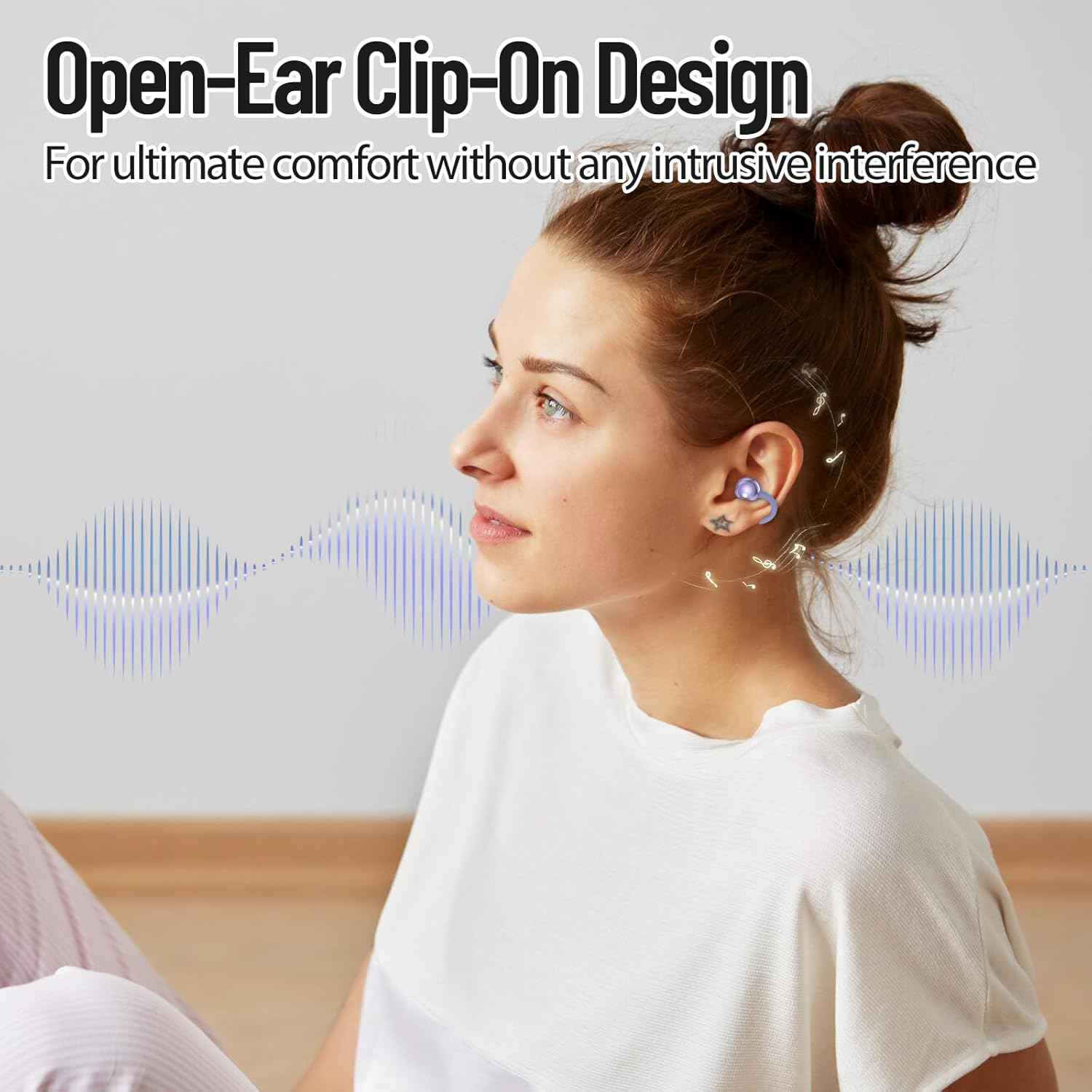
Image: A woman wearing the PTHTECHUS S6 Open Ear Headphones, illustrating the comfortable clip-on design.
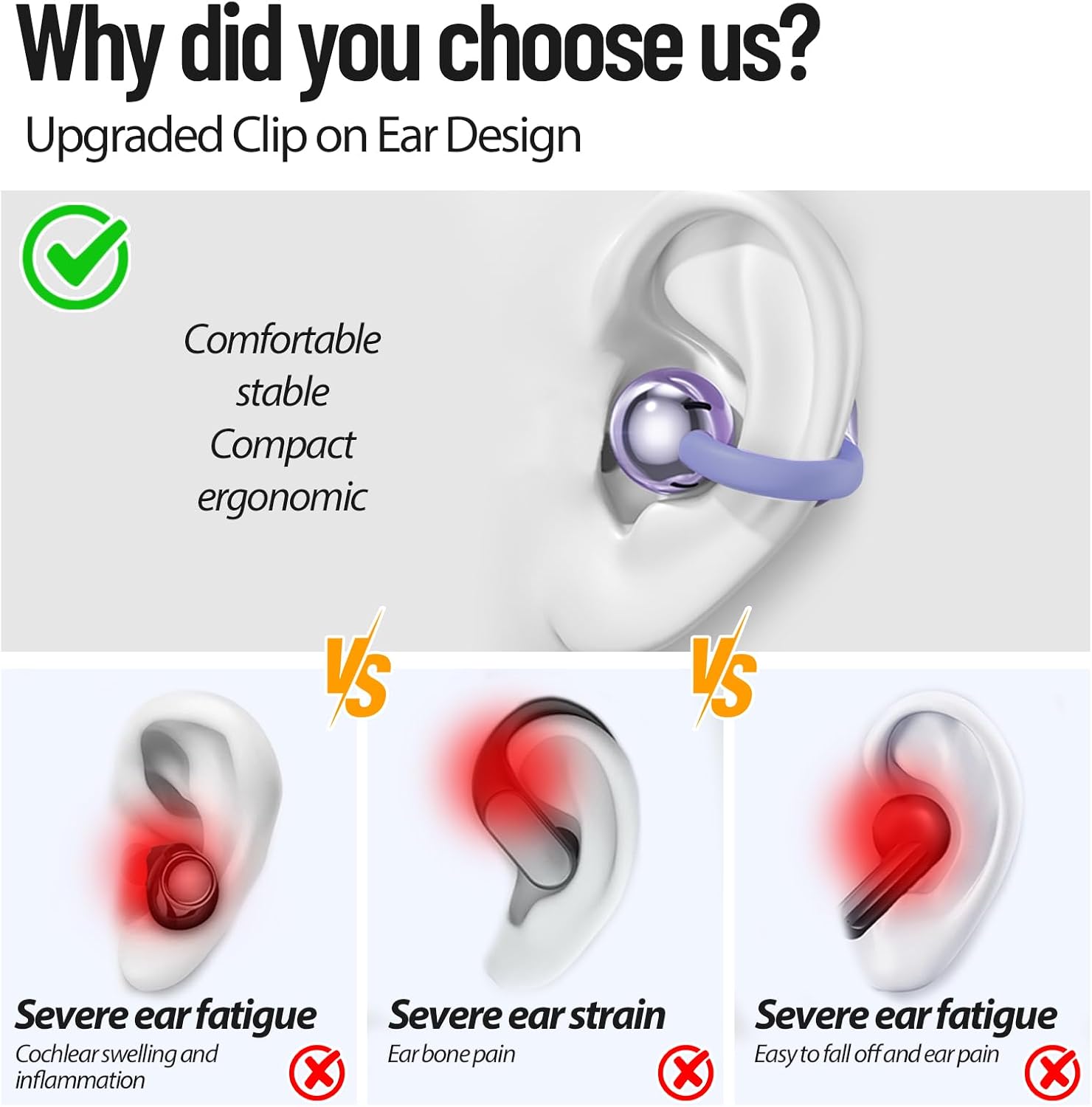
Image: A diagram comparing the comfortable clip-on design of the S6 headphones to traditional in-ear headphones that can cause fatigue or pain.
6. Betjeningsknapper
The S6 headphones feature touch controls for easy management of audio and calls.
- Afspil/pause: Dobbeltklik på en af øretelefonerne.
- Næste nummer: Tryk på den højre øretelefon 3 gange.
- Forrige nummer: Tryk på venstre øretelefon 3 gange.
- Lydstyrke op/ned: Long press either earbud (specific earbud for up/down may vary, refer to quick start guide for precise assignment).
- Besvar/afslut opkald: Dobbeltklik på en af øretelefonerne.
- Stemmeassistent: Tryk længe på en af øretelefonerne.

Image: A diagram illustrating the touch control functions of the S6 headphones.
7. Opkaldsfunktionalitet
The S6 headphones are equipped with advanced ENC (Environmental Noise Cancellation) technology. This feature helps to reduce background noise during calls, ensuring clear communication even in noisy environments.
8. Vandafvisende
The PTHTECHUS S6 headphones have an IP5 water resistance rating. This means they are protected against low-pressure water jets from any direction, making them suitable for use during workouts or in light rain. They are not designed for submersion in water.

Image: Three pairs of S6 headphones in different colors with water splashing around them, indicating IP5 water resistance.
9. Vedligeholdelse og pleje
- Rengør ørepropperne og opladningsetuiet regelmæssigt med en blød, tør klud.
- Undgå at bruge slibende rengøringsmidler eller opløsningsmidler.
- Opbevar hovedtelefonerne i deres opladningsetui, når de ikke er i brug, for at beskytte dem og holde dem opladede.
- Keep the headphones away from extreme temperatures, humidity, and dust.
10. Fejlfinding
| Spørgsmål | Mulig løsning |
|---|---|
| Hovedtelefoner parres ikke | Ensure headphones are charged. Turn off and on your device's Bluetooth. Place earbuds back in case, close, then reopen to re-enter pairing mode. |
| Ingen lyd fra hovedtelefoner | Check device volume and headphone volume. Ensure headphones are connected to the correct device. Try re-pairing. |
| Ladeetui oplader ikke | Verify the USB-C cable is securely connected to both the case and power source. Try a different cable or power adapter. |
| Én øretelefon virker ikke | Ensure both earbuds are charged. Place both earbuds back in the case, close, then reopen. Try re-pairing the headphones. |
| Problemer med opkaldskvaliteten | Ensure the earbuds are properly worn. Move closer to your connected device. Avoid environments with excessive background noise. |
11. Produktspecifikationer
| Feature | Specifikation |
|---|---|
| Modelnavn | S6 |
| Forbindelsesteknologi | Trådløs (Bluetooth 5.4) |
| Bluetooth rækkevidde | 10 meter |
| Batterilevetid (ørepropper) | Op til 8 timer |
| Samlet batterilevetid (med etui) | Cirka 40 timer |
| Opladningstid | 1.5 timer |
| Støjkontrol | Adaptiv støjreduktion (ENC til opkald) |
| Vandmodstandsniveau | IP5 (vandtæt) |
| Kontrolmetode | Røre |
| Øreplacering | Åbent øre |
| Varens vægt | 44 gram (i alt) |
| Materiale | Plast |
12. Officiel produktvideo
Video: En overview demonstrating the features and design of the PTHTECHUS S6 Open Ear Headphones, including battery life, Bluetooth connectivity, and comfortable fit.
13. Garanti og support
For warranty information and customer support, please refer to the documentation included with your purchase or contact the seller directly. PTHTECHUS is committed to providing quality products and assistance.