
Micool T18
Micool Invisible Sleep Wireless Earphone T18 User Manual
Model: T18
1. Introduktion
Thank you for choosing the Micool Invisible Sleep Wireless Earphone T18. These earbuds are designed for comfort during sleep and extended wear, featuring a non-in-ear design, Bluetooth 5.4 connectivity, and intuitive touch controls. This manual provides detailed instructions for setup, operation, and maintenance to ensure optimal performance and longevity of your device.
2. Pakkens indhold
Tjek venligst pakken for følgende varer:
- Micool Invisible Sleep Wireless Earphones (T18)
- Ladekabel
- Brugervejledning (dette dokument)
3. Produktet er slutview
The Micool T18 earphones feature a unique, ergonomic design optimized for comfort, especially for side sleepers. Their ultra-thin body and non-in-ear placement minimize pressure on the ear canal.
Nøglefunktioner:
- Non-In-Ear Design: Avoids ear canal pressure, suitable for extended wear and sleeping.
- Bluetooth 5.4: Provides stable wireless connection and low power consumption.
- Berøringsknapper: Easy management of audio playback and calls.
- IPX5 Vandtæt: Modstandsdygtig over for sved og lette stænk.
- Kompakt og let: Designed for discreet use and portability.
Høretelefonkomponenter:
Refer to the images below for a visual guide to the earphone's design and components.
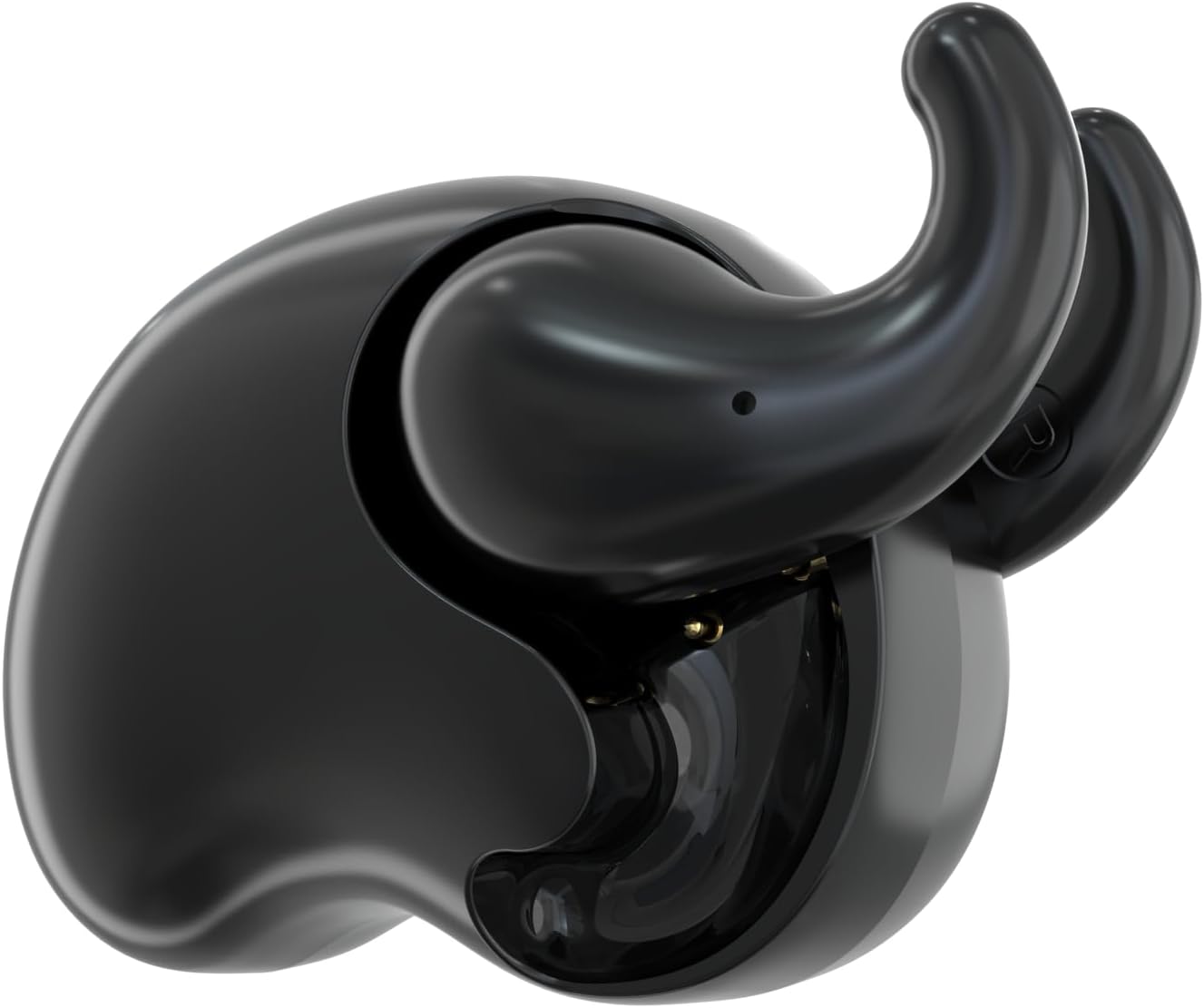
Figure 3.1: Micool T18 Invisible Sleep Wireless Earphones (Classic Black).

Figure 3.2: Earbud placement demonstrating the non-in-ear design for comfort.
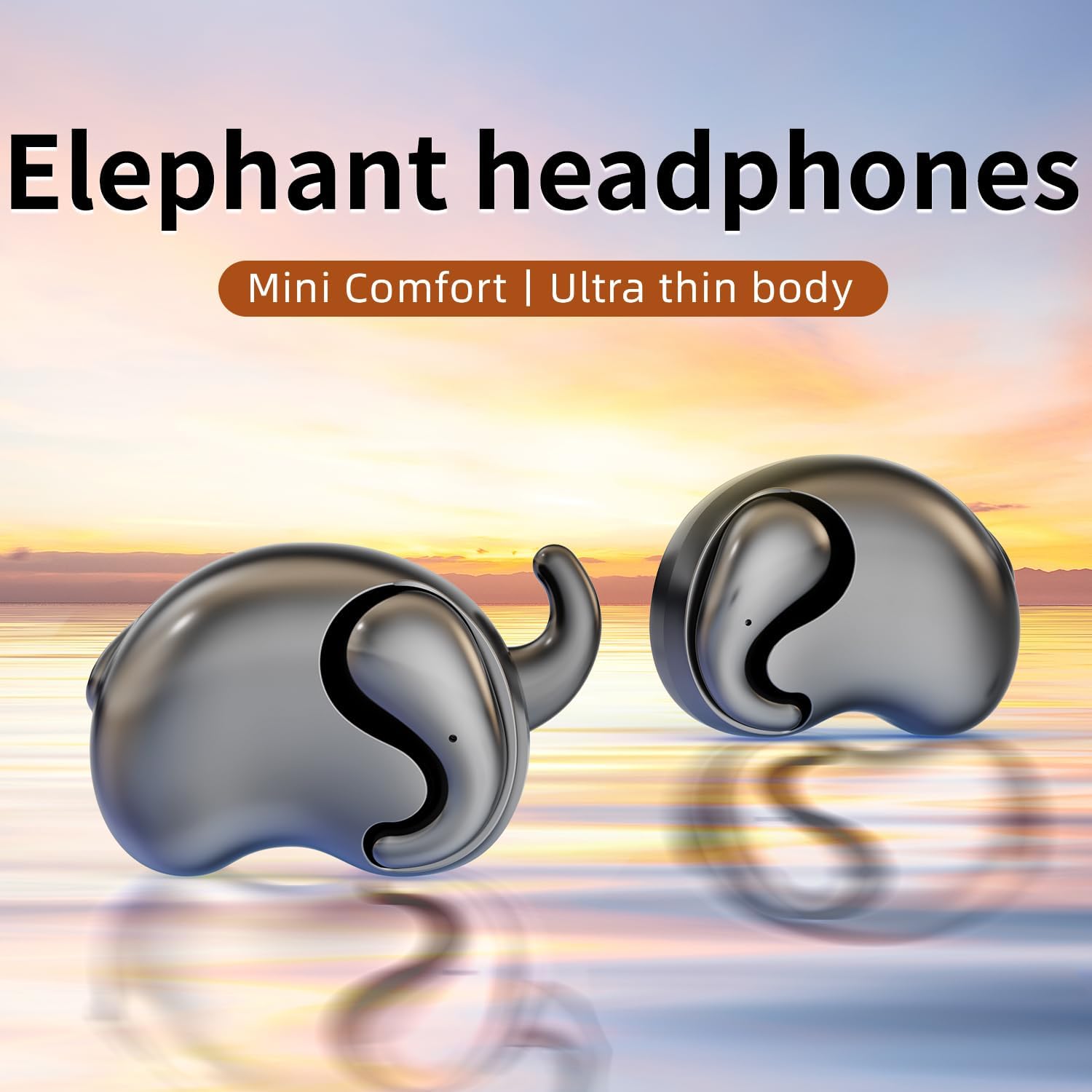
Figure 3.3: A pair of Micool T18 earbuds, highlighting their compact and ergonomic form factor.
4. Opsætning
4.1 Indledende opladning
Before first use, fully charge the earphones. Connect the provided charging cable to the charging port on the earphones and to a USB power source. The indicator light will show charging status and turn off or change color when fully charged.
4.2 Tænd/sluk
- Tænd: The earphones typically power on automatically when removed from the charging case. If not, press and hold the touch control area on each earbud for approximately 3 seconds until you hear a power-on prompt or see an indicator light.
- Sluk: Place the earphones back into their charging case to power off automatically. Alternatively, press and hold the touch control area for approximately 5 seconds until you hear a power-off prompt.
4.3 Bluetooth -parring
- Ensure the earphones are charged and powered on. They will automatically enter pairing mode, indicated by a flashing LED light (usually blue and red alternating).
- Aktiver Bluetooth på din enhed (f.eks. smartphone, tablet).
- Søg efter available Bluetooth devices. Select "Micool T18" from the list.
- Once connected, the earphone's LED indicator will stop flashing or flash slowly, and you will hear a confirmation sound.
- Hvis parringen mislykkes, skal du slukke for øretelefonerne og din enheds Bluetooth og derefter gentage trinnene.
5. Betjeningsvejledning
5.1 Sådan tager du øretelefonerne på
Gently place the earphones onto your outer ear, ensuring the non-in-ear design rests comfortably without entering the ear canal. Adjust for a secure fit that allows for comfort, especially when lying down.

Figure 5.1: Proper wearing of the Micool T18 earphone for optimal comfort.
5.2 Tryk på kontrolelementer
The Micool T18 earphones feature intuitive touch controls on the outer surface of each earbud. The specific functions may vary slightly, but common controls include:
- Afspil/pause: Et enkelt tryk på begge øretelefoner.
- Næste nummer: Dobbelttryk på den højre øreprop.
- Forrige nummer: Dobbelttryk på den venstre øreprop.
- Lydstyrke op: Tryk tre gange på den højre øreprop.
- Skrue ned for lyden: Tryk tre gange på den venstre øreprop.
- Besvar/afslut opkald: Enkelt tryk på begge øretelefoner under et indgående opkald.
- Afvis opkald: Tryk og hold en af øretelefonerne nede i 2 sekunder under et indgående opkald.
- Aktiver stemmeassistent: Tryk og hold en af øretelefonerne nede i 2 sekunder (når du ikke er i gang med et opkald).
Note: Refer to the quick start guide included in your package for the most precise touch control mapping.
5.3 Opladning af øretelefonerne
Place the earphones into their charging case. Ensure they are correctly seated. The indicator lights on the earphones and/or case will show the charging status. A full charge typically takes 1-2 hours.
6. Vedligeholdelse
6.1 Rengøring
Wipe the earphones and charging case with a soft, dry, lint-free cloth. Do not use abrasive cleaners, alcohol, or chemical solvents. Avoid getting moisture into any openings.
6.2 Opbevaring
Når de ikke er i brug, skal øretelefonerne opbevares i deres opladningsetui for at beskytte dem og holde dem opladede. Opbevares køligt og tørt, væk fra ekstreme temperaturer og direkte sollys.
6.3 Vandtæthed
The Micool T18 earphones are IPX5 waterproof, meaning they are resistant to low-pressure water jets from any direction. They are suitable for use during exercise and in light rain, but should not be submerged in water or exposed to high-pressure water streams.
7. Fejlfinding
| Problem | Mulig årsag | Løsning |
|---|---|---|
| Høretelefonerne tænder ikke. | Lavt batteri. | Oplad øretelefonerne helt. |
| Kan ikke parres med enheden. | Bluetooth er slået fra på enheden; øretelefonerne er ikke i parringstilstand; for langt fra enheden. | Ensure Bluetooth is on. Place earphones in pairing mode. Keep devices within 10 meters. Try restarting both devices. |
| Ingen lyd eller intermitterende lyd. | Volume too low; earphones out of range; interference; incorrect audio output selected. | Increase volume on both earphones and device. Move closer to device. Check for other wireless devices causing interference. Ensure "Micool T18" is selected as audio output. |
| Høretelefonerne oplader ikke. | Charging cable faulty; poor connection; charging port dirty. | Try a different charging cable. Ensure earphones are correctly seated in the case. Clean charging contacts gently. |
8. Specifikationer
| Feature | Detalje |
|---|---|
| Mærke | Micool |
| Modelnavn | T18 |
| Forbindelsesteknologi | Trådløs (Bluetooth) |
| Bluetooth version | 5.4 |
| Øreplacering | In Ear (Non-in-ear design) |
| Formfaktor | Ægte trådløs |
| Vandmodstandsvurdering | IPX5 |
| Materiale | Plast |
| Kompatible enheder | Mobiltelefoner |
| Specifikke anvendelser | Sleeping, Music |
| UPC | 770029330098 |
9. Garanti og support
9.1 Garantioplysninger
The Micool T18 Invisible Sleep Wireless Earphones come with a 1-year limited warranty from the date of purchase. This warranty covers manufacturing defects. It does not cover damage caused by misuse, accidents, unauthorized modifications, or normal wear and tear.
9.2 Kundesupport
For technical assistance, warranty claims, or any questions regarding your Micool T18 earphones, please contact Micool customer service. Micool provides 24-hour after-sales service for all purchased items.
Please visit the official Micool store on Amazon for contact details or further information: Micool Store
Ask a question about this manual
Ask about setup, troubleshooting, compatibility, parts, safety, or missing instructions. Manuals+ will review the question and use this page’s manual context to help answer it.