
1. Introduktion
Thank you for choosing the Sonew Multifunctional CD Player. This device offers a versatile audio experience, supporting CD playback, Bluetooth 5.0 wireless streaming, USB flash drive playback, and TF memory card playback. It is designed for both home and outdoor use, featuring a built-in rechargeable battery and convenient infrared remote control. Please read this manual carefully to ensure proper use and maintenance of your device.
2. Sikkerhedsoplysninger
- Udsæt ikke enheden for regn, fugt eller ekstreme temperaturer.
- Undgå at placere enheden i nærheden af varmekilder eller i direkte sollys.
- Du må ikke selv adskille eller forsøge at reparere enheden. Overlad al service til kvalificeret personale.
- Use only the provided charging cable and remote control.
- Hold enheden væk fra stærke magnetiske felter.
- Sørg for tilstrækkelig ventilation omkring enheden under drift.
3. Pakkens indhold
Tjek venligst pakken for følgende varer:
- 1 x Sonew Multifunctional CD Player
- 1 x opladningskabel (Type-C)
- 1 x infrarød fjernbetjening
- 1 x User Instructions Manual
4. Produktet er slutview
The Sonew CD Player features a compact, portable design with multiple playback options and intuitive controls.

Figur 4.1: Forside view of the Sonew CD Player with the lid open, showing the CD tray and controls.
4.1. Control Panel and Ports
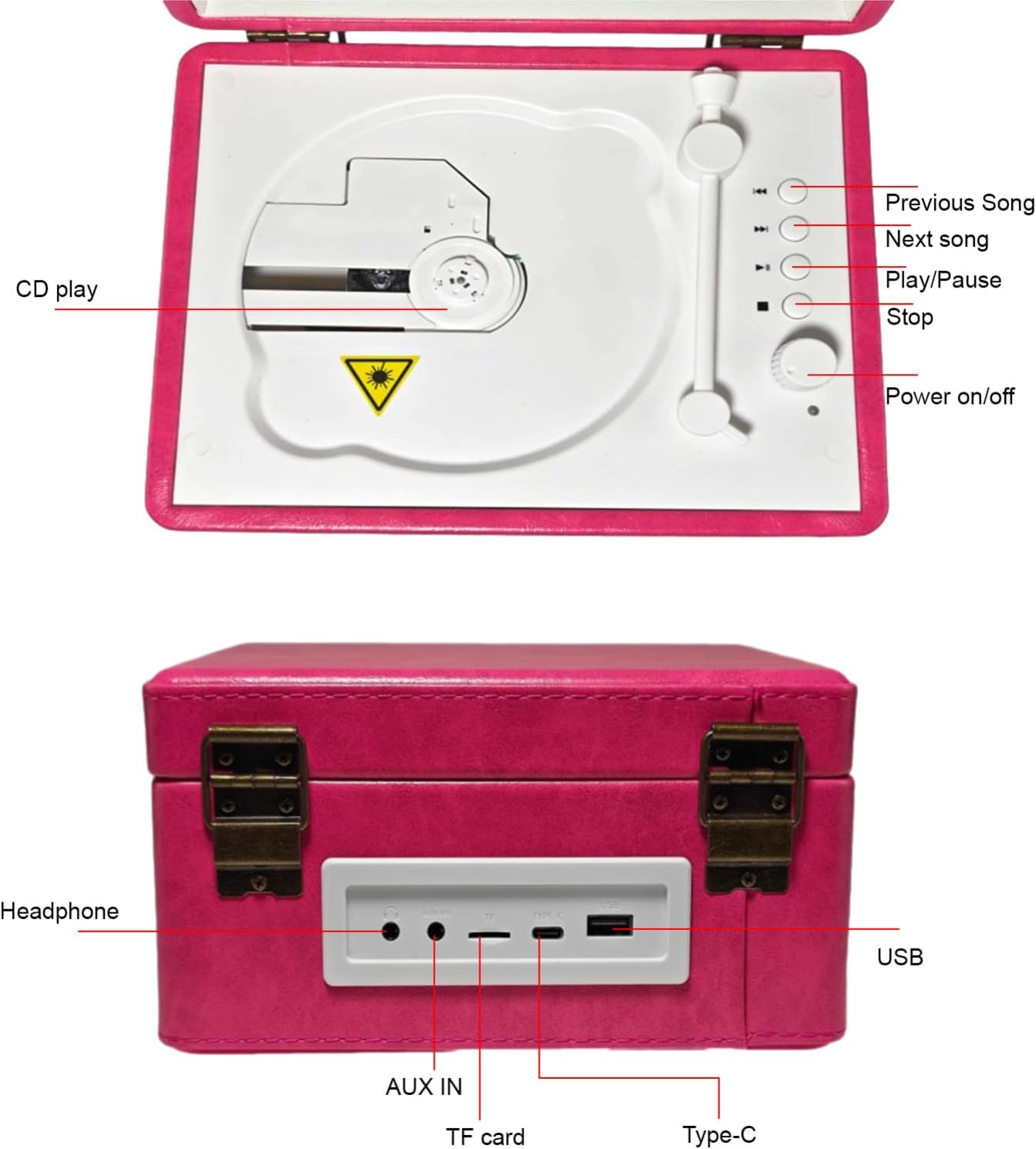
Figure 4.2: Top control panel layout. Includes buttons for CD play, previous song, next song, play/pause, stop, and power on/off.
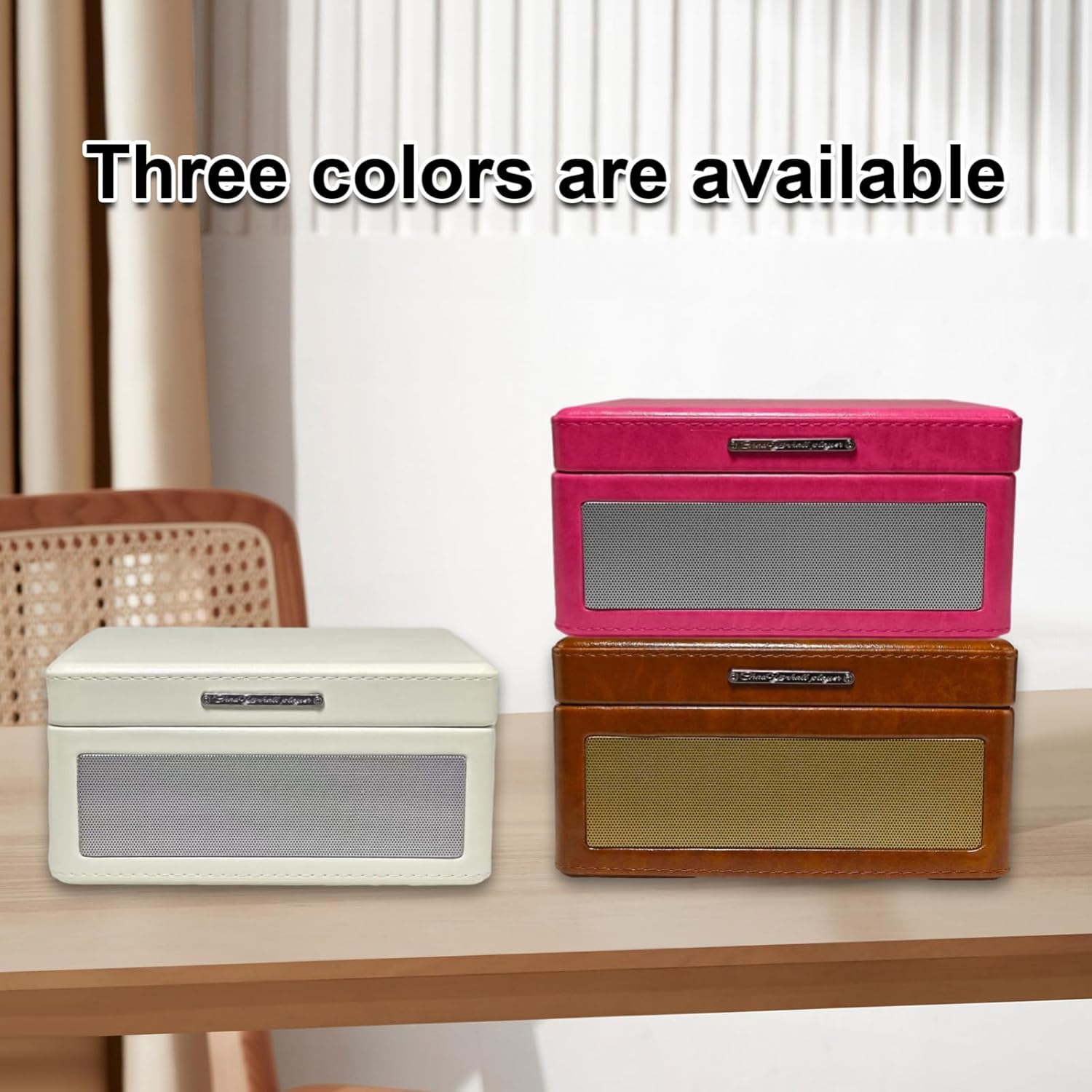
Figure 4.3: Rear panel with connectivity ports. From left to right: Headphone jack, AUX IN, TF card slot, Type-C charging port, and USB port.
4.2. Nøglefunktioner
- Tray-Type CD Player: Easy disc insertion for CD playback.
- Bluetooth 5.0: Seamless wireless music streaming from smartphones and other Bluetooth-enabled devices.
- USB- og TF-kortafspilning: Understøtter MP3 files from USB flash drives and TF memory cards.
- Infrarød fjernbetjening: Bekvem betjening på afstand.
- Indbygget genopladeligt batteri: Provides 6-8 hours of continuous playback for portability.
- Dobbelte højttalere: Enhanced sound quality for an immersive audio experience.
- AUX-indgang/-udgang: Connect external audio sources or output to external speakers.

Figure 4.4: Visual representation of the multiple playback modes supported by the device.
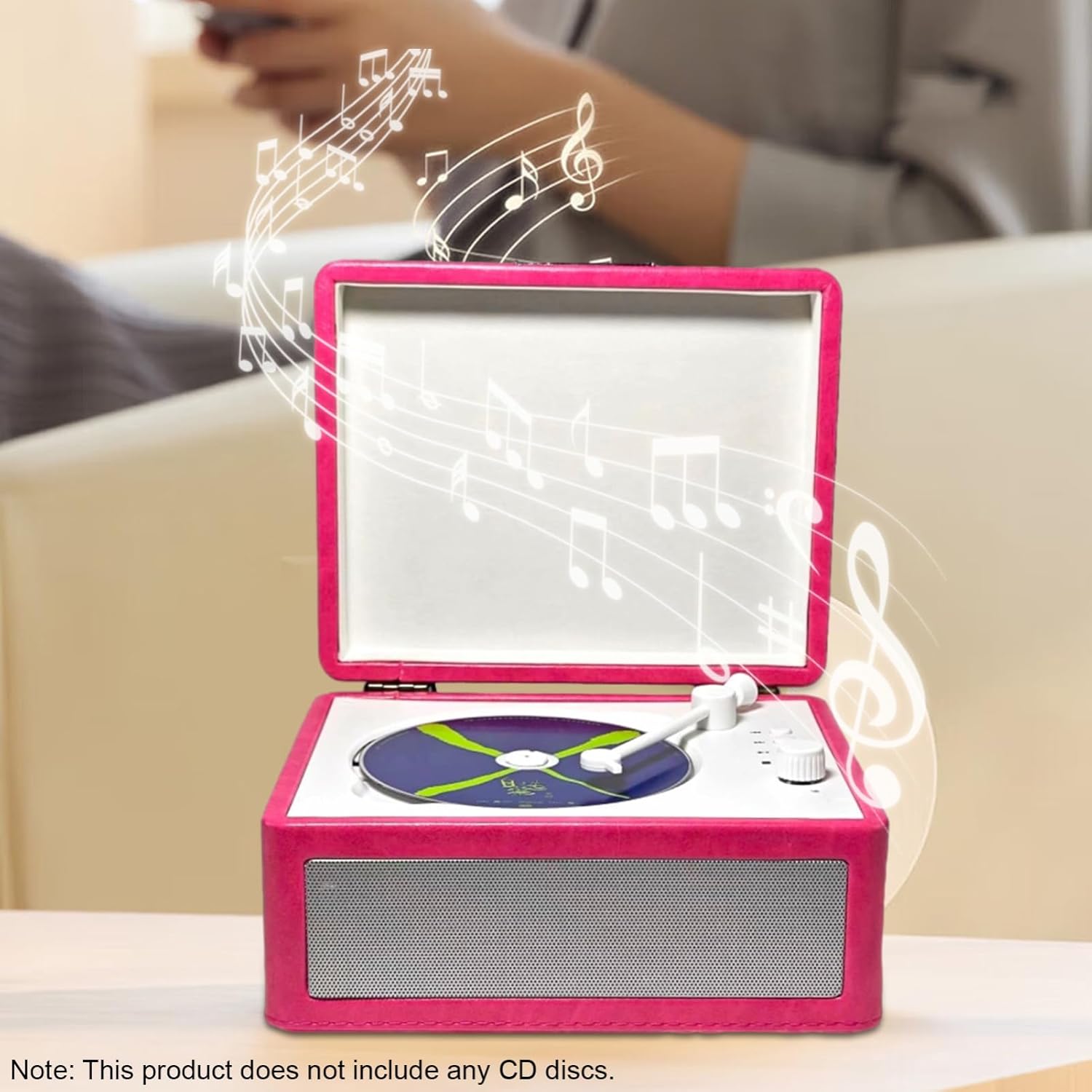
Figure 4.5: The device supports Bluetooth 5.0 for easy wireless connection to smartphones.
5. Opsætning
5.1. Opladning af enheden
- Locate the Type-C charging port on the rear of the device (refer to Figure 4.3).
- Tilslut det medfølgende Type-C-opladerkabel til porten.
- Plug the other end of the charging cable into a compatible USB power adapter (not included) or a computer's USB port.
- The charging indicator (if available) will illuminate during charging and turn off when fully charged.
En fuld opladning giver cirka 6-8 timers spilletid.
5.2. Tænd/sluk
- To power on, press and hold the 'Power on/off' button on the control panel (refer to Figure 4.2) or on the remote control.
- To power off, press and hold the 'Power on/off' button again.
6. Betjeningsvejledning
6.1. CD-afspilning
- Open the lid of the CD player.
- Carefully place a CD onto the tray, ensuring it is centered.
- Luk låget.
- Press the 'CD play' button on the control panel or the 'Play/Pause' button on the remote control to start playback.
- Use the 'Previous Song' and 'Next Song' buttons to navigate tracks.
- Press 'Play/Pause' to pause or resume playback.
- Press 'Stop' to end CD playback.
6.2. Bluetooth (BT 5.0) Playback
- Tænd for cd-afspilleren.
- Switch the device to Bluetooth mode (usually indicated by a voice prompt or LED).
- Aktiver Bluetooth på din smartphone eller anden enhed.
- Søg efter available devices and select "Sonew CD Player" (or similar name) from the list.
- Once paired, you can stream audio wirelessly from your device to the CD player.
- Use your connected device or the CD player's controls to manage playback.
6.3. USB Flash Drive / TF Card Playback
- Insert a USB flash drive into the USB port or a TF memory card into the TF card slot on the rear panel (refer to Figure 4.3).
- The device should automatically switch to USB or TF card mode and begin playing compatible MP3 files.
- Use the 'Previous Song', 'Next Song', 'Play/Pause', and 'Stop' buttons to control playback.
6.4. AUX Input/Output
- AUX-indgang: Connect an external audio source (e.g., an MP3 player) to the 'AUX IN' port using a 3.5mm audio cable. The device will play audio from the connected source.
- Hovedtelefonudgang: Connect headphones to the 'Headphone' jack for private listening.
6.5. Brug af fjernbetjening
The infrared remote control allows for convenient operation of all major functions, including power, mode selection, playback control (play/pause, stop, skip tracks), and volume adjustment. Ensure there is a clear line of sight between the remote and the player's infrared receiver.
7. Vedligeholdelse
- Rensning: Brug en blød, tør klud til at rengøre enhedens yderside. Brug ikke flydende rengøringsmidler eller slibende materialer.
- CD-pleje: Handle CDs by the edges. Clean CDs with a soft, lint-free cloth, wiping from the center outwards.
- Opbevaring: Når enheden ikke er i brug i længere perioder, skal den opbevares et køligt og tørt sted.
- Batteri: For at forlænge batteriets levetid bør du undgå at aflade batteriet helt ofte. Oplad enheden regelmæssigt, selvom den ikke er i brug.
8. Fejlfinding
| Problem | Mulig årsag | Løsning |
|---|---|---|
| Enheden tænder ikke. | Batteriet er afladet. | Connect the charging cable and charge the device. |
| Ingen lyd under afspilning. | Lydstyrken er for lav eller slået fra. Forkert tilstand valgt. | Increase volume. Ensure correct playback mode (CD, BT, USB, TF, AUX) is selected. |
| CD'en hopper eller afspilles ikke. | CD'en er snavset, ridset eller isat forkert. | Clean the CD. Ensure the CD is placed correctly on the tray. Try another CD. |
| Bluetooth-parring mislykkes. | Enheden er ikke i parringstilstand. Bluetooth er slået fra på kildeenheden. | Ensure the CD player is in Bluetooth mode. Turn Bluetooth on/off on your source device and try again. Move devices closer. |
| Fjernbetjening virker ikke. | Batteries are dead. Obstruction between remote and player. | Replace remote control batteries. Ensure clear line of sight to the player's infrared receiver. |
9. Specifikationer
| Feature | Specifikation |
|---|---|
| Nominel effekt | 5W |
| Nominel frekvens | 20Hz - 20KHz |
| Disc Insertion Method | Bakketype |
| Højttalergrænseflade | 3.5mm input interface / 3.5mm output interface |
| Nominel voltage | 5V |
| Batterikapacitet | 2000mAh |
| Batteriets brugstid | Cirka 6-8 timer |
| Produkt materiale | Wood + ABS |
| Produktstørrelse (L x B x H) | 20.5 x 16.5 x 10 cm (8.1 x 6.5 x 3.9 tommer) |
| Varens vægt | 1232g (2.7 lb) |
| Modelnummer | Sonew8eycf2xso1-2P |
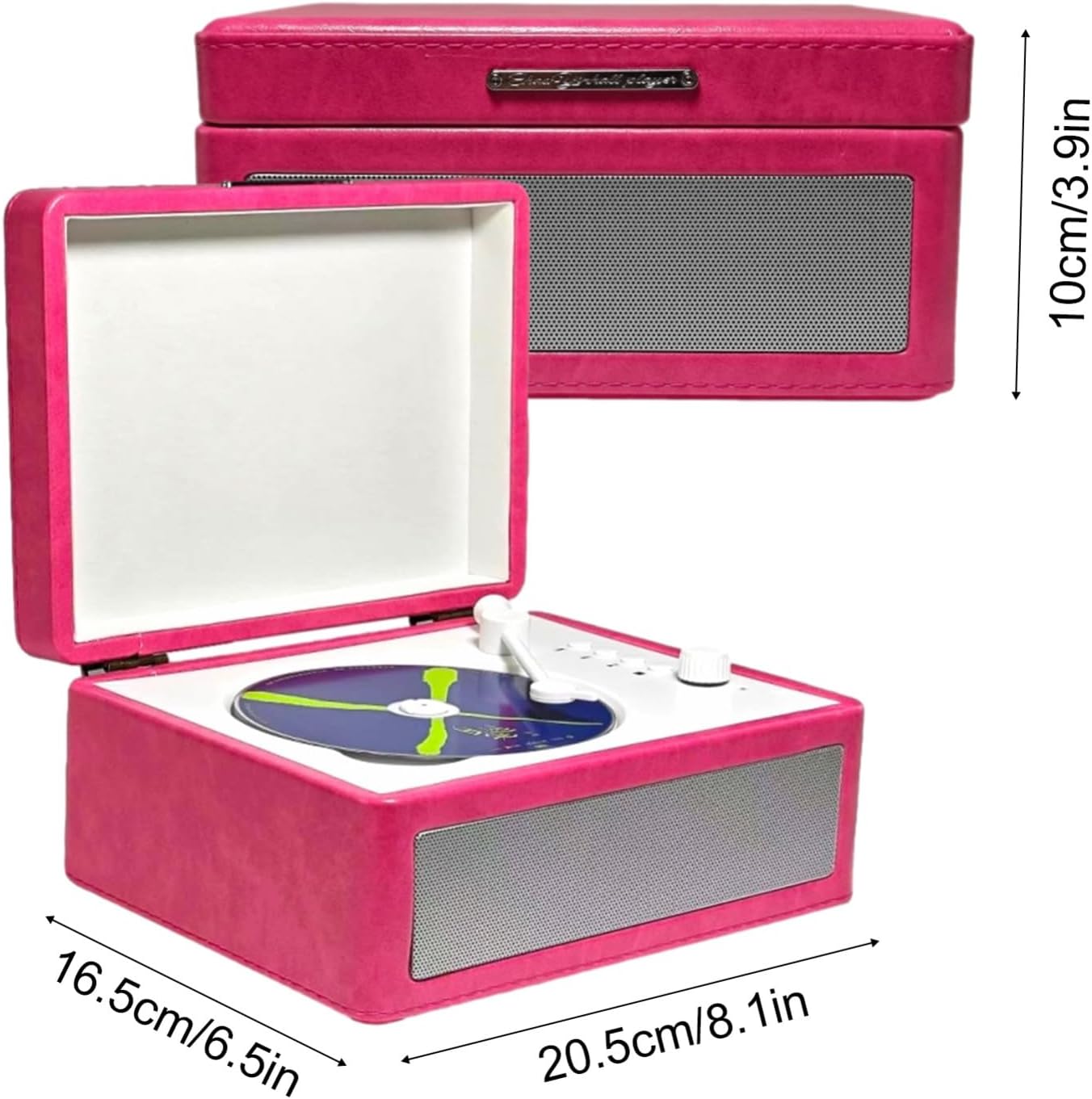
Figure 9.1: Product dimensions for the Sonew CD Player.
10. Garanti og support
For garantioplysninger og kundesupport henvises til den dokumentation, der blev leveret ved køb, eller kontakt din forhandler. Gem din købsbevis i tilfælde af garantikrav.
11. Officielle produktvideoer
Der blev ikke fundet nogen officielle produktvideoer fra sælgeren for dette produkt.