
1. Introduktion
Welcome to your new TCL TP200K Portable Bluetooth Party Speaker. This manual provides essential information for the proper setup, operation, and maintenance of your device. Please read it thoroughly before use and retain it for future reference.
Hvad er der i æsken:
- TCL TP200K Portable Bluetooth Party Speaker
- Strømledning
- Hurtig startvejledning
- Garanti og sikkerhedsoplysninger

2. Sikkerhedsoplysninger
Please observe the following safety guidelines to ensure safe operation and to prevent damage to your speaker.
IPX4 Splash-Proof Rating
The TCL TP200K speaker is rated IPX4, indicating resistance to water splashes from any direction. This makes it suitable for outdoor use where light splashes may occur. However, it is not waterproof and should not be submerged in water or exposed to direct, high-pressure water jets. Ensure all port covers are securely closed before exposure to moisture.

3. Produktet er slutview
The TCL TP200K is a portable party speaker engineered to deliver powerful audio and dynamic visual effects. Its design includes a versatile carry handle for easy transportation and flexible placement.
Nøglefunktioner:
- 220W Maximum Output Power: Provides clear highs and deep bass for a full audio experience.
- 12-timers batterilevetid: Enjoy extended music playback. (Note: Battery life is based on 25% volume with static light effects. Actual performance may vary based on usage conditions.)
- 5 RGB Dynamic Light Show Presets: Create a vibrant atmosphere with integrated lighting effects.
- Bass Boost: Enhances low frequencies for a more impactful sound.
- IPX4 Stænksikker: Offers protection against water splashes.
- Bluetooth 5.4-forbindelse: Enables stable wireless music streaming.
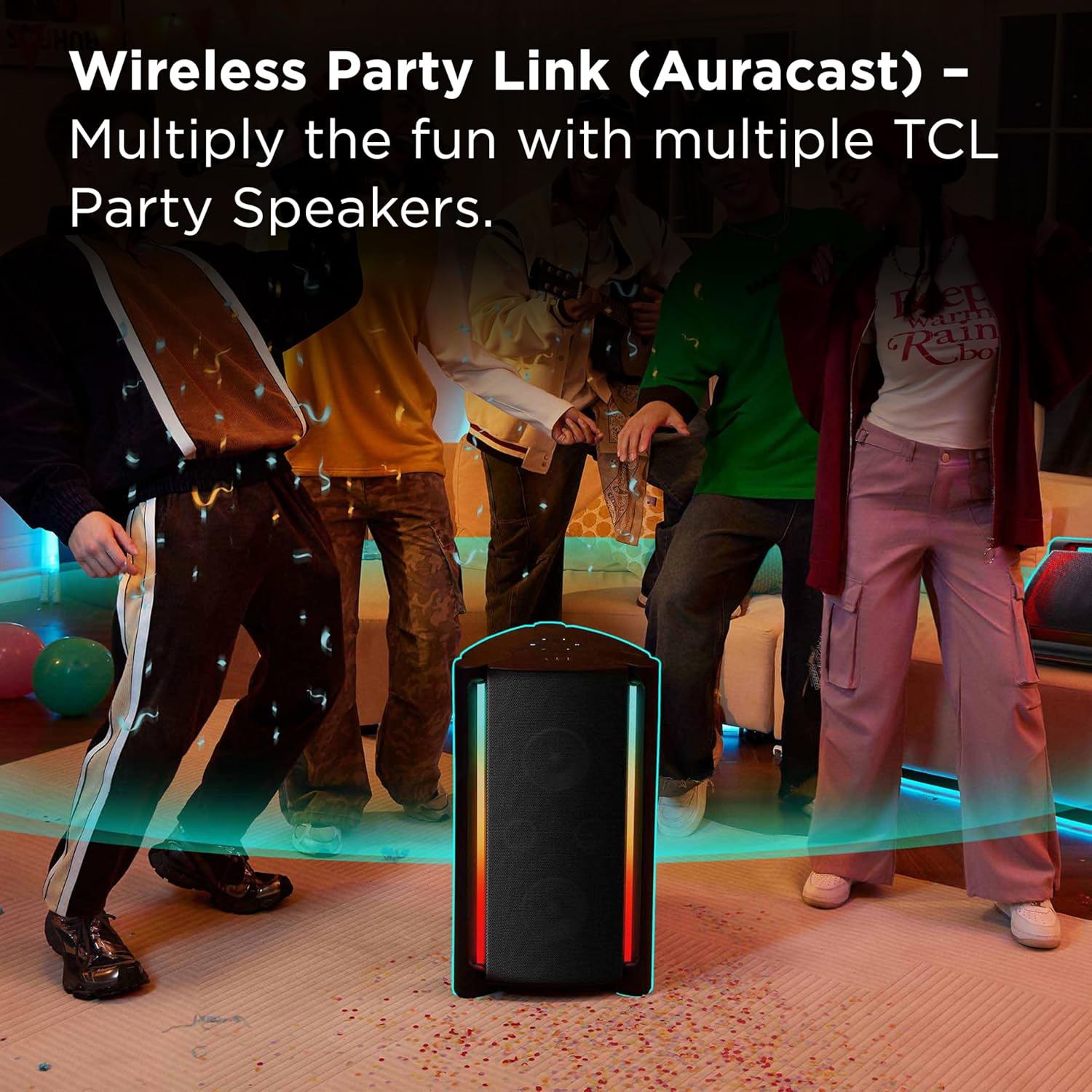
- Wireless Party Link (Auracast): Connect multiple compatible speakers for a synchronized audio experience.
- True Wireless Stereo (TWS) Parring: Pair two TP200K speakers for dedicated left and right stereo channels.
- Mikrofon- og guitarindgange: Allows for karaoke and live instrument connection.
- USB-afspilning: Afspil lyd files direkte fra en USB-lagerenhed.


4. Opsætning
Opladning af højttaleren
Before initial use, fully charge the speaker. Connect the provided power cord to the speaker's power input and then to a wall outlet. The charging indicator will display the current battery status. A full charge ensures maximum playback time.
Tænd/sluk
To turn the speaker on or off, press and hold the power button located on the control panel until the indicator lights activate or deactivate.
Bluetooth-parring
- Turn on the speaker. The Bluetooth indicator will flash, signifying that the speaker is in pairing mode.
- På din Bluetooth-aktiverede enhed (f.eks. smartphone, tablet) skal du navigere til Bluetooth-indstillingerne.
- Søg efter available devices and select "TCL TP200K" from the list.
- Once successfully connected, the Bluetooth indicator on the speaker will remain solid.

5. Betjening
Musikafspilning
After connecting your device via Bluetooth or inserting a USB drive, you can control music playback using either your connected device or the speaker's control panel:
- Afspil/pause: Press the dedicated Play/Pause button.
- Lydstyrkejustering: Brug knapperne '+' og '-' til at øge eller mindske lydstyrken.
- Spornavigation: Brug spring-knapperne til at gå til næste eller forrige spor.
Light Show Modes
The speaker features 5 RGB dynamic light show presets. Press the light button on the control panel to cycle through the available modes or to turn the lights off. Each press will change the light pattern or color sequence.

Bass Boost
Activate the Bass Boost feature by pressing the dedicated button on the control panel. This will enhance the low-frequency output, providing a deeper and more pronounced bass sound.

Karaoke Mode (Microphone & Guitar Inputs)
The speaker is equipped with input jacks for a microphone and a guitar. Connect your microphone or guitar to the respective ports. Use the dedicated controls on the speaker to adjust the volume and echo effects for your vocals or instrument. (Note: Microphone and guitar are not included.)

Ægte trådløs stereo (TWS) parring
To create a true stereo soundstage, you can pair two TCL TP200K speakers together:
- Ensure both speakers are powered on and not currently connected to any Bluetooth device.
- På den ene højttaler skal du trykke på og holde TWS/LINK button until you hear an audible confirmation tone.
- Repeat this action on the second speaker.
- The speakers will automatically establish a connection with each other. Once paired, connect your audio source device to one of the speakers via Bluetooth.

Wireless Party Link (Auracast)
For a larger, multi-speaker audio setup, utilize the Wireless Party Link feature (Auracast) to connect multiple TCL Party Speakers to a single audio source. This allows for synchronized music playback across several speakers, ideal for expansive spaces or larger gatherings. Refer to the Quick Start Guide for detailed instructions on Auracast pairing procedures.
USB-lydafspilning
Indsæt et USB-flashdrev, der indeholder kompatibel lyd files into the USB port on the speaker. The speaker will automatically detect the drive and begin playing music. Use the speaker's playback controls to navigate through tracks and adjust volume.

6. Vedligeholdelse
Rensning
To clean the speaker, use a soft, dry cloth. Do not use abrasive cleaners, solvents, or strong chemicals, as these can damage the surface. For light dirt, a slightly damp cloth can be used, ensuring no moisture enters any ports or openings.
Opbevaring
When storing the speaker for extended periods, ensure it is fully charged and then powered off. Store it in a cool, dry place, away from direct sunlight, extreme temperatures, and excessive dust. Protect it from physical impact.
7. Fejlfinding
If you encounter issues with your TCL TP200K speaker, refer to the table below for common problems and their solutions.
| Problem | Mulig årsag | Løsning |
|---|---|---|
| Højttaleren tænder ikke. | Batteriet er afladet. | Connect the speaker to a power source and charge it fully. |
| Kan ikke parres via Bluetooth. | Speaker is already connected to another device or not in pairing mode. | Ensure the speaker is in Bluetooth pairing mode (flashing indicator). Disconnect from any previously paired devices. Verify Bluetooth is enabled on your source device. |
| Ingen lydudgang. | Lydstyrken er for lav eller slået fra. Forkert inputkilde valgt. | Increase the volume on both the speaker and your connected device. Press the 'SOURCE' button to cycle through input modes (Bluetooth, USB, AUX) until the correct source is selected. |
| Lysshowet virker ikke. | Light show is turned off or a static mode is selected. | Press the light button on the control panel to activate or change the light show mode. |
| Dårlig lydkvalitet. | Bluetooth interference or distance. Low battery. | Move the source device closer to the speaker. Ensure no obstacles are blocking the Bluetooth signal. Charge the speaker if the battery is low. |
8. Specifikationer
Below are the technical specifications for the TCL TP200K Portable Bluetooth Party Speaker.
| Feature | Detalje |
|---|---|
| Modelnummer | TP200K |
| Mærke | TCL |
| Maksimal udgangseffekt | 220 watt |
| Forbindelsesteknologi | Bluetooth 5.4, Auxiliary (AUX), USB |
| Lydudgangstilstand | Stereoanlæg |
| Batteriets gennemsnitlige levetid | Op til 12 timer |
| Vandmodstandsniveau | IPX4 Splash-Proof |
| Varedimensioner (D x B x H) | 14.07 cm x 14.63 cm x 25.68 cm |
| Varens vægt | 31.5 pund |
| Farve | Sort |
| Kontrolmetode | Røre |
| Bashøjttaler diameter | 6.6 tommer |
| Subwoofer diameter | 5.5 tommer |
| UPC | 846042046305 |
9. Garanti og support
Garantioplysninger
This TCL TP200K Portable Bluetooth Party Speaker is covered by a 1-year manufacturer's limited warranty. For complete details regarding warranty coverage, terms, and conditions, please refer to the 'Warranty and Safety Information' document included in your product packaging.
Kundesupport
For technical assistance, troubleshooting guidance, or to inquire about warranty claims, please visit the official TCL support website. You can also find contact information for customer service in the Quick Start Guide or on the TCL website. Please have your model number (TP200K) and proof of purchase ready when contacting support.


