
1. Introduktion
The Vipdream Wireless Headset with Mic for Work, Model BT-881C, is designed for clear communication and comfort in various professional and personal settings. Featuring Bluetooth 6.0 connectivity, AI noise-cancelling microphone, and a long-lasting battery, this headset is ideal for office use, remote work, and online meetings.
2. Pakkens indhold
- Vipdream Wireless Headset (Model BT-881C)
- Opladning Station
- USB-C ladekabel
- Brugermanual
- Bæretaske

Image 2.1: The Vipdream Wireless Headset with its charging dock, showcasing de vigtigste komponenter, der er inkluderet i pakken.
3. Produktet er slutview
3.1 Nøglefunktioner
- AI-støjreduktion: Filters up to 99.9% of background noise for clear calls.
- Forlænget batterilevetid: Op til 45 timers opkaldstid.
- Trådløs forbindelse: Bluetooth 6.0 for stable connections up to 49 feet (15 meters).
- Komfortabelt design: Soft protein ear pads, adjustable headband, and 270° rotatable microphone for all-day wear.
- Lydløs med ét klik: Quickly activate privacy mode during calls.
- Universal kompatibilitet: Works with PC, iPhone, Android devices, and platforms like Zoom, Microsoft Teams, Skype.
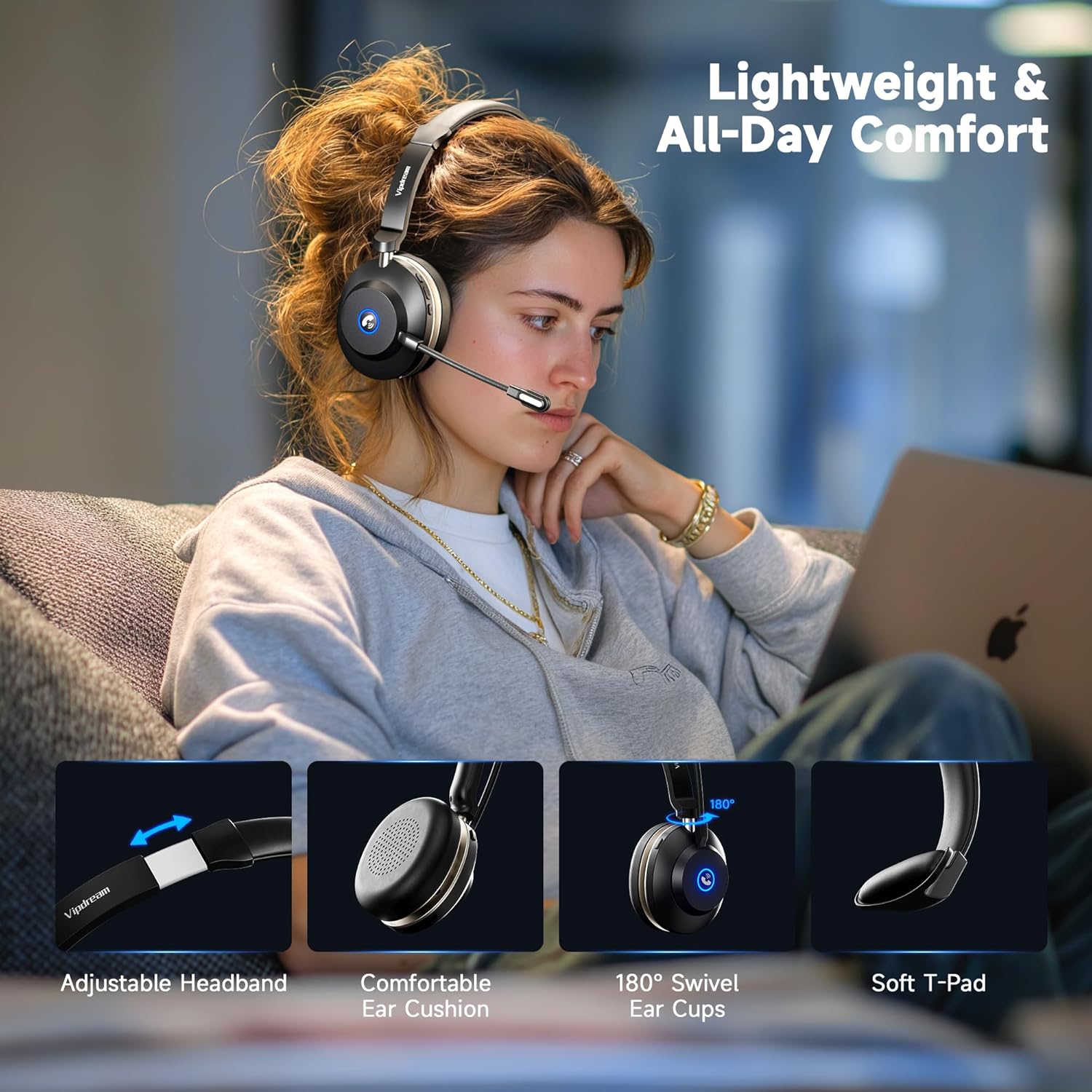
Image 3.1: Demonstrates the headset's comfort features including adjustable headband, comfortable ear cushions, 180° swivel ear cups, and soft T-pad.

Billede 3.2: Nærbillede view highlighting the soft ear cushions, adjustable headband, and 270° rotatable microphone for personalized fit.
3.2 Kontroller og indikatorer
The headset features intuitive controls for managing calls and audio. The microphone can be rotated 270° to be worn on either the left or right side. A dedicated mute button is located on the headset for quick privacy.
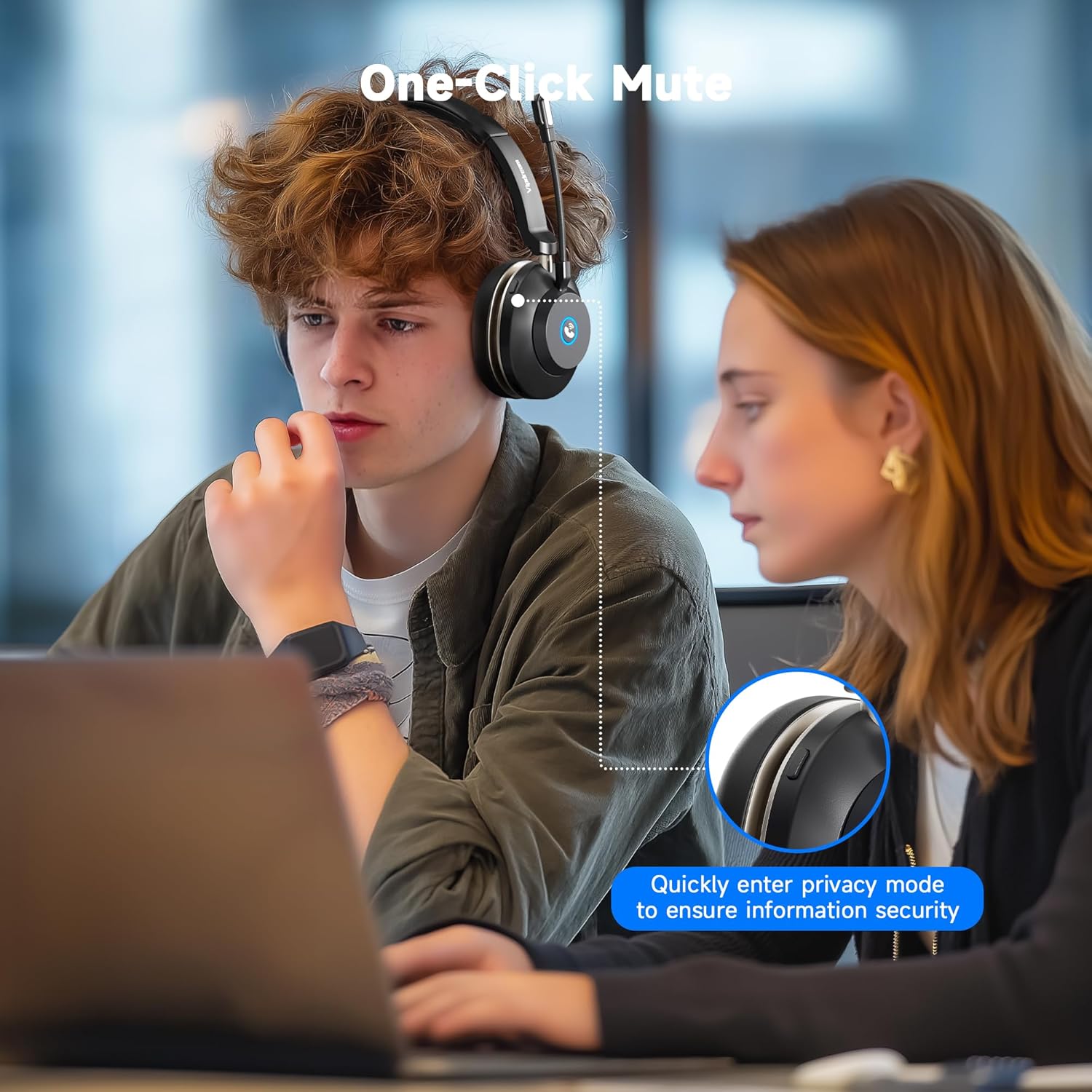
Image 3.3: A user demonstrating the one-click mute function on the headset, allowing for quick entry into privacy mode.
4. Opsætning
4.1 Opladning af headsettet
Before first use, fully charge the headset. You can charge it using the included charging station or directly via the USB-C cable.
- Place the headset onto the charging station, ensuring the contacts align. The indicator light on the station will show charging status.
- Alternatively, connect the USB-C cable directly to the headset's charging port and a power source.
Opladningstiden er cirka 2 timer for en fuld opladning.

Image 4.1: The headset resting on its charging dock, indicating its 45-hour battery life and 2-hour charging time.
4.2 Bluetooth -parring
- Power on the headset. It will automatically enter pairing mode, indicated by a flashing LED.
- On your device (PC, iPhone, Android, etc.), go to Bluetooth settings.
- Søg efter available devices and select "Vipdream Headset" (or similar name).
- Once connected, the LED indicator on the headset will change to a solid light or stop flashing.

Image 4.2: The headset connected wirelessly via Bluetooth 5.3 to a smartphone, illustrating quick connection capabilities.
5. Betjeningsvejledning
5.1 Opkaldshåndtering
- Besvar/afslut opkald: Press the multi-function button on the earcup.
- Slå mikrofon fra: Press the dedicated mute button on the headset. This allows you to quickly switch to privacy mode.
- Lydstyrkekontrol: Brug lydstyrkeknapperne på ørekoppen til at justere lydniveauet.
Vigtig bemærkning:
The answer/end call button is compatible with phone system calls and most third-party software. However, it may not function for answering/ending calls directly within some third-party apps (e.g., Zoom, Cisco, Webex). For these applications, please manage calls directly within the software interface.
5.2 Mono Audio Mode (PC Users)
The headset defaults to mono mode. To merge left and right audio channels on a PC:
- Open your PC's system settings.
- Navigate to the "Sound" option.
- In the "Output" section, locate "Mono audio."
- Toggle the switch to the "On" position to merge channels.
5.3 Skift mellem enheder
The headset supports quick switching between connected devices like a PC and a phone, allowing for seamless transitions between work and personal use.
Video 5.1: En overview of the Vipdream Wireless Headset, demonstrating its features, setup, and use in a work environment, including switching between devices.
6. Vedligeholdelse
- Rensning: Use a soft, dry cloth to clean the headset and charging station. Avoid harsh chemicals or abrasive materials.
- Opbevaring: When not in use, store the headset on its charging station or in the provided carrying pouch to protect it from dust and damage.
- Batteripleje: For at forlænge batteriets levetid bør du undgå at aflade headsettet helt ofte. Oplad det regelmæssigt, især hvis det ikke bruges i længere perioder.
7. Fejlfinding
- Ingen strøm: Ensure the headset is fully charged. Check the charging cable and power source.
- Kan ikke parres: Make sure the headset is in pairing mode (flashing LED). Turn off and on your device's Bluetooth, then try pairing again. Ensure the headset is not already connected to another device.
- Dårlig lydkvalitet: Check the Bluetooth connection range (up to 49 feet/15 meters). Ensure there are no obstructions between the headset and your device. Verify device volume settings.
- Mikrofonen virker ikke: Ensure the microphone is not muted. Check your device's audio input settings to confirm the headset microphone is selected.
8. Specifikationer
| Feature | Specifikation |
|---|---|
| Modelnavn | Trådløst headset |
| Varemodelnummer | BT-881C |
| Mærke | Vipdream |
| Forbindelsesteknologi | Trådløs (Bluetooth) |
| Trådløs kommunikationsteknologi | Bluetooth 6.0 |
| Bluetooth rækkevidde | 15 meter (49 fod) |
| Støjkontrol | Hybrid Noise Cancellation (AI Noise Cancelling Mic) |
| Batterilevetid | Up to 45 Hours (Call Time) |
| Opladningstid | 2 timer |
| Inkluderede komponenter | Opladning Station |
| Øreplacering | On Ear |
| Kontroltype | Button / Touch |
| Kompatible enheder | Cellphones, Gaming Consoles, Laptops, Portable Media Player, Telephones |
| Varens vægt | 0.55 kilo (1.21 pund) |
9. Garanti og support
For warranty information and technical support, please refer to the contact details provided in the product packaging or visit the official Vipdream webwebsted. Gem din købskvittering for garantikrav.