
1. Introduktion
This manual provides essential information for setting up, operating, maintaining, and troubleshooting your GIGABYTE AORUS Elite 16 BWH gaming laptop. The AORUS Elite 16 BWH is designed for high-performance gaming and demanding applications, featuring an Intel Core Ultra 9 processor, NVIDIA GeForce RTX 5070 laptop GPU, a 16-inch WQXGA 165Hz display, and Windows 11 Pro.
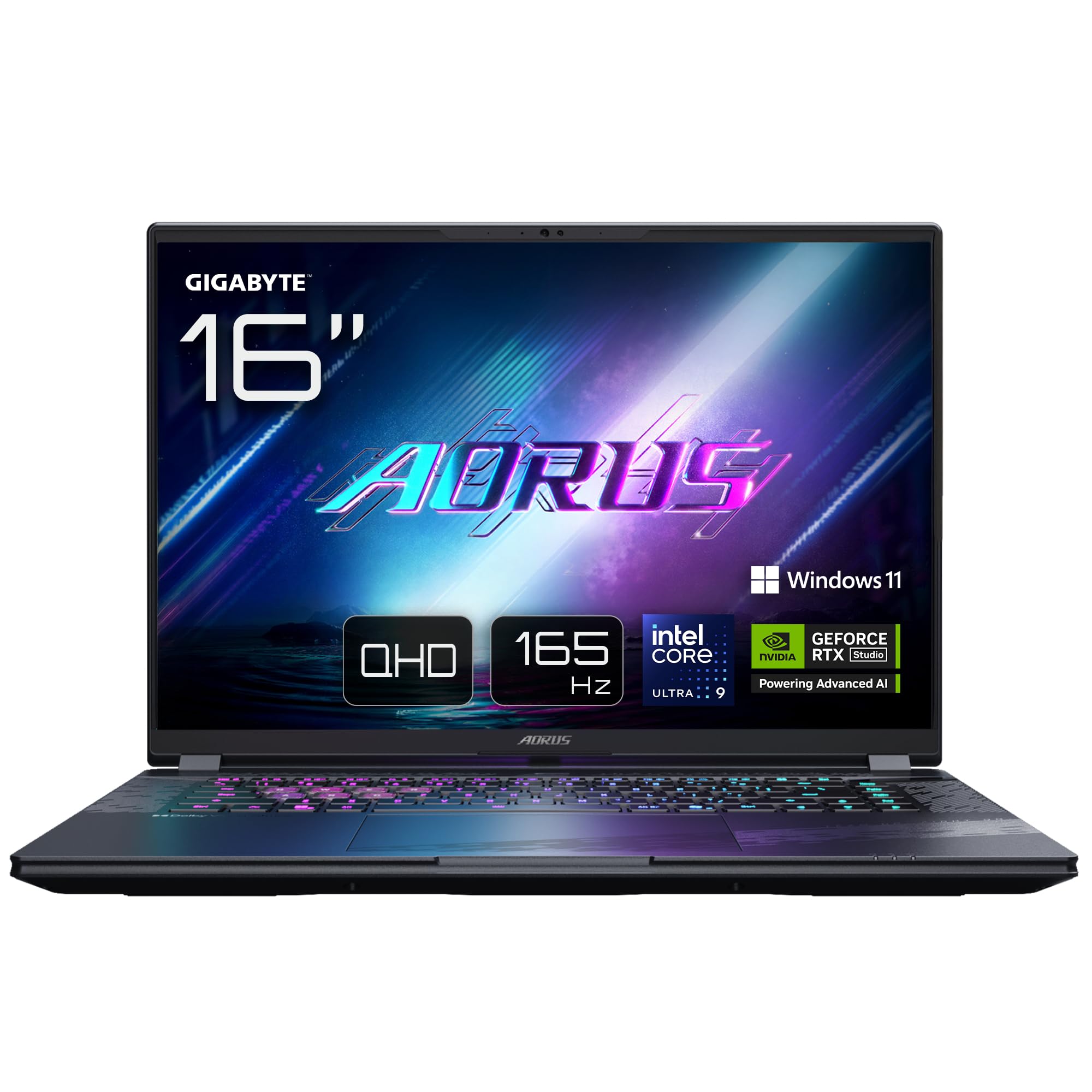
Image: The GIGABYTE AORUS Elite 16 BWH gaming laptop, showcasing its open display and keyboard.
2. Opsætning
2.1 Udpakning og første inspektion
Tag forsigtigt den bærbare computer og alt tilbehør ud af emballagen. Kontroller, at alle komponenter, der er anført i afsnittet "Hvad er der i æsken", er til stede og ubeskadigede.
- GIGABYTE AORUS ELITE 16 BWHC3FRC65SP Laptop
- Strømadapter og kabel
- Dokumentation (denne manual, garantikort)
2.2 Tilslutning af strøm
Connect the power adapter to the laptop's power input port and then plug the power cable into an electrical outlet. It is recommended to fully charge the battery before initial use.
2.3 Første tænding
Press the power button to turn on the laptop. Follow the on-screen instructions to complete the Windows 11 Pro setup process, including language selection, network connection, and user account creation.
2.4 Connecting Peripherals and Network
The laptop features various ports for connecting external devices and networks.
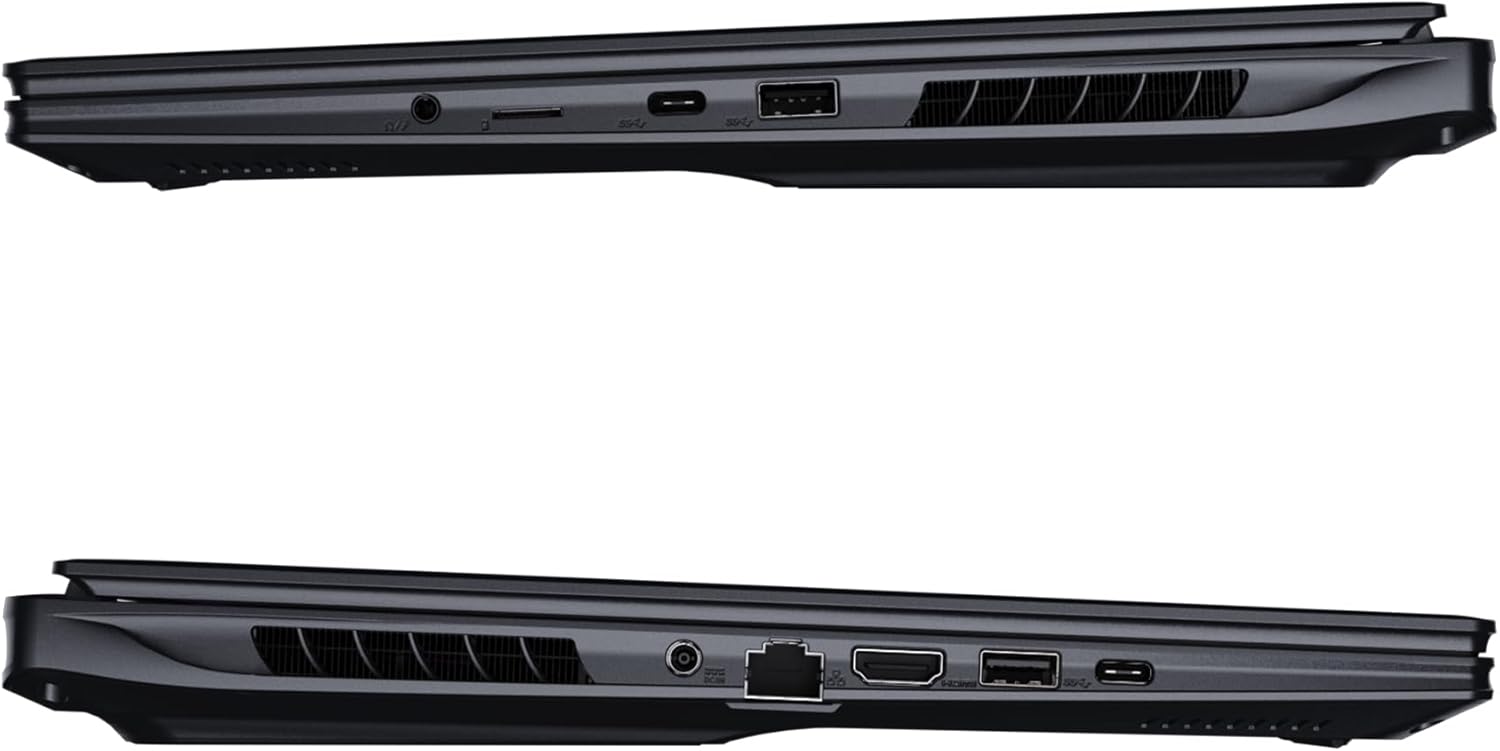
Billede: Side view of the laptop illustrating the available ports for connectivity.
- USB-porte: Connect USB devices such as mice, keyboards, or external storage.
- HDMI-port: Tilslut til en ekstern skærm eller et tv.
- Thunderbolt 4 Port: Til højhastigheds dataoverførsel og displayoutput.
- Ethernet-port: Til kabelbaseret netværksforbindelse.
- Hovedtelefonstik: Til lydudgang til hovedtelefoner eller eksterne højttalere.
- Wi-Fi 7: Connect to wireless networks via the integrated Wi-Fi 7 module.
- Bluetooth 5.4: Par med Bluetooth-aktiverede enheder.
3. Betjening af din bærbare computer
3.1 Skærmfunktioner
Your AORUS Elite 16 BWH features a 16-inch WQXGA (2560x1600) IPS display with a 165Hz refresh rate and 16:10 aspect ratio, offering a wide viewing experience. It supports Dolby Vision for enhanced visual quality and is Pantone validated for color accuracy.

Image: The laptop's 16:10 aspect ratio display, highlighting its IPS panel and Pantone validation.
3.2 Tastatur og touchpad
The laptop is equipped with a backlit keyboard for comfortable typing in various lighting conditions and a responsive touchpad for navigation.
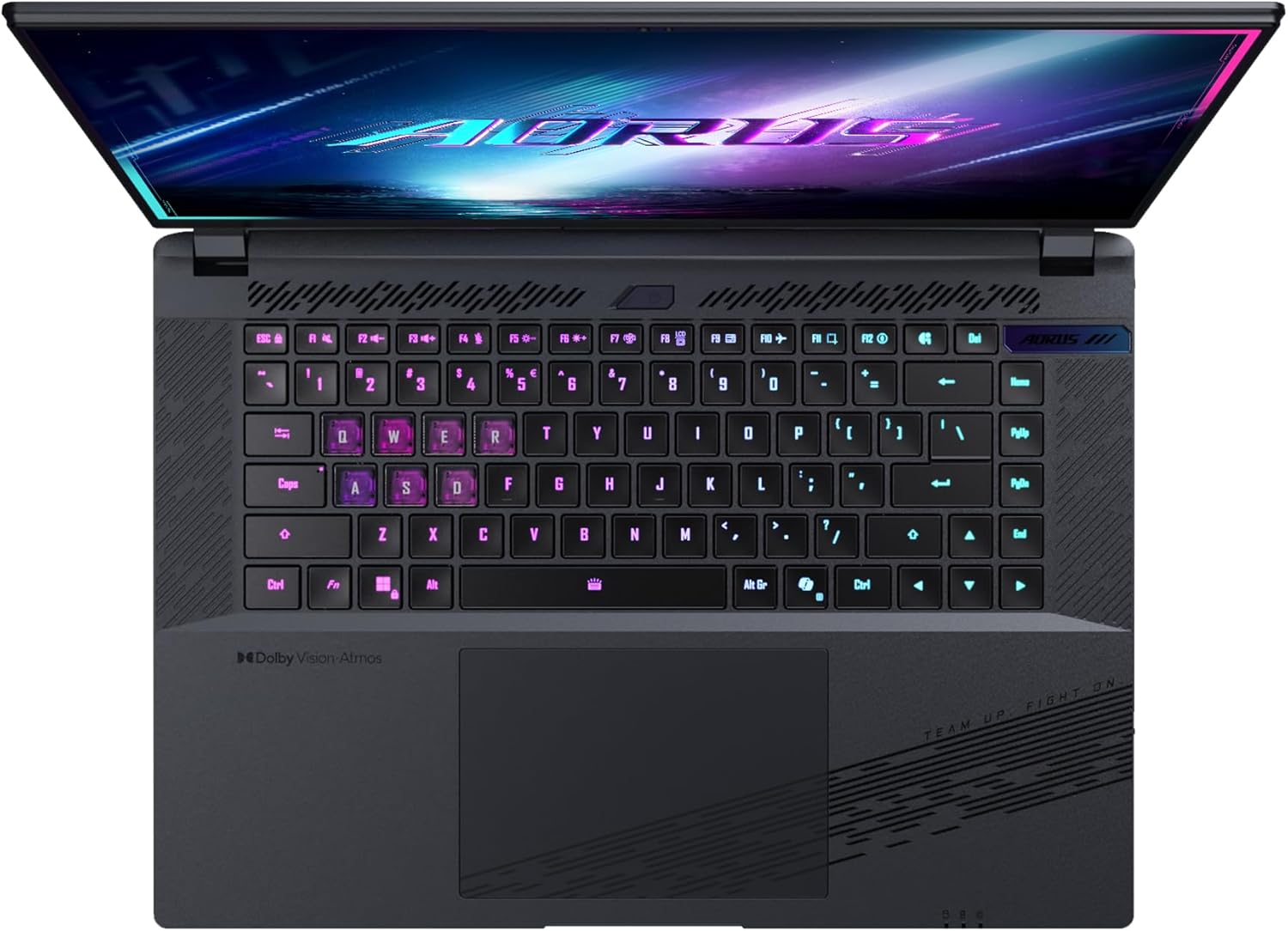
Billede: Top-down view af den bærbare computers tastatur, visasing its backlit keys.
The keyboard also features a dedicated Copilot Key for quick access to AI functionalities in Windows 11.

Image: Close-up of the keyboard, highlighting the Copilot Key for AI features.
3.3 Lydsystem
Experience immersive audio with Dolby Atmos support and integrated 2W speakers. The laptop also includes a built-in microphone for communication.

Image: Visual representation of Dolby Atmos and Dolby Vision audio and visual enhancements.
3.4 Ydeevnefunktioner
The AORUS Elite 16 BWH is powered by an Intel Core Ultra 9 processor with an integrated NPU for AI acceleration and an NVIDIA GeForce RTX 5070 laptop GPU, ensuring high performance for gaming and demanding tasks. It also features Advanced Optimus with DDS Technology for optimized graphics performance.

Billede: En detaljeret view of the Intel Core Ultra 9 processor chip.

Billede: En detaljeret view of the NVIDIA GeForce RTX 50 Series laptop GPU chip.
3.5 GiMATE AI Agent
Utilize GiMATE, your personal AI agent, to optimize performance, manage smart cooling, enhance privacy, control power settings, and improve audio and voice functionalities.

Image: GiMATE AI Agent interface showing various optimization features.
4. Vedligeholdelse
4.1 Kølesystem
The laptop features the WINDFORCE Infinity cooling system to maintain optimal temperatures during intensive use. Ensure the vents are clear of obstructions to allow proper airflow.

Image: Representation of the WINDFORCE Infinity cooling system.
4.2 Rengøring
Brug en blød, fnugfri klud til at rengøre skærmen og de udvendige overflader. Ved genstridige mærker, dampRengør kluden let med vand eller en skærmrengøringsopløsning. Undgå skrappe kemikalier.
4.3 Pleje af batterier
To prolong battery life, avoid extreme temperatures and do not leave the laptop fully charged or fully discharged for extended periods.
4.4 Softwareopdateringer
Regularly update your Windows operating system, drivers, and GIGABYTE software to ensure optimal performance and security.
5. Fejlfinding
5.1 Strømproblemer
- Den bærbare computer tænder ikke: Ensure the power adapter is securely connected and the outlet is functional. Check the battery charge level.
- Batteri oplades ikke: Kontroller, at strømadapteren og kablet ikke er beskadiget. Prøv en anden stikkontakt.
5.2 Displayproblemer
- Ingen visning: Connect an external monitor to check if the issue is with the laptop's screen. Ensure the laptop is powered on.
- Flimrende eller forvrænget visning: Opdater grafikdriverne. Kontroller skærmkabelforbindelserne, hvis du bruger en ekstern skærm.
5.3 Forbindelsesproblemer
- Wi-Fi opretter ikke forbindelse: Check if Wi-Fi is enabled in Windows settings. Restart your router and laptop.
- Bluetooth-enhed parres ikke: Ensure the device is in pairing mode and within range. Update Bluetooth drivers.
5.4 Generelle ydeevneproblemer
- Langsom ydeevne: Close unnecessary applications. Check for malware. Ensure sufficient free disk space.
- Overophedning: Ensure cooling vents are clear. Use the laptop on a hard, flat surface.
For more complex issues, refer to the GIGABYTE support webwebsted eller kontakt kundeservice.
6. Specifikationer
| Feature | Detalje |
|---|---|
| Mærke | GIGABYTE |
| Modelnavn | AORUS ELITE 16 BWHC3FRC65SP |
| Skærmstørrelse | 16 tommer |
| Farve | Grå |
| Harddisk størrelse | 2000 GB (2x 1TB SSD Gen4) |
| CPU model | Intel Core Ultra 9 275HX |
| Installeret RAM-størrelse | 32 GB DDR5 |
| Operativsystem | Windows 11 Pro |
| Speciel funktion | Backlit Keyboard, Memory Card Slot |
| Beskrivelse af grafikkort | Dedikeret |
| Grafik coprocessor | NVIDIA GeForce RTX 5070 |
| Harddiskteknologi | SSD |
| Varens vægt | 2300 gram |
| Webkamerafunktion | Yes (Frontal) |
| Grafikkort RAM-størrelse | 8 GB GDDR6 |
| Maks. RAM understøttet | 64 GB |
| Batteriets energiindhold | 99 Watt-hours (Lithium-polymer, 4 cells) |
| Forbindelse | Bluetooth 5.4, Ethernet (10/1000 Mbit/s), HDMI (1 port), Thunderbolt 4 (1 port), USB 3.2 Gen 2 (2 ports), Wi-Fi 7 (802.11.be) |
| Processorhastighed | 2.7 GHz (maks. 5.4 GHz) |
| Antal processorer | 24 |
| Skærmopløsning | 2560 x 1600 pixels (WQXGA) |
| Display Type | IPS LCD |
| Lydfunktioner | Dolby Atmos, 2x 2W Integrated Speakers, Integrated Microphone |
7. Garantioplysninger
Your GIGABYTE AORUS Elite 16 BWH laptop comes with a 2 års begrænset garanti. This warranty covers manufacturing defects and hardware malfunctions under normal use. Please retain your proof of purchase for warranty claims. For detailed terms and conditions, refer to the warranty card included with your product or visit the official GIGABYTE webwebsted.
8. Support
For technical assistance, driver downloads, and further product information, please visit the official GIGABYTE support webwebsted. Du kan også finde ofte stillede spørgsmål og fællesskabsfora der.
- GIGABYTE Officiel Webwebsted: www.gigabyte.com
- Kundeservice: Refer to your regional GIGABYTE websted for lokale kontaktoplysninger.