
WeCool FW-5100-R1
WeCool Fairwhale Sports Analog Digital Watch
Model: FW-5100-R1
Indledning
This manual provides detailed instructions for the setup, operation, maintenance, and troubleshooting of your WeCool Fairwhale Sports Analog Digital Watch, model FW-5100-R1. Please read this manual thoroughly to ensure proper use and to maximize the lifespan of your watch.
Sikkerhedsforanstaltninger
- Undgå at udsætte uret for ekstreme temperaturer (varme eller kolde) i længere perioder.
- Do not operate buttons underwater to maintain water resistance.
- Hold uret væk fra stærke magnetfelter, da dette kan påvirke nøjagtigheden af tidtagningen.
- Clean the watch regularly with a soft, dry cloth. Avoid chemical cleaners.
- Battery replacement should be performed by a qualified technician to ensure proper sealing and water resistance.
Produkt overview
Your WeCool Fairwhale Sports Watch features a robust design with both analog and digital displays, offering multiple functions for daily use and outdoor activities.
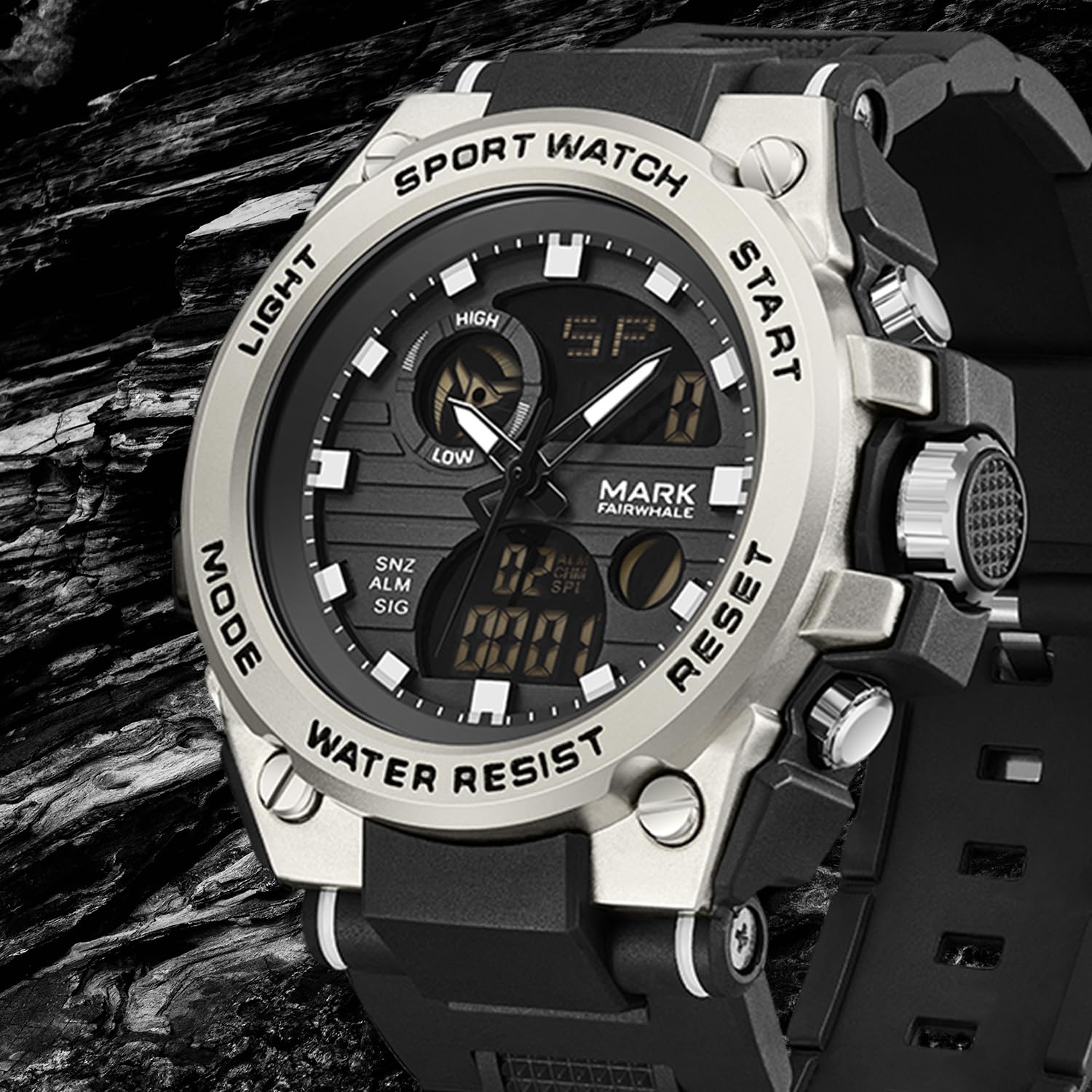
Figur 1: Forside view of the WeCool Fairwhale Sports Analog Digital Watch FW-5100-R1.
Urkomponenter og knapper

Figure 2: Watch button functions.
- Lys knap: Aktiverer LED-baggrundsbelysningen for at sikre synlighed under svagt lys.
- Mode knap: Skifter mellem forskellige tilstande (tid, alarm, stopur, dobbelt tid).
- Start knap: Used to start/pause functions (e.g., stopwatch) and adjust settings.
- Nulstil knap: Used to reset functions (e.g., stopwatch) and switch between hour, minute, week modes during setting.
Opsætning og indledende konfiguration
1. Indstilling af analog tid
- Træk kronen (knappen på højre side af urkassen) ud til den første klikposition.
- Drej kronen for at justere time- og minutviserne til det ønskede tidspunkt.
- Skub kronen ind igen for at sikre tidsindstillingen.
2. Indstilling af digital tid og dato
- Tryk på Mode button repeatedly until the digital time display starts flashing, indicating it's in setting mode.
- Tryk på Nulstil knappen for at gennemgå indstillingerne: sekunder, time, minut, måned, dato, ugedag.
- Brug Starte knappen for at justere den blinkende værdi.
- Når alle indstillinger er korrekte, skal du trykke på Mode knappen for at forlade indstillingstilstanden.
3. Valg af 12/24 timers format
In the digital time setting mode (when the hour is flashing), press the Starte -knappen for at skifte mellem 12-timers (med AM/PM-indikator) og 24-timers formater.
Betjeningsvejledning
1. LED-baggrundsbelysning

Figure 3: Watch display with LED backlight.
Tryk på Lys button (top-left) to illuminate the digital display. The backlight will remain active for a few seconds.
2. Stopur-funktion
- Tryk på Mode button until "ST" or "STOP" appears on the digital display.
- Tryk på Starte knappen for at starte tidtagningen.
- Tryk på Starte knappen igen for at sætte tidtagningen på pause.
- For at genoptage, tryk på Starte knap.
- For at nulstille stopuret skal du trykke på Nulstil knappen, mens stopuret er på pause.
3. Alarm funktion
- Tryk på Mode button until "AL" or "ALARM" appears on the digital display.
- Tryk på Nulstil knappen for at vælge time- eller minutindstilling. Den valgte værdi blinker.
- Brug Starte knappen for at justere den blinkende time eller minut.
- Tryk på Mode knappen for at bekræfte og forlade alarmindstillingen.
- For at tænde/slukke alarmen skal du trykke på Starte button while in alarm mode (not in setting mode). An alarm icon will appear/disappear.
- For at aktivere hourly-klokken, tryk på Nulstil button while in alarm mode (not in setting mode). A chime icon will appear/disappear.
4. Dobbelt tidsvisning
This watch supports displaying two different time zones. To set the second time zone:
- Tryk på Mode button until "DT" or "DUAL TIME" appears on the digital display.
- Tryk på Nulstil knappen for at vælge time- eller minutindstilling. Den valgte værdi blinker.
- Brug Starte knappen til at justere den blinkende time eller minut for den anden tidszone.
- Tryk på Mode knappen for at bekræfte og afslutte indstillingen af dobbelt tid.
Opretholdelse
1. Vandtæthed (50M)
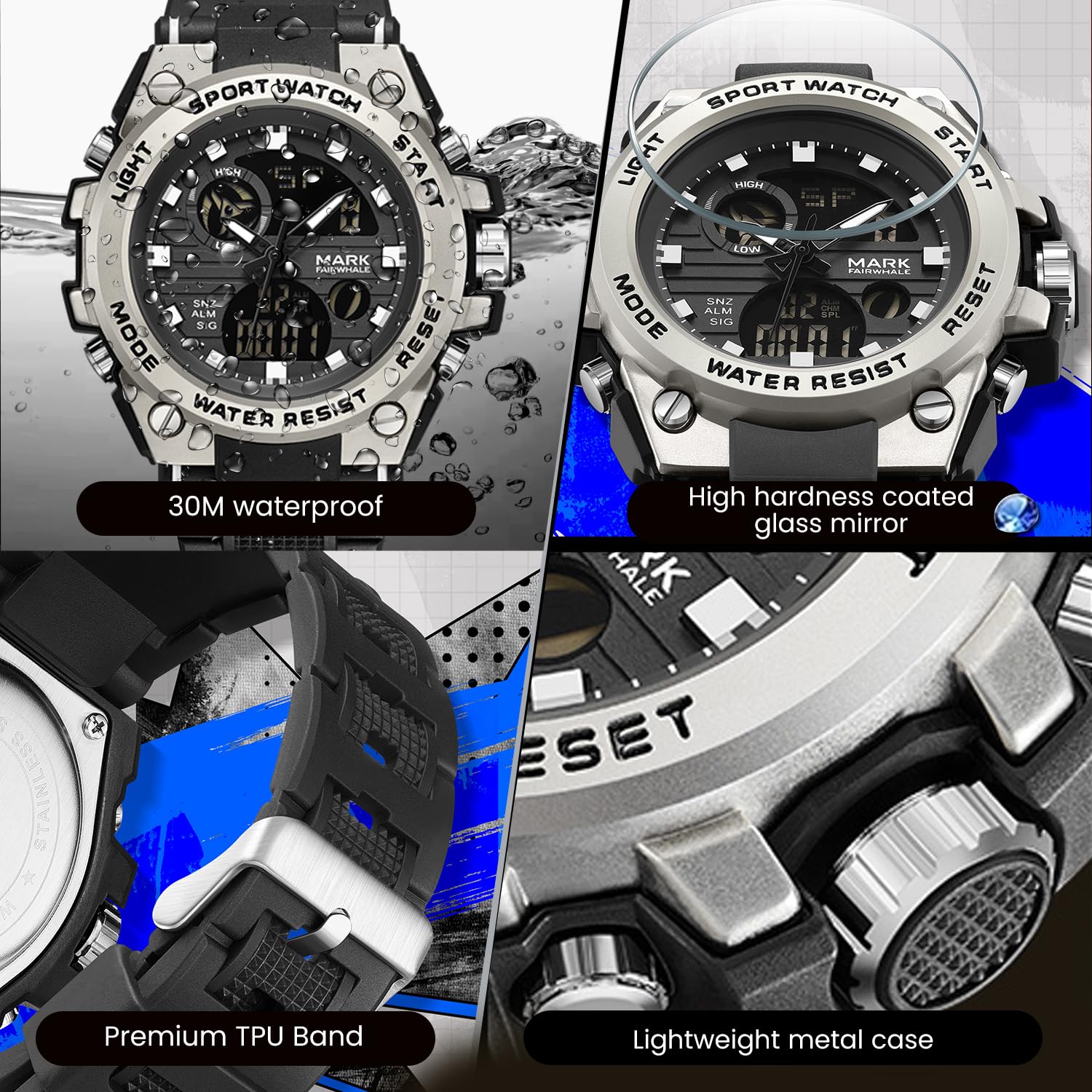
Figure 4: Key features including water resistance.
Your watch is water-resistant up to 50 meters (5 ATM). This means it is suitable for cold water, rain, and swimming. However, it is ikke suitable for diving, snorkeling, or hot water activities (e.g., hot showers, saunas) as steam can damage the waterproof seals. Do not operate buttons while the watch is wet or submerged.
2. Rensning
Wipe the watch case and band regularly with a soft, slightly damp cloth. For stubborn dirt, a mild soap solution can be used, followed by rinsing with clean water and thorough drying. Avoid harsh chemicals, solvents, or abrasive cleaners.
3. Udskiftning af batteri
The watch uses 1 AAA battery (included). When the display dims or functions become erratic, the battery may need replacement. It is recommended to have the battery replaced by a professional watch technician to ensure the watch's water resistance is maintained after opening the case back.
4. Opbevaring
Når uret ikke er i brug i længere perioder, skal det opbevares køligt og tørt, væk fra direkte sollys og ekstreme temperaturer.
Fejlfinding
| Problem | Mulig årsag | Løsning |
|---|---|---|
| Analoge visere bevæger sig ikke eller har forkert tid. | Kronen er trukket ud; lavt batteri. | Push the crown back in. If issue persists, battery may need replacement. |
| Det digitale display er tomt eller svagt. | Lavt batteri. | Udskift batteriet. |
| Knapperne reagerer ikke. | Uret er vådt; intern fejlfunktion. | Ensure watch is dry before operating buttons. If issue persists, contact support. |
| Vandkondens inde i uret. | Exposure to extreme temperature changes; damaged seal. | Avoid hot water/steam. Seek professional inspection immediately to prevent damage. |
Specifikationer

Figure 5: Detailed watch parameters.
| Feature | Detalje |
|---|---|
| Modelnummer | FW-5100-R1 |
| Bevægelsestype | Quartz (Analog) / Electronic (Digital) |
| Spejl materiale | Mineral Reinforced Coated Glass |
| Etui materiale | Metal |
| Remmateriale | Polyurethane (TPU) |
| Skivediameter | 50 mm |
| Skivetykkelse | 18 mm |
| Vandmodstand | 50 meter (5 ATM) |
| Batteritype | 1 AAA batteri (medfølger) |
| Varens vægt | 50 g |
| Oprindelsesland | Kina |
Garantioplysninger
This WeCool Fairwhale Sports Analog Digital Watch comes with a Begrænset garanti. Please refer to the warranty card included with your purchase for specific terms, conditions, and duration of coverage. The warranty typically covers manufacturing defects but may not cover damage resulting from improper use, accidents, or unauthorized repairs.
Kundesupport
For any questions, technical assistance, or warranty claims regarding your WeCool Fairwhale Sports Analog Digital Watch, please contact WeCool customer support. You can reach us through the Amazon platform where you made your purchase. Our professional after-sales team is available to assist you.
Online support: Visit the WeCool Store on Amazon
Ask a question about this manual
Ask about setup, troubleshooting, compatibility, parts, safety, or missing instructions. Manuals+ will review the question and use this page’s manual context to help answer it.