
1. Introduktion
This manual provides essential information for the safe and efficient use of your Philips B4000 Soundbar. Please read these instructions carefully before using the product and retain them for future reference. The Philips B4000 Soundbar is designed to enhance your television's audio experience with clear 2.0 channel sound and versatile connectivity options.

Image: The Philips B4000 Soundbar, its remote control, and a television displaying colorful content, illustrating the product in use.
2. Pakkens indhold
Bekræft at alle varer er til stede i din pakke:
- Philips B4000 Soundbar
- Fjernbetjening
- 2 x AAA-batterier (til fjernbetjening)
- Vægmonterede beslag
- Hurtig startvejledning
- Garantikort
3. Produktet er slutview
The Philips B4000 Soundbar features a compact design with integrated speakers and various input options for seamless integration with your home entertainment system.

Image: The Philips B4000 Soundbar positioned below a television in a living room, emphasizing its 2.0 channel audio, 60W maximum output power, and dual full-range speakers.
4. Opsætning og installation
4.1 Placeringsmuligheder
The soundbar offers flexible placement to suit your setup:
- Placering af tv-stativ: Place the soundbar on a flat surface directly in front of your TV. Ensure it does not obstruct the TV's remote sensor.
- Vægbeslag: Use the included wall mount brackets to attach the soundbar to the wall below your TV. Refer to the Quick Start Guide for detailed wall mounting instructions.
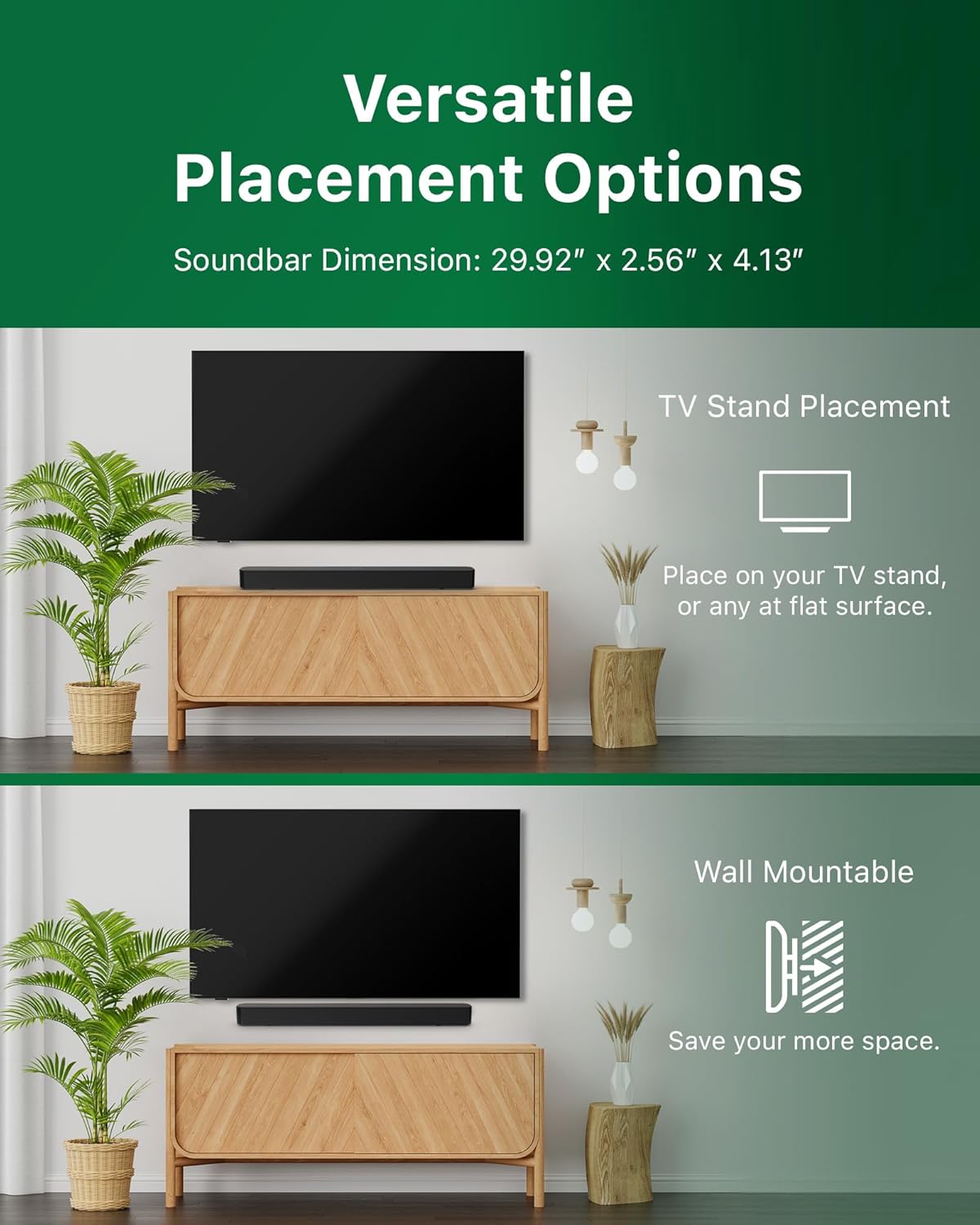
Image: Illustrations demonstrating the two primary placement methods for the soundbar: resting on a TV stand and securely mounted on a wall.
4.2 Tilslutning til dit tv
The soundbar supports multiple connection types:
- HDMI ARC (anbefales): Connect an HDMI cable (not included) from the HDMI ARC port on your TV to the HDMI ARC port on the soundbar. This allows for audio return and control via your TV remote.
- Bluetooth: For wireless audio streaming, pair your soundbar with a Bluetooth-enabled device.
- USB: Connect a USB device for audio playback.
- DC IN: Connect the power adapter to the DC IN port.

Image: A visual representation of the soundbar's available audio input ports, including HDMI (ARC), USB, Bluetooth, and DC IN for power.
4.3 Roku TV Ready-opsætning
The Philips B4000 Soundbar is Roku TV Ready certified, simplifying setup and control when paired with a Roku TV.
- Connect the soundbar to your Roku TV via HDMI ARC.
- Your Roku TV should automatically detect and configure the soundbar.
- Use your Roku TV remote to control the soundbar's power and volume.

Image: The Philips B4000 Soundbar seamlessly integrated with a television, illustrating its 'Roku TV Ready' certification for simplified setup and control.
4.4 Opsætning af fjernbetjening
Insert the two included AAA batteries into the remote control, ensuring correct polarity.
5. Betjening
5.1 Tænd/sluk
Tryk på tænd/sluk-knappen på soundbaren eller fjernbetjeningen for at tænde eller slukke enheden.
5.2 Indgangsvalg
Press the 'Source' button on the remote control to cycle through available input sources (HDMI ARC, Bluetooth, USB).
5.3 Lydstyrkekontrol
Use the 'Volume Up' and 'Volume Down' buttons on the remote control to adjust the audio level. If connected via HDMI ARC to a Roku TV, your TV remote may also control the volume.
5.4 Bluetooth -parring
- Press the 'Bluetooth' button on the remote control to enter Bluetooth pairing mode. The indicator light on the soundbar will flash.
- On your mobile device, search for Bluetooth devices and select 'Philips B4000'.
- Når den er parret, lyser indikatorlampen konstant, og du kan streame lyd trådløst.
5.5 Lydtilstande og equalizer
The soundbar may offer various sound modes or equalizer settings to optimize audio for different content types (e.g., Movie, Music, News). Use the remote control to access and adjust these settings. While specific equalizer details are not extensively documented, experimentation with available settings is encouraged to find your preferred audio profile.

Image: The Philips soundbar remote control in the foreground, with a television screen in the background displaying the EasyLink 2.0 menu for adjusting sound styles, including Bass, Treble, and Custom Equalize options.
6. Vedligeholdelse
For at sikre din soundbars levetid og optimale ydeevne skal du følge disse vedligeholdelsesretningslinjer:
- Rensning: Brug en blød, tør klud til at rengøre overfladen på soundbaren. Brug ikke flydende rengøringsmidler eller slibende materialer, da de kan beskadige overfladen.
- Ventilation: Sørg for, at soundbarens ventilationsåbninger ikke er blokeret. Korrekt luftgennemstrømning forhindrer overophedning.
- Opbevaring: Hvis du opbevarer soundbaren i længere tid, skal du afbryde strømmen til den og opbevare den et køligt og tørt sted.
7. Fejlfinding
If you encounter issues with your Philips B4000 Soundbar, refer to the following common problems and solutions:
| Problem | Mulig årsag | Løsning |
|---|---|---|
| Ingen lyd fra soundbar |
|
|
| Statisk eller forvrænget lyd |
|
|
| Problemer med Bluetooth-parring |
|
|
| Fjernbetjening virker ikke |
|
|
8. Specifikationer
| Feature | Detalje |
|---|---|
| Modelnavn | TAB4000/37 |
| Højttaler type | Soundbar |
| Surround Sound Kanalkonfiguration | 2.0 |
| Højttaler Maksimal udgangseffekt | 60 watt |
| Forbindelsesteknologi | Bluetooth (5.4), HDMI ARC, USB |
| Særlige funktioner | Advanced Bluetooth 5.4 Connectivity, Bass Boost, Roku TV Ready™ Certification, Wall mountable |
| Produktdimensioner | 4.1" D x 30" B x 2.56" H |
| Varens vægt | 4.89 pund (2.22 kilo) |
| Strømkilde | Battery Powered (for remote), AC Power (for soundbar) |
| Input bindtage | 120 volt |
| Inkluderede komponenter | Battery, Quick Start Guide, Remote, Wall Mount Bracket, Warranty Card |
9. Garanti og support
9.1 Garantioplysninger
The Philips B4000 Soundbar comes with a Limited Warranty. Please refer to the included Warranty Card for specific terms, conditions, and duration of coverage. Retain your proof of purchase for warranty claims.
9.2 Kundesupport
For yderligere assistance, teknisk support eller serviceforespørgsler, besøg venligst den officielle Philips-supportside. website or contact their customer service. Contact details can typically be found on the Philips webwebstedet eller i hurtigstartguiden.