Thank you for choosing the OYIB MD058A Wireless Earbuds. This manual provides detailed instructions on how to set up, operate, and maintain your earbuds to ensure optimal performance and longevity. Please read this manual carefully before use.
Hvad er der i æsken
Bekræft at alle komponenter er til stede i din pakke:
MD058A Headphones (Left/Right) x 2
USB-C ladekabel x 1
Portable charging case x 1
Brugervejledning x 1
Produkt overview
Familiarize yourself with the main components of your OYIB MD058A Wireless Earbuds.
Figur 1: Earbud Internal Structure. Features 13mm speaker drivers for audio output and an integrated Bluetooth 5.3 chip for wireless connectivity.
Figur 2: Earbud Microphone Placement. Each earbud is equipped with two microphones for clear call quality and Environmental Noise Cancellation (ENC).
Opladning af øretelefoner og etui
Oplad ørepropperne og opladningsetuiet helt inden første brug.
Placer ørepropperne i opladningsetuiet. Sørg for, at de er korrekt isat.
Tilslut USB-C-opladerkablet til opladningsporten på etuiet og den anden ende til en USB-strømadapter (medfølger ikke).
The LED display on the charging case will indicate the battery level. A full charge for the case takes approximately 1 hour.
The earbuds provide approximately 5 hours of playback on a single charge. The charging case extends total playback time up to 25 hours.
Figur 3: Charging Case with LED Display. The display shows the charging status and battery level of the case and individual earbuds.
Opsætning: Bluetooth-parring
Follow these steps to pair your OYIB MD058A Wireless Earbuds with your device:
Indledende parring:
Åbn opladningsetuiet. Ørepropperne tændes automatisk og går i parringstilstand.
Gå til Bluetooth-indstillingerne på din enhed (smartphone, tablet osv.), og slå Bluetooth til.
Søg efter available devices and select "MD058A" from the list.
Når der er forbindelse, hører du en bekræftelseslyd, og ørepropperne er klar til brug.
Automatisk genforbindelse:
After the first successful pairing, the earbuds will automatically connect to the last paired device when you open the charging case, provided Bluetooth is enabled on your device.
Figur 4: One-step Pairing Process. The earbuds automatically enter pairing mode when the case is opened, allowing for quick connection to your device.
Operating the Earbuds: Touch Controls
The OYIB MD058A earbuds feature intuitive touch controls. The touch sensitive area is located on the outer surface of each earbud.
Handling
Fungere
Enkelt tryk (venstre/højre øreprop)
Afspil/pause musik
Dobbelttryk (venstre øretelefon)
Forrige sang
Dobbelttryk (højre øretelefon)
Næste sang
Tredobbelt tryk (venstre øretelefon)
Lydstyrke ned
Tredobbelt tryk (højre øretelefon)
Lydstyrke op
Single Tap (during call)
Besvar/afslut opkald
Langt tryk (2 sekunder)
Reject call / Activate Voice Assistant (Siri, Google Assistant)
Single and Dual Earbud Mode: The MD058A earbuds support both single and dual earbud modes. You can use either earbud independently for calls or music, and seamlessly switch between modes by simply placing one earbud back into the case or taking the other one out.
Opretholdelse
Korrekt vedligeholdelse sikrer dine øreproppers levetid og ydeevne.
Rensning: Rengør regelmæssigt ørepropperne og opladningsetuiet med en blød, tør og fnugfri klud. Brug ikke skrappe kemikalier eller slibende materialer.
Vandtæthed: The earbuds are IP7 waterproof, meaning they are protected against immersion in water up to 1 meter for up to 30 minutes. This makes them suitable for sports and workouts, protecting against sweat and rain. However, the charging case is not waterproof. Do not submerse the charging case in water.
Opbevaring: Når ørepropperne ikke er i brug, skal de opbevares i deres opladningsetui for at beskytte dem mod støv og skader. Opbevares køligt og tørt, væk fra ekstreme temperaturer.
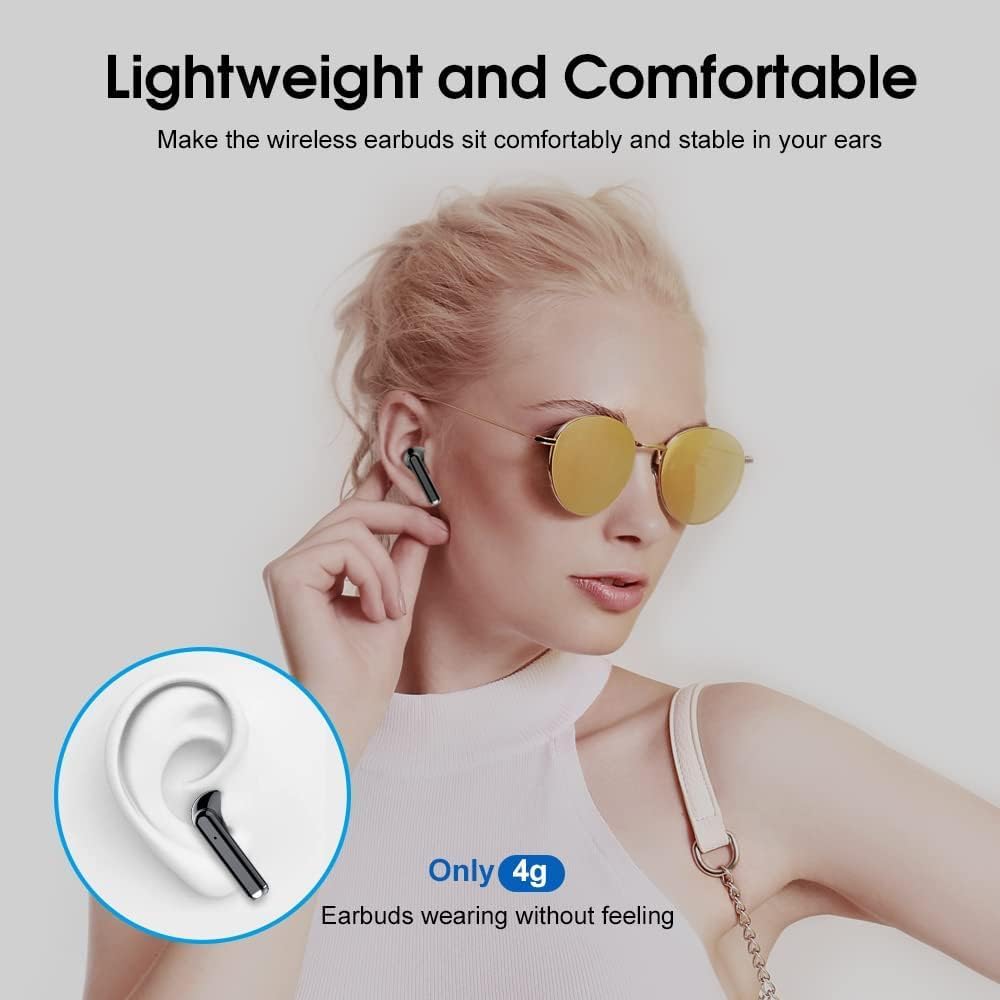
Figur 5: Lightweight and Comfortable Design. Each earbud weighs only 4g, designed for a secure and comfortable fit during extended use.
Fejlfinding
If you encounter issues with your OYIB MD058A Wireless Earbuds, try the following solutions:
Ørepropper parrer ikke:
Sørg for, at begge øretelefoner er opladet.
Placer begge ørepropper tilbage i opladningsetuiet, luk låget, og åbn det derefter igen for at genstarte parringstilstand.
Sluk og tænd for din enheds Bluetooth.
Forget "MD058A" from your device's Bluetooth list and attempt to pair again.
Ingen lyd fra den ene øreprop:
Sørg for, at begge øretelefoner er opladet.
Placer begge ørepropper tilbage i opladningsetuiet, luk låget, og åbn det derefter igen.
Tjek din enheds lydbalanceindstillinger.
Øretelefoner oplader ikke:
Sørg for, at opladningskablet er korrekt tilsluttet til både etuiet og strømkilden.
Kontroller, at strømkilden er aktiv.
Rengør opladningskontakterne på både ørepropperne og indersiden af etuiet med en tør vatpind.
Dårlig opkaldskvalitet:
Sørg for, at øretelefonerne er fuldt opladede.
Kontrollér for forhindringer mellem ørepropperne og din enhed.
Move to an area with less environmental noise, as extreme noise can affect ENC performance.
Specifikationer
Technical specifications for the OYIB MD058A Wireless Earbuds:
Feature
Detalje
Modelnavn
MD058A
Mærke
OYIB
Forbindelsesteknologi
Trådløs (Bluetooth 5.3)
Audio driver type
Dynamisk driver (13 mm)
Støjkontrol
Environmental Noise Cancellation (ENC) with 4 Microphones
Garanti: OYIB products typically come with a standard manufacturer's warranty. Please refer to the warranty card included in your package or contact OYIB customer support for specific warranty terms and conditions.
Kundesupport: For any questions, technical assistance, or support regarding your OYIB MD058A Wireless Earbuds, please contact OYIB customer service through the retailer where you purchased the product or visit the official OYIB webwebsted for kontaktoplysninger.