
1. Introduktion
Welcome to the OUKITEL C59 Pro user manual. This guide provides detailed instructions on how to set up, operate, maintain, and troubleshoot your new Android 15 smartphone. Please read this manual thoroughly to ensure optimal performance and longevity of your device.
2. Sikkerhedsoplysninger
To prevent injury to yourself or others, or damage to your device, read all safety information before using the device. Keep this manual for future reference.
- Udsæt ikke enheden for ekstreme temperaturer, direkte sollys eller høj luftfugtighed.
- Use only OUKITEL-approved chargers, batteries, and accessories.
- Undgå at tabe enheden eller udsætte den for kraftige stød.
- Du må ikke selv adskille, ændre eller reparere enheden.
- Hold en sikker afstand fra medicinsk udstyr for at undgå interferens.
- Bortskaf enheden og dens komponenter på en ansvarlig måde i henhold til lokale bestemmelser.
3. Pakkens indhold
Bekræft, at alle varer er til stede i din produktæske:
- OUKITEL C59 Pro Smartphone
- Telefon etui
- USB-kabel (Type-C)
- SIM Ejector Tool
- Strømadapter
4. Enhed overview
Familiarize yourself with the physical features and components of your OUKITEL C59 Pro smartphone.

Billede: Generelt view of the OUKITEL C59 Pro smartphone, showcasing dens slanke design og bagkameramodul.
4.1 Fysiske knapper og porte
- Power knap: Located on the side, used to power on/off the device or wake/sleep the screen. Integrates fingerprint recognition.
- Lydstyrkeknapper: Placeret på siden, bruges til at justere medielydstyrke og ringetonelydstyrke.
- USB Type-C-port: Placeret i bunden, bruges til opladning og dataoverførsel.
- SIM/MicroSD-kortslot: Located on the side, for inserting Nano SIM cards and a MicroSD card.
- 110lm LED Flashlight: An exclusive physical flashlight located at the top of the device, activated by a dedicated button.
4.2 Display
The OUKITEL C59 Pro features a large 6.88-inch HD+ display with a 90Hz refresh rate and 450 nits brightness, providing a clear and smooth visual experience.

Image: The OUKITEL C59 Pro's 6.88-inch HD+ display, highlighting its size and visual clarity.
4.3 kameraer
The device is equipped with a dual rear camera system, featuring a 13MP main camera, and a 5MP front camera for selfies and video calls.

Image: Close-up of the OUKITEL C59 Pro's rear camera module and examples of photos taken with the 13MP main camera and 5MP front camera.
4.4 Lommelygte
The OUKITEL C59 Pro features a powerful 110 lumen LED flashlight at the top. This flashlight can be activated instantly by pressing a dedicated physical button on the side of the phone, even when the screen is locked.

Image: The OUKITEL C59 Pro's 110lm LED flashlight illuminating dark environments, demonstrating its brightness and utility in various scenarios.
5. Opsætning
5.1 Isætning af SIM- og MicroSD-kort
Your OUKITEL C59 Pro supports Dual Nano SIM cards and a MicroSD card for expandable storage up to 1TB.
- Find SIM-kortbakken på siden af enheden.
- Indsæt SIM-kortudløserværktøjet i det lille hul ved siden af bakken for at åbne det.
- Place your Nano SIM cards and/or MicroSD card into the designated slots on the tray, ensuring correct orientation.
- Skub forsigtigt bakken tilbage i enheden, indtil den klikker på plads.

Image: The SIM card tray of the OUKITEL C59 Pro, showing slots for two Nano SIM cards and one MicroSD card.
5.2 Opladning af enheden
Before first use, fully charge your OUKITEL C59 Pro. The device supports 18W fast charging.
- Tilslut USB Type-C-kablet til opladningsporten i bunden af telefonen.
- Tilslut den anden ende af USB-kablet til strømadapteren.
- Sæt strømadapteren i en stikkontakt.
- A full charge typically takes approximately four hours.
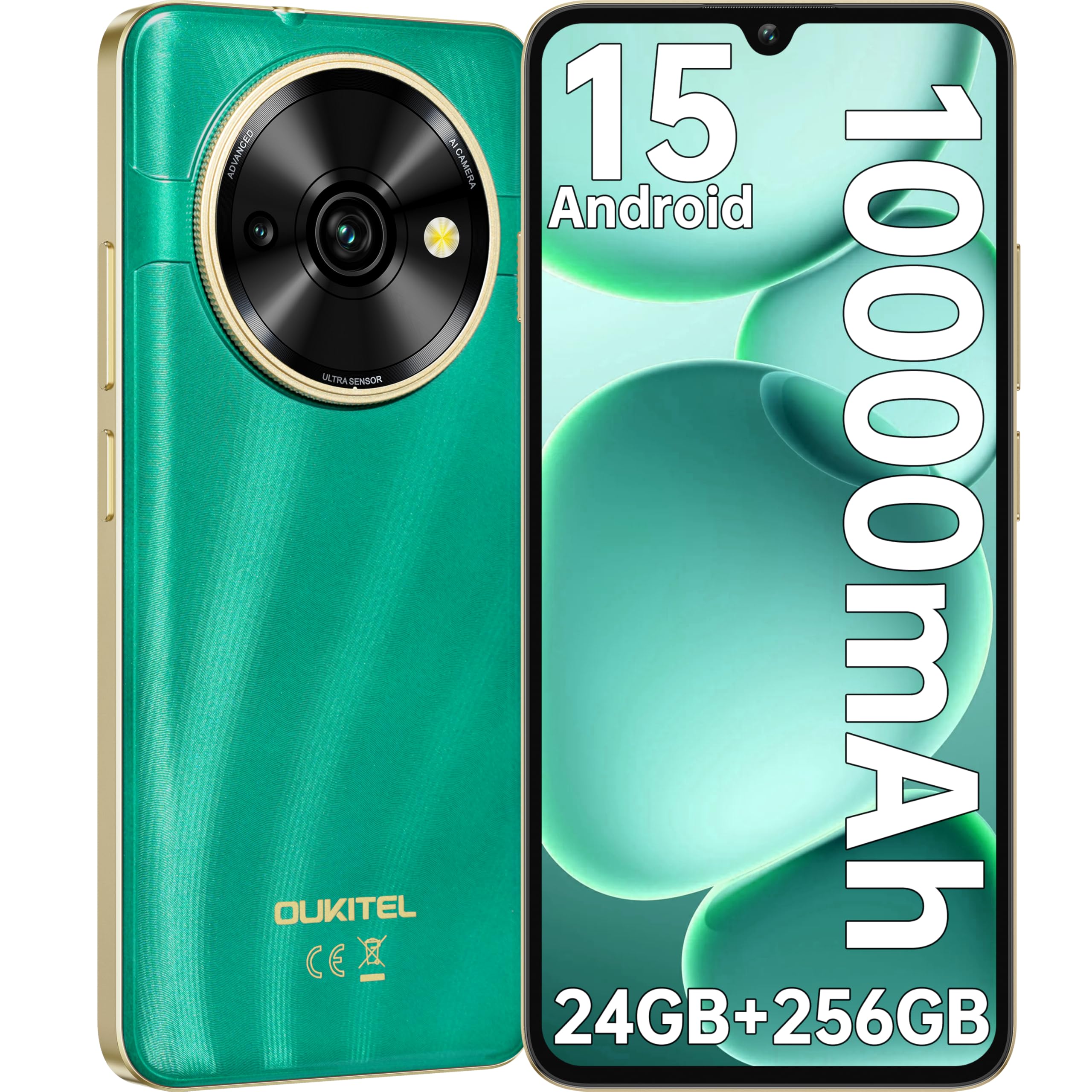
Image: Visual representation of the OUKITEL C59 Pro's 10000mAh battery capacity, indicating extended standby, talk, flashlight, and video playback times.
5.3 Tænd/sluk
- For at tænde: Tryk på tænd/sluk-knappen, og hold den nede, indtil OUKITEL-logoet vises.
- For at slukke: Tryk på tænd/sluk-knappen og hold den nede, og vælg derefter 'Sluk' fra indstillingerne på skærmen.
- For at genstarte: Tryk og hold tænd/sluk-knappen nede, og vælg derefter 'Genstart' fra valgmulighederne.
6. Betjening af din smartphone
6.1 Android 15-operativsystem
Your OUKITEL C59 Pro runs on the latest Android 15 operating system, offering enhanced energy efficiency, privacy protection, and multi-device integration capabilities optimized with artificial intelligence.

Image: A visual representation of the Android 15 operating system interface, showcasing its modern design and various application icons.
6.2 Biometric Security (Fingerprint & Face ID)
Unlock your device securely using the side-mounted fingerprint sensor or Face ID recognition.
- Fingeraftryksgenkendelse: Register your fingerprints in the Security settings. To unlock, simply place your registered finger on the side power button.
- Face ID: Set up Face ID in the Security settings. To unlock, hold the phone in front of your face.
6.3 Connectivity Features (NFC, GPS)
The OUKITEL C59 Pro supports NFC for contactless payments and data transfer, and GPS for navigation and location services.
- NFC: Enable NFC in Settings > Connected devices > Connection preferences > NFC. Tap your phone to compatible devices for quick pairing or payments.
- GPS: Location services are enabled by default. You can manage them in Settings > Location.
6.4 Hukommelse og lagring
The device comes with 24GB RAM (8GB physical + 16GB virtual) and 256GB internal storage, expandable up to 1TB via MicroSD card.

Image: A graphical representation of the OUKITEL C59 Pro's memory configuration, showing 24GB RAM (8GB + 16GB expansion) and 256GB ROM (expandable to 1TB).
6.5 OTG-funktionalitet
The OUKITEL C59 Pro supports OTG (On-The-Go) reverse charging, allowing you to transfer data to other devices or use your phone as an emergency power bank.
7. Vedligeholdelse
Korrekt vedligeholdelse sikrer din smartphones lange levetid og optimale ydeevne.
- Rensning: Brug en blød, fnugfri klud til at rengøre skærmen og enhedens kabinet. Undgå at bruge skrappe kemikalier eller slibende materialer.
- Softwareopdateringer: Regularly check for and install system updates to ensure your device has the latest features and security patches. Go to Settings > System > System update.
- Batteripleje: Avoid fully discharging the battery frequently. For long-term storage, charge the battery to about 50%.
- Lagerstyring: Ryd periodisk unødvendigt fileog apps for at frigøre lagerplads og forbedre ydeevnen.
8. Fejlfinding
Hvis du støder på problemer med din enhed, kan du prøve følgende løsninger:
- Enheden reagerer ikke: Tryk og hold tænd/sluk-knappen nede i cirka 10-15 sekunder for at fremtvinge en genstart.
- Apps der går ned: Clear the cache and data of the problematic app in Settings > Apps > [App Name] > Storage. If the issue persists, uninstall and reinstall the app.
- Dårlig batterilevetid: Check battery usage in Settings > Battery to identify power-hungry apps. Reduce screen brightness, disable unnecessary features like GPS or Wi-Fi when not in use.
- Netværksproblemer: Sørg for, at SIM-kortene er isat korrekt. Prøv at genstarte enheden. Kontroller netværksindstillingerne, eller kontakt din tjenesteudbyder.
- Overophedning: Avoid using the device while charging or during prolonged heavy usage. Close background apps.
- Gendan fabriksindstillinger: Som en sidste udvej, hvis softwareproblemerne fortsætter, kan du udføre en fabriksnulstilling. Advarsel: Dette vil slette alle data på din enhed. Sikkerhedskopier vigtige data, før du fortsætter. Gå til Indstillinger > System > Nulstillingsindstillinger > Slet alle data (fabriksnulstilling).
9. Specifikationer
Detailed technical specifications for the OUKITEL C59 Pro smartphone.
| Feature | Specifikation |
|---|---|
| Mærke | OUKITEL |
| Modelnavn | OUKITEL C59 Pro |
| Operativsystem | Android 15 |
| Installeret RAM-størrelse | 24 GB (8 GB fysisk + 16 GB virtuel) |
| Lagerkapacitet | 256 GB |
| Max Supported Flash Memory Size | 1024 GB (1 TB) |
| Skærmstørrelse | 6.88 tommer |
| Opløsning | 1640 x 720 pixel |
| Opdateringshastighed | 90 Hz |
| Display Type | LCD |
| Cellulær teknologi | 4G |
| Forbindelsesteknologi | 4G |
| Farve | GRØN |
| Number of SIM Card Slots | Dobbelt SIM |
| SIM-kortstørrelse | Nano |
| Connector Type | USB Type C |
| Formfaktor | Bar |
| Biometrisk sikkerhedsfunktion | Fingeraftryksgenkendelse, ansigts-ID |
| Vandmodstandsniveau | Ikke vandtæt |
| Hovedtelefonstik | Ingen |
| Bagkameraopløsning | 13 MP |
| Number of Rear Cameras | 2 |
| Number of Front Cameras | 1 |
| Videooptagelsesopløsning | 1080p |
| Billedhastighed | 30 fps, 60 fps, 120 fps |
| Batterikapacitet | 10000 mAh |
| Batterilevetid | 50 timer (taletid) |
| GPS | Ja |
| Inkluderede komponenter | Phone case, USB cable, SIM ejector tool, Power adapter |
| Specifikke produktanvendelser | Gaming, Photography, Streaming, Video Conferencing |
10. Garanti og support
10.1 Garantioplysninger
The OUKITEL C59 Pro smartphone comes with a 2 års producentgaranti. This warranty covers defects in materials and workmanship under normal use. It does not cover damage caused by misuse, accidents, unauthorized repairs, or normal wear and tear. Please retain your proof of purchase for warranty claims.
10.2 Kundesupport
For technical assistance, warranty claims, or any other inquiries regarding your OUKITEL C59 Pro, please contact OUKITEL customer support through their official website or the contact information provided with your purchase. Ensure you have your device model and purchase details ready when contacting support.