
1. Produktet er slutview
The Mesqool Emergency Weather Radio & Lantern (Model B0F2SRBKHJ) is a versatile device designed for emergency preparedness and outdoor activities. It combines multiple essential functions into a single, portable unit, ensuring access to vital information and illumination when traditional power sources are unavailable. This device features a multi-band radio, a powerful LED flashlight, a reading lamp, and an SOS alarm. It offers multiple charging options including a built-in rechargeable battery, solar panel, and hand crank, along with the capability to charge external devices via USB.
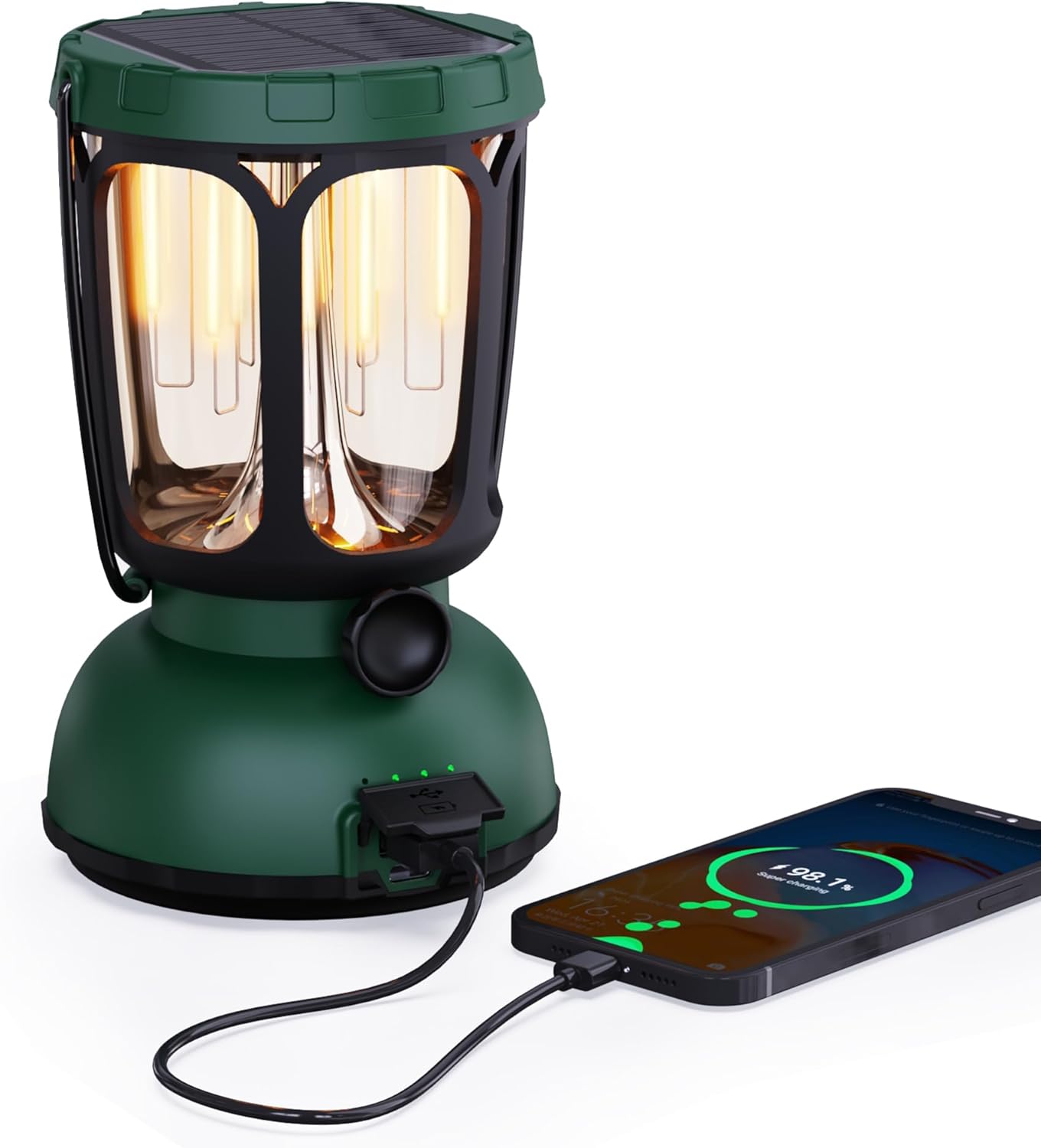
Figur 1: Forside view of the Mesqool Emergency Weather Radio and Lantern, showcasing dens kompakte design og integrerede håndtag.
2. Hvad er der i æsken
Upon unboxing your Mesqool Emergency Weather Radio & Lantern, please ensure all the following items are present:
- Mesqool Emergency Weather Radio & Lantern Unit
- Strømledning
- Strømadapter
- Brugervejledning (dette dokument)
3. Nøglefunktioner
- Multibåndsradio: Access to AM, FM, Shortwave (SW), and 7 pre-configured NOAA Weather Alert Stations for comprehensive coverage.
- Flere strømkilder:
- Built-in 12000mAh Replaceable/Rechargeable Li-ion Battery.
- Integrated Solar Panel for charging via sunlight.
- Hand Crank for manual power generation.
- Type-C USB input for charging via adapter.
- AAA Battery compartment (3x AAA, not included) for additional backup power.
- Belysning:
- Handy Bright Camping Flashlight.
- LED-aflæsning Lamp with dimmable warm white (50-350LM, 2700K) and bright white (350-650LM, 10000-15000K) modes.
- Nødfunktioner:
- Loud SOS Alarm.
- Emergency Cell Phone Charger via USB output.
- Holdbarhed: Waterproof and 4-foot drop-proof design.
- Portabilitet: Rugged handle and compact design for easy transport.
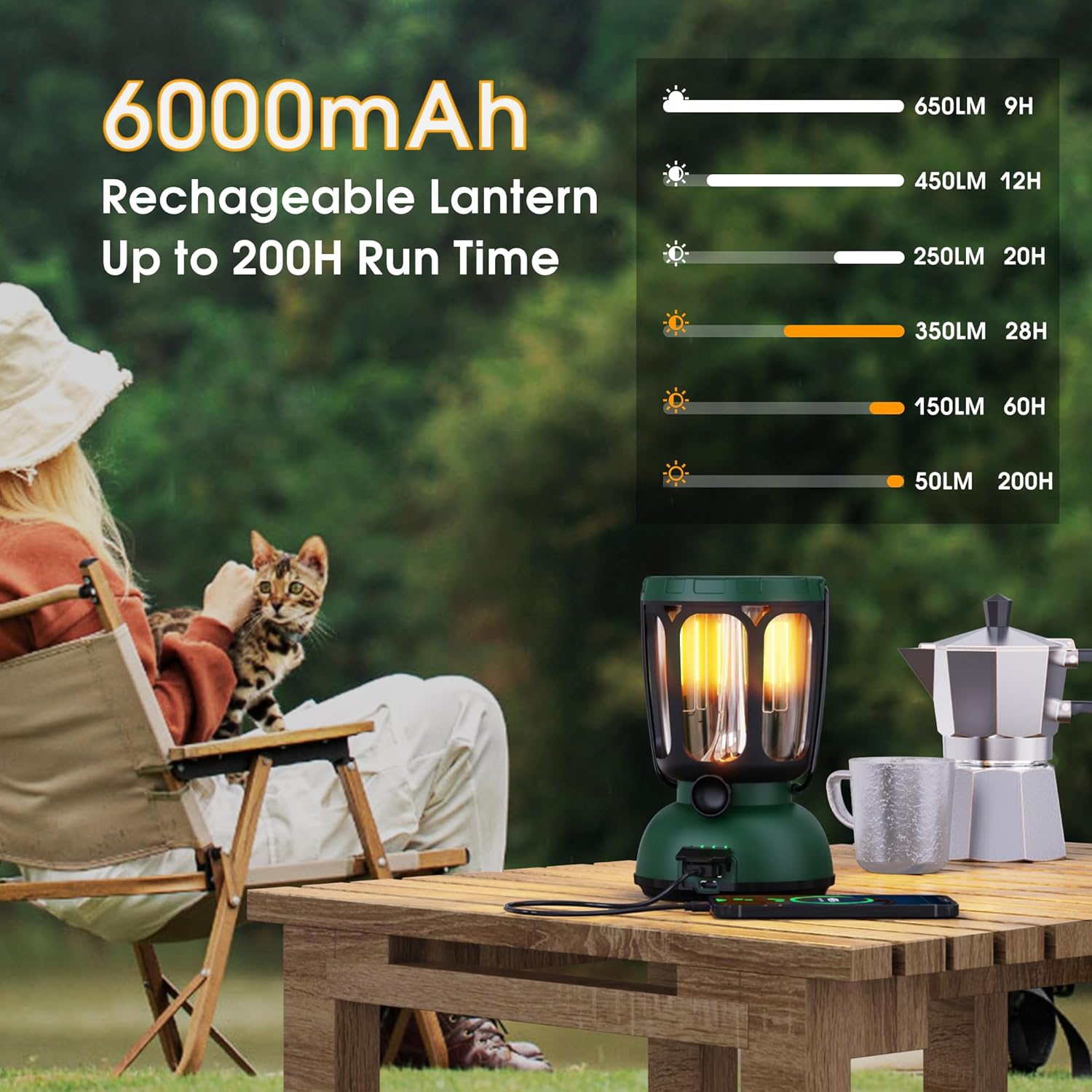
Figure 2: The lantern's 6000mAh rechargeable battery provides up to 200 hours of run time on low settings.

Figure 3: Two distinct light modes, warm and bright white, with a dimmable feature for adjustable illumination.
4. Indledende opsætning
- Udpakning: Carefully remove all items from the packaging. Inspect the unit for any damage.
- Indledende opkrævning: For optimal performance, fully charge the built-in Li-ion battery before first use. Connect the provided Type-C USB cable to the device and the power adapter to a wall outlet. The charging indicator will illuminate.
- AAA Battery Installation (Optional Backup): If desired, open the battery compartment and insert 3 AAA batteries (not included) for an additional power backup. Ensure correct polarity.
- Antenne: Extend the telescopic antenna for improved radio reception.
5. Betjeningsvejledning
5.1. Tænd/sluk
- Tryk på MAGT knappen for at tænde eller slukke for enheden.
- The display will show the time and battery level.
5.2. Radio Operation (AM/FM/SW/NOAA)
- Vælg bånd: Tryk på BAND button repeatedly to cycle through AM, FM, SW, and NOAA weather bands.
- Indstil stationer: Brug TUNE + og TUNE - knapperne til manuelt at justere frekvensen. For automatisk scanning skal du trykke på og holde TUNE + or TUNE - knap.
- Lydstyrkekontrol: Juster lydstyrken ved hjælp af VOL+ og VOL - knapper.
- NOAA Vejralarm: Tryk på WX ALERT button to activate or deactivate the weather alert function. When active, the radio will automatically switch to the NOAA weather band and sound an alarm if a weather alert is issued.
5.3. Flashlight & Reading Lamp
- Lommelygte: Press the dedicated flashlight button (usually on the side) to turn the flashlight on/off. Some models may have multiple brightness settings.
- Læser Lamp: Lift the solar panel to reveal the LED reading lampTryk på aflæsningsknappen lamp knap (ofte placeret i nærheden af l'et)amp) to turn it on/off and cycle through dimmable warm white and bright white modes.

Figure 4: The warm light mode of the lantern is ideal for creating a cozy ambiance or for low-light tasks.
5.4. SOS Alarm
- Tryk på SOS button to activate a loud emergency alarm and flashing beacon light.
- Tryk på SOS knappen igen for at deaktivere alarmen.
5.5. Opladning af enheden
- USB-opladning: Connect the provided Type-C USB cable to the unit's input port and the power adapter to a standard wall outlet.
- Solopladning: Place the unit with the solar panel facing direct sunlight. The solar charging indicator will light up. This method is best for maintaining charge or slow charging.
- Håndsving opladning: Extend the hand crank and rotate it clockwise or counter-clockwise for manual power generation. A few minutes of cranking can provide power for basic functions.

Figure 5: The versatile charging options ensure the device remains powered in various situations.
5.6. Opladning af eksterne enheder
- Connect your external device (e.g., smartphone) to the unit's USB output port using your device's charging cable.
- The unit's internal battery will transfer power to your external device. This feature is intended for emergency use to provide a minimal charge.
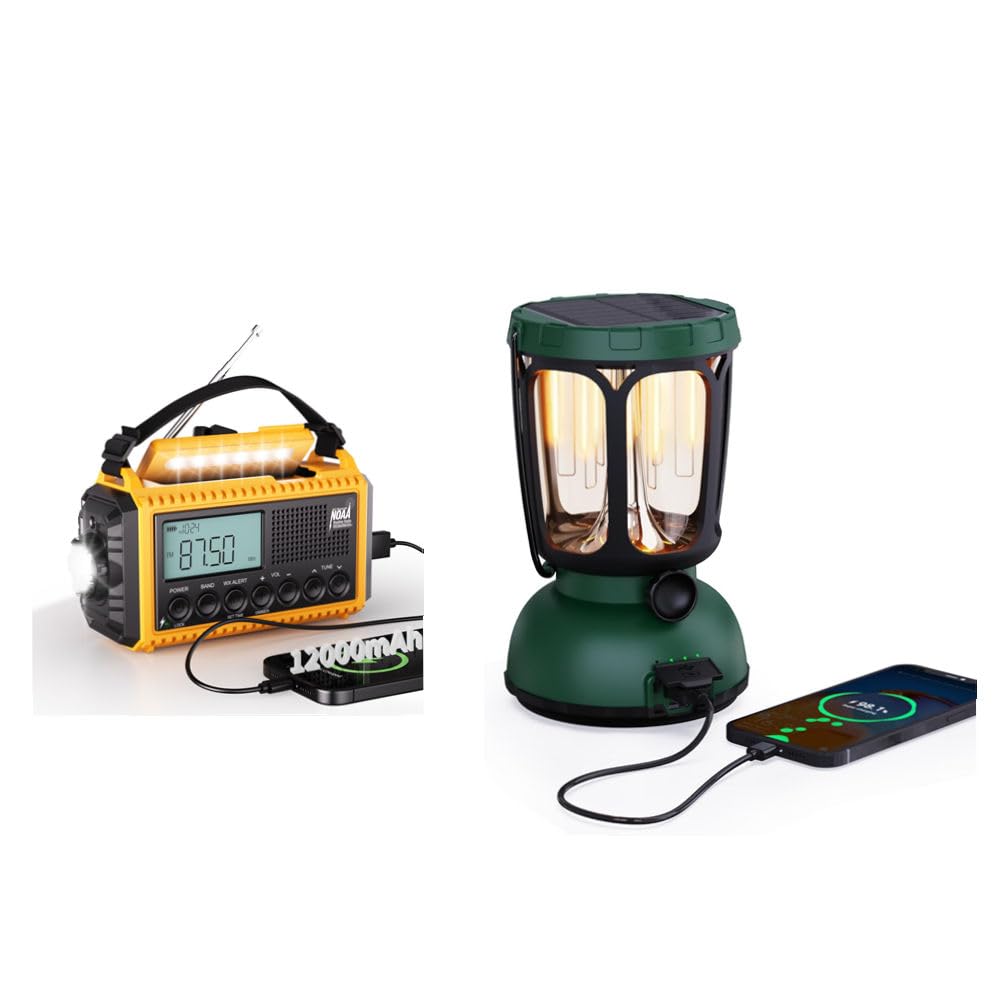
Figure 6: The lantern can serve as an emergency power bank for small electronic devices.
6. Vedligeholdelse
- Rensning: Tør enheden af med en blød, damp klæde. Brug ikke skrappe kemikalier eller slibende rengøringsmidler.
- Opbevaring: Opbevar enheden et køligt, tørt sted væk fra direkte sollys og ekstreme temperaturer.
- Batteripleje: To prolong battery life, fully charge the internal Li-ion battery every 3-6 months, even if not in use. Remove AAA batteries if storing for extended periods.
- Vandtæthed: Sørg for, at alle portdæksler er forsvarligt lukket for at opretholde vandtætheden.
7. Fejlfinding
| Problem | Mulig årsag | Løsning |
|---|---|---|
| Enheden tænder ikke. | Lavt eller afladet batteri. | Charge the unit via USB, solar, or hand crank. Check AAA batteries if installed. |
| Dårlig radiomodtagelse. | Antennen er ikke strakt ud, eller signalet er svagt. | Fully extend the telescopic antenna. Try repositioning the unit. |
| Flashlight/Lamp virker ikke. | Lavt batteri eller defekt LED. | Charge the unit. If problem persists, contact support. |
| Ekstern enhed oplader ikke. | Unit's battery too low or incorrect cable. | Ensure the unit is sufficiently charged. Use the correct USB cable for your device. |
8. Specifikationer
- Mærke: Mesqool
- Model: B0F2SRBKHJ
- Radiobånd: AM/FM/SW/NOAA Weather Band
- Batteri: 12000mAh genopladeligt Li-ion batteri
- Opladningsmetoder: USB (Type-C input), Solar Panel, Hand Crank, 3x AAA Batteries (not included)
- Lantern Light Modes: Warm White (50-350LM, 2700K), Bright White (350-650LM, 10000-15000K)
- Lantern Run Time: Up to 200 hours (on warm white, low setting)
- Nødfunktioner: SOS Alarm, Emergency Phone Charger
- Holdbarhed: Waterproof, 4-foot Drop-Proof
- Inkluderede komponenter: Strømadapter, strømledning
9. Garanti og support
Mesqool products are designed for reliability and performance. For warranty information, technical support, or any inquiries regarding your Emergency Weather Radio & Lantern, please refer to the contact details provided in the product packaging or visit the official Mesqool webwebsted. Gem venligst din købsbevis til garantikrav.
10. Produktvideoer
Emergency Weather Radio - AM/FM/NOAA Hand Crank Radio
Denne video giver en detaljeret oversigtview of the Mesqool Emergency Weather Radio, demonstrating its AM/FM/NOAA functionalities and the hand crank charging mechanism. It highlights the radio's ease of use and essential features for emergency situations.


