1. Introduktion
Thank you for choosing the DS i20 Ultra 2 Max Suit Smartwatch and Wireless Earphones 10-in-1 Set. This comprehensive package combines a feature-rich smartwatch with a large 2.3-inch infinite display and a pair of wireless earphones, designed to enhance your daily activities, communication, and entertainment. This manual provides essential information for proper setup, operation, and maintenance of your new devices.
2. Hvad er der i æsken
Your DS i20 Ultra 2 Max Suit 10-in-1 Set includes the following components:
- DS i20 Ultra 2 Max Suit Smartwatch
- Trådløse høretelefoner med opladningsetui
- Multiple Interchangeable Watch Straps (various designs and materials)
- Smartwatch Charging Cable
- Earphones Charging Cable
- Protective Case for Smartwatch
- Brugervejledning (dette dokument)
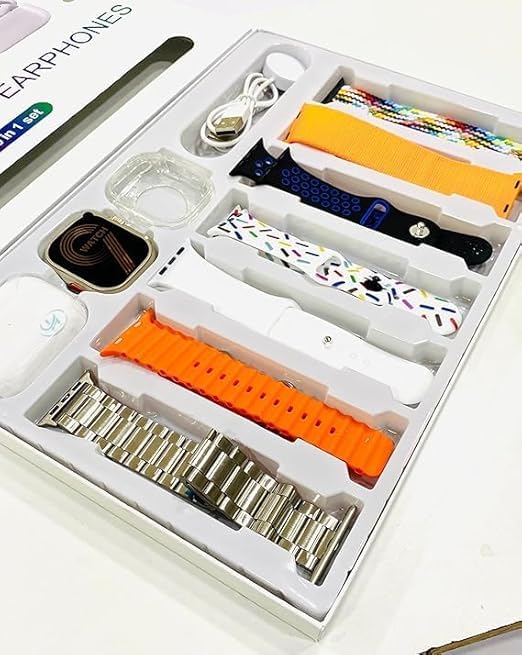
Image: All components included in the DS i20 Ultra 2 Max Suit 10-in-1 Set, neatly arranged in the product box. This includes the smartwatch, wireless earphones, various watch straps, and charging accessories.
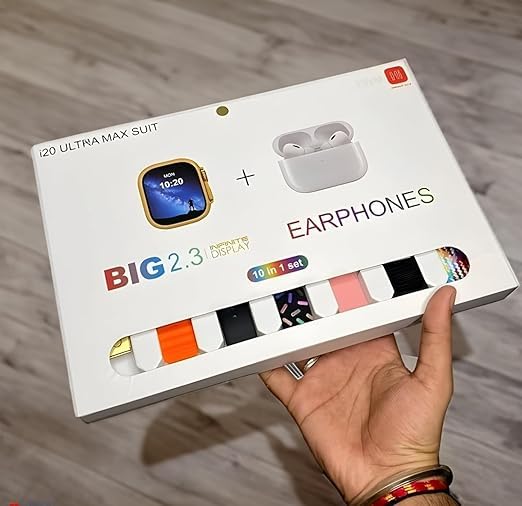
Image: The exterior packaging of the DS i20 Ultra 2 Max Suit, highlighting the smartwatch and earphones, and indicating the '10-in-1 set' contents.
3. Opsætning
3.1. Smartwatch Initial Setup
- Oplad smartwatchet: Connect the smartwatch to its dedicated charging cable and plug it into a USB power source. Ensure the charging pins align correctly. A full charge typically takes approximately 2 hours.
- Tænd: Press and hold the power button on the side of the smartwatch until the display illuminates.
- Download Companion-appen: Scan the QR code provided in the manual or on the watch display (if available) to download the official companion application on your smartphone. Alternatively, search for the app name (usually indicated in the watch's initial setup screen) in your phone's app store (Android or iOS).
- Par med smartphone:
- Aktiver Bluetooth på din smartphone.
- Åbn den tilhørende app, og følg instruktionerne på skærmen for at tilføje en ny enhed.
- Select 'DS i20 Ultra 2 Max Suit' from the list of available devices.
- Bekræft parringsanmodningen på både din smartphone og smartwatch.
- Tilpas indstillinger: Once paired, use the app to set your preferences, such as watch faces, notification settings, health tracking goals, and personal information.
3.2. Wireless Earphones Initial Setup
- Oplad øretelefonerne: Place the earphones into their charging case. Connect the charging case to a USB power source using the provided cable. The indicator lights on the case will show charging status.
- Tænd og par:
- Open the charging case. The earphones will automatically enter pairing mode (indicated by flashing lights).
- On your smartphone or smartwatch, go to Bluetooth settings and search for new devices.
- Select the earphones (e.g., 'DS Earphones' or similar) from the list to connect.
- Once connected, a confirmation sound or message will be heard.
4. Betjening
4.1. Smartwatch Operation
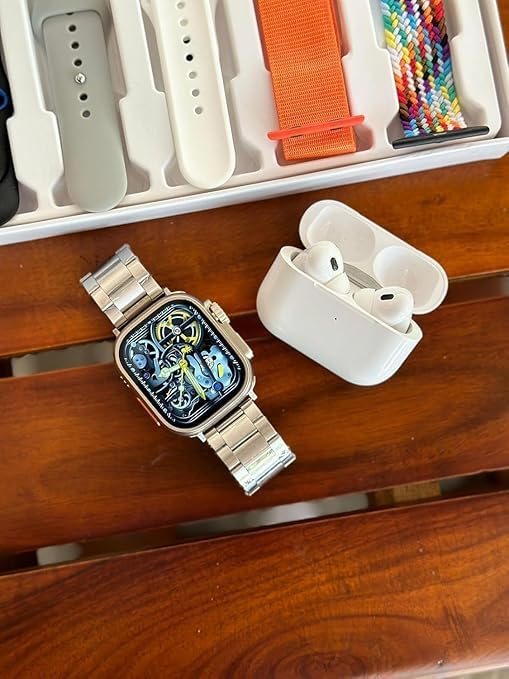
Image: The DS i20 Ultra 2 Max Suit Smartwatch, shown with a metal strap, alongside the wireless earphones. This illustrates the primary devices in the set.
Display og navigation
- 2.3-inch Infinite Display: The large touchscreen allows for clear viewing and intuitive interaction.
- Berøringsbevægelser:
- Stryg op/ned: Navigate through menus or notifications.
- Stryg til venstre/højre: Access quick widgets or different screens.
- Tryk på: Vælg et element, eller åbn et program.
- Tryk og hold: Tilpas urskiver (på startskærmen).
- Sideknap(per): Typically used for power on/off, returning to the home screen, or accessing the app menu. Refer to the on-screen prompts for specific functions.
Nøglefunktioner
- Bluetooth-opkald: Once paired with your smartphone, you can make and receive calls directly from your smartwatch. Ensure your phone is within Bluetooth range.
- Meddelelser: Receive alerts for calls, messages, and app notifications from your paired smartphone. Manage these settings via the companion app.
- Fitness sporing: Monitor steps, distance, calories burned, heart rate, and other health metrics. Data is synced to the companion app for detailed analysis.
- Musik kontrol: Control music playback on your smartphone directly from the smartwatch.
- Andre funktioner: May include alarm, stopwatch, timer, weather, and remote camera control. Explore the watch's app menu for all available features.
4.2. Wireless Earphones Operation
Grundlæggende kontrol
- Afspil/pause: Enkelt tryk på en af hovedtelefonerne.
- Næste nummer: Dobbelttryk på den højre øretelefon.
- Forrige nummer: Dobbelttryk på den venstre øretelefon.
- Besvar/afslut opkald: Enkelt tryk på en af hovedtelefonerne under et indgående opkald.
- Afvis opkald: Press and hold on either earphone during an incoming call.
- Stemmeassistent: Triple tap on either earphone (if supported by your connected device).
Opladning
- Place earphones back into the charging case to recharge them.
- Charge the case itself using the provided USB cable when its battery is low.
5. Vedligeholdelse
5.1. Rensning
- Smartwatch: Wipe the screen and body with a soft, lint-free cloth. For stubborn smudges, slightly dampSkyl kluden med vand. Undgå skrappe kemikalier eller slibende materialer.
- Remme: Clean silicone or fabric straps with mild soap and water, then rinse and dry thoroughly. Metal straps can be wiped with a dry cloth.
- Øretelefoner: Gently wipe the earphones and charging case with a dry, soft cloth. Use a cotton swab to carefully clean ear tips and charging contacts.
5.2. Batteripleje
- Undgå at aflade batteriet helt ofte.
- Do not expose the devices to extreme temperatures (hot or cold), as this can degrade battery life.
- Hvis enhederne opbevares i en længere periode, skal de oplades til ca. 50% før opbevaring.
6. Fejlfinding
| Problem | Mulig årsag | Løsning |
|---|---|---|
| Smartwatch tænder ikke | Lavt batteri; enhedfejl | Charge the smartwatch for at least 30 minutes. If it still doesn't turn on, contact support. |
| Cannot pair smartwatch/earphones with phone | Bluetooth off; device out of range; pairing mode not active; interference | Ensure Bluetooth is on. Bring devices closer. Restart both devices. Ensure smartwatch/earphones are in pairing mode. Clear previous Bluetooth connections on your phone. |
| Notifications not appearing on smartwatch | Apptilladelser; notifikationsindstillinger; Bluetooth afbrudt | Check app permissions on your phone. Verify notification settings in the companion app. Ensure smartwatch is connected via Bluetooth. |
| Earphones no sound/low volume | Low battery; not connected; volume too low on source device | Charge earphones. Re-pair earphones. Adjust volume on your phone/smartwatch. |
| Inaccurate fitness data | Improper wear; incorrect personal settings | Ensure the smartwatch is worn snugly on your wrist. Update personal information (height, weight) in the companion app. |
7. Specifikationer
Below are the key technical specifications for the DS i20 Ultra 2 Max Suit Smartwatch and Wireless Earphones:
| Feature | Detalje |
|---|---|
| Modelnavn | Ultra 2 Max Suit |
| Skærmstørrelse | 2.3-inch (Infinite Display) |
| Display Type | HD skærm |
| Forbindelse | Bluetooth |
| Operativsystem | Proprietær |
| Hukommelseslagringskapacitet | 32 MB |
| Installeret RAM-hukommelsesstørrelse | 1 GB |
| Særlige funktioner | Bluetooth-opkald |
| Kompatible enheder | Smartphone |
| Batterikapacitet | 12 Amp Timer |
| Opladningstid | 2 timer |
| Varens vægt | 75 g (Smartwatch) |
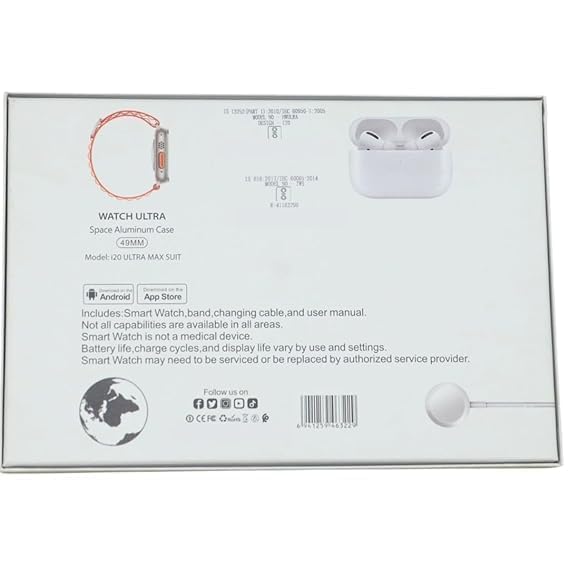
Image: The rear of the product packaging, displaying key product information, model number, and compliance marks.
8. Garanti og support
For warranty information, please refer to the documentation included in your product packaging or contact the retailer where the product was purchased. Smartwatch functionality and battery life may vary based on usage and settings. If you encounter issues that cannot be resolved using the troubleshooting guide, please contact customer support for assistance.
Note: The Smartwatch is not a medical device. All capabilities may not be available in all regions or with all smartphone models.


