
1. Vigtige sikkerhedsinstruktioner
Læs venligst alle instruktioner omhyggeligt, inden du bruger dette løbebånd. Gem denne manual til senere brug.
- Placer altid løbebåndet på en flad, stabil overflade.
- Sørg for tilstrækkelig frihøjde omkring løbebåndet (mindst 2 meter bagved og 0.6 meter på hver side).
- Hold børn og kæledyr væk fra løbebåndet under drift.
- Brug passende sportsfodtøj og -sko.
- Brug ikke løbebåndet, hvis ledningen eller stikket er beskadiget, eller hvis det ikke fungerer korrekt.
- Maximum user weight capacity: 130 kg.
- Always use the safety key. Attach it to your clothing before starting your workout.
2. Produktet er slutview
The TOPUTURE 2-in-1 Treadmill is designed for both walking and light running, offering a versatile fitness solution for home or office use. It features a powerful yet quiet motor, manual incline adjustment, and smart app connectivity.

Image: Two individuals demonstrating the TOPUTURE 2-in-1 Treadmill in use, highlighting its dual functionality for walking while working and running.
3. Opsætning og montering
This TOPUTURE 2-in-1 Treadmill features a space-saving design that requires minimal assembly. It is ready for use almost immediately out of the box.
3.1 Udpakning
- Tag forsigtigt løbebåndet ud af emballagen.
- Check all components against the packing list to ensure everything is present.
3.2 Placering
- Placer løbebåndet på en fast, plan overflade.
- Sørg for, at strømkablet er let tilgængeligt og ikke er blokeret.
3.3 Manuel hældningsjustering
The treadmill offers manual incline settings to increase workout intensity. The original incline is 2°, and can be adjusted to 4.7° (9% incline rate).
- Locate the incline adjustment bolts at the rear of the treadmill.
- Pull out the bolt and turn the slope block to the desired position.
- Insert the bolt into the upper hole to secure the incline.

Image: A visual guide illustrating the two-step process for manually adjusting the treadmill's incline.
4. Betjeningsvejledning
Your treadmill can be controlled via its LED display, remote control, or a smart application.
4.1 Tænd/sluk
- Tilslut netledningen til en passende stikkontakt.
- Flip the main power switch located on the treadmill base to the 'ON' position.
- To turn off, flip the main power switch to 'OFF' and unplug the unit.
4.2 Using the LED Display and Remote Control
The multi-functional LED display shows real-time data including speed, distance, time, and calories burned. The remote control allows for easy adjustment of speed and modes.

Image: The treadmill's clear LED display provides real-time workout metrics, complemented by a convenient remote control for adjustments.
- Start/Stop: Press the 'Start' button on the display or remote to begin. Press 'Stop' to pause or end your workout.
- Hastighedstilpasning: Use the '+' and '-' buttons on the remote or display to increase or decrease speed (1-10 km/h).
- Programmer: Select from 12 preset programs for varied workout routines.
- Temporary Pause: Use the 'Pause' button to temporarily stop your workout without losing data.
4.3 Smart-app-forbindelse
Connect your treadmill to fitness apps like 'FITSHOW' via Bluetooth (Bluetooth name: TP3) for enhanced training courses and data tracking.
- Sørg for, at Bluetooth er aktiveret på din mobilenhed.
- Open the 'FITSHOW' app (or compatible app) and search for 'TP3'.
- Pair your device with the treadmill.
- Follow the app's instructions to access various training courses and monitor your progress.

Image: The treadmill connects to fitness apps, allowing users to engage with virtual training courses and track their performance.
5. Vedligeholdelse
Regelmæssig vedligeholdelse sikrer dit løbebånds levetid og optimale ydeevne.
5.1 Rengøring
- Tag stikket ud af løbebåndet før rengøring.
- Wipe down the display and exterior surfaces with a damp klæde. Undgå slibende rengøringsmidler.
- Regularly vacuum under the treadmill to prevent dust buildup.
5.2 Smøring af rem
The running belt requires periodic lubrication to reduce friction and extend its lifespan. Use silicone-based treadmill lubricant.
- Løft kanten af løbebåndet.
- Apply a small amount of lubricant to the center of the deck, underneath the belt.
- Run the treadmill at a low speed for a few minutes to distribute the lubricant evenly.
- Refer to the lubricant manufacturer's instructions for frequency, typically every 3-6 months depending on usage.
5.3 Bæltejustering
Hvis løbebåndet forskyder sig til den ene side eller glider, kan det være nødvendigt at justere det.
- Consult the detailed instructions in the full product manual for specific belt tension and alignment procedures.
6. Fejlfinding
Hvis du støder på problemer med dit løbebånd, kan du se følgende almindelige problemer og løsninger.
| Problem | Mulig årsag | Løsning |
|---|---|---|
| Løbebåndet tænder ikke. | Power cord not plugged in, main switch off, safety key not in place. | Check power connection, ensure main switch is ON, insert safety key. |
| Løbebånd glider. | Rem for løs, utilstrækkelig smøring. | Juster remspændingen (se den fulde manual), smør remmen. |
| Usædvanlig støj under drift. | Løse dele, remfriktion, motorproblem. | Check for loose bolts, lubricate belt, contact customer support if motor noise persists. |
| App-forbindelsesfejl. | Bluetooth off, app not updated, incorrect pairing. | Ensure Bluetooth is on, update app, re-pair with 'TP3'. |
If the problem persists after attempting these solutions, please contact TOPUTURE customer support.
7. Specifikationer
| Feature | Specifikation |
|---|---|
| Mærke | TOPUTURE |
| Motorkraft | 2.5 HP (Peak 3.0 HP) |
| Hastighedsområde | 1-10 km/t |
| Hælde | Manual (0%, 5%, 10% equivalent to 2° and 4.7°/9%) |
| Løbende overflade | 1000 x 400 mm (ca. 39.4 x 15.7 tommer) |
| Max brugervægt | 130 kg (ca. 286 lbs) |
| Støjniveau | < 45 dB |
| Produktdimensioner | 120.8 x 52.6 x 12.5 cm (ca. 47.6 x 20.7 x 4.9 tommer) |
| Produktets vægt | 21.69 kg (ca. 47.8 lbs) |
| Forbindelse | Bluetooth (TP3) for APP control |
| Programmer | 12 forudindstillede programmer |
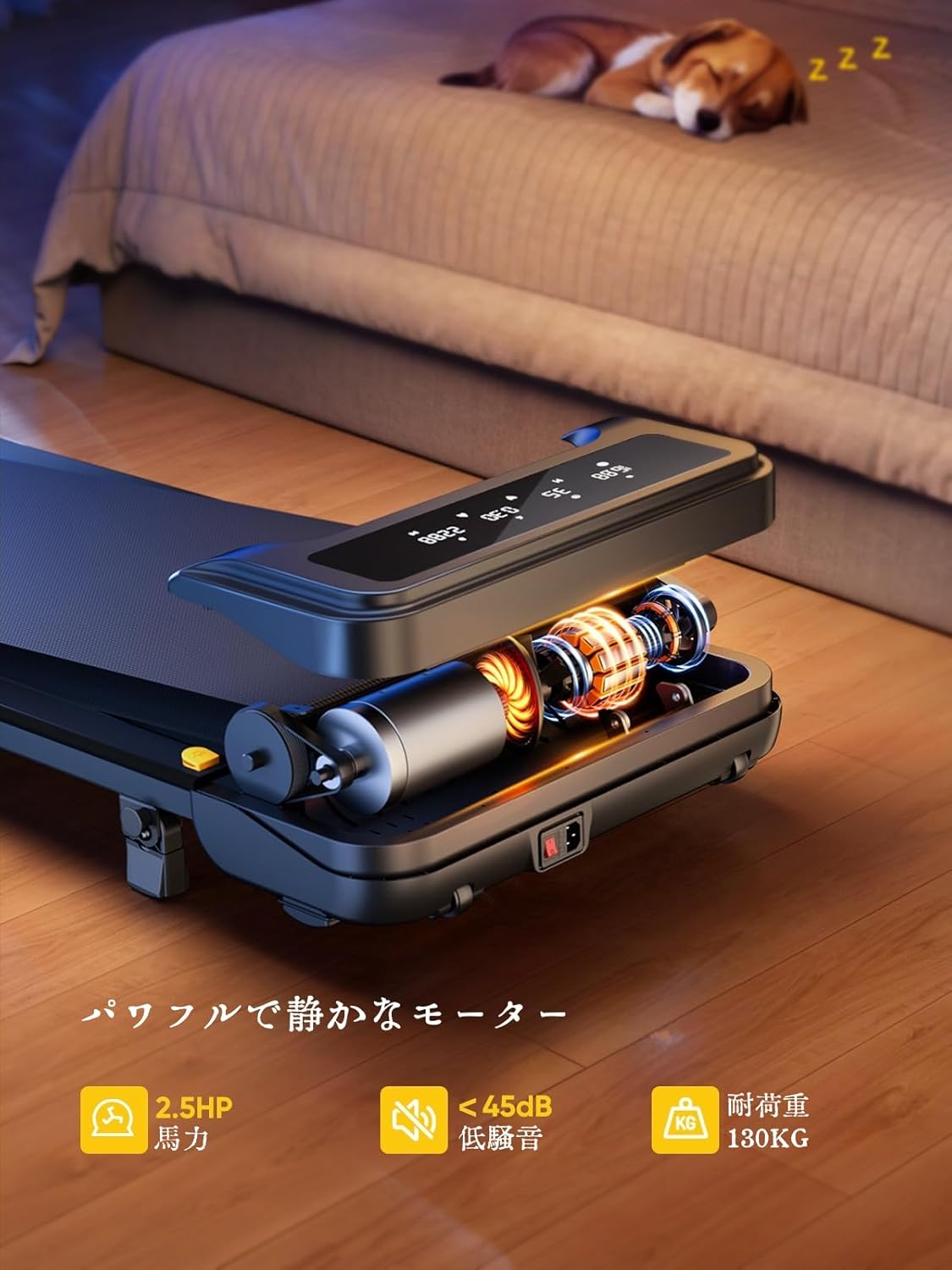
Image: The treadmill features a powerful 2.5 HP motor, operates quietly below 45dB, and supports users up to 130 kg.

Image: The compact design of the treadmill, highlighting its running surface dimensions for space efficiency.
8. Opbevaring og bærbarhed
The TOPUTURE 2-in-1 Treadmill is designed for easy storage and portability, making it ideal for small spaces.
- The treadmill is lightweight (18.5 kg / 40.7 lbs) and features built-in wheels for effortless movement.
- It can be stored upright or flat under a bed or sofa when not in use, saving valuable space.
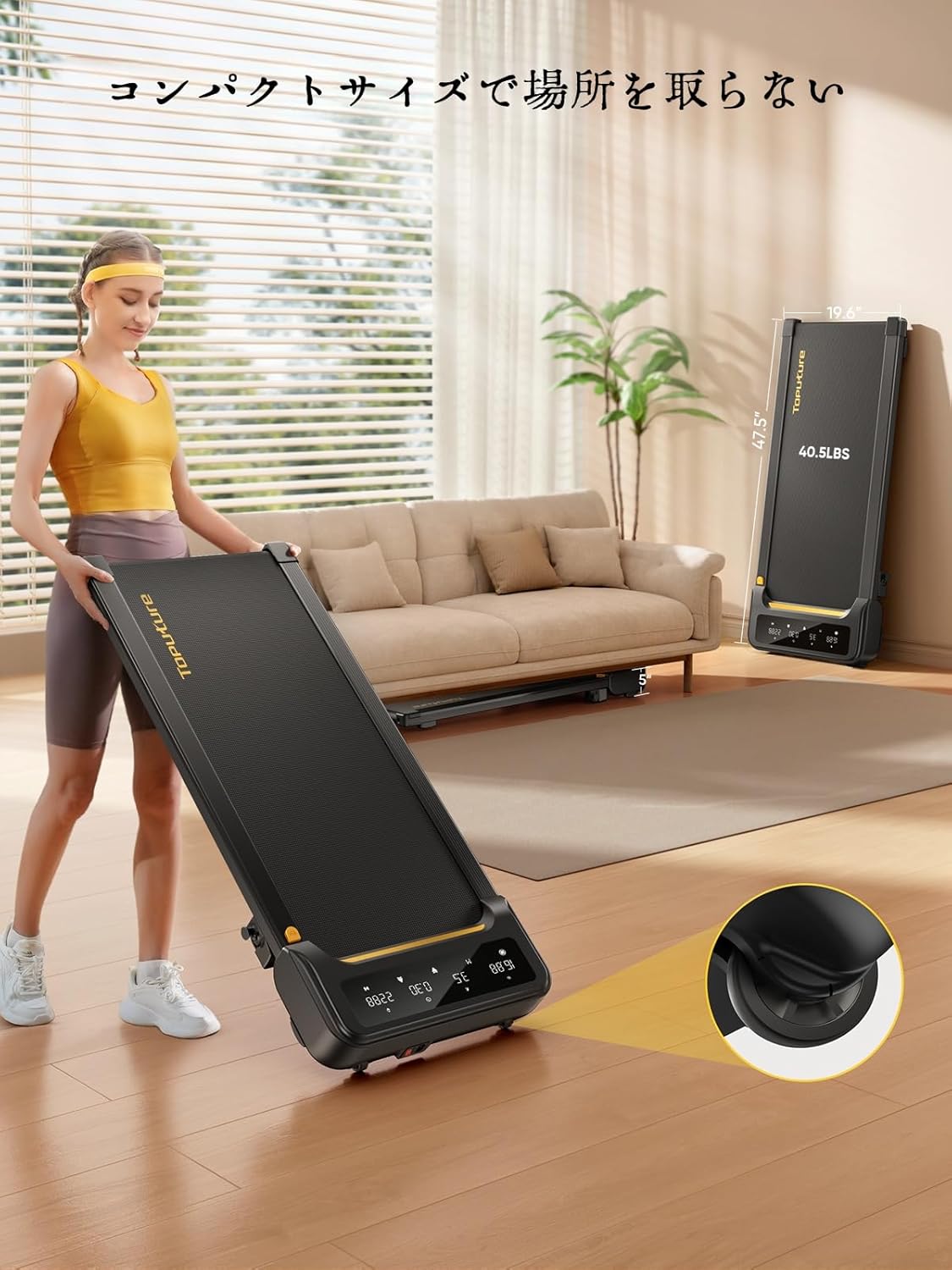
Image: A woman demonstrates the ease of moving the treadmill, highlighting its portability with integrated wheels.
9. Garanti og support
TOPUTURE provides a warranty for this product. Please refer to your purchase documentation for specific warranty terms and conditions.
9.1 Kundesupport
For any questions, technical assistance, or warranty claims, please contact TOPUTURE customer support through the retailer where you purchased the product or visit the official TOPUTURE webwebsted.
- Online support: Visit the TOPUTURE brand store on Amazon or the official webhjemmeside med ofte stillede spørgsmål og kontaktoplysninger.
- E-mail support: Se din produktemballage eller garantikort for at finde kundeservice-e-mailadressen.