Produkt overview
The Tuya Smart 4.3 Inch WiFi Video Peephole Doorbell Camera is a comprehensive home security device designed to enhance your door monitoring capabilities. It features a high-definition camera, a large display screen, and smart connectivity options for remote access and control.

Image: The Tuya Smart 4.3 Inch WiFi Video Peephole Doorbell Camera system, showing the sleek indoor monitor and the compact outdoor camera unit.
Nøglefunktioner omfatter:
- HD 1080P Video Quality: Giver klar og detaljeret videofootage.
- Trådløs forbindelse: Nem installation uden kompleks ledningsføring.
- Smart Home-kompatibilitet: Integrates with and Google Assistant for voice control and smart home automation.
- Digital Magic Eye Function: Realtid viewing of outdoor activity via mobile application.
- Udendørs anvendelighed: Durable and waterproof design suitable for various outdoor environments.
- Tovejs lyd: Communicate with visitors from anywhere.
- PIR Infrared Night Vision: Klar udsyn selv under dårlige lysforhold.
- Bevægelsesdetektion: Giver dig besked om aktivitet ved din dør.
- SD Card and Cloud Storage: Options for video and image storage.

Image: Visual representation of the product's core features, highlighting 1080P Full HD resolution, WiFi connectivity, compatibility with Tuya Smart, Smart Life, Amazon Alexa, and Google Assistant, along with support for SD card storage.
Opsætning og installation
Vigtige bemærkninger før installation:
- Opladning: Please charge the device for 6-8 hours before installation. Use a 5V 1-2A normal adapter. Do not use fast charging sources or multi-voltage opladere.
- Forbindelse: Ensure the door camera is connected to the viewer correctly and securely. Incorrect connection will prevent the picture from displaying.
Installationskrav:
- Dørtykkelse: Fits doors with thickness between 35-120 mm. Please measure your door thickness to ensure compatibility.
- Dørhuls diameter: Fits door holes with a diameter between 15-60 mm.
Generelle installationstrin:
- Forbered døren: Ensure your door meets the thickness and hole diameter requirements.
- Install Outdoor Camera: Insert the outdoor camera unit through the peephole from the outside of the door.
- Connect to Indoor Monitor: From the inside, connect the cable from the outdoor camera to the designated port on the indoor monitor. Ensure a firm and correct connection.
- Mount Indoor Monitor: Secure the indoor monitor to the door using the provided mounting bracket and screws.
- Tænd: Tænd for enheden ved hjælp af ON/OFF-kontakten.
- App-opsætning: Download and install the Tuya Smart or Smart Life app on your smartphone. Follow the in-app instructions to connect the device to your WiFi network and complete the setup.
Betjeningsvejledning
Grundlæggende betjening:
- Levende View: Press the button on the indoor monitor or open the app to view live-feedet fra udendørskameraet.
- Answering Doorbell: When someone presses the outdoor doorbell button, the indoor monitor will ring, and you will receive a notification on your smartphone. You can then initiate a video call via the app.
- Tovejs lyd: During a video call, use the microphone and speaker functions in the app to communicate with the visitor.

Image: Depiction of the two-way audio feature, showing a person at the door speaking into the camera and a resident responding via their smartphone, enabling seamless communication.
Avancerede funktioner:
- Bevægelsesdetektion: The device can detect motion outside your door. Sensitivity settings (low, medium, high) can be adjusted in the Tuya/Smart Life app. High sensitivity may have a 1-3 second delay.
- Nattesyn: The integrated PIR infrared night vision function automatically activates in low-light conditions, providing clear images.
- Optagelse og opbevaring:
- TF-kort: Insert a TF card (up to 128GB, not included) for local video (.avi) and photo (.JPG) storage. When someone rings the doorbell, the monitor will automatically record.
- Cloud Service: Optional cloud storage service is available for video recording.
- Smart Home Integration:
- /Google Announcement: When the doorbell is pressed, you will hear an announcement like "someone at the smart doorbell (DEVICE NAME)".
- Voice Command Live View: Use voice commands like "Hey , show me [device name]" or "Hey Google, show me [device name]" to view the live feed on compatible devices (e.g., Echo Show, Google Chromecast).
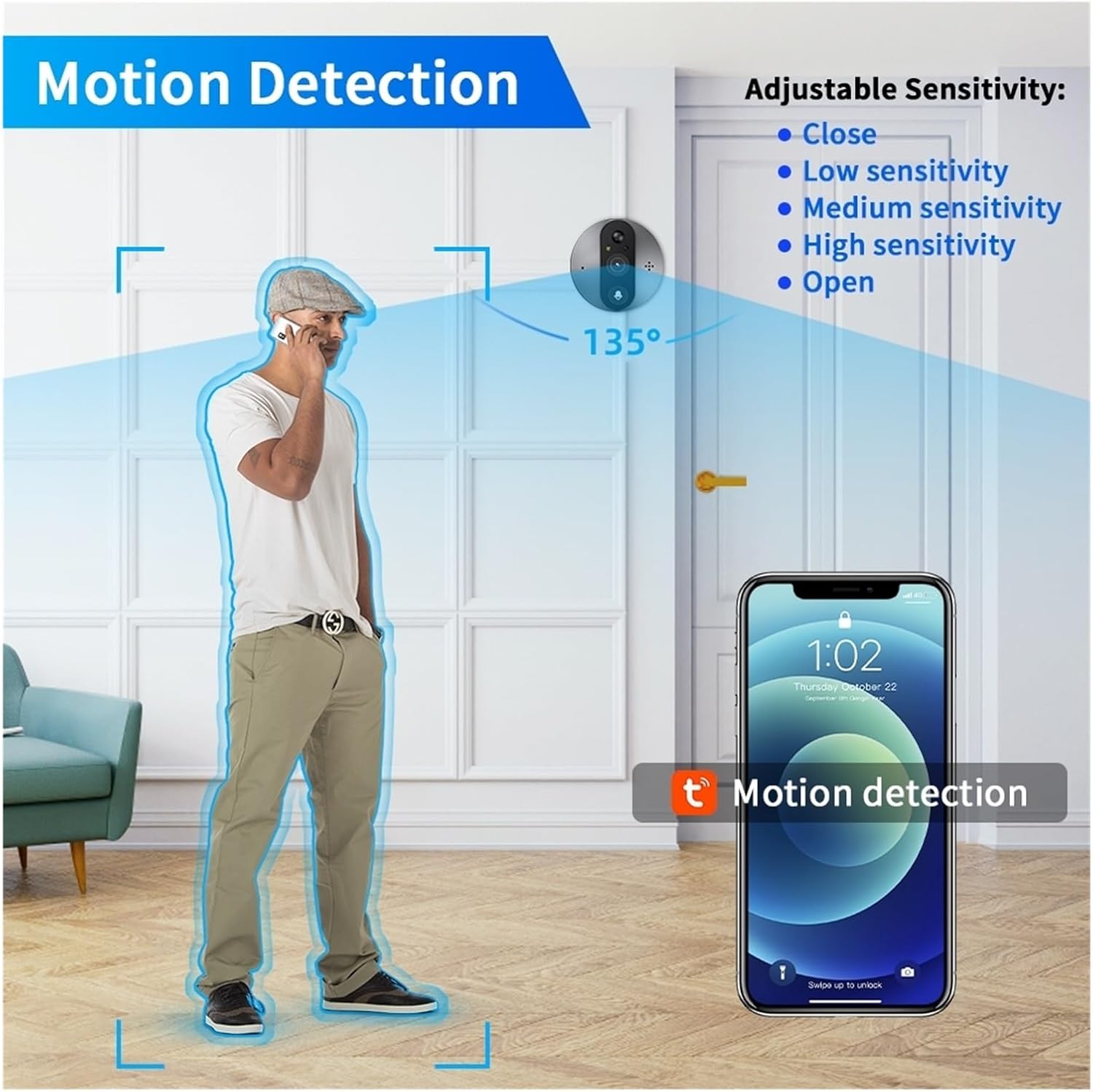
Image: Diagram illustrating the motion detection feature, showing the 135° detection angle and adjustable sensitivity options (Close, Low, Medium, High, Open) configurable via the mobile app.
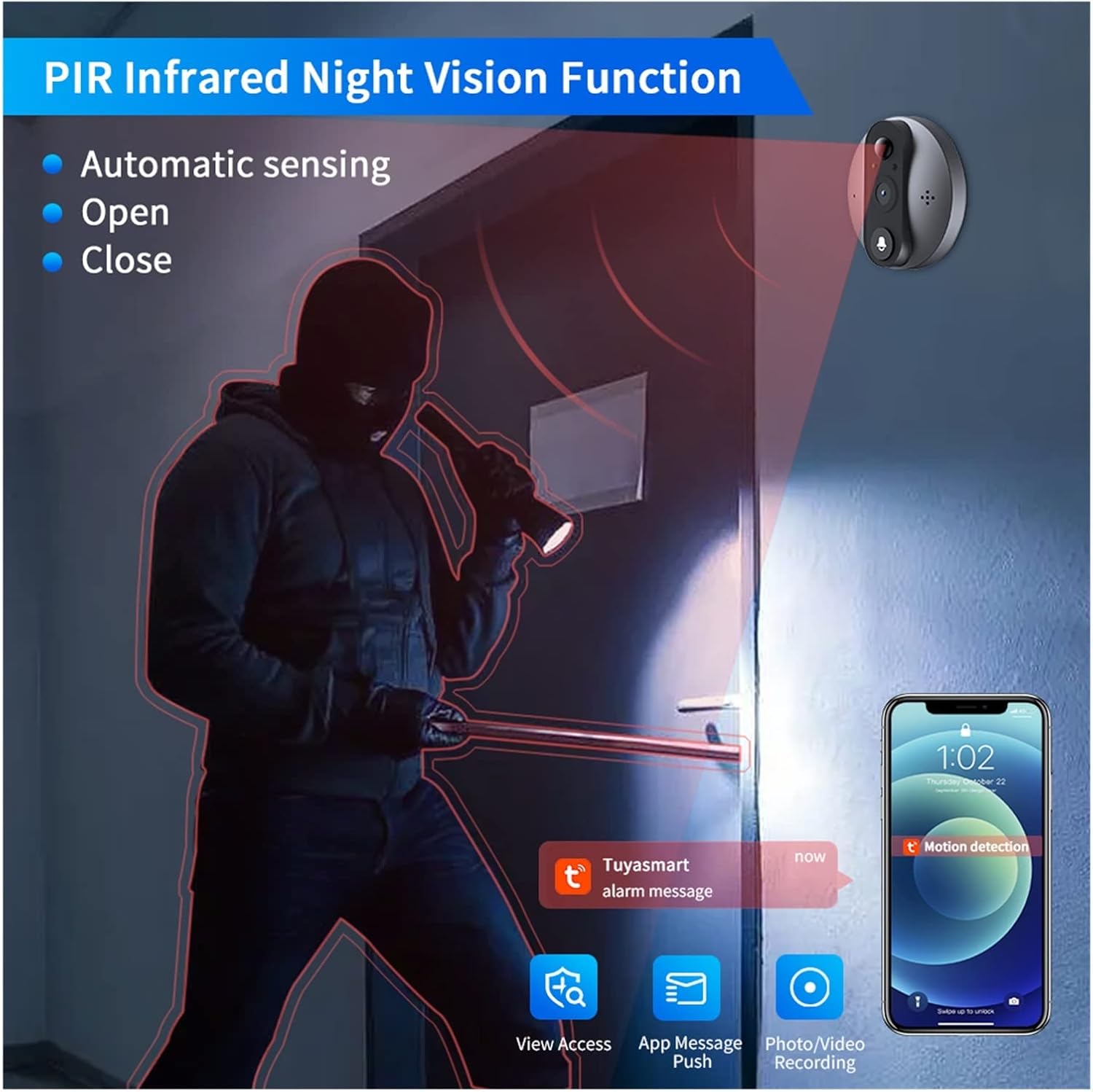
Image: Illustration of the PIR Infrared Night Vision function, demonstrating its ability to provide clear visibility in dark conditions, with automatic sensing and options to open or close the feature.

Billede: Nærbillede view of the bottom of the indoor monitor, showing the DC 5V Micro USB charging port, the TF card slot for local storage, and the ON/OFF power switch.
Opretholdelse
- Rensning: Gently wipe the camera lens and screen with a soft, dry cloth to remove dust and smudges. Avoid using abrasive cleaners or solvents.
- Batteriopladning: Recharge the built-in 5000mAh lithium-ion battery as needed. Refer to the "Important Pre-Installation Notes" for charging guidelines.
- Firmwareopdateringer: Periodically check the Tuya Smart or Smart Life app for available firmware updates to ensure optimal performance and security.
- Lagerstyring: If using a TF card, regularly back up important recordings and delete old files to free up space. Consider cloud storage for continuous backup.
Fejlfinding
| Problem | Mulig årsag | Løsning |
|---|---|---|
| No picture on viewer / Indoor monitor not displaying. | Incorrect connection between door camera and viewer. Low battery. | Ensure the door camera is connected to the viewer correctly and securely. Charge the device for 6-8 hours. |
| Enheden opretter ikke forbindelse til WiFi. | Incorrect WiFi password. Router too far. 5GHz WiFi network. | Double-check WiFi password. Move device closer to router. Ensure you are connecting to a 2.4GHz WiFi network (5GHz is not supported). |
| Motion detection alerts are too frequent or not frequent enough. | Sensitivity settings are not optimized. | Adjust the motion sensor sensitivity (low, medium, high) in the Tuya Smart or Smart Life app. |
| Kan ikke view recordings or save photos. | No TF card inserted or card is full/corrupted. No cloud service subscription. | Insert a compatible TF card (up to 128GB) or check its status. Consider subscribing to the cloud service for continuous recording. |
| Dårlig nattesynskvalitet. | Obstruction of camera lens. Insufficient ambient light for IR. | Clean the camera lens. Ensure no objects are blocking the camera's view. |
Specifikationer
| Feature | Detalje |
|---|---|
| Strømforsyning | Rechargeable 5000mAh lithium ion battery (built-in) |
| Kameraopløsning | 2MP, HD 1080p |
| Kamera View Vinkel | 130 grader |
| Vise | 4.3 tommer TFT-farve LCD-skærm |
| Kompatibel APP | Tuya / Smartlife |
| Motion Sensor Reaction Time | Low, Middle, High sensitivity optional in APP (High sensitivity: approx. 1 to 3 seconds delay) |
| Fotoformat | JPG |
| Videoformat | .avi (requires TF card) or cloud service |
| Understøttelse af hukommelseskort | Up to 128GB (package does not include) |
| Motion Sensor Detect Distance | Cirka 5 meter |
| Arbejdstemperatur | -20 til 55°C |
| Tilpas dørtykkelse | 35-120 mm |
| Fit Door Hole Diameter | 15-60 mm |
| Mærke | Generisk |
| Fabrikant | YUD5DAS |
Garantioplysninger
Dette produkt leveres med en 3 måneders garanti from the date of purchase. Please retain your proof of purchase for warranty claims. The warranty covers manufacturing defects and malfunctions under normal use. It does not cover damage caused by misuse, accidents, unauthorized modifications, or improper installation.
Støtte
For technical support, troubleshooting assistance, or warranty inquiries, please contact your retailer or the manufacturer directly. Refer to the product packaging or purchase documentation for specific contact details.
For app-related issues, please refer to the help section within the Tuya Smart or Smart Life application.


