
1. Introduktion
This manual provides essential information for the safe and efficient use of your CANDY Smart Inverter Washer Dryer, model CSWS496TWMRRE/FR. Please read these instructions carefully before installing, operating, or performing maintenance on the appliance. Keep this manual for future reference.
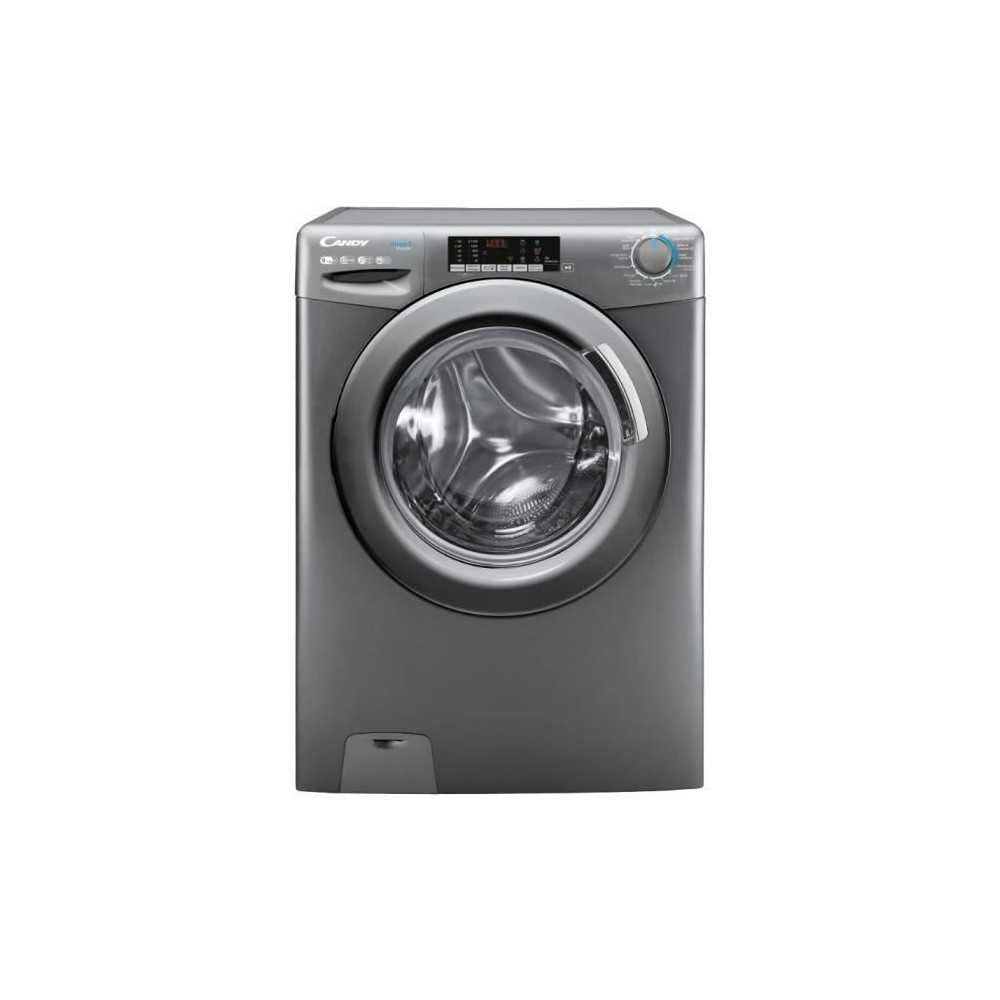
Billede 1.1: Forside view of the CANDY Smart Inverter Washer Dryer.
2. Sikkerhedsoplysninger
Følg altid grundlæggende sikkerhedsforanstaltninger ved brug af elektriske apparater for at reducere risikoen for brand, elektrisk stød og personskade. Dette apparat er kun beregnet til brug i husholdningen.
- Sørg for, at apparatet er korrekt jordet.
- Lad ikke børn lege med eller betjene apparatet.
- Rør ikke ved apparatet med våde hænder.
- Tag stikket ud af apparatet, før du rengør eller udfører vedligeholdelse.
- Vask eller tør ikke genstande, der er blevet rengjort i, vasket i, gennemblødt i eller plettet med brandbare eller eksplosive stoffer.
- Keep the area around the exhaust opening free from the accumulation of lint, dust, and dirt.
3. Produktet er slutview
3.1. komponenter
- Kontrolpanel: Features a program selector dial, digital display, and touch buttons for various functions.
- Vaskemiddelskuffe: Placeret øverst til venstre, til tilsætning af vaskemiddel og skyllemiddel.
- Tromme: Stainless steel interior for washing and drying clothes.
- Dør: Front-loading door with a secure latch.
- Filter: Located at the bottom front, for collecting lint and foreign objects.
3.2. Kontrolpanel

Billede 3.1: Detaljeret view af kontrolpanelet.
The control panel allows you to select wash and dry programs, adjust settings, and monitor the cycle status. Key elements include:
- Programvælgerknap: Used to choose from 15 available wash and dry programs.
- Digital skærm: Viser resterende tid, fejlkoder og valgte muligheder.
- Valg af temperatur: Justerer vaskevandets temperatur.
- Valg af centrifugeringshastighed: Modifies the spin cycle speed up to 1400 rpm.
- Forsinket start: Sets a delayed start time for the cycle (1-24 hours).
- Options Buttons: Activates special functions like Steam, Mix Power System, and quick cycles.
3.3. Vaskemiddelskuffe
The detergent drawer has compartments for pre-wash detergent, main wash detergent, and fabric softener. Refer to the markings on the drawer for correct placement.
3.4. Drum Interior

Image 3.2: Interior of the washer dryer drum.
The stainless steel drum is designed for effective washing and drying. Ensure no foreign objects are left inside before starting a cycle.
4. Installation
4.1. Udpakning
- Remove all packaging materials, including the polystyrene base and any inserts in the drum.
- Remove the transport bolts from the rear of the appliance. Keep these bolts for future transport.
4.2. Positionering
- Placer apparatet på et fast, plant gulv.
- Adjust the feet to ensure the machine is stable and level.
- Ensure there is adequate space around the appliance for ventilation.

Billede 4.1: Eks.ample of washer dryer placement in a domestic environment.
4.3. Vand- og eltilslutninger
- Tilslut vandtilløbsslangen til en koldtvandshane.
- Position the drain hose into a standpipe or sink, ensuring it is securely fixed to prevent displacement during operation.
- Sæt netledningen i en jordet stikkontakt (230 volt).
5. Betjeningsvejledning
5.1. Før første brug
Run a short wash cycle without laundry and detergent to clean the drum and remove any manufacturing residues.
5.2. Ilægning af vasketøj
- Open the door and load laundry into the drum, ensuring not to overload (max 9 kg for wash, 6 kg for dry).
- Luk døren godt.
5.3. Tilsætning af vaskemiddel og skyllemiddel
Pull out the detergent drawer and add appropriate amounts of detergent and fabric softener to their respective compartments. Close the drawer.
5.4. Programvalg
- Turn the program selector dial to choose the desired wash or dry program. The appliance offers 15 programs, including 7 quick cycles.
- Det digitale display viser standardindstillingerne for det valgte program.
5.5. Adjusting Settings and Special Functions
- Temperatur: Press the temperature button to adjust the wash temperature (e.g., 20°, 30°, 40°, 60°, 90°).
- Centrifugeringshastighed: Press the spin speed button to select the desired spin speed (e.g., 400, 800, 1000, 1400 rpm).
- Forsinket start: Press the delay start button repeatedly to set a delay from 1 to 24 hours.
- Steam funktion: Activates the steam option to reduce wrinkles and refresh clothes.
- Mix Power System: Ensures thorough cleaning by pre-mixing water and detergent.
- Hurtige cyklusser: Select one of the 7 rapid cycles, including a full load program in 59 minutes.
5.6. Start af cyklus
Press the Start/Pause button to begin the selected program. The display will show the remaining time.
5.7. Cyklusafslutning
At the end of the cycle, the appliance will signal with an audible alert and/or a message on the display. Open the door and remove the laundry.
6. Vedligeholdelse
6.1. Rengøring af sæbeskuffen
Regularly clean the detergent drawer to prevent residue buildup. Remove the drawer, rinse it under running water, and clean any stubborn deposits with a brush. Reinsert the drawer.
6.2. Rengøring af tromlen
Use the dedicated 'Drum Cleaning' program (if available) or run an empty hot wash cycle with a descaling agent or white vinegar to maintain drum hygiene.
6.3. Rengøring af filteret
Periodically clean the drain pump filter to ensure proper drainage. Place a shallow container under the filter cover, unscrew the filter, remove any lint or debris, and then securely replace it.
6.4. Udvendig rengøring
Tør apparatets udvendige overflader af med en blød, tør klud.amp klæde. Brug ikke slibende rengøringsmidler eller opløsningsmidler.
7. Fejlfinding
If you encounter issues with your appliance, consult the table below for common problems and solutions. If the problem persists, contact customer support.
| Problem | Mulig årsag | Løsning |
|---|---|---|
| Apparatet starter ikke | Power cord unplugged; door not closed; program not selected; Start/Pause button not pressed. | Kontroller strømforbindelsen; sørg for, at døren er låst; vælg et program; tryk på Start/Pause. |
| Ingen vandindtag | Vandhane lukket; vandtilløbsslange knækket; vandfilter tilstoppet. | Åbn vandhanen; ret slangen ud; rengør vandindløbsfilteret. |
| Vand løber ikke ud | Afløbsslange bøjet eller blokeret; afløbspumpefilter blokeret. | Ret eller rens afløbsslangen; rengør afløbspumpens filter. |
| Overdreven vibration | Apparatet er ikke i vater; transportboltene er ikke fjernet; ujævn belastning. | Juster nivelleringsfødderne; fjern transportboltene; fordel vasketøjet igen. |
| Tøjet tørrer ikke ordentligt | Overloaded; incorrect drying program; lint filter blocked. | Reducer tøjmængden; vælg et passende tørreprogram; rengør fnugfilteret. |
8. Specifikationer
| Feature | Specifikation |
|---|---|
| Modelnavn | C SWS496TWMRRE/FR |
| Mærke | SLIK |
| Produktmål (D x B x H) | 54P x 60L x 86H cm |
| Vaskekapacitet | 9 kilo |
| Tør kapacitet | 6 kilo |
| Max spinhastighed | 1400 rpm |
| Antal programmer | 15 |
| Energy Class (Wash) | A |
| Støjniveau | 76 dB |
| Voltage | 230 volt |
| Materiale (Tromle) | Rustfrit stål |
| Vægt | 65 kilo |
| Installationstype | Frit stående |
| Kontroltype | Røre |
9. Garanti og support
9.1. Garantioplysninger
This CANDY appliance comes with a 2 års producentgarantiGem venligst din købsbevis i tilfælde af garantikrav. Garantien dækker materiale- og fabrikationsfejl ved normal brug i hjemmet.
9.2. Kundesupport
For technical assistance, spare parts, or to schedule a service appointment, please contact CANDY customer support. Refer to the contact information provided in the separate warranty card or on the official CANDY webwebsted.
The user manual is included with the product for detailed instructions and further support.