
1. Introduktion
Tak for købetasing the Gembird GMB Audio TWS-LCD-ANC-01-W Wireless In-Ear Headphones. These headphones are designed to provide a high-quality audio experience for music and calls, featuring Active Noise Cancellation (ANC) and an integrated microphone. This manual provides essential information for setting up, operating, maintaining, and troubleshooting your device.
2. Pakkens indhold
- 1x Pair of Gembird GMB Audio TWS-LCD-ANC-01-W Wireless In-Ear Headphones
- 1x opladningsetui
- 1x USB Type-C ladekabel
3. Produktet er slutview
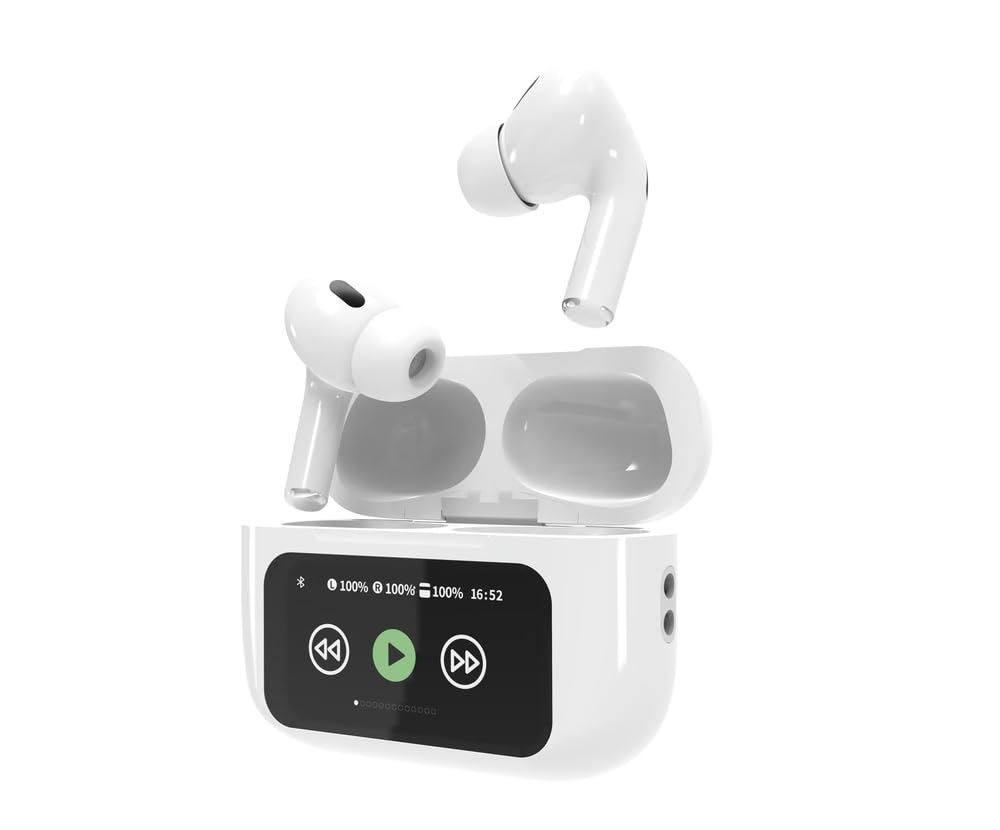
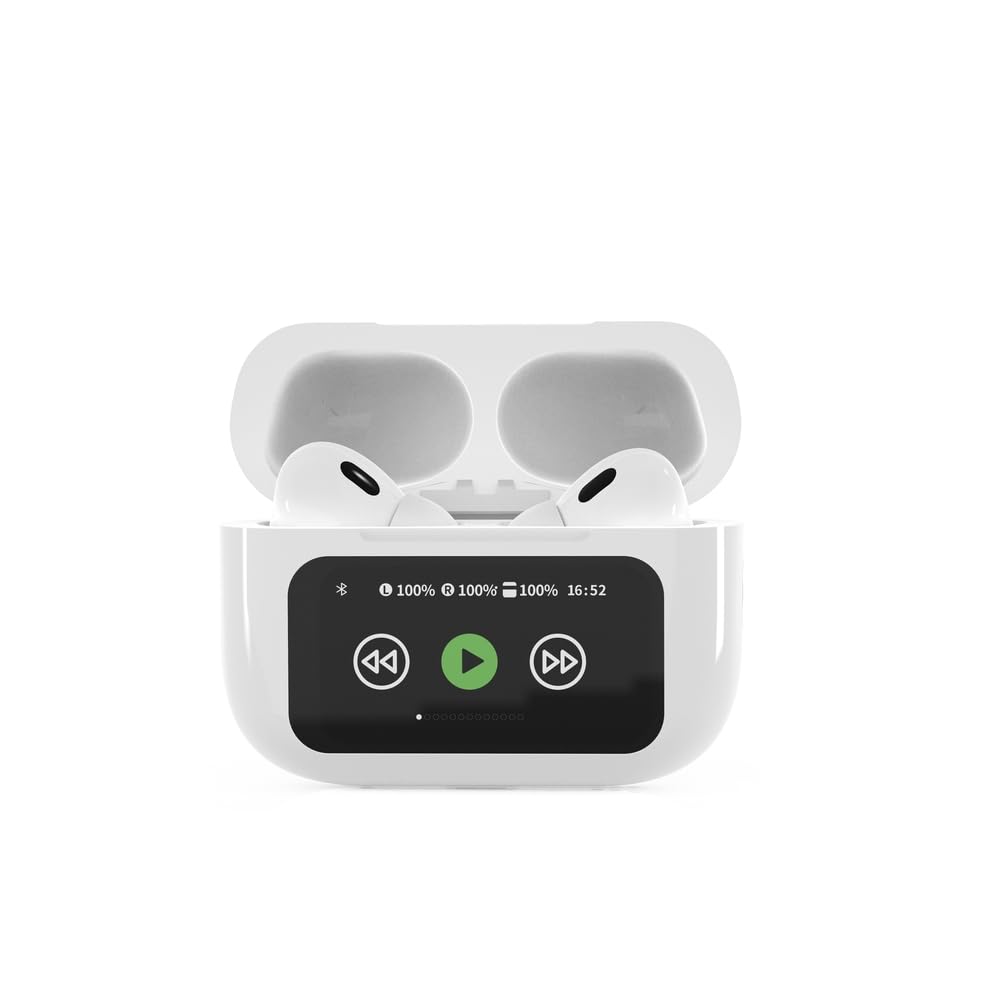

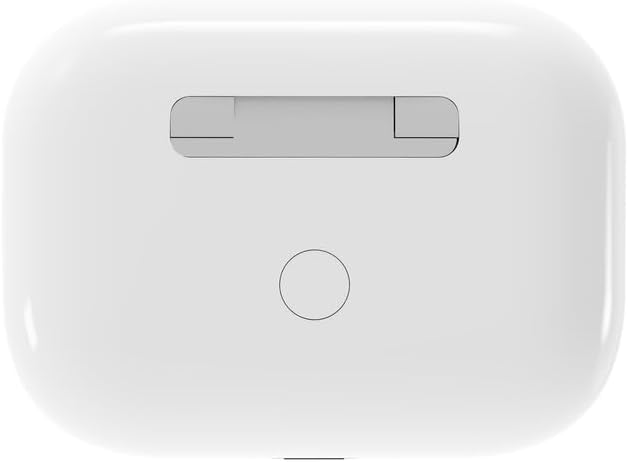

4. Opsætning
4.1 Indledende opladning
Before first use, fully charge the headphones and the charging case. Connect the supplied USB Type-C cable to the charging port on the case and plug the other end into a compatible USB power source (e.g., computer, wall adapter). The LED indicator on the case will show charging status. A full charge typically takes approximately 2 hours.
4.2 Bluetooth -parring
- Ensure the headphones are in the charging case and the case is open. The headphones will automatically enter pairing mode.
- Aktiver Bluetooth på din mobile enhed (smartphone, tablet, bærbar computer).
- Søg efter available Bluetooth devices and select 'Gembird TWS-LCD-ANC-01-W' from the list.
- Once connected, the headphones will indicate successful pairing, and the device name will appear as 'Connected' on your mobile device.
5. Betjeningsvejledning
5.1 Tænd/sluk
- Tænd: The headphones automatically power on when removed from the charging case.
- Sluk: The headphones automatically power off and begin charging when placed back into the charging case and the lid is closed.
5.2 Musikafspilning
Control music playback using the touch-sensitive areas on the earbuds or the display on the charging case.
- Afspil/pause: Single tap on either earbud or press the play/pause icon on the case display.
- Næste nummer: Double tap on the right earbud or press the 'next' icon on the case display.
- Forrige nummer: Double tap on the left earbud or press the 'previous' icon on the case display.
5.3 Opkaldshåndtering
When an incoming call is received, music playback will automatically pause.
- Besvar opkald: Et enkelt tryk på begge øretelefoner.
- Afslut opkald: Enkelt tryk på en af øretelefonerne under et opkald.
- Afvis opkald: Tryk på en af øretelefonerne, og hold den nede i 2 sekunder.
5.4 Aktiv støjreduktion (ANC)
Activate or deactivate the Active Noise Cancellation feature to reduce ambient noise.
- Slå ANC til/fra: Press and hold the touch-sensitive area on the left earbud for 2 seconds, or use the dedicated ANC control on the charging case display.
5.5 Lydstyrkekontrol
Adjust the volume directly from your connected device or through the touch controls on the earbuds (if supported by the specific model's firmware) or the charging case display.
6. Vedligeholdelse
6.1 Rengøring
- Tør ørepropperne og opladningsetuiet af med en blød, tør og fnugfri klud.
- Brug ikke slibende rengøringsmidler, opløsningsmidler eller stærke kemikalier.
- Sørg for, at opladningskontakterne på både ørepropper og etuiet er rene og tørre.
6.2 Opbevaring
- Always store the headphones in their charging case when not in use to protect them and keep them charged.
- Opbevares på et køligt, tørt sted, væk fra direkte sollys og ekstreme temperaturer.
6.3 Pleje af batterier
- Oplad enheden regelmæssigt, selvom den ikke bruges hyppigt, for at opretholde batteriets sundhedstilstand.
- Undgå at aflade batteriet helt ofte.
7. Fejlfinding
| Problem | Mulig årsag | Løsning |
|---|---|---|
| Hovedtelefonerne tændes ikke. | Lav eller ingen batteriopladning. | Place headphones in the charging case and ensure the case is charged. Charge the case fully. |
| Ingen lyd fra hovedtelefoner. | Not connected via Bluetooth; volume too low; media paused. | Verify Bluetooth connection. Increase volume on both headphones and connected device. Check if media is playing. |
| Kan ikke parres med enheden. | Headphones not in pairing mode; device already connected to another Bluetooth device; interference. | Ensure headphones are in pairing mode (open case). Turn off Bluetooth on other nearby devices. Forget the device in your phone's Bluetooth settings and try re-pairing. |
| Active Noise Cancellation (ANC) is ineffective. | ANC not activated; improper earbud fit. | Ensure ANC is toggled on. Adjust earbud position for a secure and sealed fit in your ear canal. |
| Mikrofonen virker ikke under opkald. | Mikrofon blokeret; enhedsindstillinger. | Ensure the microphone port on the earbuds is not obstructed. Check your device's audio input settings to ensure the headphones are selected. |
8. Specifikationer
- Model: TWS-LCD-ANC-01-W
- Forbindelse: Trådløs, Bluetooth 5.3
- Bluetooth Profiles: A2DP, AVRCP, HPF, HSP
- Opladningsport: USB Type-C
- Lydfrekvensområde: 20 - 20000 Hz
- Mikrofon: Integreret
- Type øretelefon: In-ear, Binaural
- Kontrolmetode: Røre
- Støjkontrol: Aktiv støjafbrydelse (ANC)
- Batteritype: Integrated Lithium Polymer (LiPo)
- Opladningskasets batterikapacitet: 300 mAh
- Øretelefon batterikapacitet: 30 mAh (hver)
- Continuous Audio Playback: Op til 8 timer
- Opladningstid: Cirka 2 timer
- Produktvægt: 66 g
- Product Dimensions (Case): 40 mm (Bredde) x 60 mm (Dybde) x 25 mm (Højde)
- Kompatible enheder: Laptop, Tablet, Mobile Phone
- Vandtæthed: Vandafvisende
- Certificeringer: RoHS
9. Garanti og support
9.1 Garantioplysninger
This product comes with a three-year warranty against manufacturing defects from the date of purchase. Please retain your proof of purchase for warranty claims. The warranty does not cover damage caused by misuse, accidents, unauthorized modifications, or normal wear and tear.
9.2 Kundesupport
For technical support, warranty claims, or further assistance, please contact your retailer or visit the official Gembird website. Contact information can typically be found on the product packaging or the Gembird corporate webwebsted.