
1. Introduktion
The PTHTECHUS DashCam is a sophisticated 3-channel vehicle recording system designed to enhance driving safety and provide comprehensive surveillance. It features a front camera with up to 4K resolution, an interior camera, and a rear camera, capturing video from multiple angles simultaneously. Equipped with advanced features like Super Night Vision, G-Sensor, and Loop Recording, this dashcam ensures reliable performance and detailed evidence recording under various driving conditions.
2. Pakkens indhold
Kontroller venligst, at alle nedenstående varer er inkluderet i din pakke:
- PTHTECHUS DashCam Main Unit
- Bagkamera med kabel
- Biloplader (strømforsyning)
- Sugekopmontering
- 32GB SD Card (Pre-installed or separate)
- Brugermanual
- Klæbende puder

Billede: Overview of the PTHTECHUS DashCam and its included accessories.
3. Produktet er slutview
The dashcam features a compact design with a main unit housing the front and interior cameras, and a separate rear camera. The main unit includes a 2.0-inch IPS display for real-time viewing og menu navigation.

Billede: Forside view of the dashcam highlighting its multi-functionality with icons for 3 cameras, loop recording, motion detection, G-sensor, 1080P resolution, and 170° wide angle.

Image: The compact size of the dashcam, with dimensions of approximately 10.5cm length, 4cm height, and 2cm depth, shown next to a smartphone for scale.
4. Installation
- Mounting the DashCam: Attach the suction cup mount to the main unit. Clean the windshield thoroughly and press the suction cup firmly onto the desired location, ensuring it does not obstruct your driving view.
- Connecting the Rear Camera: Connect the rear camera cable to the main unit. Route the cable discreetly along the vehicle's headliner and pillars to the rear of the vehicle. Mount the rear camera on the rear windshield or license plate area. If reverse display is desired, connect the red wire of the rear camera cable to your car's reverse light power supply.
- Strømtilslutning: Insert the car charger into your vehicle's cigarette lighter socket. Connect the other end of the power cable to the dashcam's power input port.
- Kabelstyring: Tuck all cables neatly into the gaps of the car interior to avoid interference with driving and maintain a clean appearance.

Image: The dashcam mounted on the windshield, demonstrating its compact design that does not obstruct the driver's view, with power cable routed along the car's interior.

Image: A visual guide illustrating the simple installation process and recommended cable routing for the dashcam within a vehicle.
Video: A short demonstration on how to install and set up the dashcam in a vehicle, including mounting and connecting cables.
5. Grundlæggende betjening
- Tænd/sluk: The dashcam will automatically power on and begin recording when your vehicle starts, and power off when the engine is turned off. You can also manually power it on/off using the power button.
- Menu navigation: Use the navigation buttons (up/down arrows) to scroll through menu options and the 'OK' button to select. Common settings include:
- Resolution (e.g., 4K, 1080P)
- Billedkvalitet
- Cyclic Record (Loop Recording duration)
- Hvidbalance
- EV (eksponeringsværdi)
- Bevægelsesdetektion
- Lydoptagelse
- Parking Wake (Parking Monitor sensitivity)
- Dato Tag
- G-sensor følsomhed
- Biplyd
- Tidsindstilling
- Skifter kamera Views: Press the designated button (often an 'Up' or 'Mode' button) to cycle through different camera views on the display (Front, Interior, Rear, or combined views).
Video: A short demonstration on how to navigate the dashcam's menu and adjust settings.
6. Nøglefunktioner
6.1. 3-kanals optagelse
The dashcam provides comprehensive coverage with three cameras: a 170° wide-angle front camera, a 120° interior camera, and a 150° rear camera. This setup monitors the front, rear, and interior of your vehicle simultaneously, capturing more evidence for insurance disputes or personal safety.

Image: A top-down diagram illustrating the wide-angle coverage of the front (170°), interior, and rear (170°) cameras, providing full vehicle surveillance.

Image: A detailed diagram showing the 3-channel camera coverage, with the front camera at 170°, cabin camera at 150°, and rear camera at 160°, designed to eliminate blind spots and enhance safety.
6.2. HD 4K Front Camera & Super Night Vision
The front camera records in Ultra HD 4K (3840*2160P), ensuring clear capture of license plates and traffic signs. All cameras provide 1080P resolution with excellent color accuracy and detail, day or night, thanks to Super Night Vision technology.
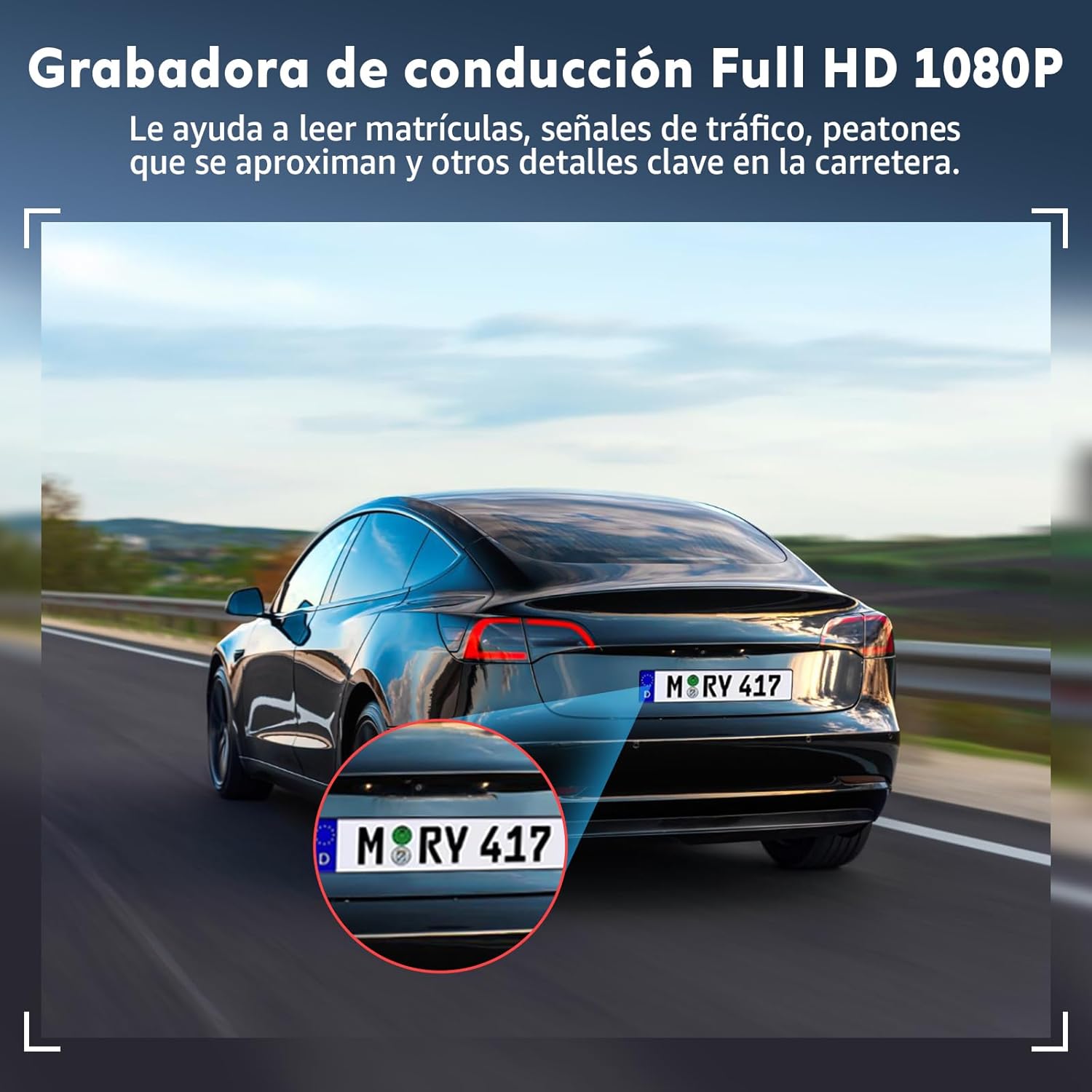
Image: A clear capture of a car's license plate, demonstrating the Full HD 1080P resolution of the dashcam, which helps in reading important details on the road.

Billede: En visuel sammenligningasing the high-definition image quality of the dashcam during both day and night, highlighting its Super Night Vision capabilities.
Video: Footage demonstrating the clear image quality and night vision capabilities of the dashcam in various lighting conditions.
Video: A demonstration of the dashcam's sharp image quality and powerful features, including day and night recording modes.
6.3. Loop-optagelse
This feature automatically overwrites the oldest footage when the memory card is full, ensuring continuous recording without manual intervention. Important locked files (triggered by G-Sensor) will not be overwritten.

Image: Icons representing key features: Loop Recording, G-Sensor, and Parking Control, explaining their functions.

Image: A visual representation of the loop recording function, showing how the dashcam continuously records and overwrites older footage when the memory card is full, while protecting locked videos.
6.4. G-Sensor
The built-in G-Sensor detects sudden impacts or movements. When an event is detected, it automatically locks and protects the relevant video footage from being overwritten by loop recording, serving as crucial evidence.

Image: A scene depicting a car collision, with an overlay indicating the G-Sensor automatically locking the video footage to prevent overwriting, securing it as evidence.
6.5. Parkeringsovervågning
With an optional ACC hardwire kit (not included), the dashcam can provide 24-hour parking surveillance. It will automatically record if any impact or motion is detected while your vehicle is parked, offering protection against vandalism or hit-and-runs.
6.6. Temperaturmodstand
Constructed from high-quality PC and ABS materials with a heat-resistant chipset, the dashcam is designed to operate reliably in extreme temperatures, from -4°F to 140°F (-20°C to 60°C), ensuring durability and a longer lifespan.

Image: A visual representation of the dashcam's extreme temperature resistance, showing it functioning correctly in both snowy (-4°F) and desert (140°F) environments.
7. Specifikationer
| Mærke | PTHTECHUS |
| Modelnavn | Driving Recorder-1DMX |
| Videooptagelsesopløsning | Front: Up to 4K (3840*2160P), Other Cameras: 1080p |
| Særlige funktioner | Compact design, G-Sensor, Loop Recording, Internal Memory, Night Vision |
| Skærmstørrelse | 2 tommer |
| Display Type | LCD |
| Medfølgende hukommelseskort | 32 GB (Supports up to 128 GB) |
| Ægte View Vinkel | Foran: 170 grader, Indvendig: 120 grader, Bagpå: 150 grader |
| Understøttede standarder | MOV |
| Produktdimensioner | 4 x 10 x 4 cm; 360 g |
| Batterisammensætning | Lithium polymer |
8. Fejlfinding
- Dashcam tænder ikke: Ensure the car charger is securely connected to both the dashcam and the vehicle's power outlet. Check if the vehicle's power outlet is functioning.
- Problemer med optagelse: Verify that the SD card is properly inserted and formatted. Ensure the SD card is not full (Loop Recording should manage this, but check for locked files). Try a different SD card if problems persist.
- Dårlig billedkvalitet: Clean the camera lenses and your windshield. Adjust the resolution settings in the menu.
- G-sensor for følsom/ikke følsom nok: Adjust the G-Sensor sensitivity setting in the menu.
- Bakkamera viser ikke: Check all connections for the rear camera cable. Ensure the cable is not damaged.
9. Garanti og support
For any questions, technical support, or warranty claims, please contact PTHTECHUS customer service. Refer to the contact information provided with your purchase or visit the official PTHTECHUS website for assistance. Please have your product model number (Driving Recorder-1DMX) and purchase details ready when contacting support.