
GNCC P5
GNCC Indoor Security Camera User Manual
Model: P5
Mærke: GNCC
Produkt overview
The GNCC P5 Indoor Security Camera provides comprehensive home monitoring with advanced features. It offers 2K FHD video quality, night vision, two-way audio, and smart motion detection, ensuring you can keep an eye on your home, pets, or baby from anywhere. The camera supports pan and tilt functionality for a wide coverage area and integrates with popular smart home platforms.

Image: GNCC P5 Indoor Security Camera shown alongside a smartphone displaying its live feed, highlighting its remote monitoring capability.
1. Opsætningsvejledning
1.1 Hvad er der i æsken
- GNCC P5 indendørs sikkerhedskamera
- Strømadapter
- Type-C Power Cable (2 meters)
- Screw Package (for optional wall mounting)
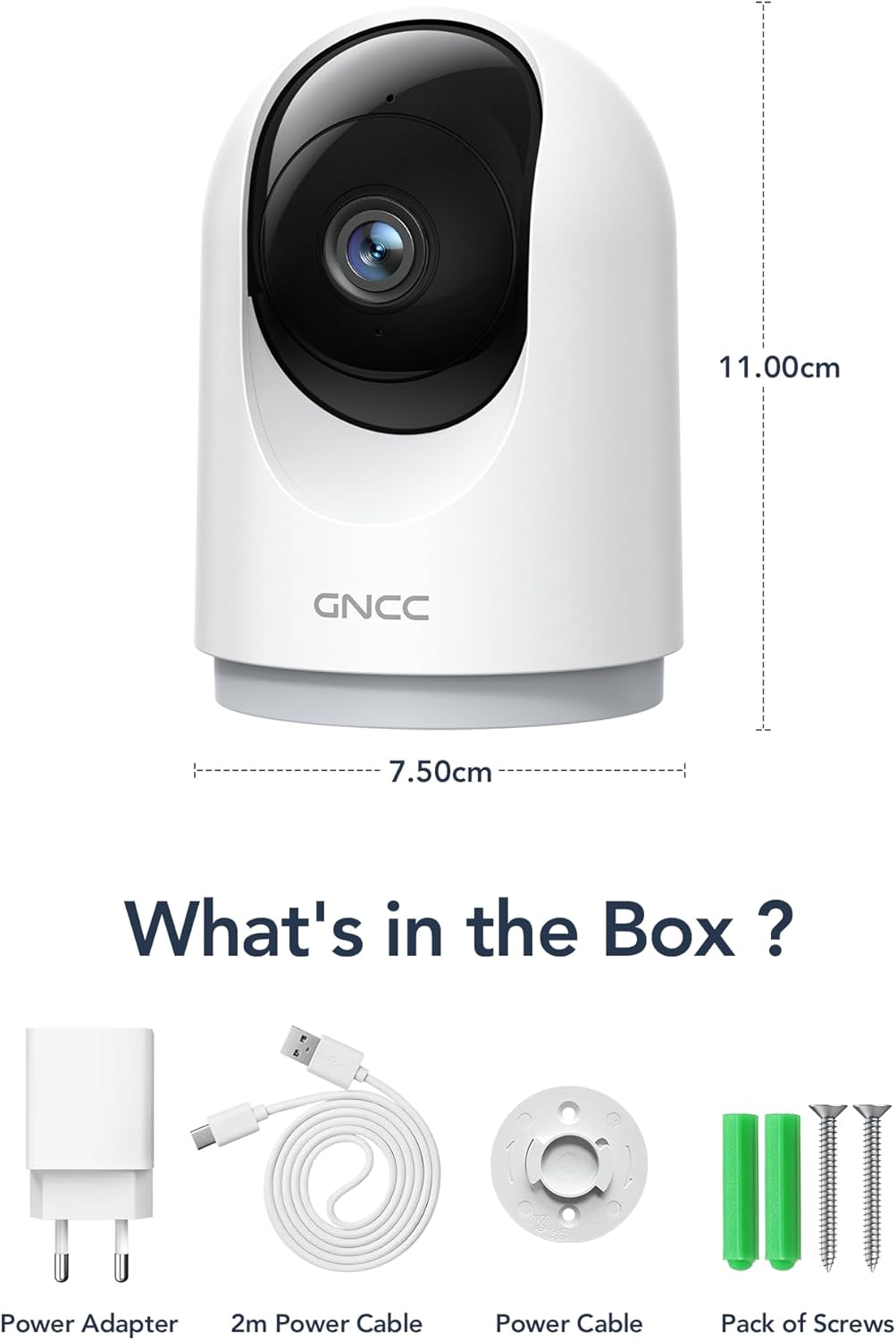
Image: Illustration of the GNCC P5 camera and its included accessories: power adapter, USB-C cable, and mounting hardware.
1.2 Fysisk opsætning
- Vælg en placering: Place the camera on a flat surface or mount it to a wall using the provided screw package. Ensure the location provides a clear view af det område, du ønsker at overvåge.
- Strømtilslutning: Connect the Type-C power cable to the camera and the power adapter. Plug the adapter into a standard electrical outlet. The camera will power on automatically.
- Wi-Fi Proximity: Ensure the camera is within 3 feet of your 2.4Ghz Wi-Fi router during the initial setup process for optimal connection. Note: This camera only supports 2.4Ghz Wi-Fi, not 5Ghz.

Image: The GNCC P5 camera positioned on a shelf, illustrating its compact design and highlighting its key features through surrounding icons.
1.3 Appinstallation og -forbindelse
The GNCC P5 camera operates via the OSAIO app. Follow these steps to connect your camera:
- Download the OSAIO App: Søg efter "OSAIO" in your smartphone's app store (App Store for iOS or Google Play Store for Android) and download it.
- Opret en konto: Open the OSAIO app and follow the on-screen instructions to create a new user account or log in if you already have one.
- Tilføj enhed: Tap the "+" icon or "Add Device" option within the app. Select the GNCC P5 camera model from the list.
- Følg instruktionerne i appen: The app will guide you through the Wi-Fi connection process, which typically involves scanning a QR code displayed on your phone with the camera's lens.
- Navngiv dit kamera: Once connected, you can assign a name to your camera (e.g., "Living Room Camera," "Baby's Room").
2. Betjeningsvejledning
2.1 Live View og panorering/tilt-kontrol
Access the live video feed of your camera through the OSAIO app. The camera features 355° horizontal and 90° vertical rotation, providing a 360° panoramic view af dit rum.
- Få adgang til Live View: From the app's main screen, tap on your camera's name to open the live feed.
- Pan/Hældningskontrol: Use the directional controls (usually a joystick or arrow buttons) within the live view interface to remotely adjust the camera's viewvinkel.

Image: The GNCC P5 camera demonstrating its 360° panoramic view, with a phone screen showing the extensive coverage of a living space.
Video: En overview of the GNCC 2K Security Camera, showcasing its features including 360° panoramic view, 2K HD resolution, motion detection, sound detection, 2-way audio, and night vision capabilities.
2.2 Tovejslyd
The camera features a built-in microphone and speaker, enabling real-time two-way communication.
- Initiate Talk: I live view, tryk på mikrofonikonet for at tale gennem kameraets højttaler.
- Lytte: Kameraets mikrofon opfanger lyd fra omgivelserne, som du kan høre gennem din telefon.

Image: A user interacting with the camera via the app, demonstrating the two-way audio function to communicate with someone on the other end.
2.3 Bevægelsesdetektion og advarsler
The camera is equipped with smart motion detection and tracking. When motion is detected, you will receive instant notifications on your phone.
- Aktiver advarsler: Configure motion detection sensitivity and notification preferences in the OSAIO app settings for your camera.
- Motion Tracking: Kameraet kan automatisk spore registreret bevægelse inden for sit synsfelt. view.

Image: The camera actively tracking movement in a room, with corresponding motion detection alerts shown on a smartphone.
2.4 Nattesyn
The GNCC P5 camera provides clear night vision, allowing you to monitor your space even in low-light or no-light conditions.
- Automatisk aktivering: Nattesyn aktiveres typisk automatisk under dårlige lysforhold.
- Manuel kontrol: Some settings within the app may allow for manual control of night vision mode.

Image: The camera providing clear night vision of a baby's room, as seen on a smartphone screen, ensuring monitoring in darkness.
2.5 Lagringsmuligheder (SD-kort / Cloud)
The camera offers flexible storage solutions for your recorded video footage.
- SD-kortlagring: Insert a Micro SD card (up to 128GB, not included) into the camera's designated slot for continuous 24/7 recording.
- Cloud Storage: A 30-day trial of cloud storage is available. You can subscribe to a cloud plan through the OSAIO app for secure, off-site storage of alert videos.
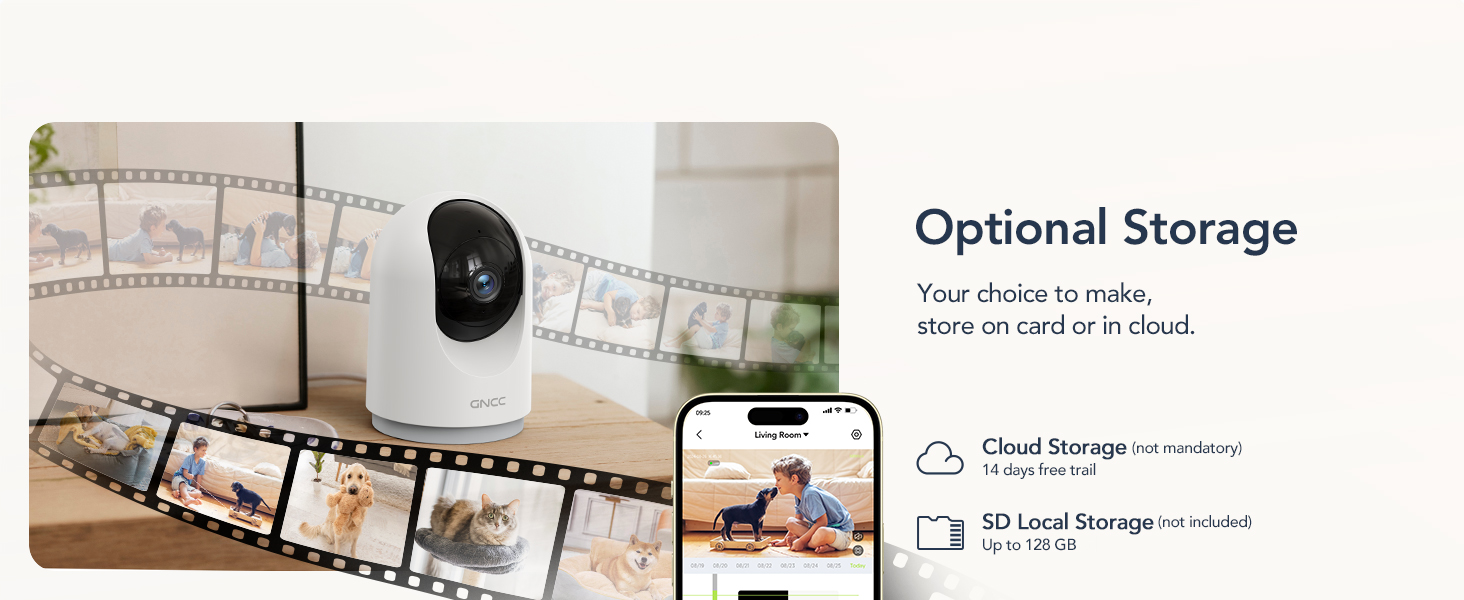
Image: Visual representation of the camera's optional storage methods: cloud storage and local SD card storage, with a smartphone showing recorded footage.
2.6 Smart Home-integration
The GNCC P5 camera is compatible with Amazon Alexa and Google Assistant, allowing for voice-controlled viewing of your live camera feed.
- Parring: Follow the instructions in the Alexa or Google Home app to link your OSAIO account and discover your GNCC camera.
- Stemmekommandoer: Use simple voice commands such as "Alexa, show me the baby's room" or "Hey Google, show me the living room camera" to view livefeedet på kompatible smartskærme.

Image: A user commanding Alexa to display the camera feed on a smart display, illustrating the camera's integration with smart home systems.
3. Vedligeholdelse
- Rensning: Brug en blød, tør klud til at rengøre kameralinsen og huset. Undgå at bruge flydende rengøringsmidler eller slibende materialer.
- Firmwareopdateringer: Periodically check the OSAIO app for available firmware updates. Keeping your camera's firmware updated ensures optimal performance and security. Follow the in-app instructions for any updates.
4. Fejlfinding
| Problem | Løsning |
|---|---|
| Kameraet kan ikke oprette forbindelse til Wi-Fi. |
|
| Dårlig videokvalitet. |
|
| Ingen bevægelsesdetektionsalarmer. |
|
| Tovejslyd virker ikke. |
|
5. Specifikationer
| Feature | Detalje |
|---|---|
| Modelnavn | P5 |
| Indendørs/Udendørs brug | Indendørs |
| Videooptagelsesopløsning | 2K FHD |
| Viewi vinkel | 355° vandret, 90° lodret |
| Night Vision Range | 33 fod |
| Forbindelsesprotokol | Wi-Fi (kun 2.4 GHz) |
| Strømkilde | Ledningsbaseret elektrisk (Type-C) |
| Kompatible enheder | OSIAO App, Amazon Alexa, Google Assistant |
| Opbevaringsmuligheder | Micro SD-kort (op til 128 GB), Cloud-lagring |
| To-vejs lyd | Ja |
| Bevægelsesdetektion | Yes, with Motion Tracking |
| Alert Type | Lyd og bevægelse |
| Dimensioner (L x B x H) | 2.95 x 2.95 x 4.33 tommer |
| Varens vægt | 6 ounce (0.17 kilo) |
| Voltage | 5 volt |
| Wattage | 3 watt |
| Billedhastighed | 10 billeder i sekundet |
| Optisk zoom | 4x |
6. Garanti og support
For warranty information and technical support, please refer to the official GNCC webwebstedet eller kontakt deres kundeservice direkte. Gem din købskvittering som købsbevis i tilfælde af garantikrav.
Online ressourcer:
- Besøg GNCC Store on Amazon for product updates and related information.
Relaterede dokumenter - P5
 |
GNCC GW3 Outdoor Cam 4G User Manual - Setup, Features, and Troubleshooting Comprehensive user manual for the GNCC GW3 Outdoor Cam 4G. Learn about setup, device overview, app usage, FAQs, and troubleshooting for this wireless security camera. |
 |
GNCC Indoor Camera P10 User Guide Comprehensive user guide for the GNCC Indoor Camera (Model P10). Learn how to set up, manage device settings, use the Osaio app, and troubleshoot your security camera. |
 |
GNCC Indoor Camera C2 User Guide User guide for the GNCC Indoor Camera C2, covering setup, features like crystal clear video, night vision, two-way audio, motion/sound detection, and cloud/SD card storage. Includes instructions on managing device settings, sharing the camera, and troubleshooting tips. |
 |
GNCC SP21 Smart Plug User Manual and Setup Guide Comprehensive user manual for the GNCC SP21 Smart Plug, covering setup, specifications, EZ and AP modes, and troubleshooting. Learn how to connect your smart plug to Wi-Fi using the 'osaio' app. |
 |
Brugermanual til GNCC K1 Pro 2K udendørs WiFi-sikkerhedskamera Brugermanual til GNCC K1 Pro 2K udendørs WiFi-sikkerhedskamera. Lær om installation, app-opsætning, funktioner som automatisk sporing og farve-nattesyn, fejlfinding og tekniske specifikationer for hjemmeovervågning. |
 |
GNCC T1 Pro Outdoor Security Camera User Manual A comprehensive guide to the GNCC T1 Pro 2K Security Camera, covering setup, features, and app integration for home security. |
Ask a question about this manual
Ask about setup, troubleshooting, compatibility, parts, safety, or missing instructions. Manuals+ will review the question and use this page’s manual context to help answer it.