
1. Introduktion
Thank you for choosing the CTOLITY AP400 Portable Power Station. This device is a versatile and reliable power source equipped with a 481Wh LiFePO4 battery and 500W output. It is designed to provide electricity for outdoor activities, emergency backup, and mobile work. This manual provides essential information for safe operation, setup, maintenance, and troubleshooting.
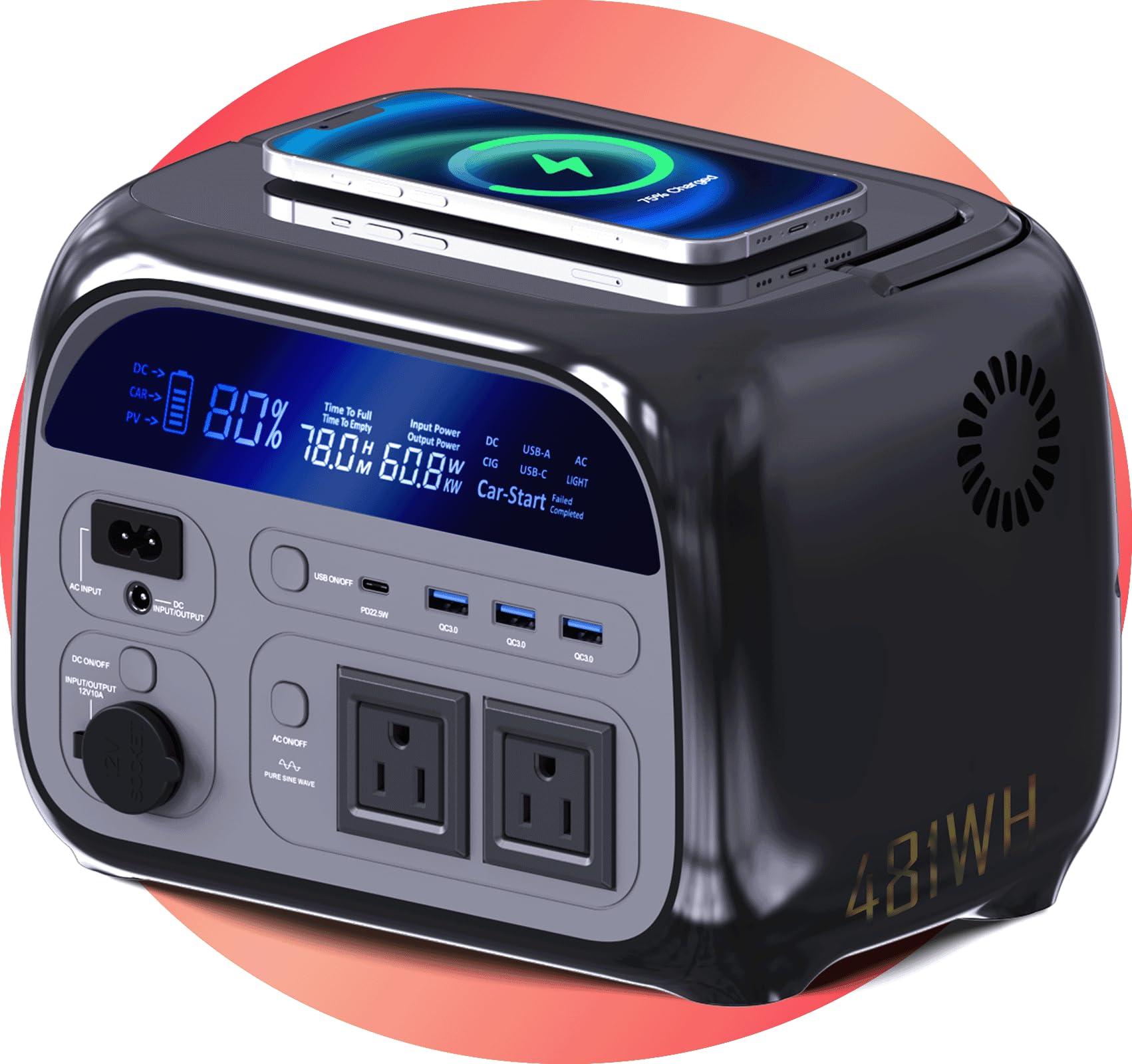
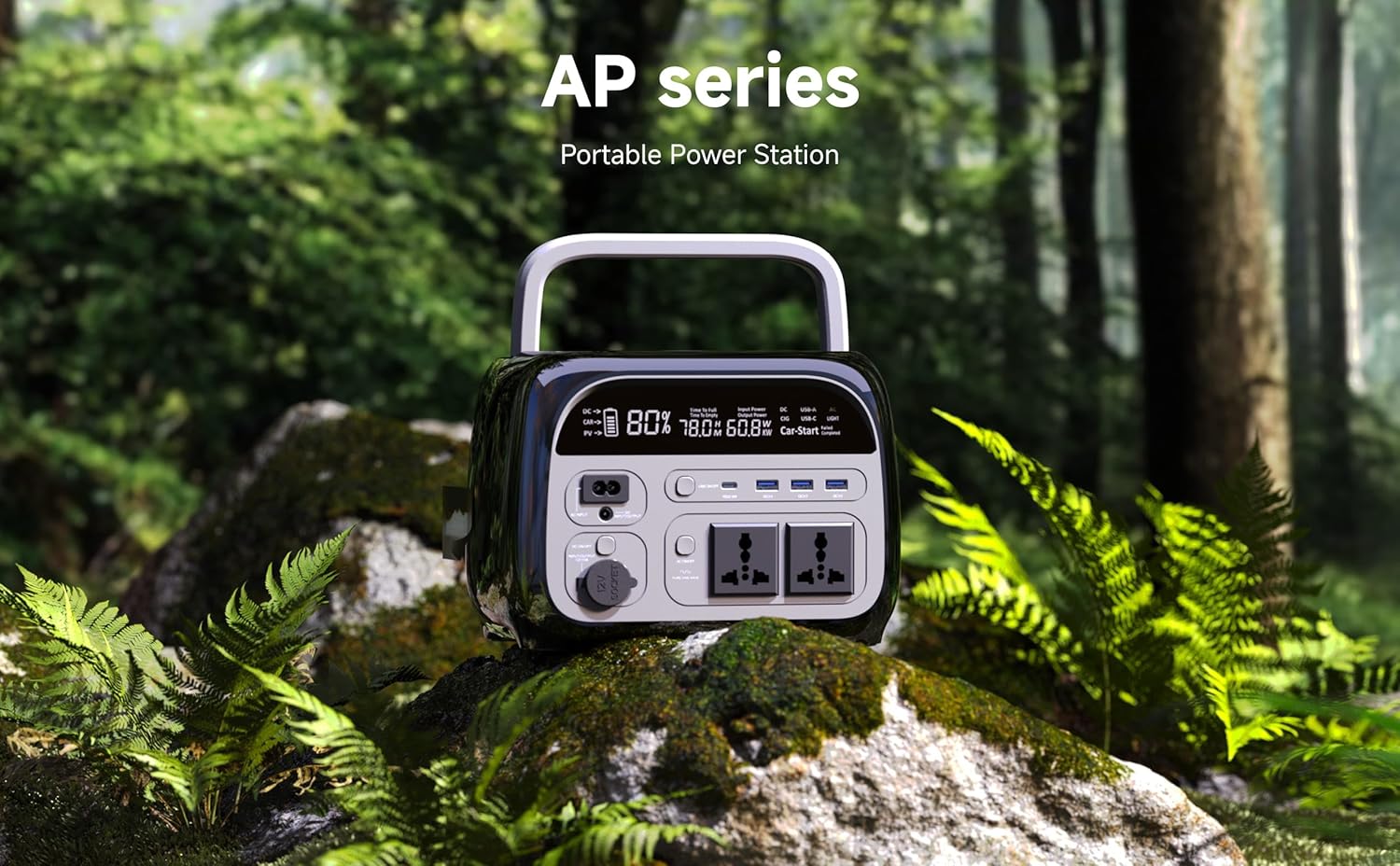
Image 1.1: CTOLITY AP400 Portable Power Station. This image shows the power station positioned on a rock in a natural, forested environment, highlighting its suitability for outdoor use.
2. Sikkerhedsinstruktioner
Please read and understand all safety instructions before operating the power station. Failure to follow these instructions may result in electric shock, fire, or serious injury.
- Enheden må ikke skilles ad, repareres eller modificeres.
- Udsæt ikke enheden for ild eller ekstreme temperaturer.
- Hold enheden væk fra vand, fugt og ætsende stoffer.
- Sørg for tilstrækkelig ventilation under brug og opladning for at forhindre overophedning.
- Indsæt ikke fremmedlegemer i portene.
- Opbevares utilgængeligt for børn og kæledyr.
- Brug kun godkendt tilbehør og opladningskabler.
- Hvis enheden udsender røg, mærkelige lugte eller usædvanlig støj, skal du straks stoppe med at bruge den og kontakte support.
3. Pakkens indhold
Bekræft at alle varer er inkluderet i din pakke:
- CTOLITY AP400 kraftværk
- AC Adapter
- Bil oplader kabel
- Brugervejledning (dette dokument)
4. Produktfunktioner og overview
The AP400 Power Station is designed with multiple features for convenience and safety.
Billede 4.1: Frontpanel overview. This image displays the front of the power station, highlighting the LCD screen, AC outlets, USB ports, and DC ports.
Nøglefunktioner:
- 481Wh LiFePO4-batteri: Provides long-lasting and stable power.
- 500W AC-udgang: Two pure sine wave AC outlets for sensitive electronics.
- Multiple DC & USB Ports: Includes 2 DC ports and 4 USB ports (including USB-C) for diverse device charging.
- LCD-skærm: Shows real-time battery level, input/output wattage, og resterende køretid.
- Flere opladningsmuligheder: Supports AC wall outlet, solar panel (not included), and car charging.
- Kompakt og let: Weighs approximately 10 lbs for easy portability.
- UPS-funktionalitet: Features a 0.03-second instant switch for uninterruptible power supply.
- Trådløs opladning: Supports WPC Qi v1.2.4 for compatible devices.
5. Opsætning
Indledende opladning:
- Upon receiving your AP400, it is recommended to fully charge the unit before first use.
- Tilslut den medfølgende AC-adapter til AC-indgangsporten på strømforsyningen.
- Sæt AC-adapteren i en almindelig stikkontakt.
- The LCD display will indicate charging status. The unit is fully charged when the battery icon shows 100%.
Forstå skærmen:
LCD-displayet giver vigtige oplysninger:
- Batteriniveau: Procenttage indicator of remaining battery capacity.
- Input Wattage: Shows the power being drawn during charging.
- Output Wattage: Displays the power being consumed by connected devices.
- Remaining Runtime: Estimated time the power station can operate based on current load.
6. Betjeningsvejledning
Tænd/sluk:
- To turn on the power station, press and hold the main power button for 3 seconds. The LCD display will illuminate.
- To turn off the power station, press and hold the main power button for 3 seconds again. The display will turn off.
Opladning af kraftværket:
AP400 tilbyder flere opladningsmetoder:

Image 6.1: Charging Options. This image illustrates the three primary ways to charge the power station: via AC wall outlet, solar panels, and a car charger.
- AC vægudtag: Connect the AC adapter to the AC input port and a wall outlet.
- Solpanel (medfølger ikke): Connect compatible solar panels (up to 200W input) to the DC input port. Ensure the solar panel voltage er inden for det angivne område.
- Biloplader: Use the provided car charger cable to connect the power station to your vehicle's 12V cigarette lighter port.
Brug af udgangsporte:
Activate the desired output section by pressing its respective button (AC, DC, USB) on the front panel.
- AC stikkontakter: Press the AC button to enable the two 110V AC outlets. Plug in devices requiring up to 500W total.
- USB-porte: Press the USB button to activate the 4 USB ports (including USB-C). Connect smartphones, tablets, and other USB-powered devices.
- DC-porte: Press the DC button to enable the two 12V DC ports. Suitable for devices like car refrigerators or portable air pumps.
- Trådløs opladning: Place your Qi-compatible device on the wireless charging pad located on the top of the unit.
Always ensure the total power consumption of connected devices does not exceed the power station's maximum output capacity (500W).
7. Vedligeholdelse
- Opbevaring: Opbevar kraftværket et køligt, tørt sted, væk fra direkte sollys og ekstreme temperaturer.
- Batteripleje: For optimal battery life, fully charge the unit every 3-6 months, even if not in use. Avoid completely draining the battery for extended periods.
- Rensning: Brug en tør, blød klud til at rengøre enhedens yderside. Brug ikke skrappe kemikalier eller slibende materialer.
- Ventilation: Sørg for, at ventilationsåbningerne er fri for støv og snavs for at forhindre overophedning.
8. Fejlfinding
| Problem | Mulig årsag | Løsning |
|---|---|---|
| Power station does not turn on. | Batteriet er helt afladet. | Tilslut til en stikkontakt og oplad i mindst 30 minutter. |
| AC-udgangen virker ikke. | AC output not enabled; device exceeds 500W; power station overheated. | Press the AC button; check device wattage; allow unit to cool down. |
| USB/DC output not working. | USB/DC output not enabled; device is incompatible. | Press the USB/DC button; ensure device is compatible. |
| Charging is slow or not occurring. | Faulty cable/adapter; solar panel not optimally positioned; car charger issue. | Check connections and cables; reposition solar panel; check car's 12V outlet. |
| LCD-skærmen er tom. | Power station is off; display timeout. | Press the main power button briefly to wake the display or turn on the unit. |
Hvis problemet fortsætter, bedes du kontakte kundesupport.
9. Specifikationer
| Feature | Detalje |
|---|---|
| Modelnavn | AP400 |
| Batteritype | LiFePO4 |
| Batterikapacitet | 481Wh |
| AC udgang | 500W (Pure Sine Wave), 110V |
| DC-udgang | 12V (2 ports) |
| USB udgang | 4 ports (including USB-C) |
| Trådløs opladning | WPC Qi v1.2.4 compatible |
| Opladningsindgang | AC Adapter, Solar Panel (up to 200W), Car Charger |
| Varens vægt | 10 pund (ca.) |
| Produktdimensioner | 15 cm L x 9 cm B x 11 cm H (ca.) |
| Materiale | Metal, Plast |
10. Garanti og support
Garantioplysninger:
CTOLITY AP400 bærbar kraftstation leveres med en 2 års producentgaranti fra købsdatoen. Denne garanti dækker defekter i materialer og udførelse ved normal brug. Den dækker ikke skader forårsaget af misbrug, ulykker, uautoriserede ændringer eller naturkatastrofer.
Kundesupport:
For technical assistance, warranty claims, or any questions regarding your CTOLITY AP400 Portable Power Station, please contact our customer support team. Please have your purchase receipt and model number (AP400) ready when contacting support.
Kontaktoplysninger:
E-mail: support@ctolity.com
Webwebsted: www.ctolity.com (Bemærk venligst: Dette er en pladsholder URL. Refer to your product packaging or official website for actual contact details.)