
1. Introduktion
This manual provides essential instructions for the proper installation, operation, and maintenance of your Generic TM104QDSG09 10.4-inch LCD Display Screen. Please read this manual thoroughly before using the product to ensure safe and efficient operation.
The TM104QDSG09 is a 10.4-inch LCD display designed for various applications requiring a reliable and clear visual interface. It features a glossy screen finish and supports a maximum display resolution of 640x480.
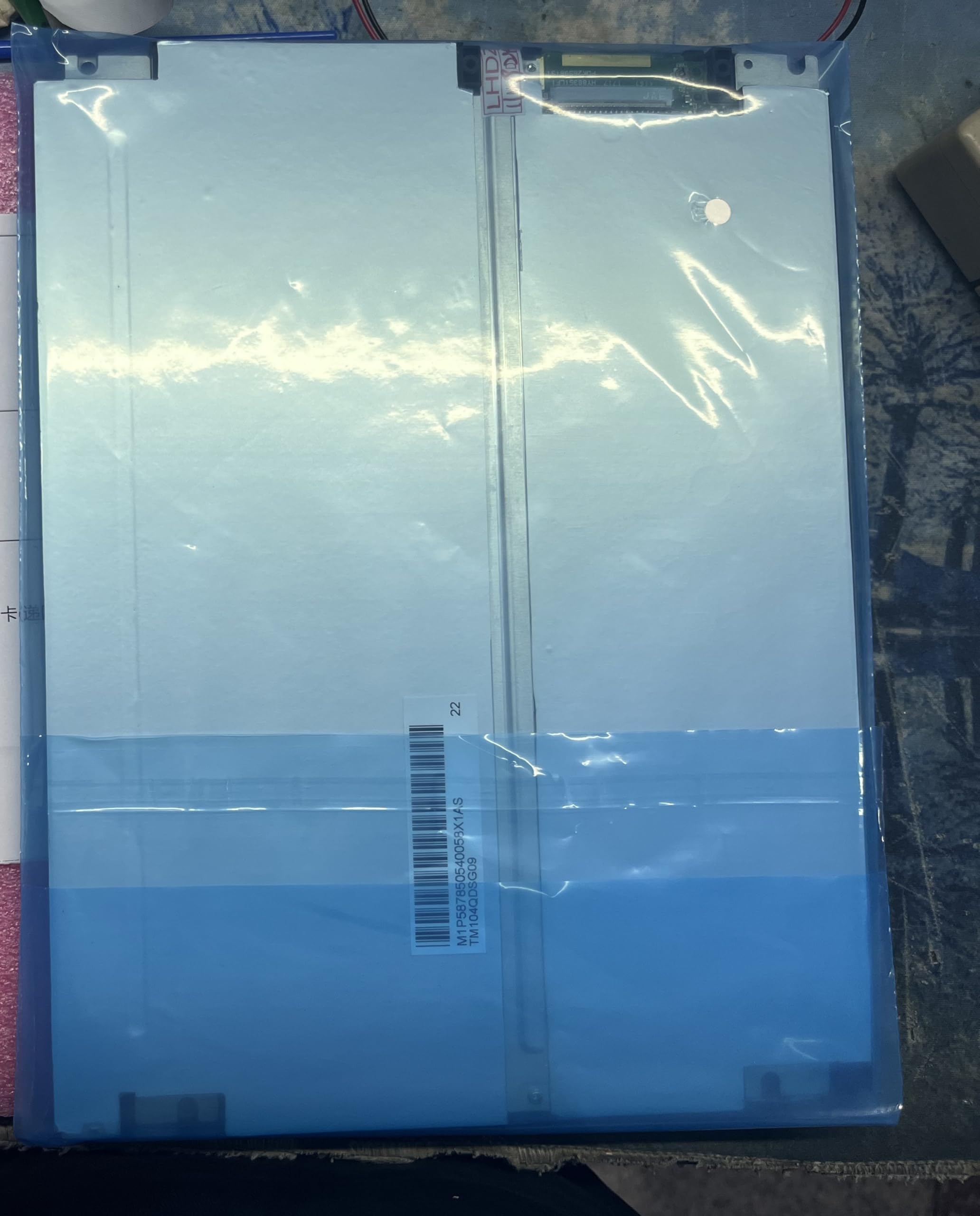
Figure 1: Generic TM104QDSG09 10.4-inch LCD Display Screen. This image shows the front view of the display unit, highlighting its compact design and screen area.
2. Sikkerhedsoplysninger
Overhold følgende sikkerhedsforanstaltninger for at forhindre beskadigelse af displayet og sikre brugerens sikkerhed:
- Strømkilde: Brug kun den angivne strømadapter, og sørg for, at strømforsyningens volumtage matches the display's requirements.
- Ventilation: Bloker ikke ventilationsåbningerne. Sørg for tilstrækkelig luftgennemstrømning omkring skærmen for at forhindre overophedning.
- Væskeeksponering: Keep the display away from liquids. Do not expose it to rain or moisture.
- Rensning: Afbryd strømmen før rengøring. Brug en blød, tør klud. Undgå slibende rengøringsmidler.
- Placering: Place the display on a stable, flat surface. Avoid areas with high humidity, extreme temperatures, or direct sunlight.
- Service: Forsøg ikke selv at servicere skærmen. Overlad al service til kvalificeret personale.
3. Pakkens indhold
Kontroller venligst pakkens indhold ved modtagelse. Hvis der mangler eller er beskadigede varer, skal du straks kontakte din leverandør.
- Generic TM104QDSG09 10.4-inch LCD Display Screen
- Strømadapter (if included with purchase)
- Video Cable (if included with purchase, e.g., VGA, HDMI)
- User Manual (dette dokument)
4. Opsætning
4.1 Connecting the Display
- Placering: Place the display on a stable, flat surface or mount it securely using compatible mounting hardware (not included).
- Videoforbindelse: Connect the appropriate video cable (e.g., VGA, HDMI) from your source device (computer, media player) to the corresponding input port on the TM104QDSG09 display. Ensure the connection is secure.
- Strømtilslutning: Connect the power adapter to the display's power input port, then plug the power adapter into a suitable electrical outlet.
4.2 Indledende tænding
- Press the power button on the display. The power indicator light should illuminate.
- Turn on your source device. The display should automatically detect the input signal and show the image.
- If no image appears, refer to the Troubleshooting section.
5. Betjening af skærmen
5.1 Tænd/sluk
To turn the display on or off, press the power button located on the display panel. The power indicator will show the current status.
5.2 Basic Display Adjustments
The TM104QDSG09 typically includes buttons for basic adjustments. These may include:
- Lysstyrke: Justerer skærmens samlede lysstyrke.
- Kontrast: Adjusts the difference between the lightest and darkest areas of the screen.
- Indgangsvalg: If multiple video inputs are available, this button allows you to switch between them.
Refer to the on-screen display (OSD) menu, if available, for more advanced settings. Navigation through the OSD is usually done via dedicated menu buttons.
6. Vedligeholdelse
6.1 Rengøring af skærmen
- Tag altid netledningen ud før rengøring.
- Brug en blød, fnugfri klud lidt damprengøres med vand eller et ikke-slibende, ammoniakfrit og alkoholfrit glasrensemiddel.
- Sprøjt ikke rengøringsmiddel direkte på skærmen. Påfør det først på kluden.
- Avoid pressing hard on the screen surface.
6.2 Opbevaring
When not in use for extended periods, store the display in a cool, dry place, away from direct sunlight and extreme temperatures. It is recommended to use the original packaging for protection during storage or transport.
7. Fejlfinding
| Problem | Mulig årsag | Løsning |
|---|---|---|
| Intet billede på skærmen |
|
|
| Flimrende eller ustabilt billede |
|
|
| Skærmen tændes ikke |
|
|
8. Specifikationer
| Modelnummer | TM104QDSG09 |
| Skærmstørrelse | 10.4 tommer |
| Maksimal skærmopløsning | 640x480 |
| Aspektforhold | 1.27:1 |
| Skærmfinish | Blank |
| Opdateringshastighed | 60 Hz |
| Produktmål (D x B x H) | 30 x 10 x 20 cm (11.8 x 3.9 x 7.9 tommer) |
| Oprindelsesland | Kina |
9. Garanti og support
9.1 Garantioplysninger
This Generic TM104QDSG09 LCD Display Screen comes with a brand new one-year warranty from the date of purchase. This warranty covers manufacturing defects under normal use. It does not cover damage caused by misuse, accidents, unauthorized modifications, or improper installation.
9.2 Teknisk support
For technical assistance or warranty claims, please contact the manufacturer directly:
- Producentkontakt: 008613922285218
Please have your product model number (TM104QDSG09) and purchase details ready when contacting support.