
Indledning
This manual provides detailed instructions for the operation and maintenance of your LEOTEC AM FM Bluetooth Portable Radio, Model LT-1808. Please read this manual thoroughly before using the device to ensure proper function and longevity.
Nøglefunktioner
- AM/FM radio: Supports both AM and FM bands for broad station access.
- Bluetooth-forbindelse: Seamlessly connect to Bluetooth-enabled devices for audio playback.
- 10 hvide støjlyde: Includes various soothing sounds for relaxation and sleep.
- Digital Sleep Timer: Customizable sleep timer from 5 to 90 minutes.
- Hovedtelefonstik: 3.5 mm jackstik til privat lytning.
- Dobbelte strømkilder: Operates via AC power cord or 4 AA batteries (not included).
- Bærbart design: Kompakt og let med et praktisk håndtag for nem transport.
- Stort LCD-display: Clear digital display for frequency and settings.
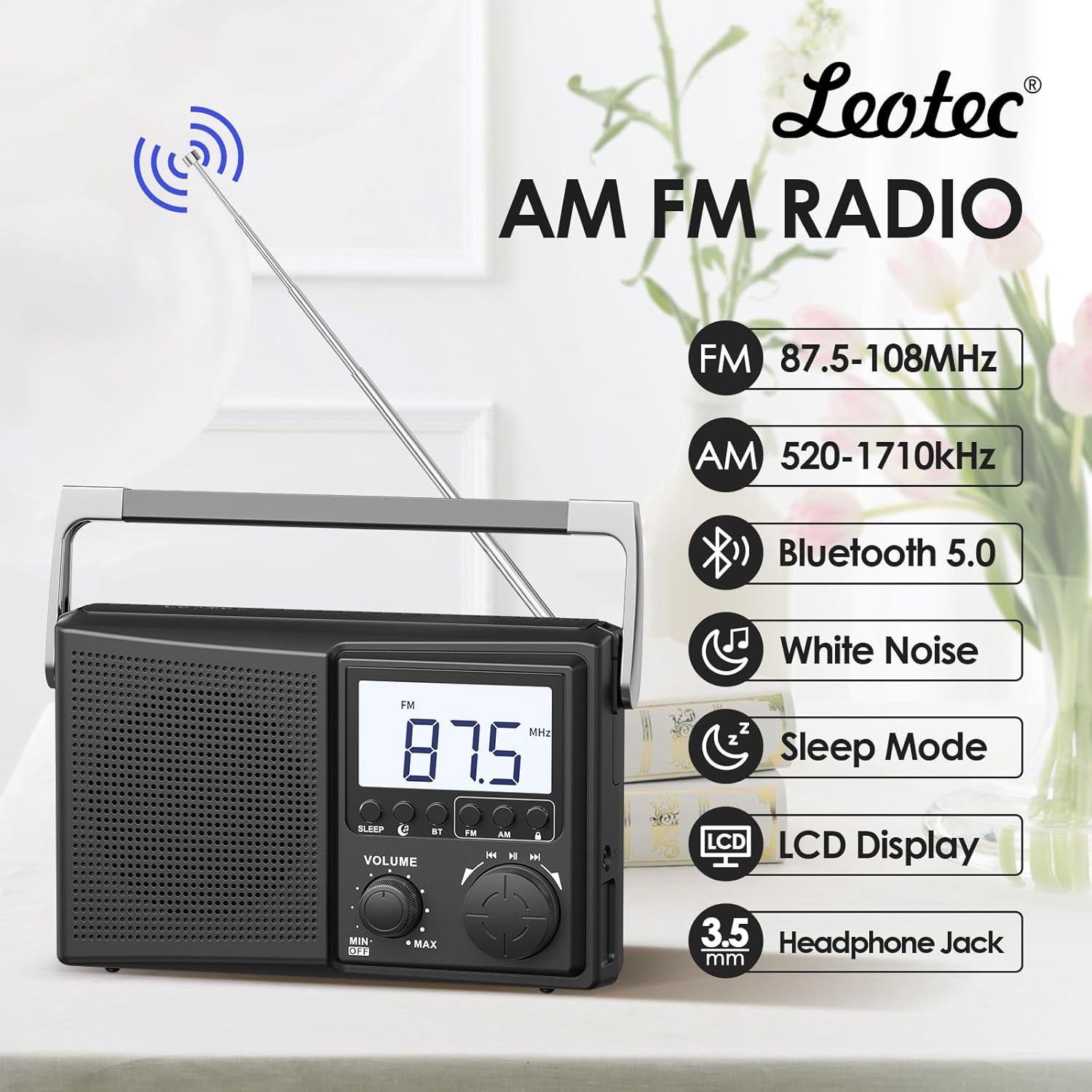
Figur 1: Overview of the LEOTEC AM FM Bluetooth Portable Radio's key features.
Produktkomponenter
The LEOTEC LT-1808 radio includes the following main components:
- Main Unit (Radio)
- AC strømledning
- Teleskop antenne
- Integreret bærehåndtag
- Lydstyrkeknap
- Tuningknap
- Mode Selection Buttons (Sleep, BT, FM, AM)
- LCD Display
- 3.5 mm hovedtelefonstik
- Battery Compartment (for 4 AA batteries, not included)
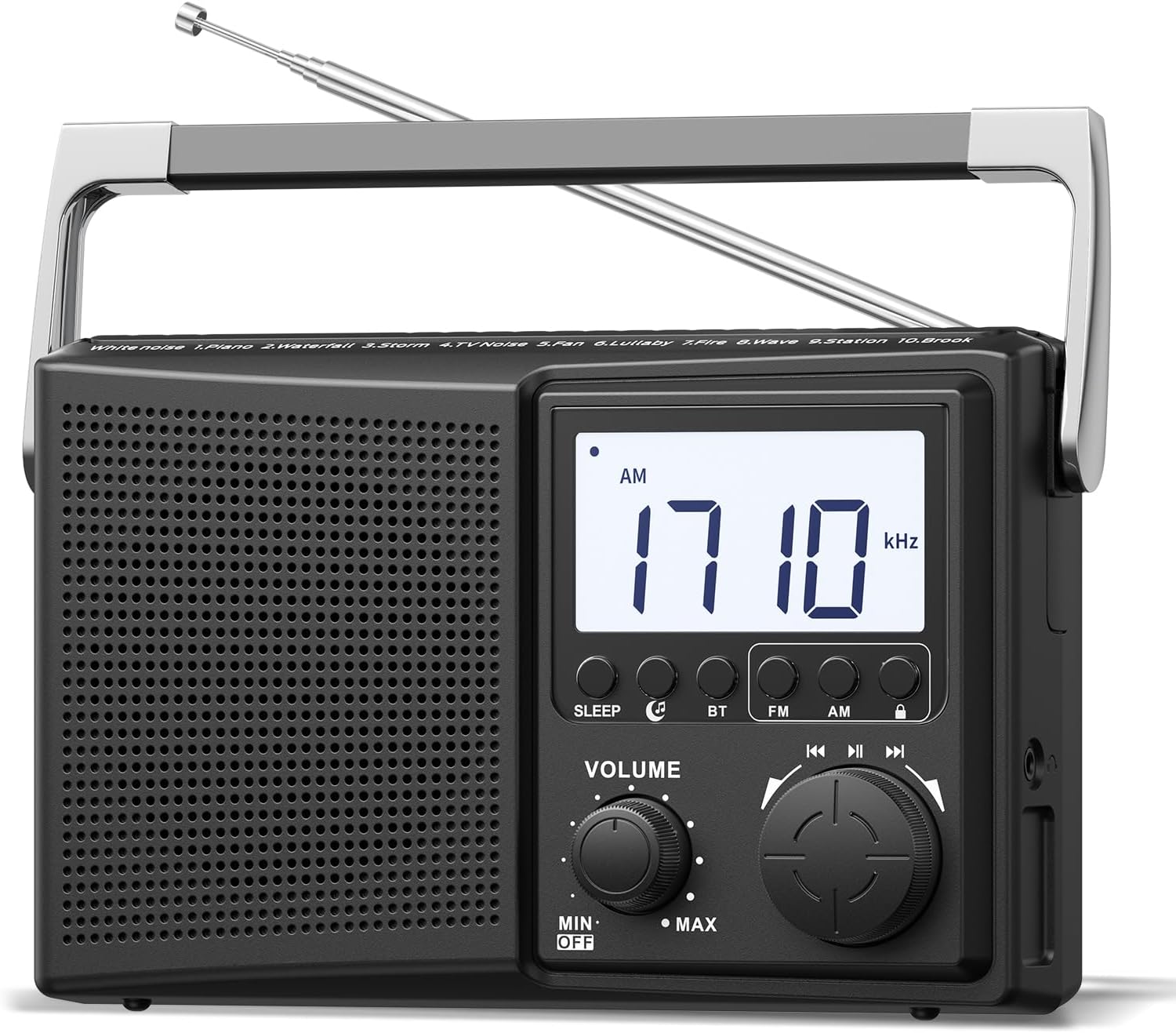
Figur 2: Forside view of the radio, highlighting controls and display.
Opsætning
1. Tænd for radioen
The radio can be powered by two methods:
- AC strøm: Connect the provided AC power cord to the radio's power input and then to a standard 120V wall outlet.
- Batteristrøm: Open the battery compartment on the back of the radio and insert 4 AA batteries (not included), ensuring correct polarity.
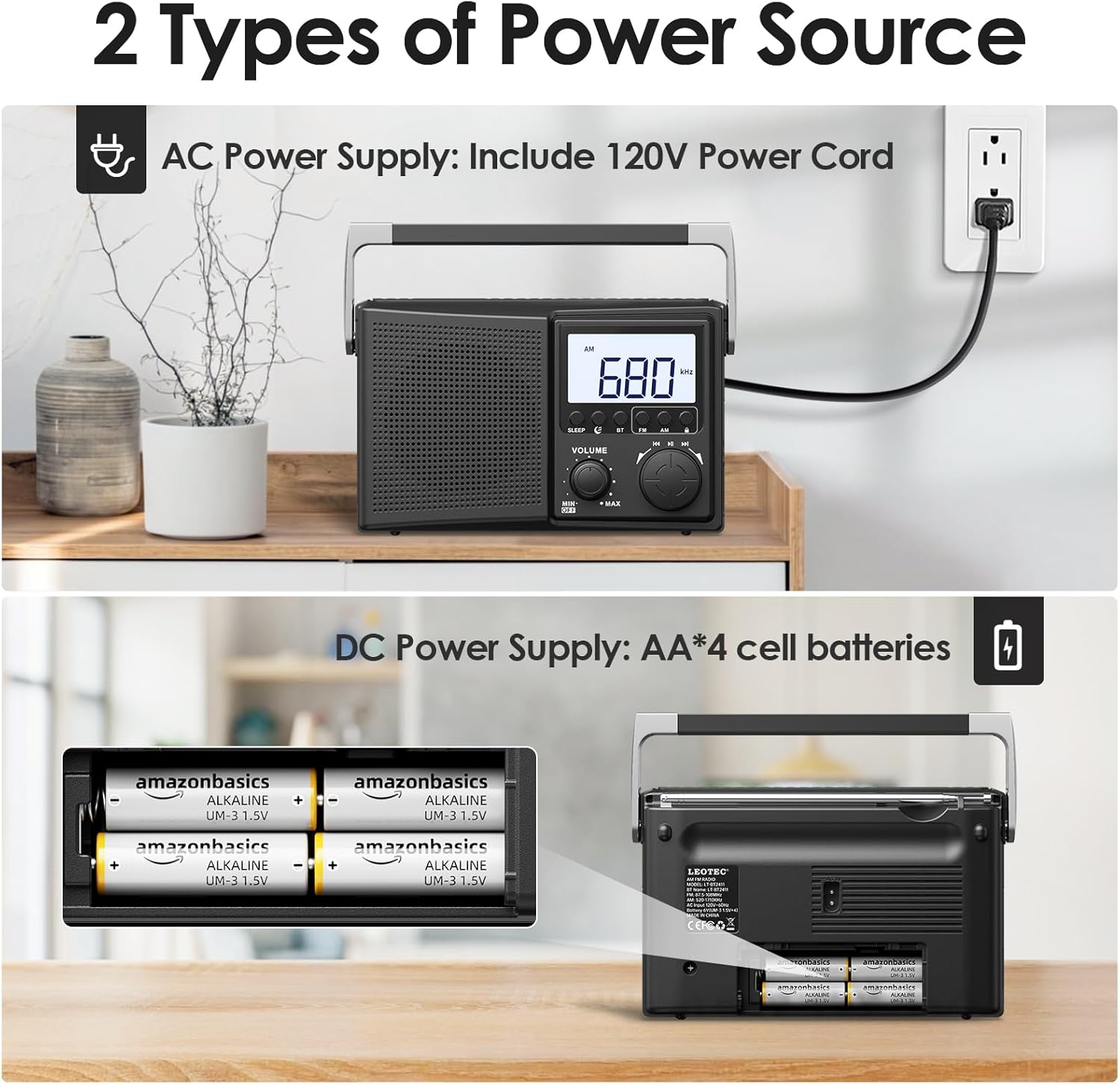
Figure 3: Powering the radio using either AC power or AA batteries.
2. Justering af antenne
For optimal FM and AM reception, extend the telescopic antenna fully and adjust its direction. For AM reception, rotating the entire radio may also improve signal quality.
Operation
1. Tænd/sluk og lydstyrkekontrol
Drej på BIND Drej knappen med uret for at tænde radioen og øge lydstyrken. Drej mod uret for at sænke lydstyrken og slukke radioen.
2. Selecting Radio Bands (AM/FM)
Tryk på FM or AM button on the front panel to select the desired radio band. The selected band will be displayed on the LCD screen.
3. Tuning Radio Stations
Drej den store TUNING knob to scan for radio stations. The frequency will be displayed on the LCD screen. Adjust the antenna for best reception.

Figure 4: Digital display and tuning knob for precise station selection.
4. Bluetooth-parring
- Tryk på BT button to enter Bluetooth mode. The display will indicate Bluetooth pairing mode.
- On your external device (e.g., smartphone), enable Bluetooth and search for available devices.
- Select "LEOTEC LT-1808" from the list to pair. A confirmation sound will indicate successful pairing.
- Du kan nu afspille lyd fra din enhed via radioen.
5. Hvid støjfunktion
The radio offers 10 different white noise and nature sounds to aid relaxation or sleep. Press the dedicated white noise button (if available, or cycle through modes) to activate this feature. Use the tuning knob to select different sounds.
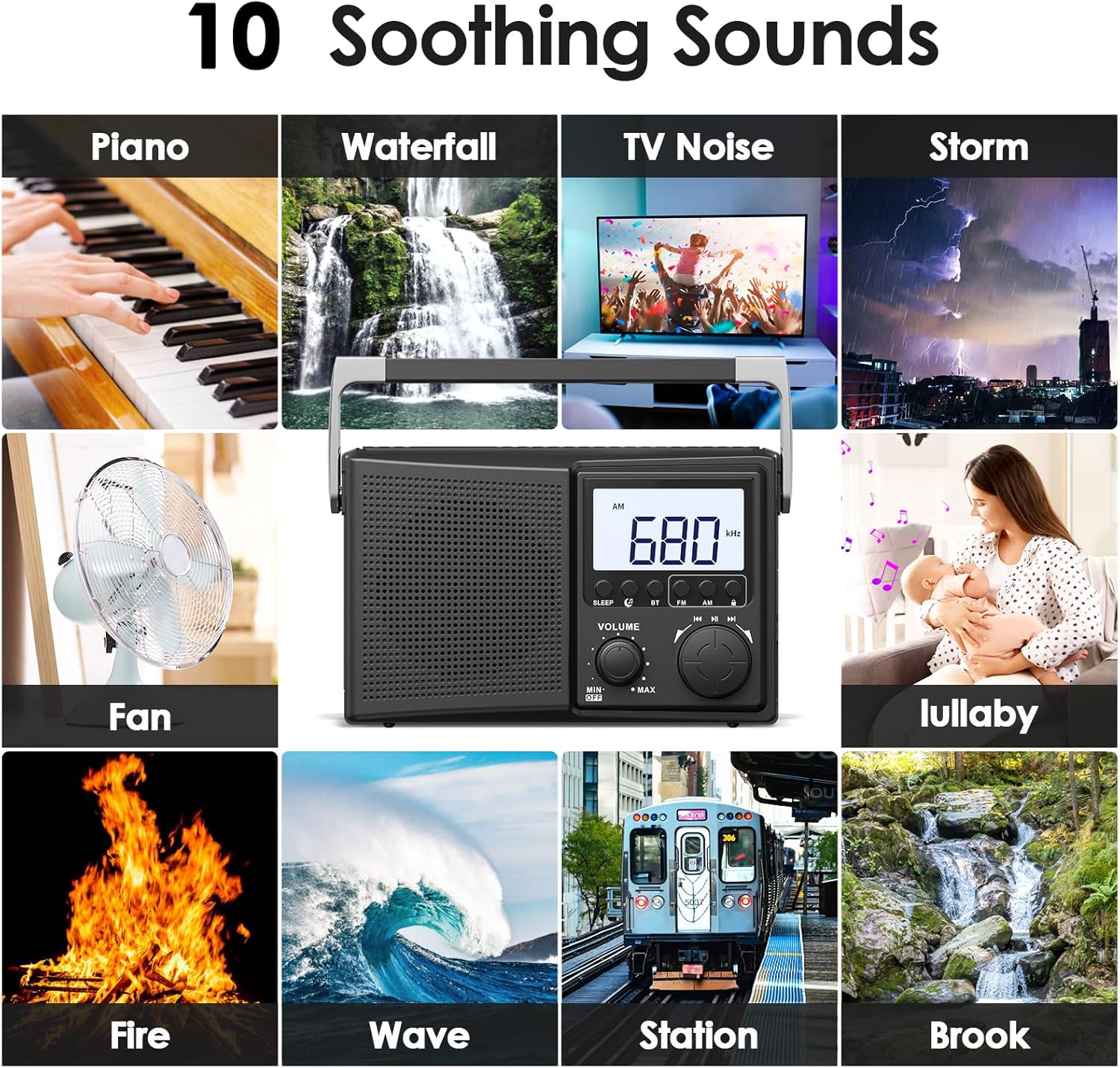
Figure 5: Selection of 10 white noise and nature sounds.
6. Digital Sleep Timer
Sådan indstilles sleep-timeren:
- Tryk på SOVE knap.
- Tryk gentagne gange på SOVE button to cycle through available sleep times: 90, 80, 70, 60, 50, 40, 30, 20, 10, 5 minutes.
- Radioen slukker automatisk efter den valgte varighed.
- Tryk på for at annullere sleep-timeren SOVE button until the timer display disappears or turn the radio off.
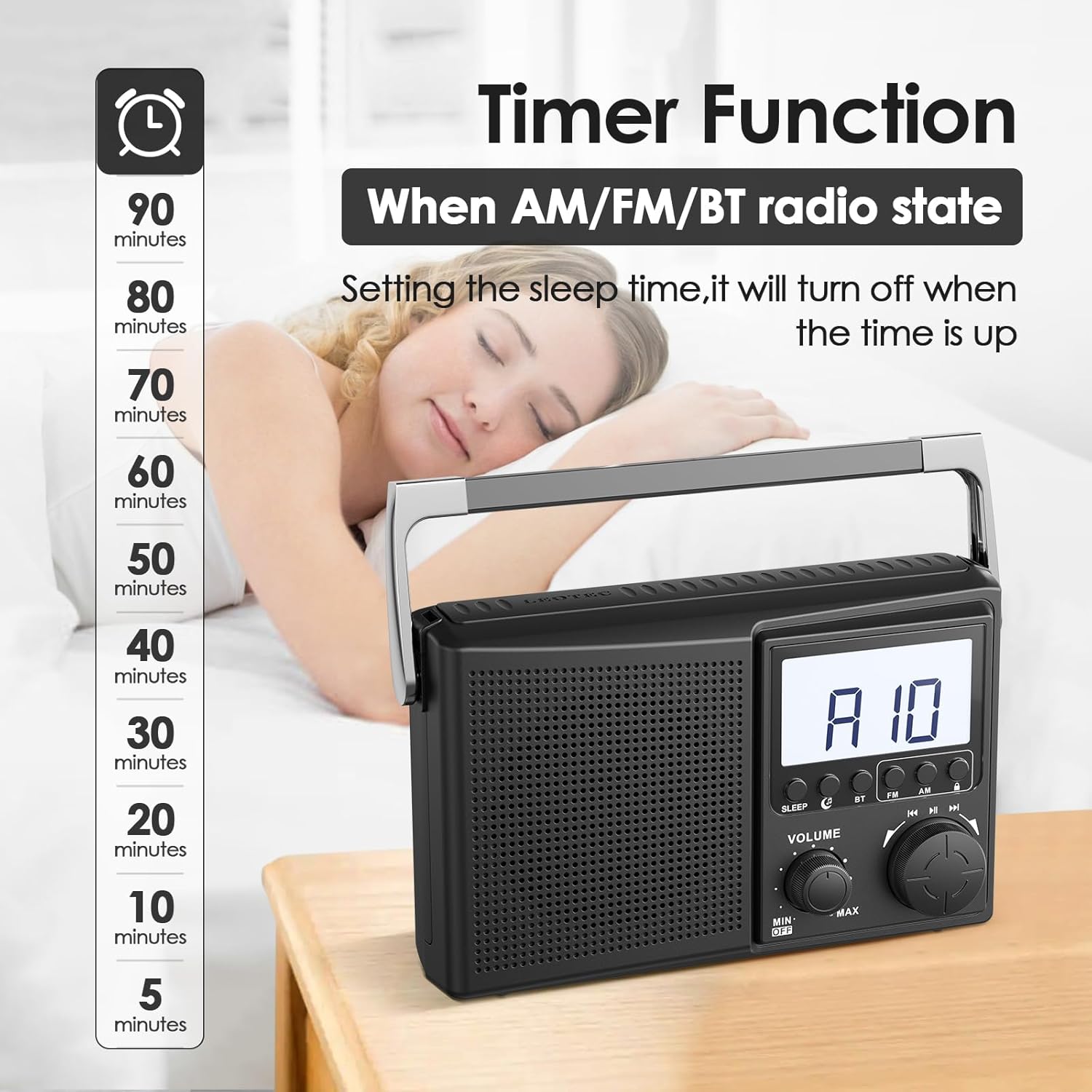
Figure 6: Setting the digital sleep timer for automatic power-off.
7. Brug af hovedtelefoner
For private listening, plug any standard 3.5mm wired headphones into the headphone jack located on the side of the radio. The internal speaker will automatically mute when headphones are connected.

Figure 7: Using the 3.5mm headphone jack for private audio.
Opretholdelse
- Clean the radio with a soft, dry cloth. Do not use liquid cleaners or abrasive materials.
- Undgå at udsætte radioen for ekstreme temperaturer, direkte sollys eller høj luftfugtighed.
- Hvis der bruges batterier, skal de fjernes, hvis radioen ikke skal bruges i længere tid, for at forhindre lækage.
Fejlfinding
| Problem | Mulig løsning |
|---|---|
| Ingen strøm | Check if the AC power cord is securely plugged in. If using batteries, ensure they are inserted correctly and are not depleted. |
| Dårlig radiomodtagelse | Fully extend and adjust the telescopic antenna. Try repositioning the radio. For AM, rotate the unit for better signal. |
| Bluetooth forbinder ikke | Ensure the radio is in Bluetooth pairing mode. Check that Bluetooth is enabled on your external device and it is within range. Forget previous pairings on your device and try again. |
| Ingen lyd fra hovedtelefoner | Ensure headphones are fully plugged into the 3.5mm jack. Check headphone functionality with another device. |
Specifikationer
| Feature | Detalje |
|---|---|
| Produktdimensioner | 8.46 x 2.95 x 5.16 tommer (21.5 x 7.5 x 13.1 cm) |
| Varens vægt | 1.58 pund (0.72 kg) |
| Strømkilde | Corded Electric (AC 120V) or 4 AA Batteries (not included) |
| Radiobånd understøttet | AM/FM |
| Forbindelsesteknologi | Bluetooth |
| Kompatible enheder | Headphones (3.5mm wired), Smartphones (via Bluetooth) |
| Modelnummer | LT-1808 |
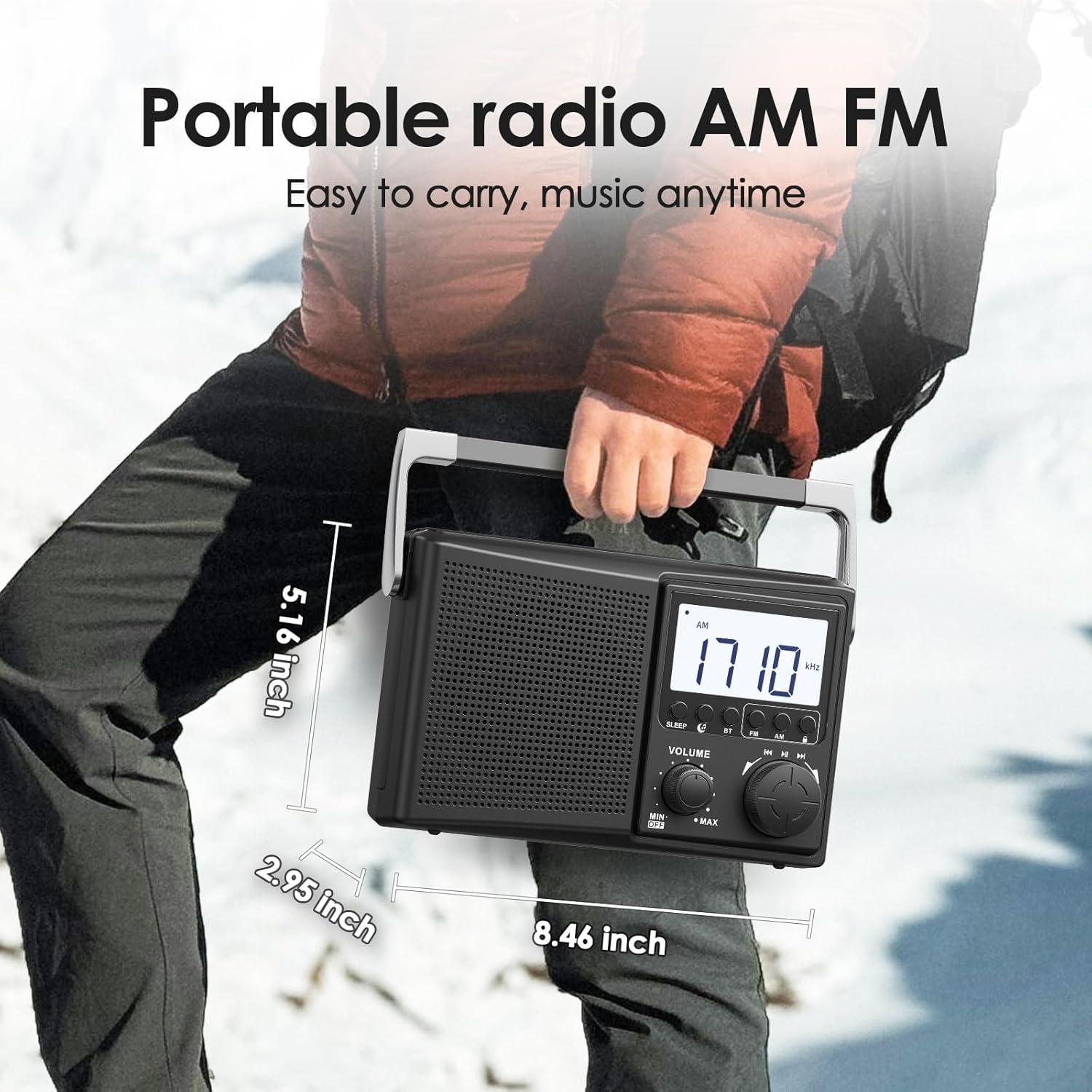
Figure 8: Physical dimensions of the LEOTEC LT-1808 radio.
Garanti og support
For warranty information or technical support, please refer to the contact details provided with your product packaging or visit the official LEOTEC website. LEOTEC is committed to providing quality products and customer service.