
Indledning
This manual provides essential information for setting up, operating, maintaining, and troubleshooting your Google Pixel 9 smartphone. The Pixel 9 is designed to offer a powerful and intuitive user experience, powered by the Google Tensor G4 processor and running on Android 14.
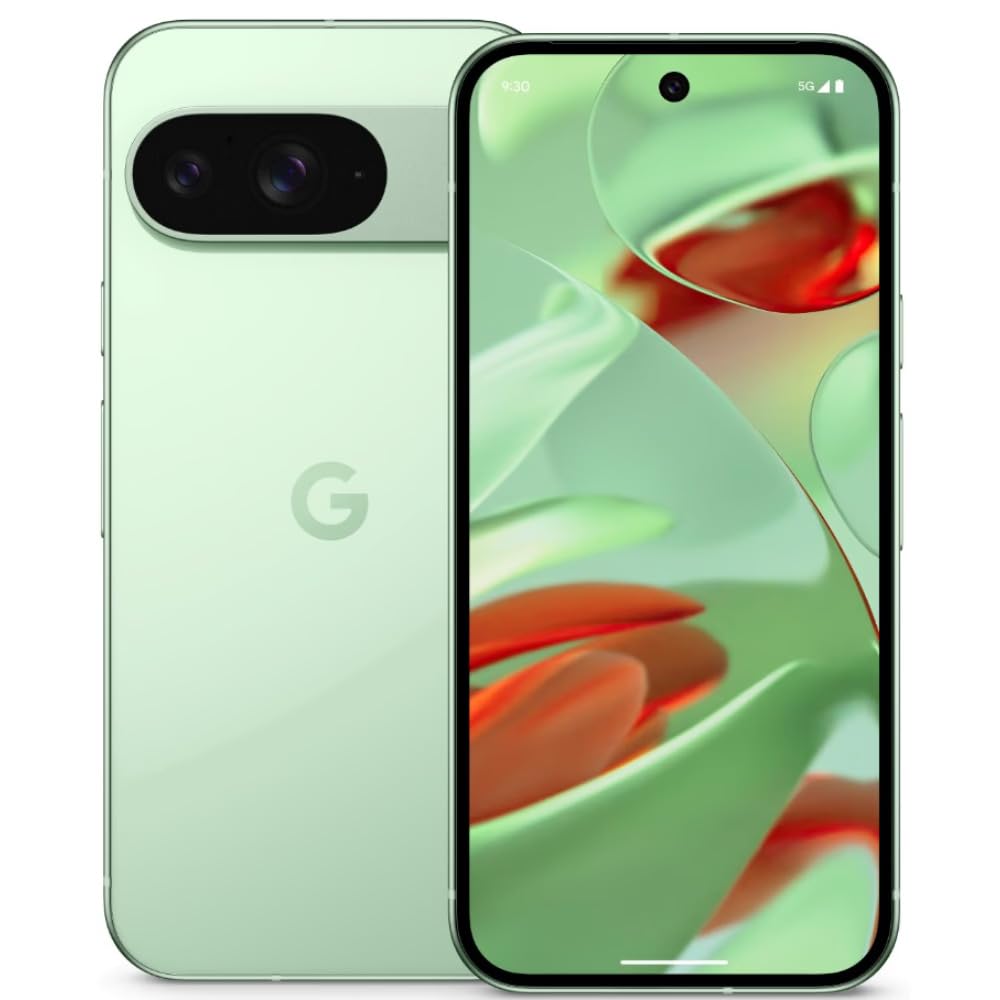
Image: Google Pixel 9 smartphone, rear view, in Wintergreen color.
Hvad er der i æsken
Når du pakker din Google Pixel 9 ud, skal du kontrollere, at alle standardkomponenter er til stede:
- Google Pixel 9-smartphone
- USB-C til USB-C kabel
- SIM-bakkeudkasterværktøj

Image: Contents of the Google Pixel 9 retail box.
Opsætning
1. Isætning af SIM-kortet
- Find SIM-kortbakken på siden af din Pixel 9.
- Sæt SIM-kortbakkens udløserværktøj ind i det lille hul ved siden af bakken, og tryk godt ned, indtil bakken springer ud.
- Place your Nano SIM card(s) into the tray with the gold contacts facing down. The Pixel 9 supports Dual SIM functionality.
- Carefully push the tray back into the slot until it is flush with the phone's side.
2. Tænd/sluk
- For at tænde: Tryk og hold tænd/sluk-knappen (placeret på højre side) nede, indtil Google-logoet vises.
- For at slukke: Press and hold the Power button and Volume Up button simultaneously, then tap 'Power off' on the screen. Alternatively, swipe down from the top of the screen twice to open Quick Settings, then tap the power icon and select 'Power off'.
3. Indledende enhedsopsætning
Follow the on-screen prompts to complete the initial setup process. This includes connecting to Wi-Fi, signing in with your Google account, setting up security features (Face Recognition), and transferring data from an old device.
Operating Your Pixel 9
Displayfunktioner
The Pixel 9 features a 6.3-inch OLED display with a 1080 x 2424 pixel resolution and a dynamic refresh rate up to 120Hz for smooth visuals. It offers up to 1800 nits brightness in HDR mode and peaks at 2700 nits for clear visibility in various lighting conditions.
Brug af kamera
The device is equipped with a dual rear camera system: a 50 MP main sensor and a 48 MP ultrawide lens (123° field of view). The front camera is 10.5 MP. Advanced AI features enhance photography, allowing for detailed and expansive images.

Image: AI-enhanced camera features of the Google Pixel 9.
Præstation
Powered by Google's Tensor G4 processor and 12 GB of RAM, the Pixel 9 ensures efficient multitasking and fast performance for applications and gaming. It runs on Android 14, providing a secure and up-to-date operating environment.
Batteri og opladning
The Pixel 9 includes a 4700 mAh battery. It supports 45W USB-PD fast charging and 15W wireless charging for convenient power replenishment. Average battery life is approximately 24 hours, with up to 26.5 hours of phone talk time.
AI funktioner
Leverage integrated AI features such as Gemini for assistance, Real Screenshots for enhanced screen capture, and Circle to Søg efter quick information retrieval directly from your screen.

Image: Google Pixel 9 showcasing AI capabilities.
Opretholdelse
Holdbarhed
The Pixel 9 is built with Corning Gorilla Glass Victus 2 for display protection and features a water-resistant design, offering protection against spills and dust.
Softwareopdateringer
Google provides a commitment of seven years of OS and security updates for the Pixel 9, ensuring long-term support and access to the latest features and security enhancements.
Rengøring af din enhed
To clean your Pixel 9, use a soft, lint-free cloth. Avoid abrasive materials or harsh chemicals. For stubborn smudges, slightly dampRengør kluden med vand. Sørg for, at alle porte er tørre, før du oplader.
Fejlfinding
If you encounter issues with your Pixel 9, consider the following general troubleshooting steps:
- Genstart enheden: En simpel genstart kan løse mange mindre softwarefejl.
- Tjek for softwareopdateringer: Ensure your device is running the latest software version. Go to Settings > System > System update.
- Ryd app-cache: If a specific app is causing issues, try clearing its cache (Settings > Apps > See all apps > [App Name] > Storage & cache > Clear cache).
- Gendan fabriksindstillinger: As a last resort, if problems persist, you may need to perform a factory reset. Advarsel: Dette vil slette alle data på din enhed. Sikkerhedskopier vigtige data, før du fortsætter. (Settings > System > Reset options > Erase all data (factory reset)).
- Overophedning: The device may experience increased temperature during intensive use or charging. If overheating becomes excessive or persistent, reduce usage of demanding applications and ensure proper ventilation.
Specifikationer
| Feature | Specifikation |
|---|---|
| Mærke | |
| Model | Pixel 9 |
| Operativsystem | Android 14 |
| Processor | Google Tensor G4 |
| VÆDDER | 12 GB |
| Intern opbevaring | 256 GB |
| Vise | 6.3-inch OLED, 1080 x 2424 pixels, 120Hz Refresh Rate |
| Bagkamera | 50 MP Main, 48 MP Ultrawide |
| Forreste kamera | 10.5 MP |
| Batterikapacitet | 4700 mAh |
| Opladning | 45W USB-PD Fast Charging, 15W Wireless Charging |
| SIM-korttype | Nano-SIM (dobbelt-SIM) |
| Forbindelse | 5G, Wi-Fi, Bluetooth, GSM, LTE |
| Sikkerhed | Ansigtsgenkendelse |
| Holdbarhed | Corning Gorilla Glass Victus 2, Water Resistant |
| Dimensioner | 7.2 x 0.8 x 15.2 centimeter |
| Vægt | 198 gram |
Garanti og support
Garantioplysninger
The Google Pixel 9 comes with a 1-year manufacturer's warranty. This warranty covers defects in materials and workmanship under normal use. Please retain your proof of purchase for warranty claims.
Kundesupport
For further assistance, technical support, or warranty claims, please visit the official Google Support website or contact Google customer service. Refer to the documentation included with your device for specific contact details in your region.
Online support: support.google.com/pixelphone