
1. Introduktion
Thank you for choosing the EvoFox Deathray V2 Gaming Keyboard and Mouse Combo. This manual will guide you through the setup, operation, and maintenance of your new gaming peripherals. Designed for precision and comfort, this combo enhances your gaming and productivity experience.

Image: The EvoFox Deathray V2 Gaming Keyboard and Mouse Combo, showcasing both devices connected via their braided cables.
2. Pakkens indhold
- EvoFox Deathray V2 Gaming Keyboard
- EvoFox Deathray V2 Gaming Mouse
- Brugervejledning (dette dokument)
3. Opsætningsvejledning
- Tilslut tastaturet: Plug the USB connector of the EvoFox Deathray V2 Keyboard into an available USB port on your computer.
- Tilslut musen: Plug the USB connector of the EvoFox Deathray V2 Mouse into another available USB port on your computer.
- Driver installation: Dit operativsystem burde automatisk registrere og installere de nødvendige drivere. Der kræves typisk ingen yderligere softwareinstallation for at opnå grundlæggende funktionalitet.
- Placering: Place the keyboard and mouse on a flat, stable surface for optimal performance.
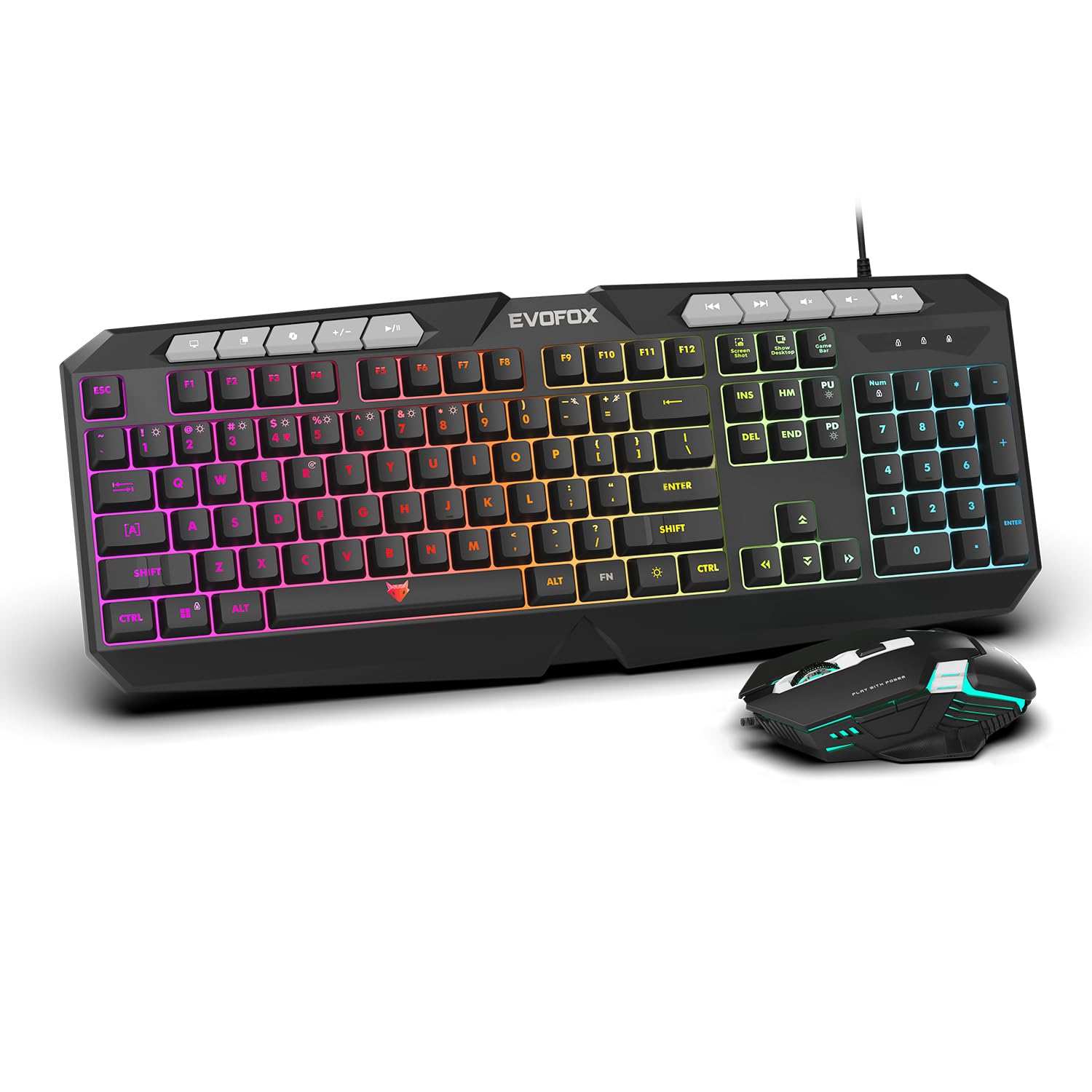
Billede: Et nærbillede view of the EvoFox Deathray V2 Keyboard and Mouse, illustrating their wired connection readiness.
4. Betjening af tastaturet
4.1. Grundlæggende funktioner
The EvoFox Deathray V2 Keyboard features a full-size layout with standard QWERTY keys, a numeric keypad, and function keys (F1-F12).
4.2. Multimedietaster
Dedicated multimedia keys are located above the function keys for quick access to media controls:
- Lydstyrke op/ned/lydløs: Styr lydniveauer.
- Afspil/pause, Forrige/Næste nummer: Administrer medieafspilning.
4.3. Specielle funktionstaster
The keyboard includes special shortcut keys for enhanced productivity and gaming:
- Skærmbillede: Captures a screenshot of your display.
- Vis skrivebord: Minimizes all open windows to show the desktop.
- Xbox Game Bar: Opens the Xbox Game Bar for gaming features.
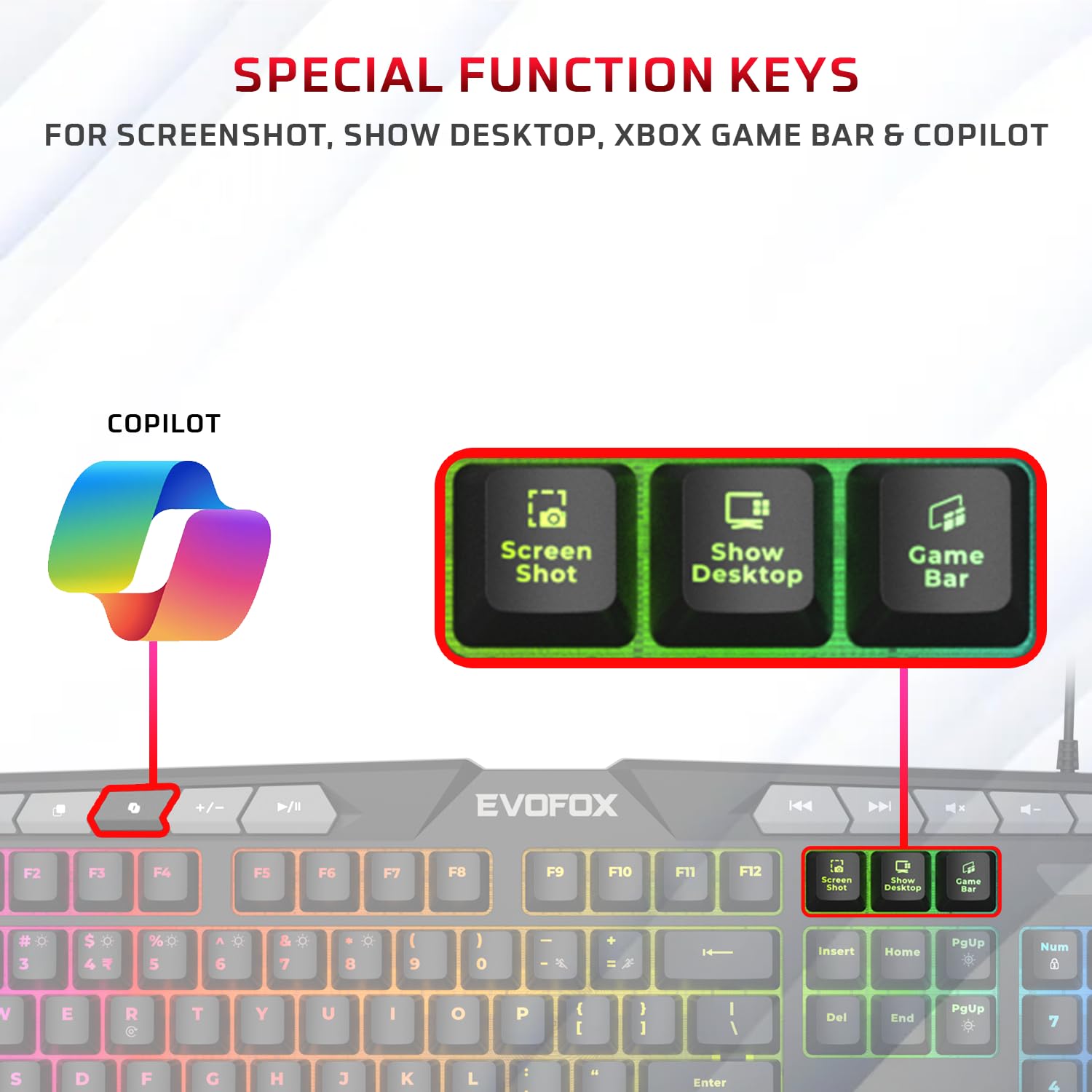
Billede: En detaljeret view of the EvoFox Deathray V2 Keyboard highlighting the dedicated Screenshot, Show Desktop, and Game Bar keys.
4.4. Anti-ghosting-nøgler
The keyboard features 19 anti-ghosting keys, ensuring that multiple simultaneous key presses are registered accurately, which is crucial for gaming.

Image: The EvoFox Deathray V2 Keyboard, visually indicating the 19 anti-ghosting key zones for precise input.
5. Betjening af musen
5.1. Knapper og funktioner
The EvoFox Deathray V2 Mouse features 6 buttons for versatile control:
- Venstre klik
- Højreklik
- Scrollhjul (klikbart)
- DPI-justeringsknap
- Frem-knap
- Baglæns knap
5.2. DPI-justering
The mouse offers adjustable DPI (Dots Per Inch) settings to change cursor sensitivity. Press the DPI button located behind the scroll wheel to cycle through the available DPI levels:
- 1200 DPI
- 1800 DPI
- 2400 DPI
- 3600 DPI
Each DPI level may be indicated by a specific LED light pattern or color change on the mouse.

Image: The EvoFox Deathray V2 Mouse, illustrating its ergonomic design and the DPI adjustment button.

Image: A close-up of the EvoFox Deathray V2 Mouse, highlighting its 6-button design, rugged braided cable, and magnetic ring for data transmission.
6. Lighting Customization
6.1. Keyboard RGB Backlighting
The EvoFox Deathray V2 Keyboard features 6-zone RGB backlighting with multiple lighting modes. Use the dedicated lighting control keys (often marked with a light bulb icon or specific function key combinations) to cycle through different effects and adjust brightness.
- 8 lystilstande: Cycle through various preset lighting effects.
- Brugerdefineret belysning: Some modes may allow for custom color assignments or patterns.

Image: The EvoFox Deathray V2 Keyboard displaying its vibrant 6-zone customizable RGB backlighting.
6.2. Mouse LED Lighting
The EvoFox Deathray V2 Mouse features 7-color LED lighting, often with a breathing effect, which changes automatically. There are typically no user-adjustable settings for the mouse lighting beyond its default cycling pattern.

Image: The EvoFox Deathray V2 Mouse illuminated with its 7-color rainbow LED lighting, featuring a breathing effect.
7. Vedligeholdelse
Proper maintenance ensures the longevity and optimal performance of your EvoFox Deathray V2 combo.
- Rensning: Brug en blød, tør klud til at tørre tastatur og mus af. Ved genstridigt snavs, tør letamp klud kan bruges, og sørg for, at der ikke kommer væske ind i enhederne. Undgå skrappe kemikalier eller slibende materialer.
- Fjernelse af støv: Brug trykluft til at fjerne støv og snavs mellem tastaturtasterne og omkring musesensoren.
- Kabelpleje: Undgå skarpe bøjninger eller overdreven trækkraft i de flettede kabler for at forhindre skader.
- Opbevaring: When not in use for extended periods, store the devices in a clean, dry environment away from direct sunlight and extreme temperatures.

Image: A close-up of the EvoFox Deathray V2 Keyboard, highlighting its durable design with a 1.8m braided cable and soft membrane keys.
8. Fejlfinding
| Problem | Mulig årsag | Løsning |
|---|---|---|
| Tastatur/mus reagerer ikke | Løs USB-forbindelse, defekt USB-port, driverproblem. |
|
| Nøgler registreres ikke eller ghoster | Software conflict, physical obstruction, hardware issue. |
|
| Musemarkøren er uregelmæssig eller bevæger sig ikke | Snavset sensor, uegnet overflade, defekt sensor. |
|
| RGB-belysning virker ikke | Lighting mode off, brightness too low, software issue. |
|
9. Specifikationer
| Feature | Detalje |
|---|---|
| Produkt model | V2 - 2 in 1 |
| Forbindelse | Kablet USB |
| Tastaturtype | Membrane, Full-Size |
| Tastatur baggrundsbelysning | 6-Zone RGB with 8 modes |
| Anti-Ghosting | 19 nøgler |
| Museknapper | 6 Buttons (Left, Right, Scroll Click, DPI, Forward, Backward) |
| Mus DPI-indstillinger | 1200 / 1800 / 2400 / 3600 DPI |
| Musebelysning | 7-Color LED Lighting (Breathing Effect) |
| Kabeltype | Braided Cable (1.8m for keyboard) |
| Musekontakter | Huano switches, rated for 10 million clicks |
| Produktmål (tastatur) | 50 x 18 x 4 cm |
| Varens vægt | 800 g |
| Oprindelsesland | Kina |
10. Garanti og support
EvoFox products are designed for durability and performance. For warranty information, technical support, or service inquiries, please refer to the official EvoFox webwebstedet eller kontakt deres kundesupport direkte.
Fabrikant: Allied Electronics & Magnetics Private Limited
Adresse: C-64/4, Okhla Phase - 2, New Delhi - 110020, India
Gem venligst dit købsbevis for garantikrav.
11. Sikkerhedsoplysninger
- Do not expose the devices to liquid or excessive moisture.
- Undgå ekstreme temperaturer.
- Forsøg ikke selv at skille enhederne ad eller reparere dem. Dette vil ugyldiggøre garantien.
- Opbevares utilgængeligt for børn.