
1. Introduktion
This manual provides detailed instructions for the ANNKE H500 3K PoE Security Camera System. This system includes an 8-channel Network Video Recorder (NVR) with a 3TB Hard Disk Drive (HDD) and four 6MP Power over Ethernet (PoE) cameras. It is designed for reliable surveillance with features like 3K resolution, color night vision, and human/vehicle detection. Please read this manual thoroughly before installation and operation to ensure proper use and optimal performance.
2. Pakkens indhold
Bekræft, at alle nedenstående varer er inkluderet i din pakke. Hvis der mangler eller er beskadigede varer, bedes du kontakte ANNKEs kundesupport.
- 1 x 8-Channel 6MP NVR with 3TB HDD
- 4 x 8MP PoE-kameraer
- 2 x 30m Ethernet Cables
- 2 x 18m Ethernet Cables
- 1 x USB-mus
- 1 x strømadapter til NVR
- 1 x 1.8m HDMI-kabel
- 1 x User Manual for NVR
- 1 x vægklistermærke
- 4 x skruer til kameramontering
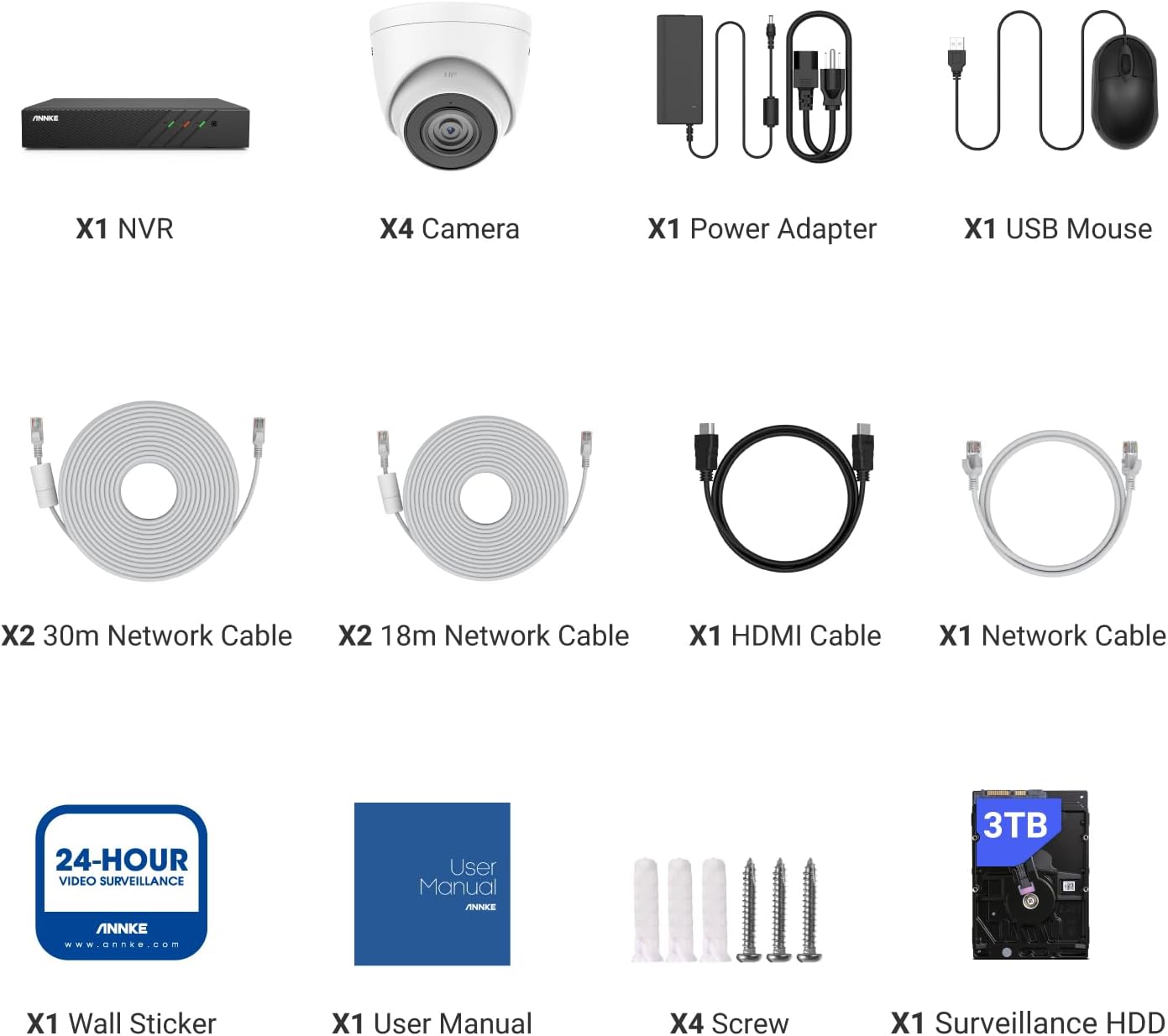
Figure 2.1: System Package Contents
3. Opsætning
3.1 Connecting the NVR and Cameras
The ANNKE H500 system utilizes Power over Ethernet (PoE) technology for simplified installation. Each camera connects to the NVR using a single Ethernet cable, which transmits both power and video data.
- Placering af NVR'en: Place the NVR in a secure, dry, and well-ventilated location, preferably near your internet router and a power outlet.
- Tilslutning af kameraer: Connect each PoE camera to an available PoE port on the back of the NVR using the provided Ethernet cables. The NVR will automatically power the cameras and establish a video connection.
- Connecting to a Monitor: Connect the NVR to a monitor or TV using the provided HDMI cable for local viewning og konfiguration.
- Tilslutning til netværk: Connect the NVR's LAN port to your router using an Ethernet cable to enable remote access and network features.
- Connecting USB Mouse: Plug the USB mouse into one of the NVR's USB ports for navigation and control.
- Tænder: Connect the NVR power adapter to the NVR and then to a power outlet. The system will boot up automatically.

Figure 3.1: PoE System Connection Diagram
3.2 Indledende konfiguration
Upon first boot, the NVR will guide you through an initial setup wizard. This typically includes setting a password, configuring network settings, and formatting the hard drive. Follow the on-screen prompts.
4. Betjeningsvejledning
4.1 Live View og optagelse
Når systemet er konfigureret, kan du view live camera feeds on your connected monitor. The NVR is pre-installed with a 3TB HDD for continuous recording. You can configure recording schedules and motion detection settings via the NVR's interface.

Figure 4.1: 3K Resolution Detail
4.2 Human & Vehicle Detection 2.0
The system features advanced Human & Vehicle Detection 2.0, which intelligently distinguishes between human and vehicle movements and other objects. This reduces false alarms and ensures you receive relevant notifications.

Figure 4.2: Human & Vehicle Detection in Action
4.3 Day & Night Vision
The cameras provide clear video footage both day and night. With 120 dB WDR (Wide Dynamic Range) and 3D DNR (Digital Noise Reduction) optimization, the system delivers balanced images in varying light conditions. The cameras also feature color night vision for enhanced detail in low-light environments.

Figure 4.3: Day and Starlight Color Night Vision Comparison
4.4 Fjernadgang via ANNKE Vision-appen
Monitor your property from anywhere using the free ANNKE Vision app, available for Android and iOS devices. The app allows you to view live feeds, play back recorded footage, receive motion alerts, and manage system settings remotely.
- Download appen: Søg efter "ANNKE Vision" in the App Store (iOS) or Google Play Store (Android) and install it.
- Registrer en konto: Create a new account or log in with an existing one.
- Tilføj enhed: Follow the in-app instructions to add your NVR by scanning the QR code or manually entering the device ID.
- View and Control: Når du er tilføjet, kan du få adgang til live views, playback, and receive push notifications on your smartphone.
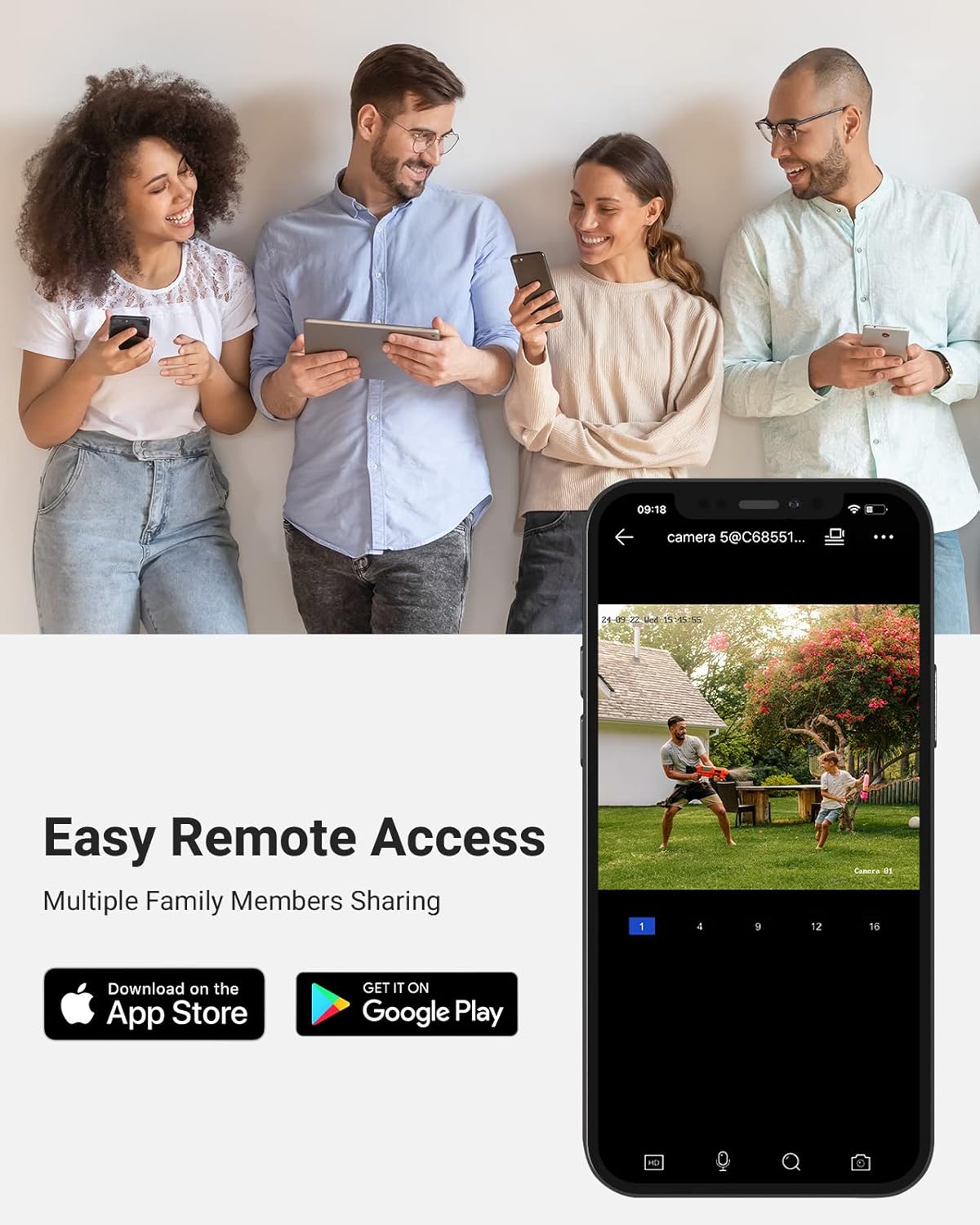
Figure 4.4: Remote Access with ANNKE Vision App
4.5 Indbygget mikrofon
Each camera is equipped with a built-in microphone, allowing for simultaneous video and audio recording. This provides additional context and evidence for surveillance footage.
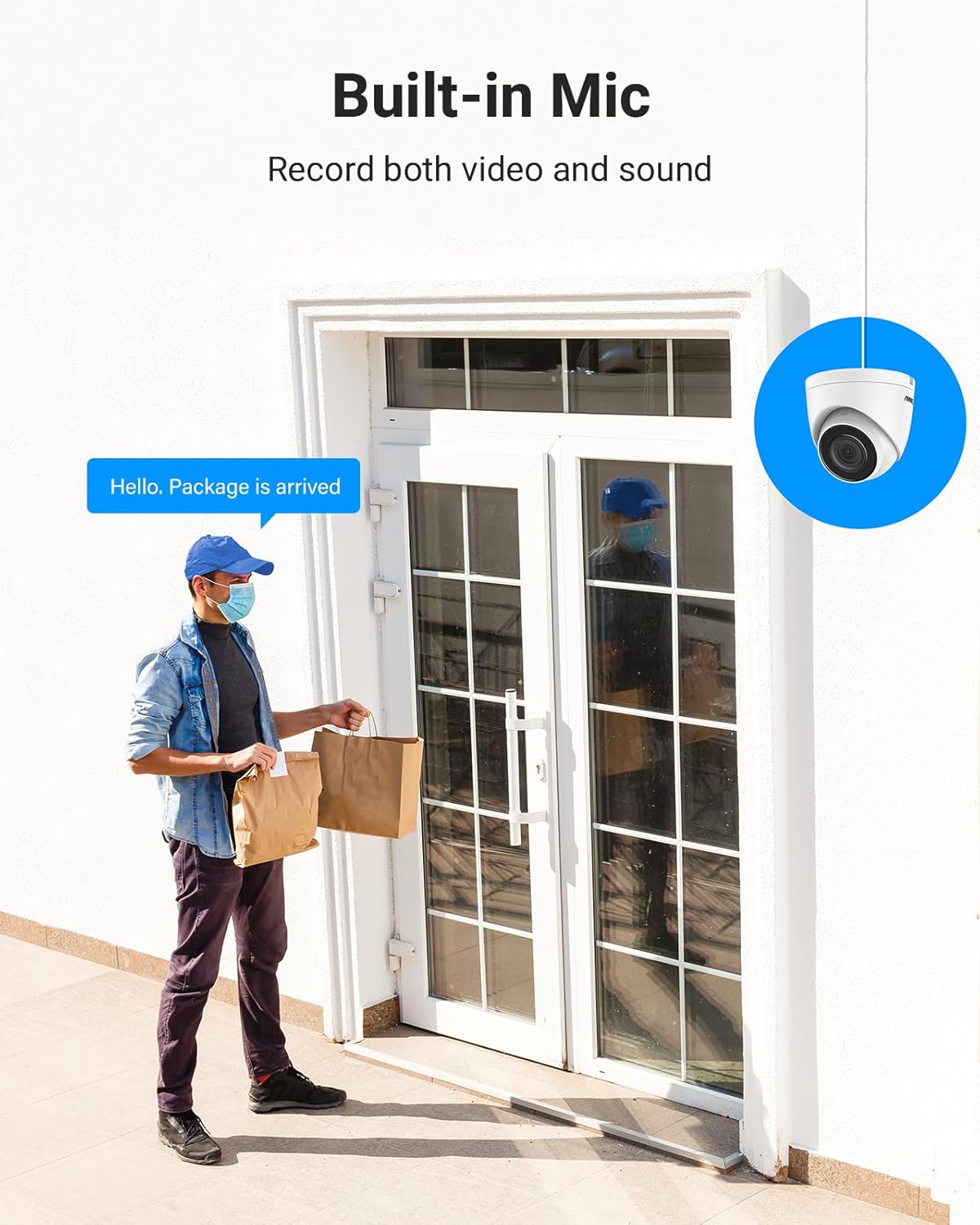
Figure 4.5: Built-in Microphone for Audio Recording
5. Vedligeholdelse
5.1 Vejrbestandighed
The cameras are IP67-rated, ensuring they are weatherproof and can withstand various outdoor conditions, including extreme temperatures from -30°C (-22°F) to 60°C (140°F).

Figure 5.1: All-Weatherproof IP67 Design
5.2 Rengøring og pleje
- Tør regelmæssigt kameralinserne af med en blød kludamp klud til at fjerne støv og snavs. Undgå slibende rengøringsmidler.
- Ensure the NVR is kept in a clean, dry environment and free from obstructions to ventilation.
- Periodically check cable connections for security and integrity.
5.3 firmwareopdateringer
Tjek den officielle ANNKE-konto website periodically for firmware updates to ensure your system has the latest features and security enhancements. Follow the instructions provided with the firmware update carefully.
6. Fejlfinding
If you encounter issues with your ANNKE H500 system, refer to the following common troubleshooting steps:
- Ingen videoudgang: Ensure the NVR is powered on, the monitor is connected correctly via HDMI, and the monitor input source is selected correctly. Check that cameras are properly connected to the NVR's PoE ports.
- Ingen fjernadgang: Verify the NVR is connected to your router and has internet access. Check network settings on the NVR and ensure the ANNKE Vision app is correctly configured and the device is added.
- Optagelsesproblemer: Confirm the 3TB HDD is properly installed and formatted. Check recording schedules and motion detection settings on the NVR.
- Dårlig billedkvalitet: Clean camera lenses. Ensure cameras are securely mounted and not obstructed. Check network cable integrity.
- Systemet svarer ikke: Try restarting the NVR by disconnecting and reconnecting the power adapter.
For yderligere assistance, kontakt venligst ANNKE kundesupport.
7. Specifikationer
| Feature | Specifikation |
|---|---|
| Mærke | ANNKE |
| Modelnummer | N98PBL-51DS |
| Forbindelsesteknologi | Kablet (PoE) |
| Videooptagelsesopløsning | 3K (3072*1728) |
| Antal kanaler | 8 |
| Memory Storage Capacity (NVR) | 3 TB HDD (Up to 6TB capacity supported) |
| Kameraopløsning | 6MP (Cameras are 8MP in product description, but 6MP NVR is mentioned. Clarifying based on NVR spec) |
| Linse | 2.8mm (Wide Angle) / 4mm (from description) |
| Videokomprimering | H.265+/H.265/H.264+/H.264 |
| Nattesynsafstand | Op til 100 fod / 30 m |
| Vejrbestandig vurdering | IP67 |
| Driftstemperatur (kamera) | -30 °C ~ 60 °C (-22 °F ~ 140 °F) |
| Særlige funktioner | Easy to Install, Human & Vehicle Detection, Waterproof, Color Night Vision, Built-in Mic, 120 dB WDR, 3D DNR |
8. Garanti og support
ANNKE products typically come with a manufacturer's warranty. Please refer to the warranty card included in your package or visit the official ANNKE webhjemmeside for detaljerede garantivilkår.
For teknisk support, produktforespørgsler eller garantikrav, kontakt venligst ANNKE kundeservice via deres officielle webwebstedet eller kontaktoplysningerne i din produktdokumentation.
Du kan også besøge ANNKE Butik på Amazon for yderligere produktinformation og supportressourcer.