
1. Introduktion
Thank you for choosing the ZEBRONICS EnergiPod 10R1 Power Bank. This device is designed to provide portable power for your electronic devices. Please read this manual carefully before use to ensure proper operation and to maximize the lifespan of your power bank.
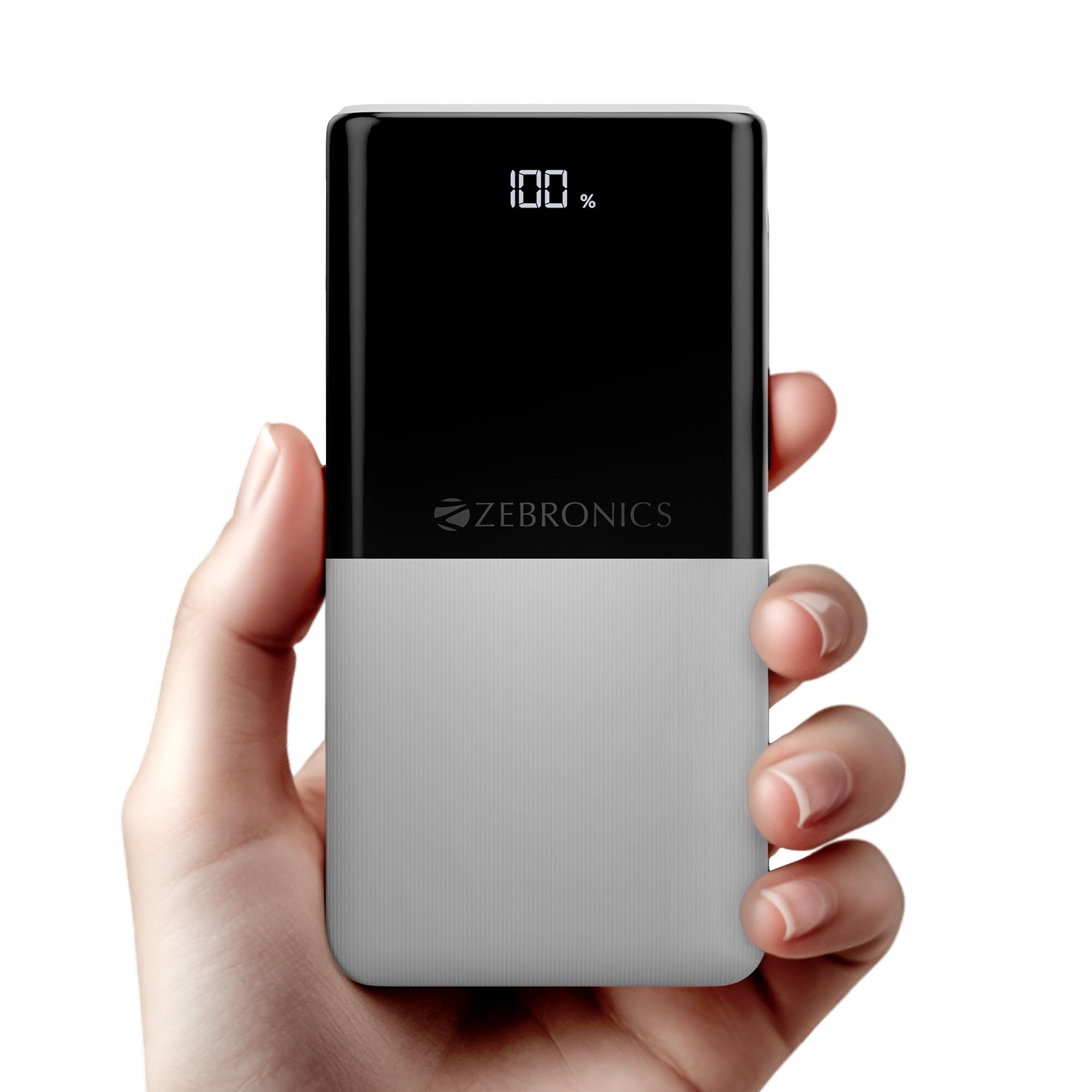
Image: The ZEBRONICS EnergiPod 10R1 Power Bank in white, highlighting its compact and modern design.
Hvad er der i æsken:
- EnergiPod 10R1 Power Bank - 1 unit
- Charging Cable - 1 unit
- QR-kodeguide - 1 enhed
2. Sikkerhedsoplysninger
To prevent damage to the power bank or injury to yourself and others, please observe the following safety precautions:
- Udsæt ikke powerbanken for ekstreme temperaturer (over 45 °C eller under 0 °C).
- Undgå at tabe, skille ad eller forsøge at reparere enheden selv.
- Hold powerbanken væk fra vand, fugt og brandfarlige materialer.
- Brug kun certificerede opladningskabler og adaptere.
- Brug ikke powerbanken, hvis den er beskadiget eller hævet.
- Opbevares utilgængeligt for børn.
3. Produktfunktioner
-
10000mAh kapacitet: Giver ample power for multiple charges of smartphones and other devices.

Image: The power bank showing its 10000mAh capacity and 22.5W fast charging output.
- 22.5W Super Fast Charging (PD 3.0 PPS): Understøtter hurtigopladning af kompatible enheder.
-
Dual Type-C & USB Port: Equipped with multiple output options for versatile charging.

Billede: Detaljeret view of the power bank's ports, including Type-C PD 3.0 (Input/Output), USB Output, and Type-C Input.
-
LED Procenttage Indikator: Digital display shows the remaining battery percentage og ladestatus.

Image: The power bank's LED display showing 100% charge, along with its physical dimensions.
-
Sikkerhedsbeskyttelse: Built-in safeguards against overcharge, overload, and short-circuit.

Image: The power bank depicted with a protective shield, illustrating its short circuit, overcharge, and overload protection features.
- Metal Outlook: Sleek and compact design with a patterned finish for enhanced grip.
4. Opsætning
Første opladning af powerbanken:
- Connect the provided USB Type-C charging cable to the Type-C1 input port on the power bank.
- Tilslut den anden ende af kablet til en kompatibel USB-vægadapter (medfølger ikke) eller en computers USB-port.
- LED-displayet viser opladningsprocententage. Allow the power bank to charge until it reaches 100% for optimal initial use.
Det anbefales at oplade powerbanken helt inden den tages i brug første gang.
5. Betjeningsvejledning
Opladning af eksterne enheder:
- Connect your device's charging cable to one of the power bank's output ports (Type-C1 or USB-A).
- Tilslut den anden ende af kablet til din smartphone, tablet eller anden kompatibel enhed.
- Powerbanken begynder automatisk at oplade din enhed. LED-displayet viser powerbankens resterende opladning.
- Frakobl din enhed, når den er fuldt opladet, eller når du ønsker at stoppe opladningen.
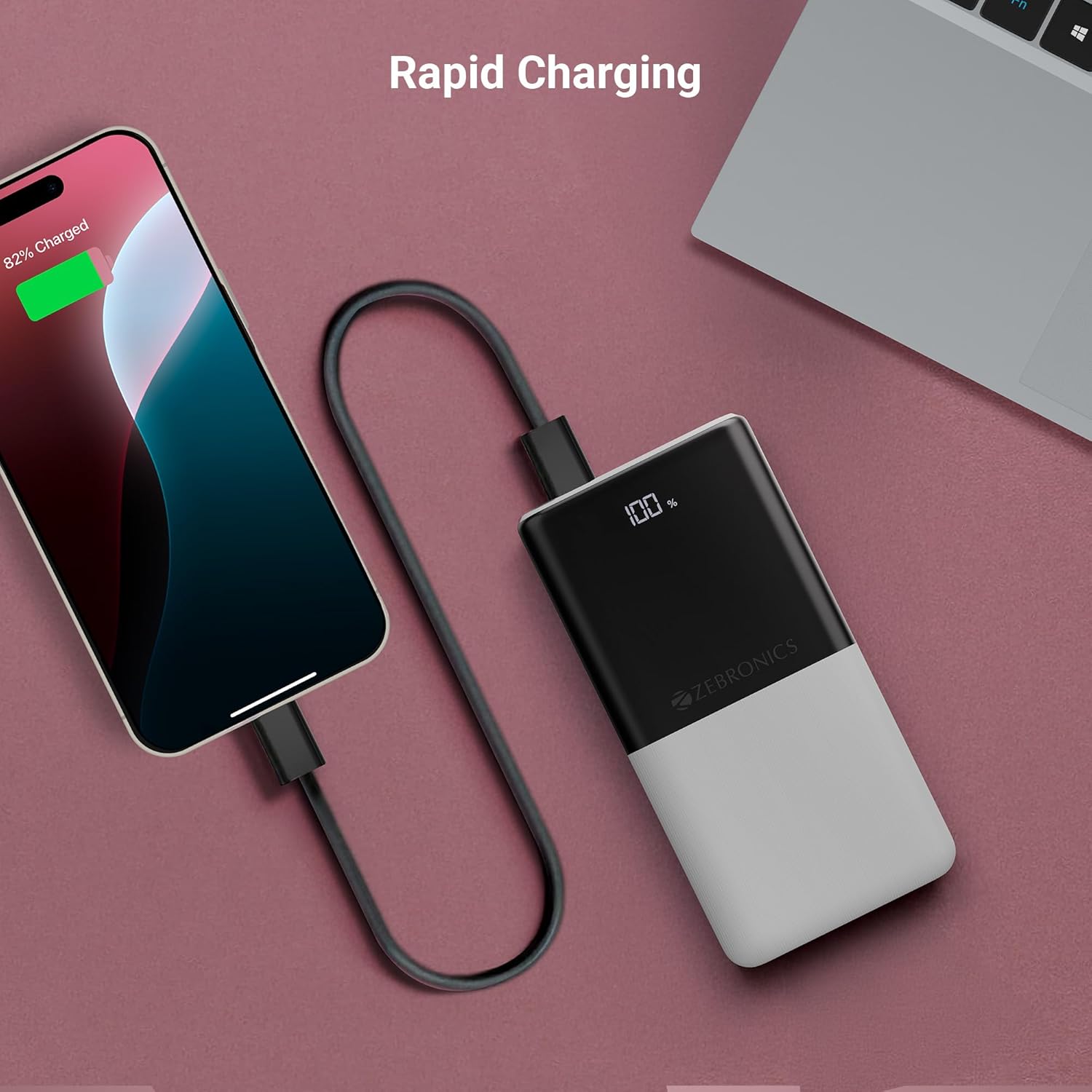
Image: The power bank actively charging a smartphone, demonstrating its rapid charging capability.
Genopladning af Power Bank:
Refer to the "Initial Charging of the Power Bank" section (Section 4) for instructions on how to recharge your power bank.
6. Vedligeholdelse
- Rensning: Brug en blød, tør klud til at rengøre powerbankens overflade. Brug ikke flydende rengøringsmidler eller slibende materialer.
- Opbevaring: Opbevar powerbanken et køligt, tørt sted væk fra direkte sollys og ekstreme temperaturer.
- Batteripleje: For optimal batterilevetid skal powerbanken oplades og aflades helt mindst én gang hver tredje måned, hvis den ikke er i regelmæssig brug.
7. Fejlfinding
Almindelige problemer og løsninger:
-
Power Bank oplader ikke:
- Sørg for, at opladningskablet er korrekt tilsluttet til både powerbanken og strømkilden.
- Prøv et andet opladningskabel eller en anden vægadapter.
- Kontroller, at strømkilden er aktiv.
-
Enhed oplades ikke fra powerbank:
- Kontroller, om powerbanken har tilstrækkelig opladning (se LED-displayet).
- Ensure your device's charging cable is properly connected to both the power bank and your device.
- Prøv et andet opladningskabel eller en anden udgangsport på powerbanken.
- Bekræft, at din enhed er kompatibel med powerbankens outputspecifikationer.

Image: The power bank demonstrating its compatibility by charging both a tablet and a smartphone simultaneously.
-
LED Display Not Working or Inconsistent:
- Sørg for, at powerbanken er tilstrækkeligt opladet.
- If the issue persists after charging, contact customer support.
8. Specifikationer
| Mærke | ZEBRONIK |
| Modelnavn | EnergiPod 10R1 |
| Varemodelnummer | ZEB-PB 12 |
| Batterikapacitet | 10000 mAh |
| Udgangseffekt | 22.5W (maks.) |
| Type-C1 Port Output | DC 5V/3A, 9V/2.22A, 12V/1.67A, 3.3~11V/2A (PPS) |
| USB-A-output | DC 5V/3A, 9V/2A, 12V/1.85A |
| Type-C1 Input Port | DC 5V/3A, 9V/2A, 12V/1.5A |
| Type-C2 Input Port | DC 5V/2.4A |
| Connector Type | USB Type C |
| Anbefalede anvendelser | Phone, Tablet |
| Varens vægt | 230 g |
| Pakkedimensioner | 16.8 x 9.9 x 2.4 cm |
| Oprindelsesland | Indien |
9. Garanti og support
Garantioplysninger:
The ZEBRONICS EnergiPod 10R1 Power Bank comes with a standard manufacturer's warranty. Please refer to the QR Code Guide included in the box or visit the official ZEBRONICS webhjemmeside for detaljerede garantivilkår.
Kundesupport:
If you encounter any issues or have questions regarding your power bank, please contact ZEBRONICS customer support. Contact details can typically be found on the official ZEBRONICS webwebsted eller i produktemballagen.
For online support kan du besøge ZEBRONICS-butik på Amazon.