
1. Introduktion
This manual provides essential information for setting up, operating, maintaining, and troubleshooting your new CyberPowerPC Gamer Xtreme GXiVR8060A47 Gaming PC. This system is designed for high-performance gaming and demanding multimedia tasks, featuring an Intel Core i5-14400F processor and NVIDIA GeForce RTX 5060 graphics.
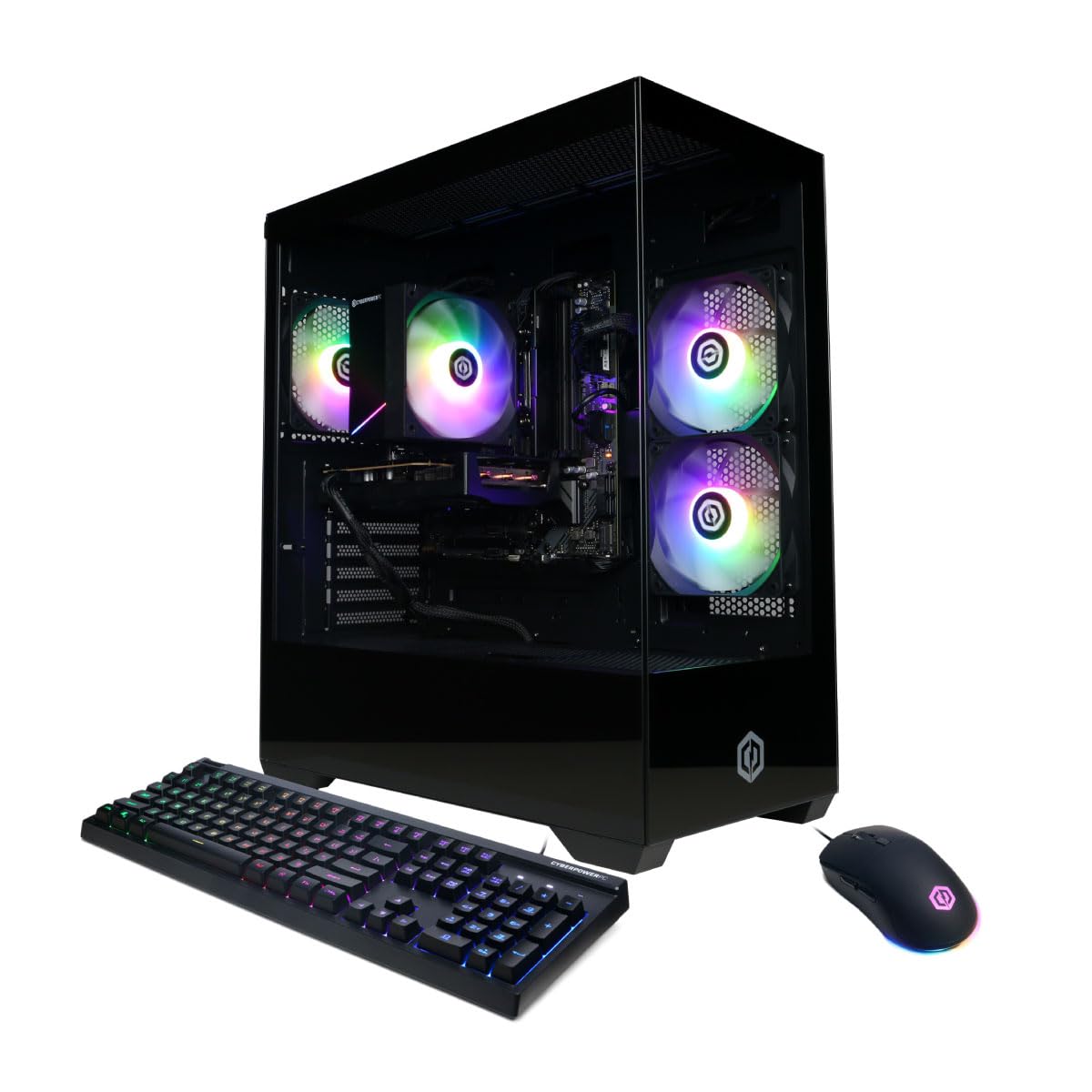
Billede: Forside view of the CyberPowerPC Gamer Xtreme GXiVR8060A47 Gaming PC with RGB lighting.
2. Pakkens indhold
Bekræft at alle varer er til stede i pakken:
- CyberPowerPC Gamer Xtreme GXiVR8060A47 Gaming PC
- Strømledning
- Gaming tastatur
- Gaming mus
- Dokumentation (inklusive denne manual)

Image: The CyberPowerPC gaming desktop tower, keyboard, and mouse.
3. Opsætningsvejledning
3.1 Udpakning og placering
- Carefully remove the PC and all accessories from the packaging. Retain packaging for future transport or warranty claims.
- Place the PC on a stable, flat surface with adequate ventilation. Ensure there is clear space around the air intake and exhaust vents.
- Remove any internal packing foam or protective films from the PC components.
3.2 Tilslutning af eksterne enheder
Connect your monitor, keyboard, mouse, and other peripherals to the appropriate ports on the back of the PC.
- Overvåge: Connect your monitor to the graphics card (NVIDIA GeForce RTX 5060) ports (HDMI or DisplayPort). Do not connect to the motherboard's video outputs if a dedicated graphics card is installed.
- Tastatur og mus: Connect to any available USB ports.
- Magt: Connect the power cord to the PC's power supply unit (PSU) and then to a grounded electrical outlet.
- Netværk: For wired internet, connect an Ethernet cable to the LAN port. For wireless internet, the system is WiFi 6 ready.

Billede: Bagside view of the PC showing various connectivity ports for peripherals.
3.3 Første opstart
- Tryk på tænd/sluk-knappen, der er placeret på forsiden eller toppen af pc'en.
- The system will boot into Windows 11 Home. Follow the on-screen instructions to complete the initial Windows setup, including language, region, and user account creation.
- It is recommended to check that the graphics card is securely seated in its slot after shipping. Gently press down on the graphics card near the PCIe slot to ensure it is fully engaged.
4. Betjeningsvejledning
4.1 Tænd/sluk
- Tænd: Tryk én gang på tænd/sluk-knappen.
- Luk ned: Click the Start button in Windows, then select Power > Shut down. Avoid directly holding the power button to turn off the PC, as this can lead to data loss or system corruption.
- Genstart: Klik på Start-knappen i Windows, og vælg derefter Tænd/sluk > Genstart.
4.2 Windows 11 Home
Your PC comes pre-installed with Windows 11 Home. Familiarize yourself with its interface and features. Regular updates are crucial for security and performance.
4.3 Spil og ydeevne
The CyberPowerPC Gamer Xtreme GXiVR8060A47 is optimized for gaming. For optimal performance:
- Ensure graphics drivers are up to date. Visit the NVIDIA webwebsted for de nyeste drivere.
- Close unnecessary background applications when gaming.
- Juster grafikindstillingerne i spillet for at afbalancere visuel kvalitet og billedhastighed efter dine præferencer.
4.4 RGB-lysstyring
Your PC features custom RGB lighting. Control options may include:
- Sagsknap: A dedicated button on the PC case allows cycling through various lighting modes and colors.
- Software kontrol: For advanced customization, connect the RGB fan cables to the motherboard's RGB headers and use compatible motherboard software (if available) to synchronize and control lighting effects. Refer to your motherboard manual for specific instructions.

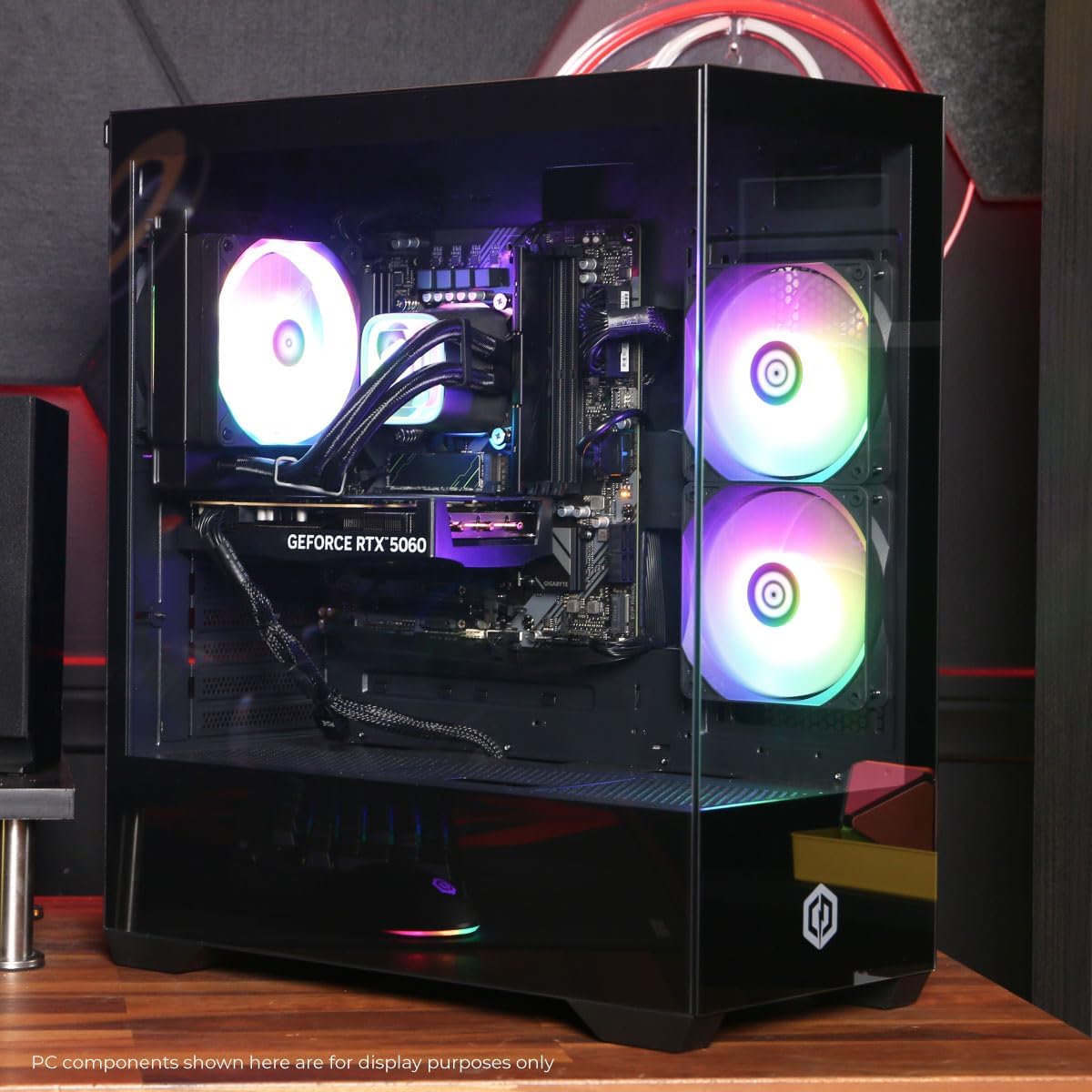
Billede: Intern view af PC-showetasing the RGB fans and components.
5. Vedligeholdelse
5.1 Cleaning Your PC
- Ydre: Brug en blød, damp cloth to wipe down the exterior of the case. Avoid harsh chemicals.
- Indre: Periodically clean dust from inside the PC using compressed air. Focus on fans (CPU cooler, case fans, GPU fans) and heatsinks. Ensure the PC is powered off and unplugged before opening the case.
- Støvfiltre: Hvis dit kabinet har aftagelige støvfiltre, skal du rengøre dem regelmæssigt for at opretholde optimal luftgennemstrømning.
5.2 Softwareopdateringer
Regularly update your operating system, drivers (especially graphics drivers), and antivirus software to ensure system stability, security, and performance.
5.3 Luftstrøm og køling
Proper airflow is critical for component longevity. Ensure the PC is placed in an open area, not confined in a cabinet, to allow for unrestricted air circulation.
Billede: Top view of the PC, highlighting the mesh panel for ventilation.
6. Fejlfinding
Hvis du støder på problemer, kan du se følgende almindelige fejlfindingstrin:
- Ingen visning: Ensure your monitor is connected to the graphics card's output, not the motherboard's. Check all cable connections (power, video). Try a different video cable or monitor if possible.
- PC'en tænder ikke: Verify the power cord is securely connected to both the PC and the wall outlet. Check the power switch on the PSU (if present) is in the 'On' position. Try a different power outlet.
- For meget ventilatorstøj: This can indicate dust buildup or a fan issue. Clean the interior of the PC as described in the Maintenance section. If the noise persists, contact support.
- System Instability/Blue Screen Errors (BSOD): Ensure all drivers are updated. Check for Windows updates. Run a memory diagnostic tool (Windows Memory Diagnostic) to check RAM integrity. Ensure components are properly seated.
- Periferiudstyr virker ikke: Try connecting the keyboard or mouse to different USB ports. Ensure drivers are installed for specialized peripherals.
Ved vedvarende problemer henvises til afsnittet Garanti og support for kontaktoplysninger.
7. Specifikationer
| Komponent | Detalje |
|---|---|
| Modelnavn | Gamer Xtreme GXiVR8060A47 |
| Processor | Intel Core i5-14400F 2.5GHz (10 Cores) |
| Chipsæt | Intel B760 |
| Grafikkort | NVIDIA GeForce RTX 5060 8GB GDDR7 |
| VÆDDER | 16GB DDR5 (4800 MT/s) |
| Opbevaring | 1 TB PCIe 4.0 NVMe SSD |
| Operativsystem | Windows 11 Home |
| Forbindelse | WiFi 6, Bluetooth 5.3, 1x LAN |
| USB-porte | 2 x USB-A 3.2, 6 x USB-A 2.0 (Total 8) |
| Video output | 1x HDMI, 2x DisplayPort |
| Lyd | 7.1-kanals lyd |
| Dimensioner (L x B x H) | Ca. 19.09 x 8.27 x 18.90 tommer (54.5 x 52.5 x 29.5 cm) |
| Vægt | Ca. 13.96 kg |

Billede: Detaljeret intern view of the PC showing the CPU cooler, RAM, and graphics card.
8. Garanti og support
8.1 Garantioplysninger
Your CyberPowerPC Gamer Xtreme GXiVR8060A47 Gaming PC comes with a 1 års begrænset garanti dækker dele og arbejdsløn. Gem venligst din købsbevis til garantikrav.
8.2 Teknisk support
CyberPowerPC offers Gratis livstids teknisk support for your product. For assistance with setup, troubleshooting, or any other technical inquiries, please contact CyberPowerPC customer service.
Contact information can typically be found on the CyberPowerPC official website or in the documentation included with your PC.