1. Introduktion
This manual provides essential information for the proper installation, operation, and maintenance of the Generic Canbus Box FT-RZ-01. This device is designed to facilitate communication between an aftermarket Android car radio and the vehicle's CAN-bus system, enabling features such as steering wheel controls, vehicle information display, and other integrated functions in compatible Toyota models. Please read these instructions thoroughly before installation and use.
2. Vehicle Compatibility (FT-RZ-01 Cable Set)
The FT-RZ-01 Canbus Box and cable set are compatible with the following Toyota vehicle models and years. Please verify your vehicle's make, model, and year against this list to ensure proper functionality.
- 2012-2015 Toyota CAMRY
- 2015-2017 Toyota CAMRY
- 2013-2018 Toyota RAV4
- 2010-2020 Toyota REIZ/ MARK X
- 2014-2016 Toyota COROLLA
- 2018 Toyota IZOA/ CHR
- 2011-2015 Toyota SIENNA
- Toyota Corolla i 2017
- 2015-2019 Toyota HIGHLANDER/ KLUGER
- 2014 Toyota LEVIN
- 2016+ Toyota LAND CRUISER
- 2015 Rutschebane
- 2016-2018 Toyota SIENNA
- 2014 Toyota COROLLA
- Toyota IZOA
- 2013-2018 Toyota RAV4
- 2015 American Camry
Note: For FT-RZ-02 compatibility, please refer to the specific product documentation for that model.
3. Produktkomponenter
The package typically includes the Canbus Box module and a dedicated wiring harness designed for specific Toyota models. Familiarize yourself with these components before proceeding with installation.
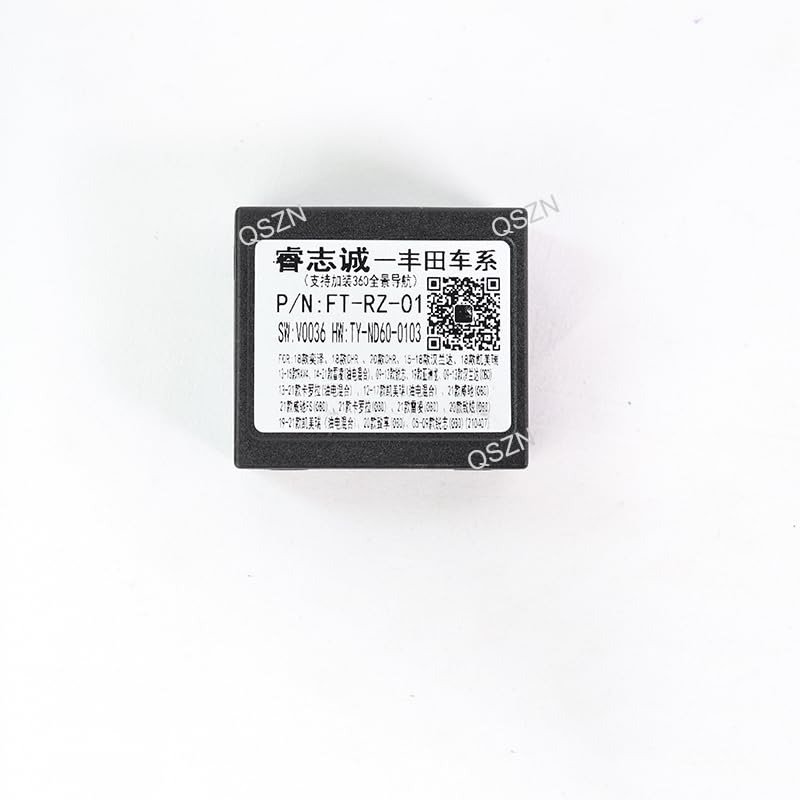
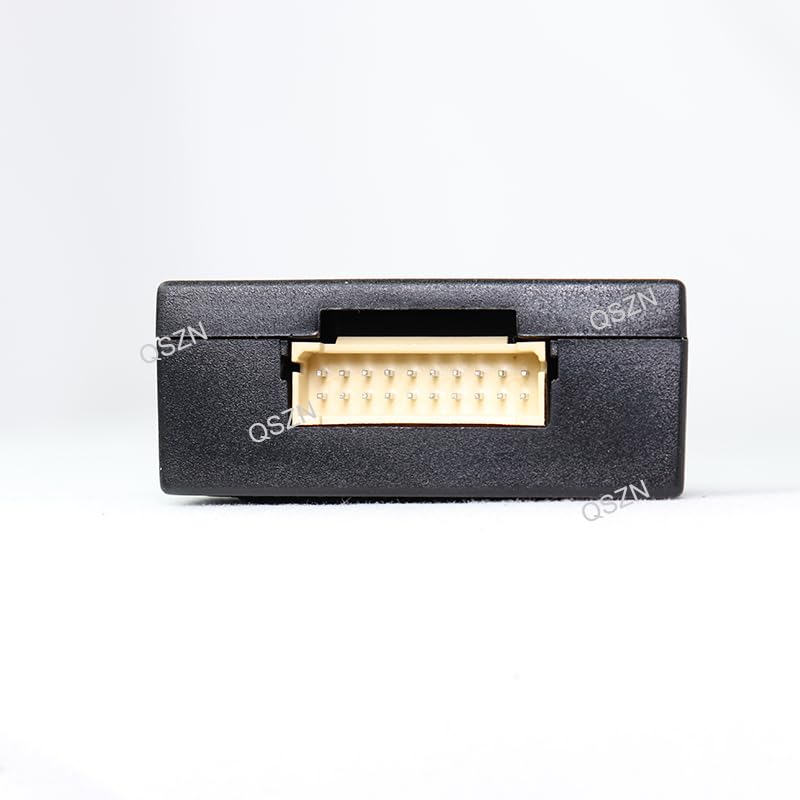
Billede 3.1: The FT-RZ-01 Canbus Box module. This compact black box processes CAN-bus signals. It features a label with product information and a QR code. For more information, scan the QR code or visit http://weixin.qq.com/r/t0xpcb7EQuM9rfoS9xml.
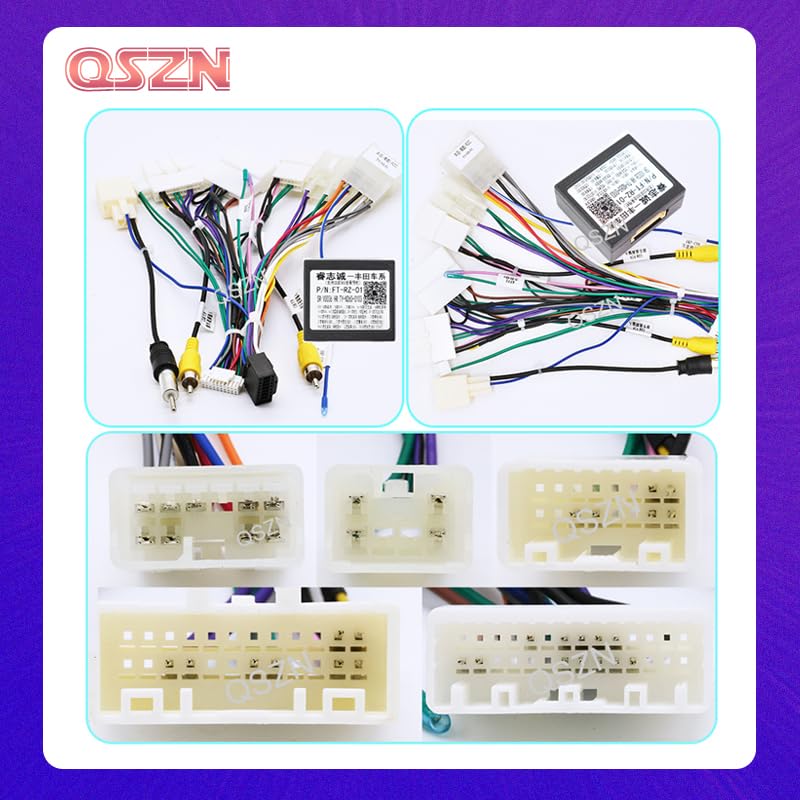
Billede 3.2: Overview of the FT-RZ-01 Canbus Box connected to its wiring harness. The harness consists of multiple color-coded wires and connectors designed to interface with the vehicle's existing wiring and the aftermarket Android car radio.
Billede 3.3: Nærbillede view of the various connectors included in the wiring harness. These connectors are specific to Toyota vehicle models and ensure a plug-and-play installation with compatible car radios.
4. Installationsvejledning
Installation of the Canbus Box and wiring harness requires basic knowledge of car audio wiring and vehicle electronics. Professional installation is highly recommended to avoid damage to your vehicle or the product.
- Forberedelse: Disconnect the vehicle's battery to prevent electrical shorts during installation. Remove the existing car radio or access the radio cavity as per your vehicle's service manual.
- Tilslut Canbus-boks: Connect the FT-RZ-01 Canbus Box module to its dedicated connector on the main wiring harness. Ensure the connection is secure.
- Tilslut til køretøj: Identify the vehicle's factory radio harness. Connect the corresponding end of the FT-RZ-01 wiring harness to the vehicle's factory harness. These connections are typically plug-and-play.
- Connect to Android Radio: Connect the other end of the FT-RZ-01 wiring harness to the aftermarket Android car radio. This typically involves connecting the main power/speaker harness, RCA cables (if applicable), and the Canbus data wires. Refer to your Android radio's manual for specific input locations.
- Sikker ledningsføring: Route all cables neatly and securely to prevent interference or damage. Ensure no wires are pinched or exposed.
- Test funktionalitet: Reconnect the vehicle's battery. Turn on the vehicle and the Android car radio. Test all functions, including steering wheel controls, reverse camera input (if applicable), and any vehicle information displayed on the radio.
- Afsluttende samling: Once all functions are verified, carefully reassemble the dashboard and secure the Android car radio in place.
5. Betjening
The FT-RZ-01 Canbus Box operates automatically once correctly installed. Its primary function is to translate the vehicle's CAN-bus signals into a format that your aftermarket Android car radio can understand. This enables the following typical functionalities:
- Ratbetjening: Allows the use of factory steering wheel buttons to control the Android radio's volume, track skipping, mode selection, and other functions.
- Vehicle Information Display: Depending on the vehicle and Android radio, it may display vehicle information such as door status, climate control settings, or parking sensor data on the radio screen.
- Ignition/Accessory Power: Provides correct ignition (ACC) and constant power signals to the Android radio.
- Bakgearsignal: Supplies a reverse signal to the radio, essential for automatic camera switching.
- Belysningssignal: Provides an illumination signal for automatic dimming of the radio's display with headlights.
No user interaction with the Canbus Box itself is required after installation. All controls are managed through the Android car radio interface and the vehicle's existing controls.
6. Vedligeholdelse
The FT-RZ-01 Canbus Box is a sealed electronic component and requires minimal maintenance. Follow these guidelines to ensure its longevity:
- Hold tør: Ensure the module and its connections are kept dry and away from moisture.
- Sikre forbindelser: Periodically check that all wiring harness connections remain secure and free from corrosion.
- Undgå fysisk skade: Protect the module from physical impact or excessive vibration.
- Rensning: Tør om nødvendigt forsigtigt modulets yderside af med en tør, blød klud. Brug ikke flydende rengøringsmidler eller opløsningsmidler.
7. Fejlfinding
If you experience issues after installing the FT-RZ-01 Canbus Box, consider the following troubleshooting steps:
- Ingen strøm til radioen: Check all power connections from the vehicle to the wiring harness and from the harness to the Android radio. Ensure the vehicle's battery is fully charged.
- Ratbetjening virker ikke: Verify that the Canbus Box is correctly connected and that the Android radio's settings are configured to recognize external steering wheel controls (often found in the radio's system settings or factory settings menu). Some radios may require a learning process for steering wheel buttons.
- Incorrect Vehicle Information Display: Ensure the Canbus Box is the correct model for your specific vehicle and that the Android radio's Canbus settings are properly configured for your vehicle type.
- Intermitterende funktionalitet: Check all connections for looseness or corrosion. Ensure wires are not pinched or damaged.
- Rådfør dig med en professionel: If issues persist after basic troubleshooting, it is recommended to consult a qualified car audio installer or an automotive electrician.
8. Tekniske specifikationer
| Varetype | Kabler, adaptere og stikkontakter |
| Model | FT-RZ-01 |
| Voltage | 12V |
| Varens vægt | 0.1 kg |
| Oprindelse | Fastlandet Kina |
| Fabrikant | HUNTAN |
| ASIN | B0DXPSDP3Y |
9. Garanti og support
Specific warranty information for this product is not provided in the available documentation. For details regarding warranty coverage, returns, or technical support, please contact the seller or the manufacturer directly through your purchase platform. Keep your proof of purchase for any warranty claims.


