
1. Introduktion
This manual provides detailed instructions for the installation and basic understanding of the QSZN Android Canbus Box LNF1.10 and its accompanying 16-pin wiring harness. This product is designed to facilitate the integration of an aftermarket Android car radio into specific Renault vehicles, enabling communication between the new radio and the vehicle's CAN-bus system for functions such as steering wheel controls and vehicle data display.
Please read this manual thoroughly before beginning installation to ensure proper setup and to prevent damage to your vehicle or the product.
2. Produktet er slutview
The QSZN Android Canbus Box LNF1.10 is an interface module that translates the vehicle's CAN-bus signals into a format compatible with aftermarket Android car radios. This allows the new radio to interact with various vehicle systems, such as receiving signals from steering wheel control buttons, displaying door status, or climate control information (depending on the vehicle and radio capabilities).
The included 16-pin wiring harness provides the necessary power, ground, speaker, and CAN-bus connections to integrate the Canbus box and the new radio into the vehicle's existing wiring system.
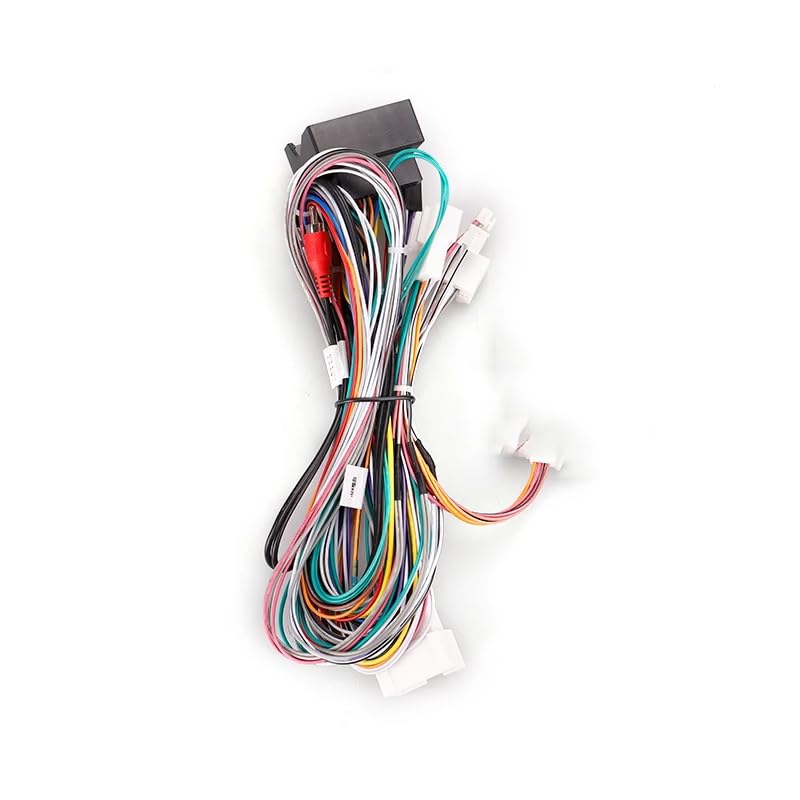
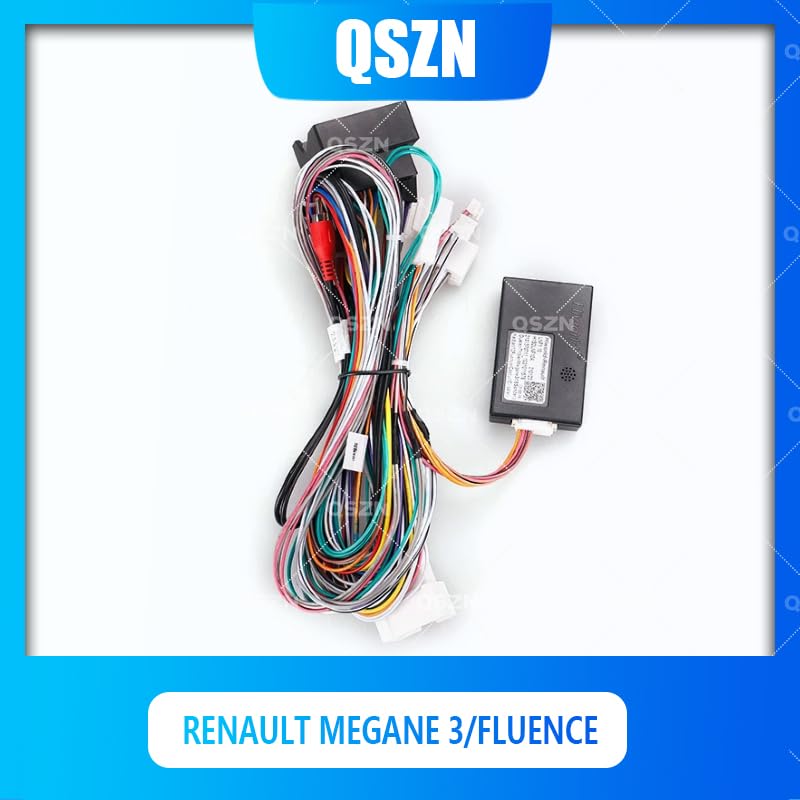
Image 2.1: The QSZN Android Canbus Box LNF1.10 with its integrated 16-pin wiring harness. This image displays the main components, including the black Canbus module and the multi-colored wires of the harness, designed for connecting an aftermarket car radio to a Renault vehicle's electrical system.

Billede 2.2: En detaljeret view of the QSZN Canbus Box LNF1.10 module. The image shows the compact black plastic housing of the Canbus interface, with connection ports and identification labels visible, indicating its model number and compatibility information.
3. Kompatibilitet
This Canbus box and wiring harness are specifically designed for the following vehicle models:
- Renault Mégane 3 (Model years: 2008, 2009, 2010, 2011, 2012, 2013, 2014)
- Renault Fluence (Model years: 2008, 2009, 2010, 2011, 2012, 2013, 2014)
Ensure your vehicle falls within these specifications before attempting installation. Compatibility with specific aftermarket Android head units may vary; consult your radio's manual for wiring diagrams and Canbus support.
4. Pakkens indhold
Pakken indeholder følgende varer:
- 1 x QSZN Android Canbus Box LNF1.10
- 1 x 16-Pin Wiring Power Cable Harness
Note: Other products or tools required for installation (e.g., aftermarket Android radio, trim removal tools, screwdrivers) are not included.
5. Opsætning og installation
Professionel installation kan varmt anbefales. Incorrect wiring can cause damage to your vehicle's electrical system or the new radio. Always disconnect the vehicle's battery before starting any electrical work.
5.1 Sikkerhedsforanstaltninger
- Always disconnect the negative terminal of the vehicle's battery before installation.
- Brug passende sikkerhedsudstyr, herunder øjenbeskyttelse.
- Sørg for, at alle forbindelser er sikre og korrekt isolerede.
- Refer to your vehicle's service manual for specific instructions on removing and installing the factory radio.
5.2 Installationstrin
- Klargør køretøjet: Disconnect the negative terminal of your vehicle's battery. Carefully remove the factory radio and any surrounding trim panels using appropriate trim removal tools.
- Identificér køretøjets stik: Locate the factory wiring harness connectors that were plugged into your original radio.
- Connect the Canbus Harness:
Billede 5.1: Et nærbillede view of the QSZN 16-pin wiring harness, showing the various colored wires and connectors. This harness connects the Canbus box to both the vehicle's existing wiring and the new aftermarket Android radio.
Connect the vehicle-specific end of the provided 16-pin wiring harness to the corresponding factory connectors in your Renault Megane 3 or Fluence. Ensure all connections are firm and secure.
- Connect the Canbus Box: Plug the Canbus box module (LNF1.10) into the designated connector on the 16-pin wiring harness. This connection is typically a multi-pin plug designed to fit only one way.
- Opret forbindelse til Android Radio: Connect the other end of the 16-pin wiring harness to the corresponding input on your aftermarket Android car radio. This harness typically includes connections for power, ground, speakers, and the Canbus data lines. Refer to your Android radio's wiring diagram for specific pin assignments.
- Test forbindelser: Before fully reassembling the dashboard, reconnect the vehicle's battery. Turn on the ignition and power on the Android radio. Test basic functions such as power, sound, and critically, the steering wheel controls. If steering wheel controls do not function, you may need to configure them within your Android radio's settings, often found under "SWC" or "Canbus Settings."
- Fastgør og saml igen: Once all functions are verified, carefully route the wiring to prevent pinching or interference. Secure the Canbus box in a safe, accessible location behind the dashboard. Reinstall the Android radio and all trim panels.
6. Betjeningsvejledning
The QSZN Android Canbus Box LNF1.10 operates automatically once correctly installed. Its primary function is to translate vehicle data for your aftermarket Android radio. There are no user-adjustable settings directly on the Canbus box itself.
Key functions enabled by the Canbus box typically include:
- Ratbetjening (SWC): Allows your vehicle's factory steering wheel buttons to control functions on the new Android radio (e.g., volume up/down, track skip, mode). Configuration may be required within the Android radio's settings.
- Tændingssignal (ACC): Giver det korrekte tændingssignal til at tænde og slukke radioen sammen med køretøjet.
- Belysningssignal: Dæmper radioens display, når forlygterne er tændt.
- Bakgearsignal: Aktiverer bagendenview camera input on the radio when the vehicle is in reverse.
- Vehicle Speed Sensor (VSS) Signal: Provides speed data for navigation systems or speed-sensitive volume control.
- Parkeringsbremsesignal: Provides parking brake status for safety features on the radio.
For specific operations and settings related to these functions, refer to the user manual of your aftermarket Android car radio.
7. Vedligeholdelse
The QSZN Android Canbus Box LNF1.10 is a sealed electronic component and requires minimal maintenance. Follow these general guidelines:
- Hold tør: Ensure the module and its connections remain dry and free from moisture.
- Sikker placering: Ensure the Canbus box is securely mounted or placed behind the dashboard to prevent rattling or damage from movement.
- Rene forbindelser: If you ever need to disconnect and reconnect, ensure the electrical contacts are clean and free of debris.
- Undgå ekstreme temperaturer: While designed for automotive use, avoid exposing the unit to extreme temperatures outside of normal vehicle operating conditions.
Do not attempt to open or repair the Canbus box, as this will void any potential warranty and may damage the unit.
8. Fejlfinding
Hvis du støder på problemer efter installationen, kan du overveje følgende fejlfindingstrin:
- Ingen strøm til radioen:
- Check all power connections (constant 12V, ignition 12V, ground) from the harness to the vehicle and to the radio.
- Verify the vehicle's fuse for the radio circuit is intact.
- Sørg for, at batteriet er korrekt tilsluttet igen.
- Ratbetjening virker ikke:
- Bekræft, at Canbus-boksen er sikkert forbundet til ledningsnettet.
- Check the Canbus data wires are correctly connected to the Android radio (refer to radio manual).
- Access the "SWC" or "Canbus Settings" menu on your Android radio and attempt to configure or learn the steering wheel buttons. Some radios require manual mapping.
- Ensure the correct Canbus protocol is selected in the Android radio's settings, if applicable.
- Ingen lyd:
- Verify all speaker wires are correctly connected from the harness to the radio.
- Check the radio's volume and mute settings.
- Ensure the vehicle's amplifier (if present) is receiving its turn-on signal (usually a blue/white wire).
- Other Vehicle Data (e.g., door status, climate) Not Displaying:
- Ensure the Canbus box is correctly connected.
- Verify your Android radio supports displaying this specific vehicle data via Canbus. Not all radios have this functionality.
- Check the radio's factory settings or Canbus settings for options related to vehicle information display.
If problems persist, consult a professional car audio installer or contact the product seller for further assistance.
9. Specifikationer
| Model: | LNF1.10 |
| Mærke: | Generisk (QSZN) |
| Kompatible køretøjer: | Renault Megane 3 (2008-2014), Renault Fluence (2008-2014) |
| Varetype: | Kabler, adaptere og stikkontakter |
| Materiale: | Plast |
| Oprindelse: | Fastlandet Kina |
10. Garanti og support
For warranty information and technical support, please refer to the terms provided by your original retailer or contact the manufacturer directly. Keep your proof of purchase for any warranty claims.
Note: Opening or modifying the Canbus box will void any applicable warranty.