
1. Introduktion
Welcome to the world of boAt Nirvana Zenith Pro TWS Earbuds. These earbuds are designed to provide a superior audio experience with advanced features such as Hybrid Adaptive Active Noise Cancellation, Spatial Audio, and Hi-Res Audio with LDAC support. This manual will guide you through the setup, operation, and maintenance of your new earbuds.
2. Hvad er der i æsken
- boAt Nirvana Zenith Pro TWS Earbuds
- Opladningsetui
- Additional Earbuds (various sizes)
- USB Type-C opladerkabel
- Brugermanual

Image: boAt Nirvana Zenith Pro TWS Earbuds and Charging Case in Platinum Gold.
3. Opsætning og første brug
3.1 Indledende opladning
Before first use, fully charge your earbuds and charging case. Connect the USB Type-C cable to the charging port on the case and a power source. The LED indicator on the case will show charging status.
3.2 Parring med din enhed
- Åbn opladningsetuiet. Ørepropperne går automatisk i parringstilstand.
- Gå til Bluetooth-indstillinger på din smartphone eller anden Bluetooth-aktiveret enhed.
- Søg efter 'boAt Nirvana Zenith Pro' in the list of available devices.
- Select it to connect. Once connected, you will hear an audio prompt.

Image: Earbuds resting in their open charging case, indicating readiness for Bluetooth pairing.
4. Betjeningsvejledning
4.1 Tryk på kontrolelementer
The boAt Nirvana Zenith Pro features intuitive touch controls on each earbud. Specific functions can be customized via the boAt Hearables App.
| Handling | Fungere |
|---|---|
| Enkelt tryk (venstre/højre) | Afspil/pause musik, besvar/afslut opkald |
| Dobbelttryk (højre) | Næste spor |
| Dobbelttryk (venstre) | Forrige spor |
| Tredobbelt tryk (venstre/højre) | Aktiver Voice Assistant |
| Langt tryk (venstre/højre) | Toggle ANC/Ambient Mode |
4.2 Active Noise Cancellation (ANC) & Ambient Mode
The earbuds feature 50dB Hybrid Adaptive ANC to minimize external noise, allowing for an immersive listening experience. Ambient Mode allows you to hear your surroundings while still enjoying your audio.

Image: Graphic demonstrating the effectiveness of 50dB Hybrid Adaptive Noise Cancellation.
4.3 rumlig lyd
Experience a theater-like sound from all directions with boAt Spatial Audio, co-tuned by filmmaker Imtiaz Ali. This feature provides a 360-degree immersive audio experience.
Video: Filmmaker Imtiaz Ali discussing the co-tuning of Spatial Audio for an immersive experience.

Image: Visual representation of Spatial Audio creating a 360-degree sound field around the listener.
4.4 Hi-Res Audio with LDAC
The Nirvana Zenith Pro supports Hi-Res Audio powered by the LDAC codec, ensuring high-quality sound transmission and a rich listening experience through its 12mm drivers.

Billede: Detaljeret view of the 12mm audio drivers, highlighting Hi-Res Audio and LDAC compatibility.
4.5 boAt Hearables App Compatibility
Unlock Pro Mode and customize your listening experience with the boAt Hearables App. Adjust EQ modes, customize touch functions, control ANC settings, and receive software updates.

Image: Screenshot of the boAt Hearables App, showing various settings and customization options.
Download appen her: boAt Hearables-appen
4.6 Multipunktsforbindelse
Connect and switch seamlessly between two devices simultaneously. For example, watch a movie on your tablet and answer an incoming call on your phone without manually reconnecting.
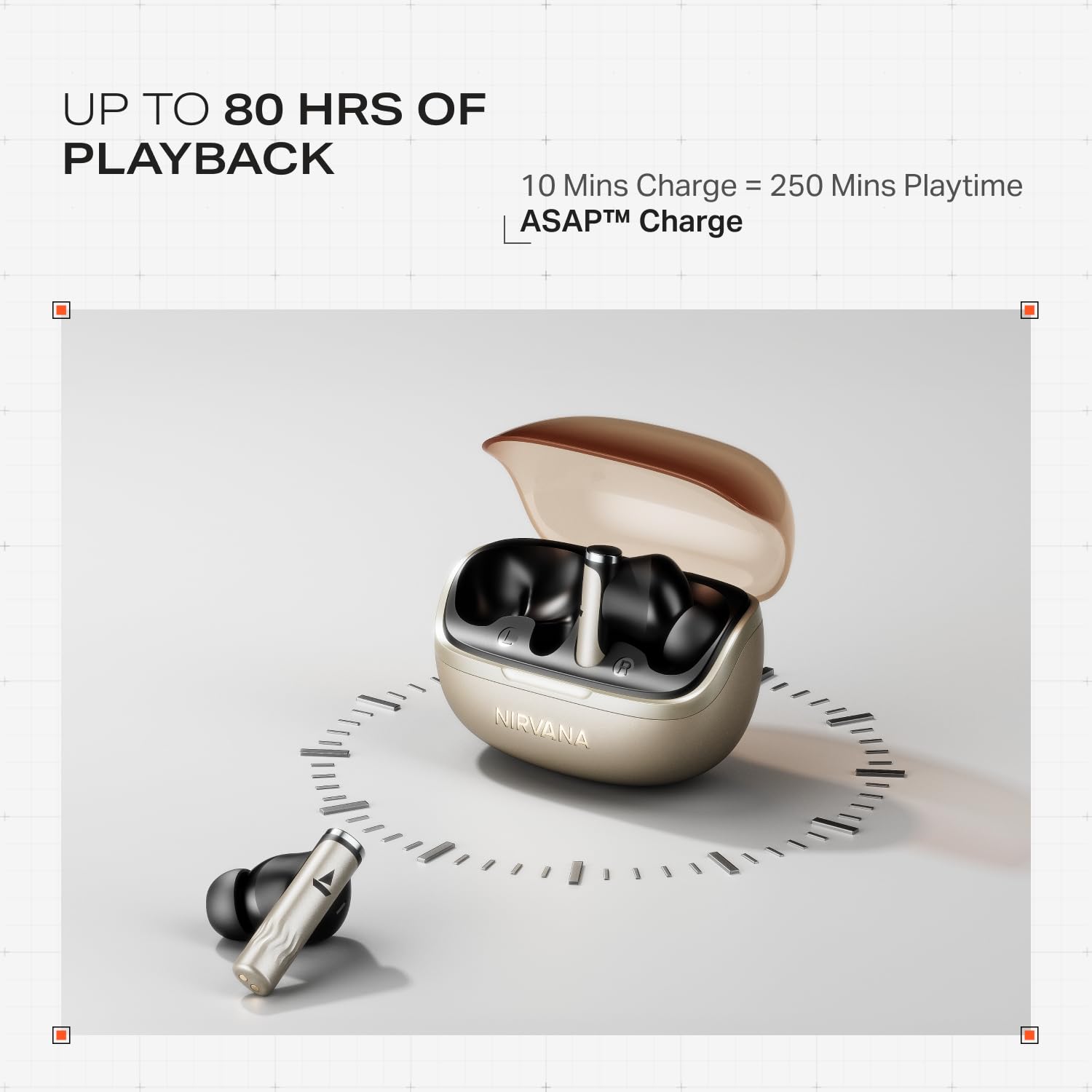
Image: Illustration of multipoint connectivity, with earbuds linked to both a smartphone and a tablet.
4.7 In-Ear-detektion
The earbuds automatically pause playback when removed from your ears and resume when placed back in, providing a seamless listening experience.

Image: Diagram showing an earbud in an ear, with text indicating 'Plug-in to Play' and 'Plug-Out to Pause'.
4.8 Beast Mode (Low Latency)
Activate Beast Mode for an ultra-low latency of 60ms, ideal for gaming to ensure synchronized audio and visuals.

Image: A smartphone displaying a racing game, with earbuds positioned nearby, illustrating the Beast Mode for low-latency gaming.
4.9 Google Fast Pair Service
Enjoy quick and effortless pairing with Android devices using Google Fast Pair Service, allowing for instant connection upon opening the case.

Image: A smartphone displaying a Google Fast Pair notification, prompting connection to the Nirvana Zenith Pro earbuds.
5. Opladning og batteri
The earbuds offer up to 80 hours of total playtime with the charging case. The ASAP Charge feature provides 250 minutes of playtime after just 10 minutes of charging.
- Batterilevetid: Op til 80 timer (med opladningsetui)
- ASAP-gebyr: 10 minutters opladning = 250 minutters spilletid
- Fuld opladningstid: Approximately 110 minutes for earbuds and case.

Image: Visual representation of the earbuds and charging case, highlighting 80 hours of playback and ASAP Charge capabilities.
6. Vedligeholdelse og pleje
- Rensning: Regularly clean the earbuds and charging contacts with a soft, dry cloth. Avoid using harsh chemicals.
- Opbevaring: Opbevar øretelefonerne i deres opladningsetui, når de ikke er i brug for at beskytte dem og holde dem opladet.
- Vandtæthed: The earbuds are IPX4 rated, meaning they are resistant to splashes and sweat. Do not submerge them in water.
Video: A short animation demonstrating the IPX4 water resistance of the earbuds, showing protection against splashes.
7. Fejlfinding
7.1 Ørepropper parrer ikke
- Sørg for, at begge øretelefoner er opladet.
- Sæt ørepropperne tilbage i etuiet, luk låget, vent et par sekunder, og åbn dem derefter igen for at aktivere parringstilstand igen.
- Glem enheden fra din telefons Bluetooth-indstillinger, og prøv at parre igen.
7.2 Low Volume/Poor Sound Quality
- Kontroller lydstyrkeniveauerne på både din enhed og ørepropperne.
- Sørg for, at ørepropperne er rene og fri for snavs.
- Prøv forskellige størrelser ørepropper for at få en bedre forsegling.
- Disable ANC temporarily to see if it improves sound in certain environments.
7.3 Øretelefoner oplader ikke
- Sørg for, at opladningskablet er korrekt tilsluttet til både etuiet og strømkilden.
- Rengør opladningskontakterne på både ørepropperne og etuiet.
- Prøv et andet opladningskabel eller en anden strømadapter.
8. Specifikationer
| Feature | Detalje |
|---|---|
| Modelnavn | Nirvana Zenith Pro |
| Modelnummer | PP0010 |
| Støjkontrol | 50dB Hybrid Adaptive Active Noise Cancellation |
| Audio Codec | LDAC (lyd i høj opløsning) |
| Chauffører | 12 mm dynamiske drivere |
| Mikrofoner | 6 Mics with AI-ENx Technology |
| Batterilevetid | Up to 80 Hours (with case) |
| Bluetooth version | 5.4 |
| Vandmodstand | IPX4 |
| Lav latens | 60ms (Beast Mode) |
| Vægt | 45 gram |
9. Garanti og support
Your boAt Nirvana Zenith Pro TWS Earbuds come with a 1 års garanti fra købsdatoen. Gem venligst din købskvittering i tilfælde af garantikrav.
For further assistance, technical support, or warranty claims, please visit the official boAt website or contact their customer service. Contact information can typically be found on the product packaging or the official brand webwebsted.