
Vigtig information
This Naifay Android Car Stereo (Model A) is designed for Toyota Camry models from 2012 to 2014. Please note the following compatibility requirements:
- Model A is NOT compatible if your car has a factory-installed large screen or a J.B.L sound system.
- If your vehicle has a large screen or supports a J.B.L sound system, you require Model B.
This package includes online help, a user manual, and installation videos to assist you.
Opsætning og installation
The Naifay Android Car Stereo is designed for a plug-and-play installation with the provided wiring harness, making the process straightforward for most users. However, some connections, such as for the backup camera, may require hardwiring.
Kontrol før installation
- Verify your vehicle's compatibility (Toyota Camry 2012-2014, no large screen, no J.B.L system).
- Ensure all included components are present before starting the installation.
Inkluderede komponenter
Pakken indeholder typisk:
- Naifay Android Car Stereo Unit (10.1-inch IPS Touch Screen)
- Dashboard Mount / Frame
- Strømkabel
- RCA-kabel
- USB-kabler (x2)
- GPS antenne
- Mikrofon (ekstern)
- Backup kamera
- Bag View Indgangskabel
- WiFi antenne
- Bluetooth antenne
Installationstrin (generel vejledning)
- Fjern fabriksradio: Carefully remove the existing car radio and dashboard trim. Refer to vehicle-specific guides or included installation videos for precise instructions.
- Tilslut ledningsnet: Connect the provided wiring harness to the car's factory harness. Most connections are plug-and-play.
- Tilslut antenner: Attach the GPS, WiFi, and Bluetooth antennas to the corresponding ports on the new head unit. Position the GPS antenna in a location with a clear view af himlen.
- Backup Camera Wiring: Connect the backup camera. This typically involves connecting the camera's power to the reverse light circuit and running a video signal cable to the head unit's 'Rear View Input'. Some hardwiring may be necessary.
- USB and Microphone: Route the USB cables and external microphone to desired locations within the vehicle.
- Montering: Secure the Naifay head unit into the dashboard using the provided mounting frame. Ensure any mounting clips are properly aligned or modified as per installation video instructions (e.g., clipping specific clips for proper fit).
- Test funktionalitet: Before fully reassembling the dashboard, power on the unit and test basic functions like audio, touch screen, and power.
- Saml dashboardet igen: Når det er bekræftet, at det fungerer, skal du samle instrumentbrættets beklædning igen.

Image: Comparison of the car dashboard before and after installing the Naifay Android Car Stereo, highlighting the modern 10.1-inch display.

Image: Product dimensions and a comprehensive list of included components and wiring connections.
Betjeningsvejledning
The Naifay Android Car Stereo runs on Android 11, offering a user-friendly interface and a wide range of features.
Trådløs Carplay og Android Auto
Connect your iPhone or Android phone wirelessly via Bluetooth and Wi-Fi to access Carplay or Android Auto. This allows you to project your phone's interface onto the stereo's large screen for navigation, calls, messages, and music playback.

Image: Visual representation of Wireless Carplay, Android Auto, and MirrorLink features.
MirrorLink-funktionalitet
MirrorLink allows you to display your phone's screen directly on the car stereo. iOS devices support wireless connection, while Android devices support both wireless and wired (USB) connections. This enables access to your phone's navigation, music, and other applications.
GPS Navigation & WiFi Connection
The unit features a built-in GPS module. You can download offline maps for navigation without an internet connection. When connected to Wi-Fi or your phone's hotspot, you can use online maps and download various applications like YouTube, Spotify, and WhatsApp from the app store.
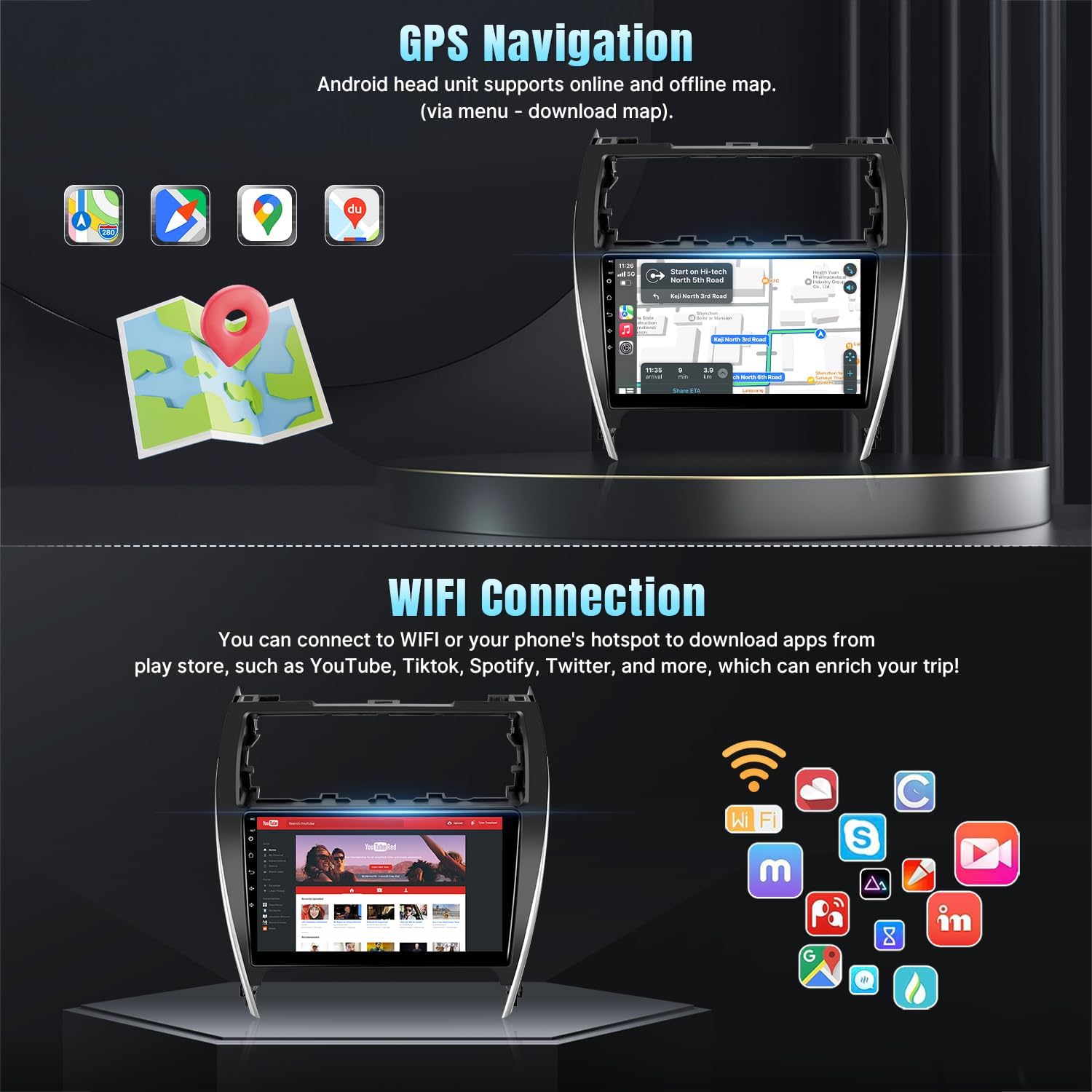
Image: GPS navigation display and available apps via WiFi connection.
Bluetooth 5.1 & FM Radio
- Bluetooth: Connect your phone for hands-free calling and wireless audio streaming. The unit includes a built-in microphone and supports an external microphone via the RCA cable.
- FM-radio: Enjoy stable FM radio reception with options for manual and automatic station search and unlimited preset stations.
Ratbetjening (SWC)
The stereo supports your original car's steering wheel controls. After correct wiring and a learning process within the unit's settings, you can control functions like switching songs, adjusting volume, and answering calls directly from your steering wheel.
Backup kamera input
The included AHD backup camera provides a 170-degree ultra-wide angle view and is waterproof, enhancing safety and ease during parking maneuvers.
Opdelt skærmfunktionalitet
Utilize the split-screen mode to run two applications simultaneously, such as navigation on one side and music playback on the other.

Image: Demonstrates Bluetooth, FM Radio, Split Screen, Steering Wheel Control, and Backup Camera features.
Andre funktioner
- EQ Adjustable: Customize audio output with the adjustable equalizer.
- Multiple UI and Wallpaper Options: Personalize the user interface and background wallpaper.
Opretholdelse
To ensure the longevity and optimal performance of your Naifay Android Car Stereo, follow these general maintenance guidelines:
- Rensning: Brug en blød, tør klud til at rengøre skærmen og ydersiden. Undgå slibende rengøringsmidler eller opløsningsmidler, der kan beskadige skærmen eller overfladen.
- Softwareopdateringer: Kontrollér regelmæssigt for og installer tilgængelige softwareopdateringer for at sikre, at systemet kører effektivt og sikkert.
- Miljøforhold: Undgå at udsætte enheden for ekstreme temperaturer, direkte sollys i længere perioder eller for høj fugtighed.
- Kabelforbindelser: Kontrollér lejlighedsvis alle kabelforbindelser for at sikre, at de er fastgjorte og ikke er beskadigede.
Fejlfinding
If you encounter issues with your Naifay Android Car Stereo, refer to the following common problems and solutions:
| Problem | Mulig årsag/løsning |
|---|---|
| Enheden tænder ikke | Check power cable connections. Ensure the car's fuse for the radio is intact. |
| Ingen lyd eller forvrænget lyd | Verify speaker wiring. Check volume settings and EQ settings. Ensure audio output cables are correctly connected. |
| Backup camera not working | Check the camera's power connection to the reverse light. Ensure the video input cable is securely connected to the head unit's 'Rear View Input'. Confirm camera settings in the unit's menu. |
| Steering Wheel Controls not responding | Ensure SWC wires are correctly connected. Access the 'Steering Learn' function in the unit's settings and follow the on-screen instructions to program the buttons. |
| GPS-signalet er svagt eller unøjagtigt | Sørg for, at GPS-antennen er korrekt installeret og har en klar view af himlen. Kontroller antenneforbindelsen til enheden. |
| Problemer med Bluetooth-forbindelse | Ensure Bluetooth is enabled on both the stereo and your phone. Delete previous pairings and try re-pairing. |
| Berøringsskærm reagerer ikke | Restart the unit. If the problem persists, contact customer support. |
For further assistance, please refer to the online help resources or contact customer support.
Specifikationer
| Feature | Detalje |
|---|---|
| Mærke | Naifay |
| Model | Model A |
| Køretøjskompatibilitet | Toyota Camry 2012-2014 (Not compatible with J.B.L system or large factory screen) |
| Operativsystem | Android 11 |
| Processor | 4-kerne |
| VÆDDER | 2 GB |
| Intern opbevaring | 32 GB |
| Skærmstørrelse | 10.1 tommer |
| Display Type | 2.5D IPS Touch Screen (Capacitive LCD) |
| Forbindelse | Wireless, Bluetooth 5.1, USB, Wi-Fi |
| Navigation | Built-in GPS module, supports offline/online maps (Worldwide) |
| Særlige funktioner | Wireless Carplay, Wireless Android Auto, Wired/Wireless Mirrorlink, FM Radio, AHD Backup Camera Input, Steering Wheel Control (SWC), Split Screen, EQ Adjustable, Multiple UI/Wallpaper |
| Lydudgangstilstand | Stereoanlæg |
| Monteringstype | Dashboard montering |
| Varens vægt | 1.5 kilo |
Garantioplysninger
Naifay provides the following warranty and support for this product:
- 60-dages returpolitik: Nyd en 60-dages bekymringsfri returperiode.
- 12-måneders udskiftning: A replacement is available within 12 months of purchase for qualifying issues.
- Livsvarig teknisk support: Benefit from lifetime after-sales consultation and technical support.
Kundesupport
For any questions, technical assistance, or support needs, please contact Naifay customer service. We aim to provide a quick reply within 24 hours.
You can typically reach customer support by navigating to the product page on the retailer's website, clicking on "Sold by Naifay," and then selecting "Ask a question."


