
1. Introduktion
This manual provides detailed instructions for the operation and maintenance of your LEOTEC FM Radio with Bluetooth. Please read this manual thoroughly before using the device to ensure proper function and to prevent damage.

Figur 1: Forside view of the LEOTEC FM Radio with Bluetooth. The radio features a wooden exterior, a black speaker grille, a digital display, and a numeric keypad with function buttons.
2. Sikkerhedsoplysninger
- Udsæt ikke enheden for vand eller overdreven fugt.
- Undgå ekstreme temperaturer, direkte sollys og støvede omgivelser.
- Du må ikke selv adskille eller forsøge at reparere enheden. Kontakt kvalificeret servicepersonale.
- Opbevares utilgængeligt for børn.
- Brug kun det specificerede opladningskabel og strømadapter.
- Sørg for tilstrækkelig ventilation, når apparatet er i brug.
3. Pakkens indhold
Tjek venligst pakken for følgende varer:
- LEOTEC FM Radio with Bluetooth (Model: LT-1812)
- Type-C opladerkabel
- Brugermanual
- Snor
- Antenna (pre-attached or included separately)
4. Produktet er slutview
The LEOTEC FM Radio with Bluetooth is a versatile device combining multiple audio functions with emergency features. Key components include:
- Digital skærm: Shows frequency, time, and mode.
- Numerisk tastatur: For direct frequency input and other functions.
- Funktionsknapper: Power, Mode, Play/Pause, Skip, Volume, Alarm, SOS.
- Udtrækkelig antenne: Til FM-radiomodtagelse.
- Højttaler: Integreret lydudgang.
- Type-C opladningsport: Til opladning af batteri.
- USB-port: Til afspilning fra USB-drev.
- AUX-indgang: Til eksterne lydenheder.
- 3.5 mm hovedtelefonstik: Til privat lytning.
- LED lanterne: Integreret lyskilde.
- SOS knap: Aktiverer nødalarm.

Figur 2: Overview of the radio's main features and connectivity options.
5. Opsætning
5.1. Opladning af batteriet
The radio is equipped with a built-in 1800mAh rechargeable battery. Before first use, or when the battery indicator on the display shows low power, charge the device.
- Connect the provided Type-C charging cable to the Type-C port on the side of the radio.
- Tilslut den anden ende af kablet til en USB-strømadapter (medfølger ikke) eller en computers USB-port.
- The charging indicator on the display will show charging status. A full charge typically takes approximately 2.5 hours.

Figure 3: The radio connected to a power source for charging via its Type-C port.
5.2. Udvidelse af antennen
For optimal FM radio reception, fully extend the telescopic antenna located on the top of the radio.
6. Betjeningsvejledning
6.1. Tænd/sluk
To power on the radio, press and hold the power button (usually marked with a power symbol or integrated with the mode button). The display will light up, and a voice prompt will indicate 'Power on'. To power off, press and hold the same button again.
6.2. Betjening af FM-radio
After powering on, the radio typically defaults to FM mode. If not, press the 'M' (Mode) button to switch to FM mode. The display will show the current FM frequency.
- Automatisk scanning: Press and hold the 'Play/Pause' button to initiate an automatic scan for available FM stations. The radio will scan and save stations with strong signals.
- Manuel indstilling: Use the 'Previous' (|<) and 'Next' (>>|) buttons to fine-tune the frequency step by step.
- Direkte frekvensindgang: Use the numeric keypad (0-9) to directly enter the desired FM frequency (e.g., 98.5).
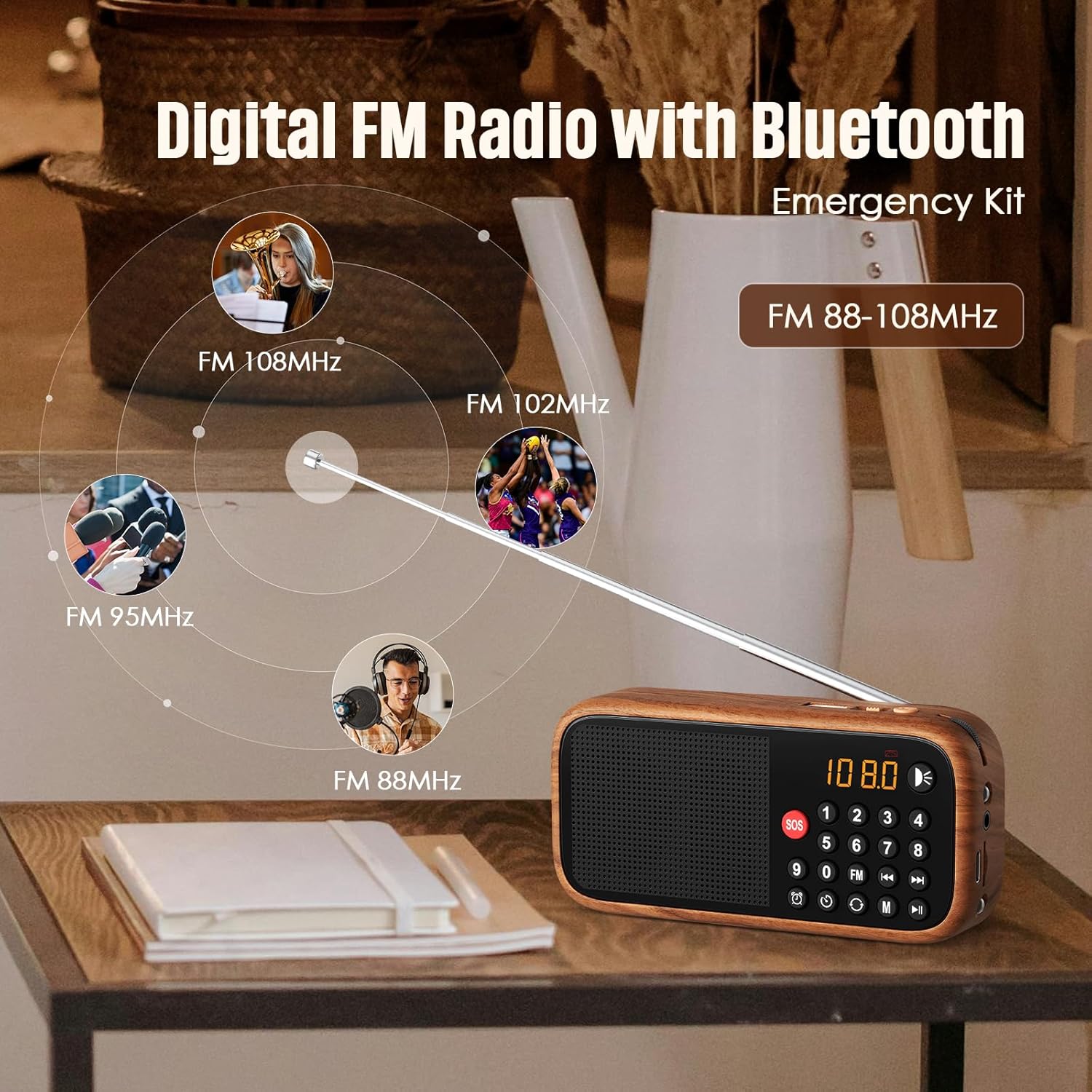
Figure 4: The radio's extendable antenna helps in receiving various FM frequencies.
6.3. Bluetooth-parring
Press the 'M' (Mode) button to switch to Bluetooth mode. The radio will enter pairing mode, indicated by a flashing Bluetooth icon on the display or a voice prompt.
- Aktiver Bluetooth på din smartphone eller anden lydenhed.
- Søg efter available Bluetooth devices and select 'LEOTEC LT-1812' (or similar name).
- Once paired, the radio will confirm with a voice prompt, and the Bluetooth icon will stop flashing.
- Du kan nu afspille lyd fra din tilsluttede enhed via radioen.
6.4. AUX/USB Playback
The radio supports audio playback via AUX input and USB drives.
- AUX-tilstand: Connect an external audio device (e.g., MP3 player, phone) to the 3.5mm AUX input port using an audio cable (not included). Press the 'M' (Mode) button until 'AUX' mode is selected.
- USB-tilstand: Indsæt et USB-flashdrev med lyd files into the USB port. The radio should automatically switch to USB mode and begin playback. If not, press the 'M' (Mode) button to select USB mode.
6.5. Indstilling af vækkeur
Sådan indstilles alarmtidspunktet:
- Press the 'Alarm' button (often indicated by a clock icon).
- Use the numeric keypad or navigation buttons to set the desired hour and minute.
- Confirm the setting by pressing the 'Alarm' button again or a designated 'Set' button.
6.6. SOS-funktion
The SOS function activates a loud emergency alarm.
- To activate, press and hold the red 'SOS' button.
- To deactivate, press the 'SOS' button again or power off the device.

Figure 5: The SOS button for emergency alerts and the integrated LED light for illumination.
6.7. LED Lantern Operation
The radio includes a built-in LED lantern for illumination.
- To turn on the LED light, press the 'Light' button (often indicated by a light bulb icon).
- Tryk på knappen igen for at slukke for LED-lyset.
7. Vedligeholdelse
- Rengør radioen med en blød, tør klud. Brug ikke slibende rengøringsmidler eller opløsningsmidler.
- Undgå at udsætte enheden for ekstreme temperaturer eller direkte sollys i længere perioder.
- When not in use for an extended period, store the radio in a cool, dry place.
8. Fejlfinding
| Problem | Mulig årsag | Løsning |
|---|---|---|
| Radioen tænder ikke. | Batteriet er lavt eller afladet. | Oplad batteriet med Type-C-kablet. |
| Dårlig FM-modtagelse. | Antenna not fully extended or weak signal area. | Fully extend the antenna. Try repositioning the radio for better signal. |
| Bluetooth opretter ikke forbindelse. | Radio not in Bluetooth pairing mode or device too far. | Ensure radio is in Bluetooth mode. Move device closer to the radio. Restart both devices. |
| Ingen lyd fra højttaleren. | Lydstyrken er for lav eller slået fra. | Increase the volume. Check if headphones are connected. |
9. Specifikationer
| Feature | Detalje |
|---|---|
| Modelnummer | LT-1812 |
| Produktdimensioner | 14.3 x 4.4 x 10.2 cm (L x B x H) |
| Varens vægt | 4.2 ounce (119 gram) |
| Forbindelsesteknologi | Bluetooth |
| Tuner-teknologi | FM |
| Radiobånd understøttet | FM |
| Strømkilde | Batteridrevet (1800mAh genopladeligt batteri inkluderet) |
| Opladningsport | Type-C 5V |
| Særlige funktioner | Portable, Digital Display, Alarm Clock, SOS Function, LED Lantern, USB/AUX Input |

Figure 6: The compact dimensions of the radio, emphasizing its portability.
10. Garanti og support
For warranty information and customer support, please refer to the documentation included with your product packaging or visit the official LEOTEC webwebsted. Behold din købskvittering som købsbevis i tilfælde af garantikrav.