
1. Introduktion
Thank you for choosing the Micool BT-X EASY Wireless Open-Ear Bluetooth 5.4 Headphones. These headphones are designed to provide a comfortable listening experience with advanced features like Bluetooth 5.4 connectivity, call noise reduction, and long battery life. This manual will guide you through the setup, operation, and maintenance of your new headphones.
2. Produktet er slutview
The Micool BT-X EASY headphones feature an open-ear design for comfort and awareness of your surroundings. Key features include:
- HD Stereo Audio & One-Button Control: Equipped with 28mm speakers for rich bass and an ANC+ENC adaptive noise reduction chip for clear calls. Easy control via multi-function buttons on each headset.
- Forlænget batterilevetid: Up to 18 hours of music playback on a single charge. The charging case extends total listening time to up to 52 hours.
- High-Speed Bluetooth 5.4 Connectivity: Ensures fast pairing, stable connection, and reliable performance.
- Bærbar opladnings sag: Includes a large-capacity charging case with a 4-stage power indicator and USB-C charging.
- Komfortabelt design: Small, lightweight ear-hook design with sponge ear cups for comfortable wear without pressure. Headphone diameter is 36mm.
- Dobbelt enhedsforbindelse: Connects to two devices simultaneously (e.g., smartphone, laptop, tablet) for seamless switching between music and calls.
Pakkeindhold:
- Micool BT-X EASY Wireless Open-Ear Headphones
- Opladningsetui
- USB-C ladekabel
- Brugermanual
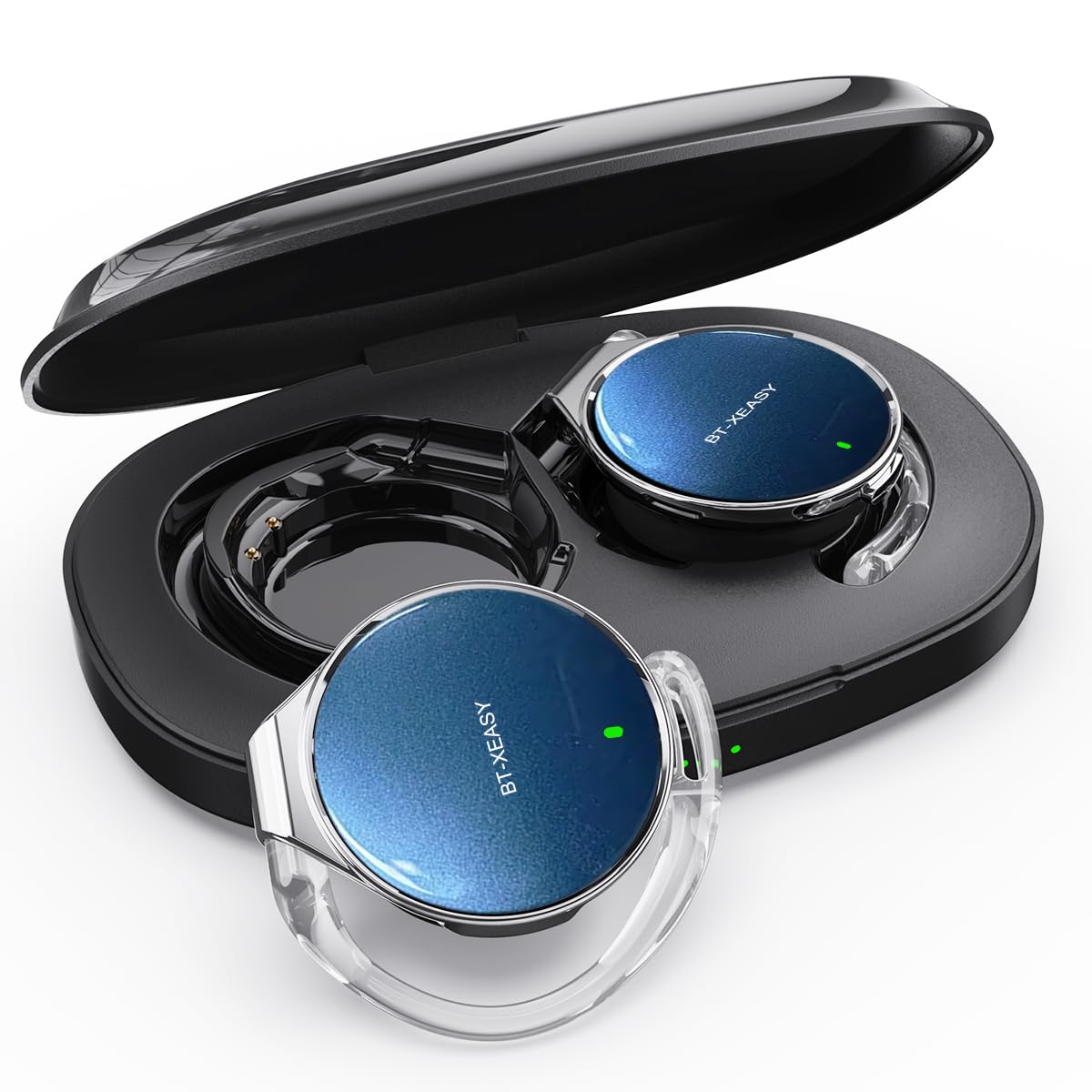
Produkt overview:
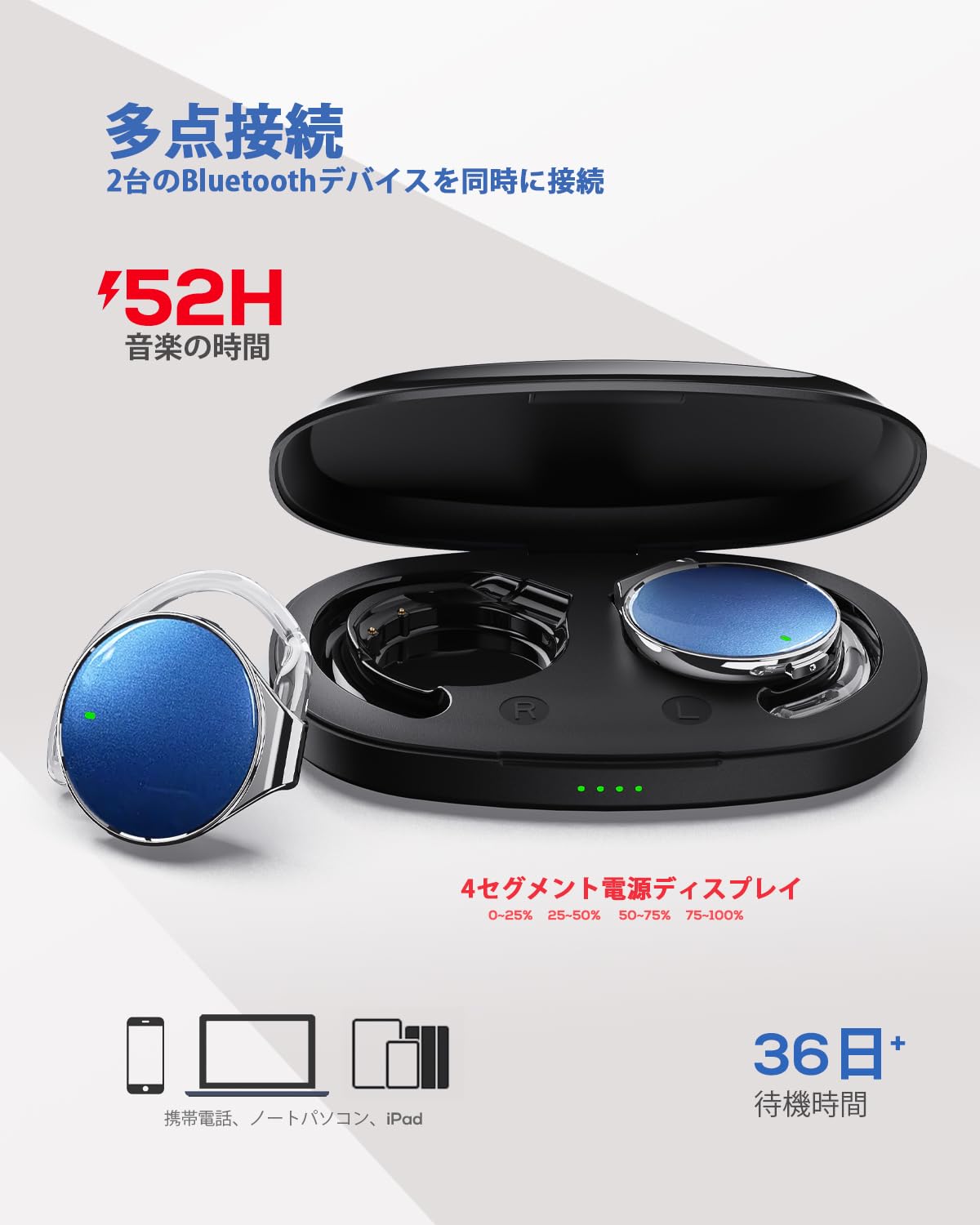
This image displays the Micool BT-X EASY headphones alongside their charging case, illustrating their compact and portable design and the concept of multi-point connection.
3. Opsætning
3.1 Opladning af hovedtelefoner og etuiet
Oplad hovedtelefonerne og opladningsetuiet helt inden første brug.
- Placer hovedtelefonerne i opladningsetuiet.
- Tilslut USB-C-opladerkablet til opladningsporten på etuiet og til en strømkilde.
- 4-ernetage LED indicators on the charging case will show the charging status. Each light represents 25% of the battery capacity.
- Once fully charged, all four indicator lights will be solid.

This image illustrates the charging case with its four-stage battery indicator, providing a visual representation of the remaining charge.
3.2 Sådan tager du hovedtelefonerne på
Follow these steps for a comfortable and secure fit:
- Trin 1: Open the ear hook to approximately a 30-degree angle.
- Trin 2: Rotate the ear hook around your ear until it rests comfortably below your earlobe.
- Trin 3: Gently press the headphone against your ear to secure it.
- Trin 4: Adjust the angle for the most comfortable wearing experience.

This visual guide demonstrates the four steps to correctly and comfortably wear the open-ear headphones.
3.3 Bluetooth -parring
The headphones will automatically enter pairing mode when removed from the charging case or when the case is opened. For initial pairing:
- Åbn opladningsetuiet. Hovedtelefonerne går automatisk i parringstilstand.
- Aktiver Bluetooth på din enhed (smartphone, tablet, bærbar computer).
- Søg efter "BT-X EASY" in the list of available Bluetooth devices.
- Select "BT-X EASY" to connect. A voice prompt will confirm successful pairing.
- For dual device connection, pair the first device, then temporarily disconnect the headphones from the first device's Bluetooth settings. Pair with the second device. Reconnect to the first device from its Bluetooth settings. The headphones will now be connected to both.
4. Betjeningsvejledning
4.1 Tryk på kontrolelementer
The headphones feature intuitive touch controls on each earbud. Refer to the diagram below for specific functions:
This diagram illustrates the various touch controls on the headphones, including single-click, double-click, and long-press actions for managing music playback and phone calls.
- Afspil/pause: Klik på x1
- Næste nummer: Click x2 (Right earbud)
- Forrige nummer: Click x2 (Left earbud)
- Lydstyrke op: Long press (Right earbud)
- Skrue ned for lyden: Long press (Left earbud)
- Besvar/afslut opkald: Klik på x1
- Afvis opkald: Langt tryk
- Mute (during call): Click x2 (A prompt tone will sound)
4.2 Opkaldsfunktioner
The headphones support hands-free calling with 4 microphones and ENC noise reduction for clear conversations.
- Besvarelse af opkald: Tryk én gang på multifunktionsknappen.
- Afslutning af opkald: Tryk én gang på multifunktionsknappen under et opkald.
- Afvisning af opkald: Tryk og hold multifunktionsknappen nede i 2 sekunder.
- Mikrofondæmpning: Double-click the multi-function button during a call.
5. Vedligeholdelse
- Rensning: Regularly wipe the headphones and charging case with a soft, dry cloth. Do not use abrasive cleaners or immerse in water.
- Opbevaring: Store the headphones in their charging case when not in use to protect them from dust and damage. Keep in a cool, dry place away from extreme temperatures.
- Batteripleje: For at forlænge batterilevetiden bør du undgå at aflade hovedtelefonerne helt ofte. Oplad dem regelmæssigt, selvom de ikke bruges i længere perioder.
6. Fejlfinding
| Problem | Mulig løsning |
|---|---|
| Hovedtelefonerne tændes ikke. | Ensure the headphones are charged. Place them in the charging case and connect the case to power. |
| Kan ikke parres med enheden. |
|
| Ingen lyd eller lav lydstyrke. |
|
| Intermitterende forbindelse. |
|
7. Specifikationer
| Feature | Detalje |
|---|---|
| Mærke | Micool |
| Model | BT-X EASY |
| Bluetooth version | 5.4 |
| Hovedtelefon stil | Open-Ear (Ear-hook style) |
| Forbindelse | Trådløs (Bluetooth) |
| Højttaler størrelse | 28 mm dynamisk højttaler |
| Støjreduktion | ANC+ENC Adaptive Noise Reduction (for calls) |
| Mikrofoner | 4 microphones (for hands-free calls) |
| Musik afspilningstid | Up to 18 hours (headphones), up to 52 hours (with charging case) |
| Opladningsport | USB-C |
| Hovedtelefondiameter | 36 mm |
| Materiale | Plast |
| Farve | Black Silver Blue |
| UPC | 775494926203 |
8. Garanti og support
The Micool BT-X EASY headphones come with a 6 måneders garanti fra købsdatoen. Denne garanti dækker fabrikationsfejl og udførelse. Den dækker ikke skader forårsaget af misbrug, ulykker, uautoriserede ændringer eller normal slitage.
For technical support, warranty claims, or any questions regarding your product, please contact Micool customer service through the retailer where you purchased the product or visit the official Micool store on Amazon.
Amazon Store-link: Micool Amazon Store
9. Vigtige sikkerhedsoplysninger
- Brug ikke hovedtelefonerne ved høj lydstyrke i længere perioder for at undgå høreskader.
- Brug ikke hovedtelefonerne i situationer, hvor det kan være farligt at høre omgivende lyde (f.eks. kørsel, cykling eller gang i trafikken).
- Hold produktet væk fra vand og fugt.
- Forsøg ikke selv at adskille eller reparere produktet.
- Opbevares utilgængeligt for børn.