
Indledning
This manual provides comprehensive instructions for the setup, operation, and maintenance of your Aura Aspen 12-inch HD Digital Picture Frame. Please read this guide thoroughly to ensure optimal performance and longevity of your device. The Aura Aspen frame is designed to display your cherished photos and videos with exceptional clarity and ease of use.
Produkt overview og funktioner
The Aura Aspen 12-inch HD Digital Picture Frame offers a versatile and high-quality display for your digital memories. Key features include:
- 12" Dual-Orientation Display: A 12-inch screen that supports both landscape and portrait orientations, adaptable to your space.
- 1600 x 1200 HD Anti-Glare Display: Enjoy crisp, clear images with reduced glare for optimal viewfra forskellige vinkler.
- Quick One-Minute Setup: Streamlined setup process for immediate use.
- Decor-Complementing Trim and Mat: A stylish design that integrates seamlessly into any home decor.
- Smartphone Aspect Ratio: Displays photos with the same aspect ratio as your smartphone, ensuring no cropping or distortion.
- Adjustable Slideshow Speed & Touchbar: Customize your photo display speed or manually swipe the interactive touchbar to change photos.
- Free Aura App: Add unlimited photos and videos anytime using the free Aura app, perfect for sharing with family and friends.

Billede: Forside view of the Aura Aspen 12-inch Digital Picture Frame, showcasing dens elegante design og display.
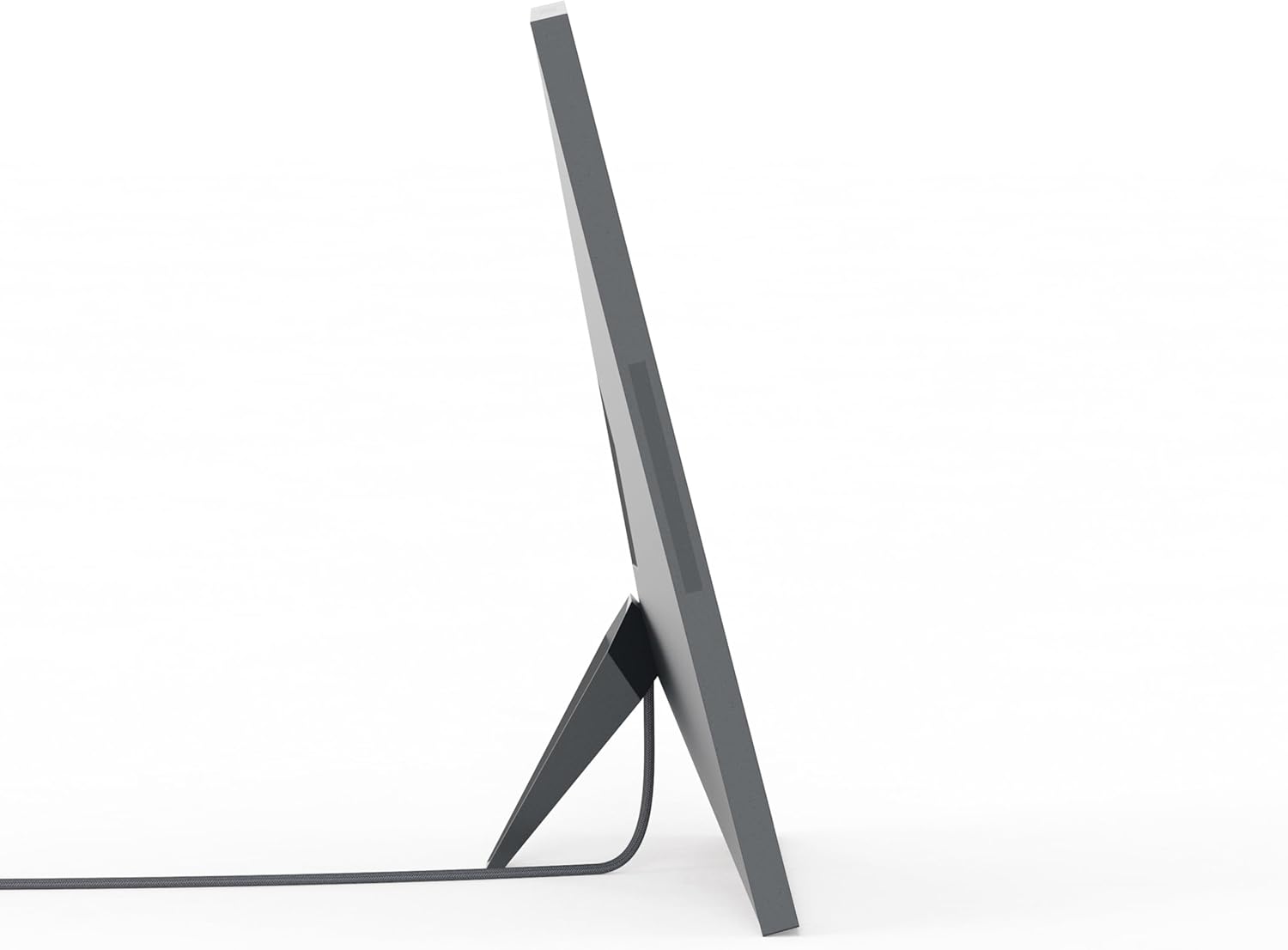
Billede: Side view of the Aura Aspen 12-inch Digital Picture Frame, highlighting its slim profile.

Billede: Bagside view of the Aura Aspen 12-inch Digital Picture Frame, showing the stand and power input.
Opsætning
- Pak rammen ud: Carefully remove the digital picture frame and all accessories from its packaging.
- Tilslut strøm: Sæt strømadapteren i rammen og derefter i en stikkontakt. Rammen tænder automatisk.
- Download Aura-appen: On your smartphone or tablet, download the free Aura app from your device's app store.
- Opret en konto: Åbn Aura-appen, og følg instruktionerne på skærmen for at oprette en ny konto eller logge ind, hvis du allerede har en.
- Opret forbindelse til Wi-Fi: The app will guide you through connecting your frame to your home Wi-Fi network. Ensure your frame is within range of your Wi-Fi router.
- Tilføj billeder og videoer: Once connected, you can start uploading photos and videos from your device's gallery directly to the frame using the Aura app.
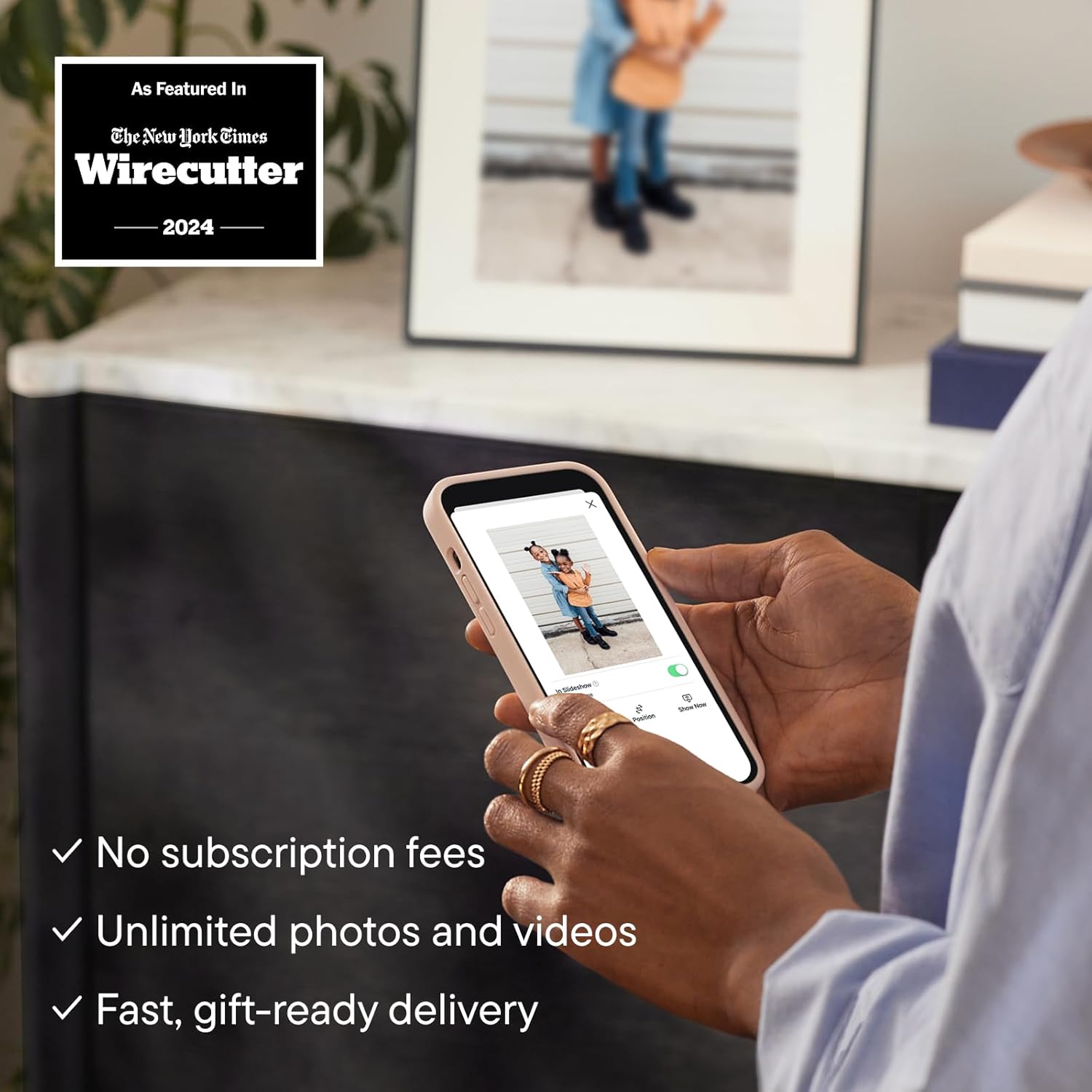
Image: The Aura app interface on a smartphone, demonstrating how to add photos to the digital frame.
Betjeningsvejledning
Your Aura Aspen frame is designed for intuitive operation:
- Automatisk tænd/sluk: The frame features light sensors that automatically turn the display on when light is detected and off when the room is dark, conserving energy.
- Changing Photos: Swipe your hand across the interactive touchbar located on the top edge of the frame to manually advance to the next photo or video.
- Indstillinger for slideshow: Use the Aura app to adjust the speed of your slideshow, choose specific albums to display, or set photos to shuffle randomly.
- Orientering: The frame automatically adjusts its display orientation (landscape or portrait) based on how it is positioned.

Image: A diagram illustrating key features of the Aura Aspen frame, such as the 12-inch HD display, paper-like matting, anti-glare finish, auto on/off sensors, portrait/landscape orientation, slim profile, built-in speaker, and interactive touch bar.
Medieintegration
Produktbilleder
The Aura Aspen frame is designed to beautifully display your images. Here are some visual examples of the product and its features:

Image: The Aura Aspen frame displaying a family photo, positioned on a wooden surface in a living room, demonstrating its aesthetic integration.

Image: The Aura Aspen frame displaying a photo of children, with a smartphone in the foreground showing the Aura app, illustrating the ease of photo sharing.
Officielle produktvideoer
Watch the official product video to learn more about the Aura Aspen frame and its capabilities:
Video: An official video from Aura Home, Inc. demonstrating how Aura frames are designed to display your photos. This video highlights the quality and features of the frame.
Opretholdelse
- Rengøring af skærmen: Use a soft, lint-free cloth to gently wipe the screen. Avoid abrasive materials or harsh chemicals.
- Rengøring af rammen: Tør rammens yderside af med en tør, blød klud.
- Power Care: Always disconnect the power adapter from the wall outlet before cleaning or if the frame will not be used for an extended period.
Fejlfinding
- Rammen tænder ikke: Ensure the power adapter is securely connected to both the frame and a working wall outlet.
- No Photos Displaying: Verify that the frame is connected to Wi-Fi and that photos/videos have been successfully uploaded via the Aura app. Check the app for any error messages.
- Problemer med Wi-Fi-forbindelse: Restart your Wi-Fi router and the Aura frame. Ensure the frame is within optimal range of your router. If issues persist, try reconnecting through the Aura app settings.
- Photos Appearing Sideways: The frame automatically adjusts orientation. If a photo is consistently incorrect, check the original photo's orientation on your device or use the app's editing features.
Specifikationer
| Skærmstørrelse | 10.1 Inches (Display area is 12 inches diagonally) |
| Opløsning | 1600 x 1200 |
| Produktdimensioner | 14.8 x 12.05 x 0.99 tommer |
| Varens vægt | 5.66 pund |
| Kompatible enheder | Virker med iOS og Android |
| Farve | Black with Mat |
Garanti og support
For warranty information and customer support, please refer to the documentation included in your product packaging or visit the official AURA website. You can also contact AURA Home, Inc. directly for assistance.
- Fabrikant: Aura Home, Inc.
- Returpolitik: 30-day refund/replacement (as per Amazon policy at time of data retrieval).
- Beskyttelsesplaner: Optional 2-Year or 3-Year Protection Plans may be available for purchase.