
1. Introduktion
The lvifloae FS23-PM USB Triple Foot Switch is a versatile and customizable foot pedal designed to enhance efficiency and control across various applications. Featuring three mechanical switches, it provides tactile and auditory feedback for precise input. This device can be configured for mouse, keyboard, game, character string, and multimedia functions, making it suitable for gaming, office work, industrial control, and more.
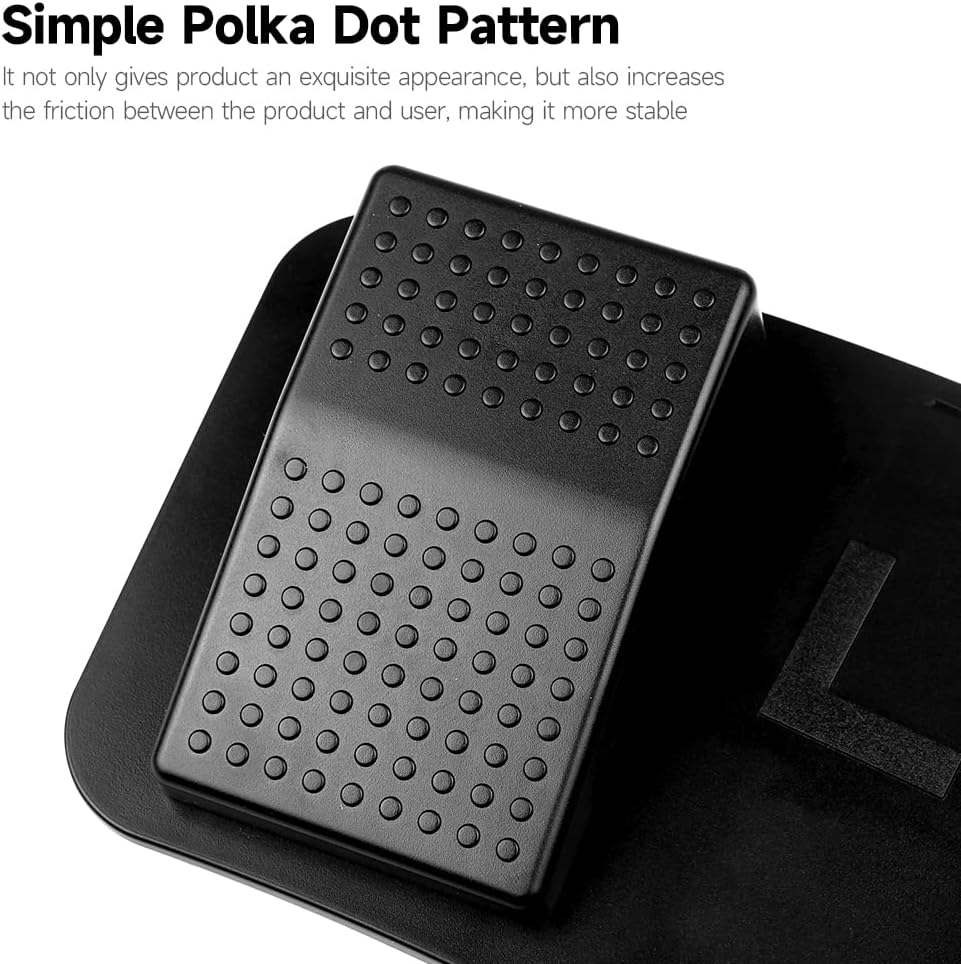
Image 1.1: The lvifloae FS23-PM USB Triple Foot Switch, showcasing its three pedals and USB cable connection.
2. Produktfunktioner
- Versatile Function Customization: Configure pedals for mouse clicks, keyboard shortcuts, game controls, character strings, or multimedia functions.
- Mekaniske kontakter: Provides distinct tactile feedback and a crisp sound upon activation, ensuring accurate and satisfying operation.
- Holdbart design: Features a simple polka-dot pattern that enhances grip and an anti-slip surface for stability.
- Skridsikre puder: Equipped with non-slip pads on the base to prevent movement during use, even with firm pressure.
- Bred anvendelse: Ideal for gaming, office tasks, industrial equipment control, music production, and image acquisition.

Billede 2.1: Et nærbillede view of the foot pedal's surface, highlighting the simple polka-dot pattern designed for enhanced friction and stability.
3. Opsætningsvejledning
3.1 Systemkompatibilitet
The FS23-PM foot pedal is compatible with various operating systems. Key definition setting software is provided for Windows systems, and once configured, the settings can be used across other compatible systems.

Image 3.1: Diagram illustrating the system compatibility of the foot pedal, including Windows, Mac, Android, and Linux operating systems.
3.2 Tilslutning af enheden
- Find en ledig USB-port på din computer eller enhed.
- Plug the USB connector of the FS23-PM foot switch into the USB port.
- Enheden bør automatisk genkendes af dit operativsystem.
- For customization, install the dedicated software (Windows only) from the provided source or manufacturer's webwebsted.
4. Betjeningsvejledning
4.1 Tilpasning af funktioner
The FS23-PM allows extensive customization of each of its three pedals. Use the dedicated software (Windows only) to assign specific functions.
- Musens funktioner: Assign left click, right click, scroll wheel actions, forward, or backward keys.
- Tastaturfunktioner: Program any keyboard key or combination, such as saving, copying, pasting, switching applications, or opening Task Manager.
- Gamepad Functions: Map to up, down, left, or right buttons for gaming.
- Character String Functions: Store and output frequently used sentences or commands.
- Multimediefunktioner: Control media playback (play, pause, previous/next song) or open specific applications like 'My Computer'.
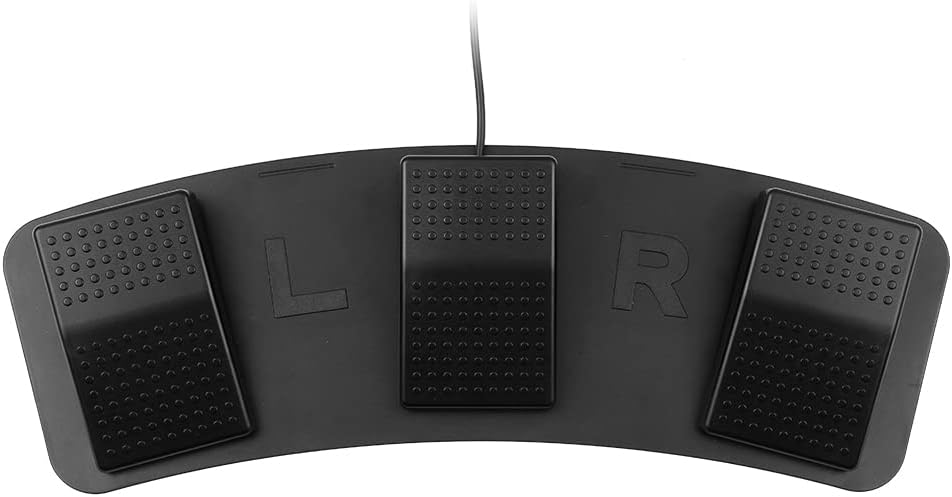
Image 4.1: A visual representation of the five customizable functions: Mouse, Keyboard, Gamepad, Character String, and Multimedia, with examples for hver.
4.2 Generel brug
Once configured, simply press the desired pedal to activate its assigned function. The mechanical switches provide clear feedback, ensuring you know when an action has been registered.

Image 4.2: An infographic demonstrating the wide range of applications for the foot pedal, including office work, inspection equipment, music, mechanical equipment, gaming, and audio equipment.
5. Vedligeholdelse
- Hold enheden ren ved at tørre den af med en blød, tør klud.
- Avoid exposing the foot switch to excessive moisture or extreme temperatures.
- Do not attempt to disassemble the device, as this may void the warranty and cause damage.
- Ensure the non-slip pads on the bottom are free from dirt or debris to maintain stability.

Image 5.1: The underside of the foot pedal, showing the integrated non-slip pads designed to prevent sliding during use.
6. Fejlfinding
- Enhed ikke genkendt: Try plugging the USB cable into a different USB port. Ensure the cable is securely connected. Test on another computer if possible.
- Funktioner der ikke virker: Verify that the customization software has been used to assign functions to the pedals. Ensure the software settings have been saved and applied.
- Pedals feel unresponsive: Check for any physical obstructions. If the issue persists, ensure the device is connected directly to a USB port and not through an unpowered USB hub.
- Enheden glider under brug: Ensure the non-slip pads on the bottom are clean and the surface it rests on is dry and flat.
7. Specifikationer
| Model | FS23-PM |
| Farve | Sort |
| Switch Type | Mekanisk afbryder |
| Interface | USB |
| Kabellængde | Approx. 2m (6.56 ft) |
| Varestørrelse (L x B x H) | 37.5 x 12 x 4 cm (14.76 x 4.72 x 1.57 '') |
| Varens vægt | Ca. 329 g (11.61 oz) |
8. Garanti og support
For warranty information and technical support, please refer to the documentation included with your purchase or contact the manufacturer directly through their official webwebsted. Gem din købskvittering som købsbevis i tilfælde af garantikrav.