
Indledning
Thank you for choosing the BoxWave SlimKeys Bluetooth Keyboard. This ultra-thin and portable keyboard is designed to enhance your typing experience with your Volla Tablet (12.3 in) and other compatible devices. Featuring a sleek design, comfortable chiclet-style keys, and efficient Bluetooth 3.0 connectivity, it is ideal for productivity on the go. Please read this manual carefully to ensure proper setup and operation.
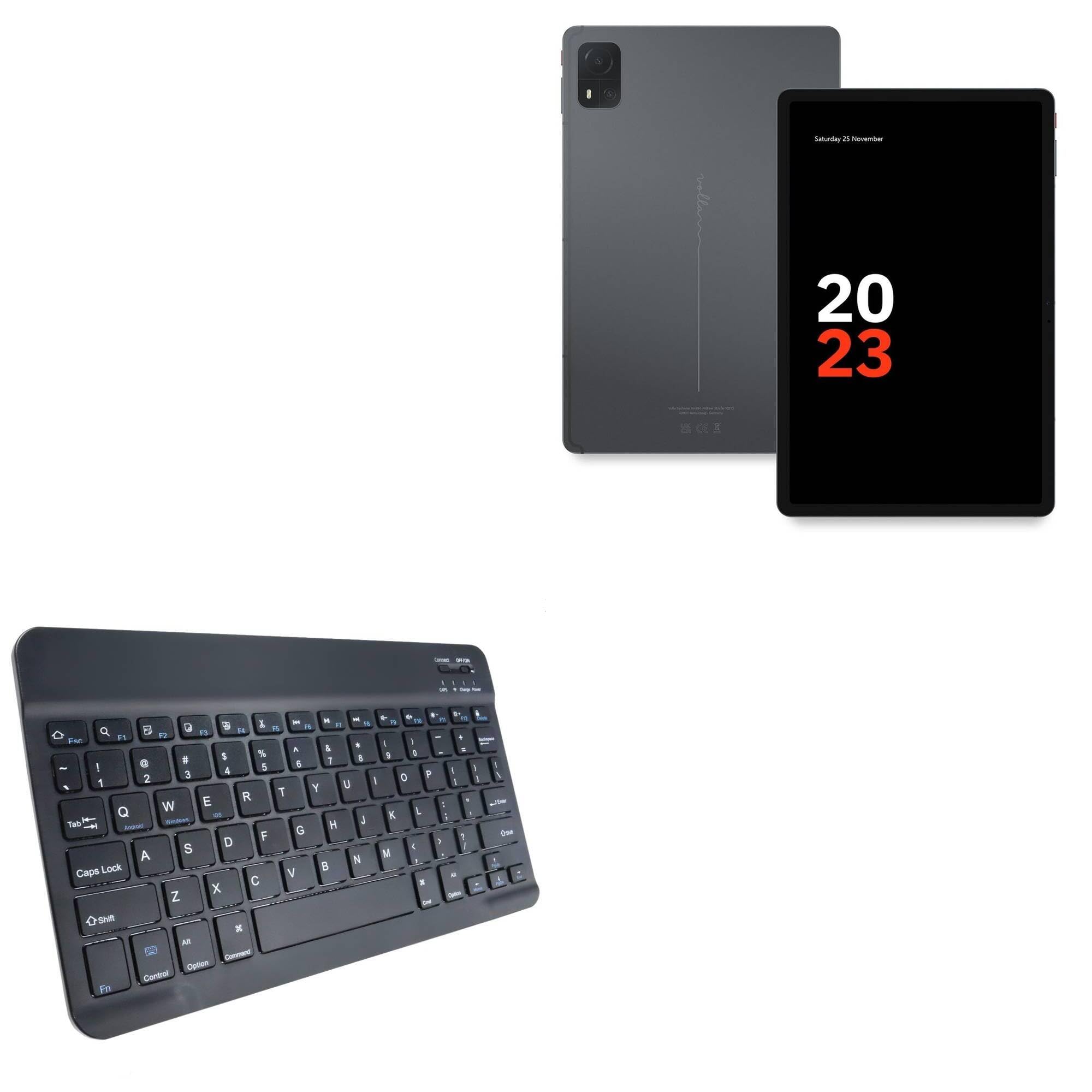
Image: The BoxWave SlimKeys Bluetooth Keyboard in Jet Black, showcasing its full QWERTY layout and compact design.
Pakkens indhold
- BoxWave SlimKeys Bluetooth Keyboard
- USB opladningskabel
- Instruktionsmanual
Produktegenskaber
- Ultratyndt design: Measuring just 3/16 inch thick, the keyboard offers a sleek, compact profile for nem bærbarhed.
- Let og behagelig: Responsive, chiclet-style keys provide a tactile typing experience.
- Power-Efficient Functionality: Built-in on/off switch and Bluetooth 3.0 for reduced power consumption.
- Fast Bluetooth Pairing: Ensures quick and reliable connection without lag.
- Multi-platform kompatibilitet: Works seamlessly with Android, Windows, and iOS devices.
- Langtidsholdbart batteri: Up to 30 days of battery life and 6 months on standby.

Image: A visual summary of the keyboard's key features, including Chiclet Keys, Multi-Platform compatibility, Bluetooth 3.0, and its ultra-slim and light design.
Opsætning
1. Opladning af tastaturet
- Locate the charging port on the keyboard (usually on the top edge).
- Tilslut det medfølgende USB-opladerkabel til tastaturets opladningsport.
- Tilslut den anden ende af USB-kablet til en USB-strømkilde (f.eks. computer, vægadapter).
- The 'Charge' indicator light will illuminate during charging. It will turn off or change color when fully charged.
A full charge provides up to 30 days of active use or 6 months of standby time.

Image: The SlimKeys Bluetooth Keyboard connected to a charging cable, illustrating its long-lasting battery feature.
2. Parring med din enhed (Bluetooth-forbindelse)
- Ensure the keyboard is charged and the power switch (usually labeled 'ON/OFF') is in the 'ON' position.
- Press the 'Connect' button on the keyboard (often a small button near the power switch or an Fn key combination). The Bluetooth indicator light will start blinking, indicating it's in pairing mode.
- On your Volla Tablet (or other device), go to Indstillinger > Bluetooth og sørg for, at Bluetooth er aktiveret.
- Your device will search for available Bluetooth devices. Select "BoxWave SlimKeys Keyboard" or a similar name from the list.
- If prompted, enter the displayed pairing code on the SlimKeys keyboard and press Indtast.
- Once paired, the Bluetooth indicator light on the keyboard will stop blinking and remain solid or turn off, indicating a successful connection.
Betjeningsvejledning
1. Tænd/sluk
Slide the 'ON/OFF' switch located on the top right of the keyboard to turn it on or off. To conserve battery, turn off the keyboard when not in use.
2. Valg af operativsystem
The SlimKeys keyboard supports multiple operating systems. To optimize function keys for your device, press the following key combinations:
- Fn + Q: Til Android-enheder
- Fn + W: Til Windows-enheder
- Fn + E: Til iOS-enheder
3. Funktionstaster
The keyboard features specialized function keys (F1-F12) that provide quick access to various commands. These keys are typically activated by pressing the Fn tasten samtidig med den ønskede funktionstast.

Billede: Et nærbillede view of the specialized function keys on the SlimKeys Bluetooth Keyboard, detailing their icons and corresponding actions.
| Nøglekombination | Fungere |
|---|---|
| Fn + Esc | Hjem |
| Fn + F1 | Søg |
| Fn + F2 | Vælg alle |
| Fn + F3 | Kopi |
| Fn + F4 | Indsæt |
| Fn + F5 | Skære |
| Fn + F6 | Spring tilbage |
| Fn + F7 | Afspil / pause |
| Fn + F8 | Spring fremad |
| Fn + F9 | Lydstyrke ned |
| Fn + F10 | Lydstyrke op |
| Fn + F11 | Lysstyrke ned |
| Fn + F12 | Lysstyrke op |
| Fn + Slet | Låse |
Opretholdelse
- Rensning: Brug en blød, fnugfri klud lidt dampened with water or a mild cleaning solution to wipe the keyboard surface. Avoid excessive moisture. Do not spray cleaners directly onto the keyboard.
- Opbevaring: Store the keyboard in a cool, dry place away from direct sunlight and extreme temperatures. When traveling, consider placing it in a protective sleeve to prevent scratches.
- Batteripleje: For optimal battery life, avoid fully discharging the keyboard frequently. Charge it regularly, especially if it will be stored for an extended period.
Fejlfinding
Keyboard Not Pairing
- Sørg for, at tastaturet er opladet og tændt.
- Sørg for, at Bluetooth er aktiveret på din enhed.
- Tryk på knappen 'Forbind' på tastaturet for at aktivere parringstilstand.
- If previously paired, try 'forgetting' the keyboard from your device's Bluetooth settings and re-pairing.
- Ensure the keyboard is within the effective Bluetooth range (typically 10 meters or 33 feet).
Taster reagerer ikke
- Check if the keyboard is powered on and successfully connected via Bluetooth.
- Ensure the correct operating system mode (Fn+Q/W/E) is selected for your device.
- The battery might be low; try charging the keyboard.
- Genstart både tastaturet (sluk/tænd) og din enhed.
Lag eller afbrydelser
- Flyt tastaturet tættere på din enhed for at reducere interferens.
- Ensure there are no other strong wireless signals or devices causing interference.
- Tjek tastaturets batteriniveau.
Specifikationer
| Feature | Detalje |
|---|---|
| Modelnavn | SlimKeys Bluetooth Keyboard |
| Mærke | BoxWave |
| Forbindelse | Bluetooth 3.0 |
| Kompatibilitet | Android, Windows, iOS |
| Dimensioner (ca.) | 9.5 in (Width) x 5.75 in (Depth) x 0.2 in (Height) |
| Vægt | 8.6 ounce |
| Batteritype | Produktspecifik (inkluderet) |
| Batterilevetid | Up to 30 days (active use), 6 months (standby) |
| Farve | Jet Black |

Image: The SlimKeys Bluetooth Keyboard with its ultra-slim and lightweight dimensions highlighted.
Sikkerhedsoplysninger
- Udsæt ikke tastaturet for vand eller overdreven fugt.
- Undgå at tabe tastaturet eller udsætte det for hårde stød.
- Opbevares utilgængeligt for børn.
- Do not attempt to disassemble or repair the keyboard yourself. This may void the warranty and cause damage.
- Brug kun det medfølgende opladningskabel eller et tilsvarende certificeret kabel.
Garanti og support
BoxWave products are designed for quality and reliability. For warranty information or technical support, please refer to the BoxWave official webwebstedet eller kontakt deres kundeservice direkte. Behold din købskvittering som købsbevis.