
Edifier es300
Brugermanual til Edifier ES300 trådløs bordhøjttaler
Model: ES300
Vigtige sikkerhedsoplysninger
Please read these instructions carefully before using the product and retain them for future reference. Observe all warnings and follow all instructions to ensure safe operation and prevent damage.
- Udsæt ikke dette apparat for dryp eller stænk.
- Anbring ikke genstande fyldt med væske, såsom vaser, på apparatet.
- Bloker ikke ventilationsåbninger. Installer i overensstemmelse med producentens anvisninger.
- Må ikke installeres i nærheden af varmekilder såsom radiatorer, varmeapparater, komfurer eller andre apparater (inklusive ampløftere), der producerer varme.
- Beskyt netledningen mod at blive trådt på eller klemt, især ved stik, stikkontakter og det sted, hvor de kommer ud af apparatet.
- Brug kun tilbehør/tilbehør specificeret af producenten.
- Træk stikket ud af dette apparat under tordenvejr, eller når det ikke skal bruges i længere perioder.
- Overlad al service til kvalificeret servicepersonale. Service er påkrævet, når apparatet er blevet beskadiget på nogen måde, såsom strømforsyningsledning eller stik er beskadiget, væske er blevet spildt, eller genstande er faldet ind i apparatet, apparatet har været udsat for regn eller fugt, ikke fungerer normalt , eller er blevet droppet.
Hvad er der i æsken
Kontroller, at alle komponenter er til stede og i god stand, når du åbner pakken.

Image: The Edifier ES300 speaker, power cable, USB cable, 3.5mm-to-3.5mm audio cable, quick start guide, and important safety instructions are included in the box.
- ES300 Speaker x 1
- Strømkabel x 1
- USB-kabel x 1
- 3.5mm-to-3.5mm Audio Cable x 1
- Lynvejledning x 1
- Vigtige sikkerhedsinstruktioner x 1
Produkt overview
The Edifier ES300 is a versatile tabletop wireless speaker designed for high-resolution audio playback and multiple connectivity options. Its elegant design and advanced features make it suitable for various environments.
Design og dimensioner
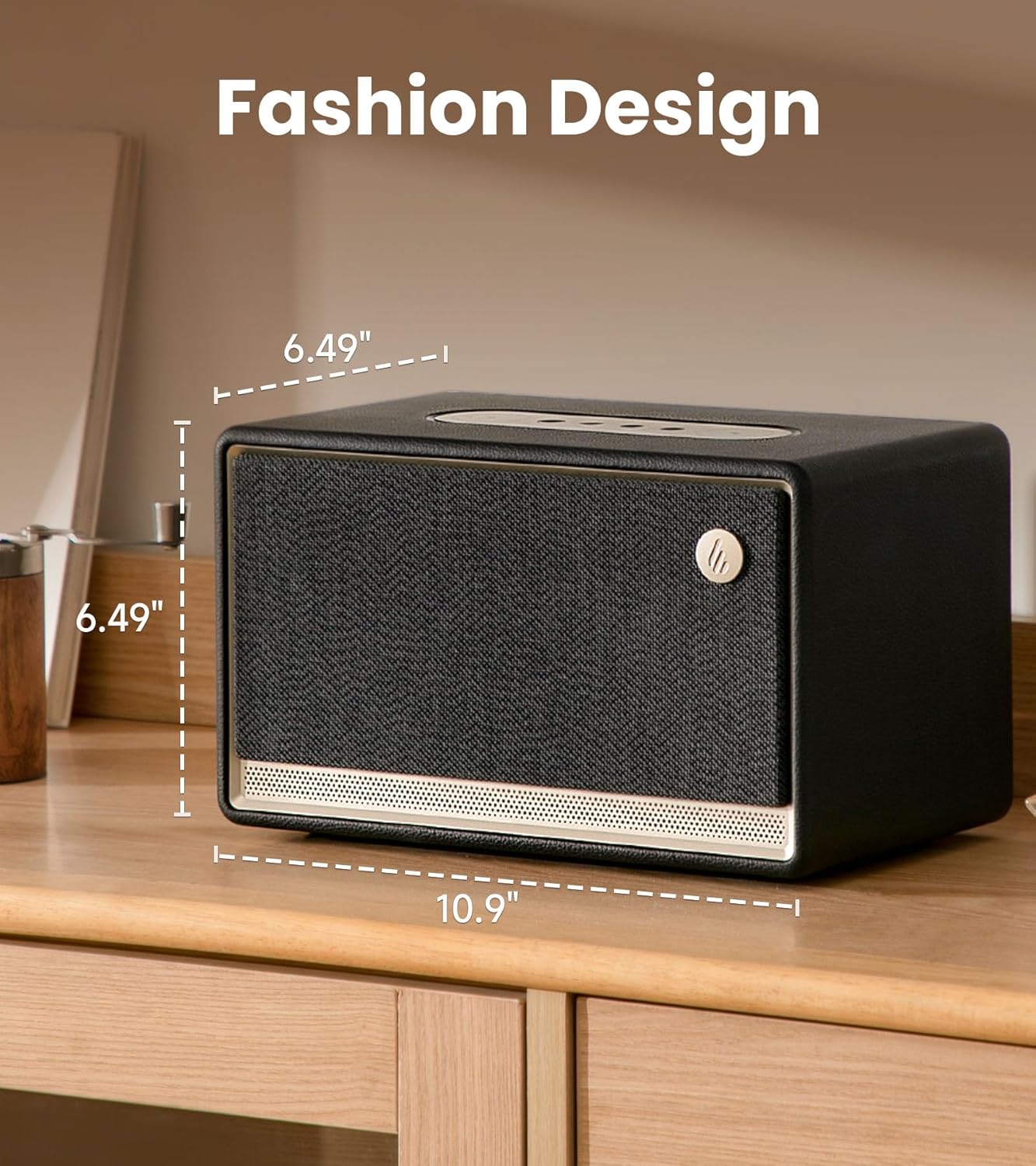
Image: The Edifier ES300 speaker showcasing its compact dimensions, ideal for tabletop placement.
The ES300 features a stylish design with a handcrafted wooden case, leather-like coating, braided grille, and metallic controls. Its dimensions are approximately 13.5"D x 10.2"W x 8.9"H (34.3cm D x 25.9cm W x 22.6cm H), making it a compact yet powerful audio solution.
Acoustic Architecture

Billede: Intern view of the ES300's speaker components, including the mid-bass driver, tweeters, and bass reflex channels.
Equipped with a 4-inch mid-low driver and dual 1.25-inch silk dome tweeters, the ES300 delivers a total output power of 30W+15W*2 (RMS). It incorporates MazeTube bass reflex channels for enhanced low frequencies and TurbMuff air noise suppression technology for clean, distortion-free sound.
Højopløselig lyd

Image: Visual representation of the ES300's high-resolution audio processing capabilities.
The ES300 is certified for Hi-Res Audio and Hi-Res Audio Wireless, supporting 24-bit/96kHz high-resolution audio with end-to-end digital audio processing. This ensures a rich and detailed sound experience whether streaming wirelessly or using wired inputs.
Tilslutningsmuligheder
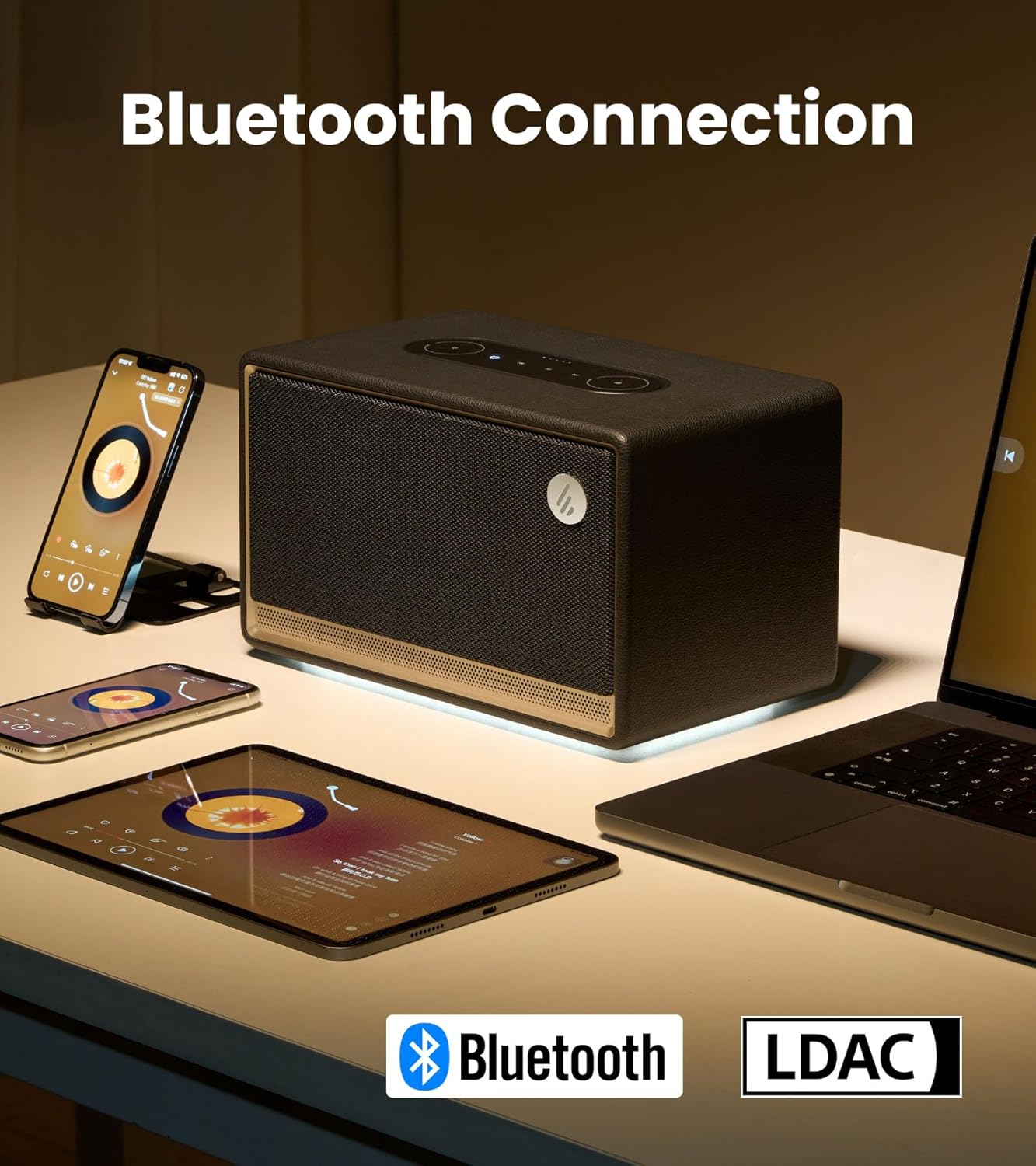
Image: The ES300 demonstrating its Bluetooth connectivity with various devices.
The speaker offers multiple connectivity options including Bluetooth 5.3 (with multi-point connection), WiFi (5G and 2.4G), USB, and AUX inputs. This versatility allows connection to a wide range of audio sources.

Image: Close-up of the rear panel showing the USB-A and AUX input ports.
Multi-Room Audio Synchronization

Image: The ES300's capability for multi-room audio setup using Apple AirPlay 2.
The ES300 supports Apple AirPlay 2, allowing you to group multiple speakers into a multi-room music system. This provides uninterrupted music as you move between rooms and enables immersive surround sound listening when configured via the app.
Batterilevetid
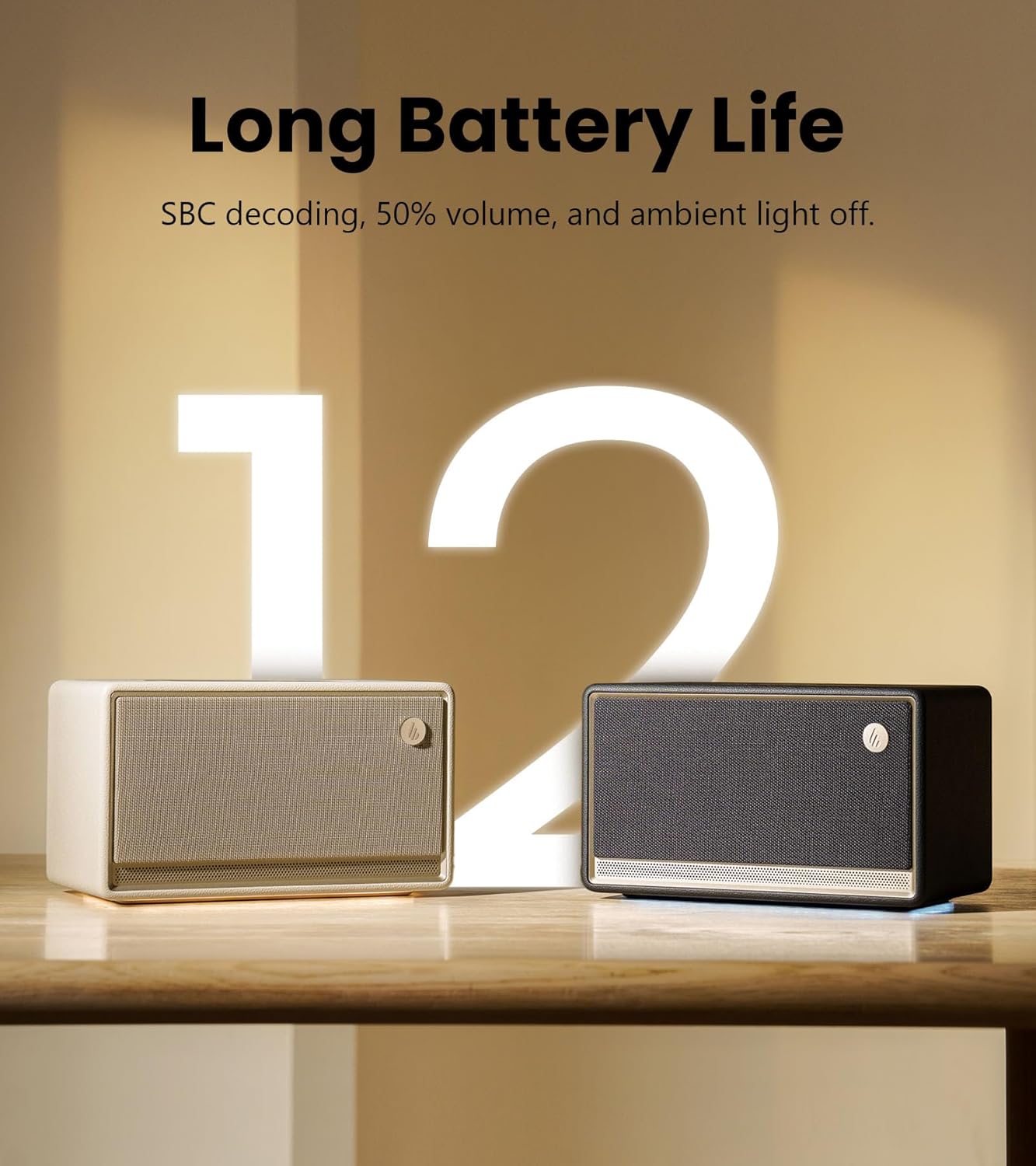
Image: The ES300 highlighting its long battery life.
The built-in 5200mAh battery provides up to 12 hours of continuous playtime, making the ES300 suitable for both indoor and outdoor use. Battery life is tested with SBC decoding, 50% volume, and ambient light off. Actual performance may vary.
Ambient Light System
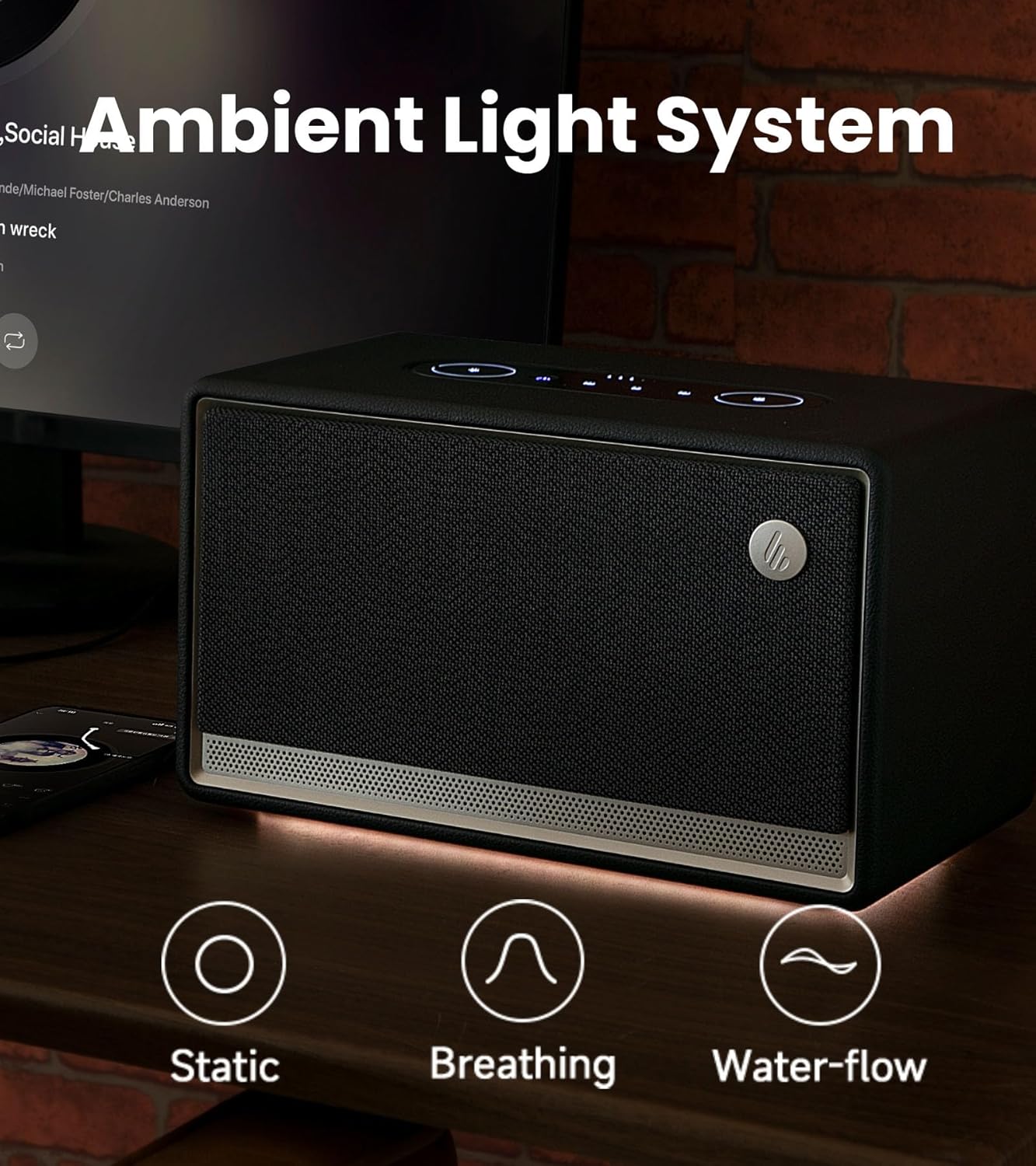
Image: The ES300's ambient light system with various effects.
The integrated ambient light system offers 3 preset effects (Static, Breathing, Water-flow) and two color options, allowing you to set a cozy and tranquil atmosphere.
Kontrolpanel

Billede: Detaljeret view of the ES300's easy-to-use touch control panel.
The sleek metallic control panel on top of the speaker provides intuitive touch controls for power, playback, volume adjustment, source selection, and ambient light settings.
Officiel produktvideo
Video: En officiel produktvideo fra Edifier-showetasing the features and design of the ES300 Tabletop Wireless Speaker.
Opsætningsvejledning
1. Strømtilslutning
Connect the provided power cable to the power input port on the rear of the speaker and then plug it into a wall outlet. The speaker will automatically power on or enter standby mode.
2. Bluetooth-parring
- Press the Bluetooth/Source button on the control panel to switch to Bluetooth mode. The Bluetooth indicator light will blink.
- Aktiver Bluetooth på din enhed (smartphone, tablet, computer), og søg efter "EDIFIER ES300".
- Select "EDIFIER ES300" to pair. Once connected, the Bluetooth indicator will remain solid.
- For multi-point connection, you can pair a second device by repeating steps 1-3. The speaker will seamlessly switch between the two paired devices.
3. Wi-Fi (AirPlay 2) Setup
For Wi-Fi connectivity and AirPlay 2 functionality, download the EDIFIER Home App. The app will guide you through the network configuration process.
- Download the "EDIFIER Home" app from your device's app store.
- Open the app and follow the on-screen instructions to connect your ES300 speaker to your Wi-Fi network (supports 5G and 2.4G).
- Once connected to Wi-Fi, you can use AirPlay 2 from compatible Apple devices to stream audio or set up multi-room audio groups.
4. USB and AUX Connections
- USB-indgang: Connect your audio source (e.g., computer) to the USB IN port on the rear of the speaker using the provided USB cable. Select USB input via the source button.
- AUX-indgang: Connect your audio source (e.g., turntable, MP3 player) to the AUX IN port on the rear of the speaker using the 3.5mm-to-3.5mm audio cable. Select AUX input via the source button.
Betjeningsvejledning
Tænd/sluk og standby
Press the power button on the control panel to turn the speaker on or off. A short press will toggle between active and standby modes.
Lydstyrkekontrol
Rotate the outer ring of the volume control on the control panel clockwise to increase volume and counter-clockwise to decrease volume.
Valg af kilde
Press the source button (often combined with Bluetooth icon) on the control panel to cycle through available input sources: Bluetooth, Wi-Fi, USB, and AUX.
Afspilningskontrol
- Afspil/pause: Tryk på knappen Afspil/pause.
- Næste nummer: Tryk på knappen Næste spor.
- Forrige nummer: Tryk på knappen Forrige spor.
Kontrol af omgivende lys
Press the light icon button on the control panel to cycle through the ambient light effects (Static, Breathing, Water-flow) and color options. You can also adjust brightness via the EDIFIER Home App.
Using the EDIFIER Home App

Image: The EDIFIER Home App interface, offering extended control and customization.
The EDIFIER Home App provides enhanced control and customization options for your ES300 speaker, including:
- Wi-Fi netværkskonfiguration
- Kildeskift
- Afspilningskontrol
- Stereo channel setup
- Sound effect switch and customization
- Light effect switch and brightness adjustment
- Access to the user manual
- Scheduled power-off
- Firmware-opdateringer
Opretholdelse
- Rensning: Brug en blød, tør klud til at rengøre højttalerens overflade. Brug ikke slibende rengøringsmidler, voks eller opløsningsmidler.
- Opbevaring: Når højttaleren ikke er i brug i længere perioder, skal den opbevares køligt og tørt, væk fra direkte sollys og ekstreme temperaturer.
- Batteripleje: For at forlænge batteriets levetid bør du undgå at aflade batteriet helt ofte. Oplad højttaleren regelmæssigt, selvom den ikke er i konstant brug.
Fejlfinding
| Problem | Mulig årsag | Løsning |
|---|---|---|
| Ingen lyd | Power off; Incorrect source; Volume too low; Loose cable connection. | Ensure speaker is powered on; Select correct input source; Increase volume; Check all cable connections. |
| Bluetooth-parringsfejl | Højttaler ikke i parringstilstand; Enhed for langt væk; Interferens. | Ensure speaker is in Bluetooth pairing mode (blinking indicator); Move device closer to speaker; Avoid strong electromagnetic interference. |
| Problemer med Wi-Fi-forbindelse | Incorrect Wi-Fi password; Router issues; Speaker too far from router. | Verify Wi-Fi password; Restart router; Move speaker closer to router; Use EDIFIER Home App for setup. |
| Forvrænget lyd | Lydstyrken er for høj; Kildens lydkvalitet; Højttalerplacering. | Reduce volume on speaker and/or source device; Try a different audio source; Adjust speaker placement to avoid reflections. |
| Kort batterilevetid | High volume usage; Ambient light on; Battery degradation. | Reduce volume; Turn off ambient light when not needed; Ensure full charge before use. |
If the problem persists, please refer to the EDIFIER Home App for further assistance or contact customer support.
Specifikationer

Image: Detailed technical specifications of the Edifier ES300 speaker.
| Feature | Detalje |
|---|---|
| Samlet udgangseffekt (RMS) | Treble 15W x 2, Mid-bass 30W |
| Driver enheder | Treble: 1.25-inch, Mid-bass: 4-inch |
| Frekvensrespons | 56Hz - 40KHz |
| Signal-støjforhold | ≥ 85dB (A) |
| Lydindgange | Bluetooth, Wi-Fi (Apple AirPlay), USB-A, AUX |
| Bluetooth version | V5.4 |
| Codecs | SBC, AAC, LDAC, and ALAC (AirPlay mode only) |
| Indgangsfølsomhed | AUX: 600 ± 50mV, USB: 600 ± 50mFFS, Bluetooth: 600 ± 50mFFS |
| Dimensioner (B x H x D) | 277mm × 185mm × 165mm (10.9"D x 10.2"W x 8.9"H) |
| Nettovægt | 3.7 kg (8.16 lbs) |
| Batterikapacitet | 5200 mAh (4 litium-ion-batterier medfølger) |
| Spilletid | Op til 12 timer |
Garanti og support
Edifier products come with a limited warranty. Please refer to the warranty card included in your package or visit the official Edifier webwebstedet for detaljerede garantivilkår og -betingelser, der er specifikke for din region.
For teknisk support, hjælp til fejlfinding eller serviceforespørgsler, kontakt venligst Edifiers kundesupport via deres officielle webwebstedet eller kontaktoplysningerne i din produktdokumentation.
Officiel redaktør Webwebsted: www.edifier.com
Ask a question about this manual
Ask about setup, troubleshooting, compatibility, parts, safety, or missing instructions. Manuals+ will review the question and use this page’s manual context to help answer it.