
Indledning
This manual provides detailed instructions for the setup, operation, and maintenance of your PTHTECHUS Kids 4G Smartwatch, model LT49. Please read this manual thoroughly before using the device to ensure proper functionality and safety. This smartwatch is designed for children aged 4-12 years old, offering communication, educational, and entertainment features.
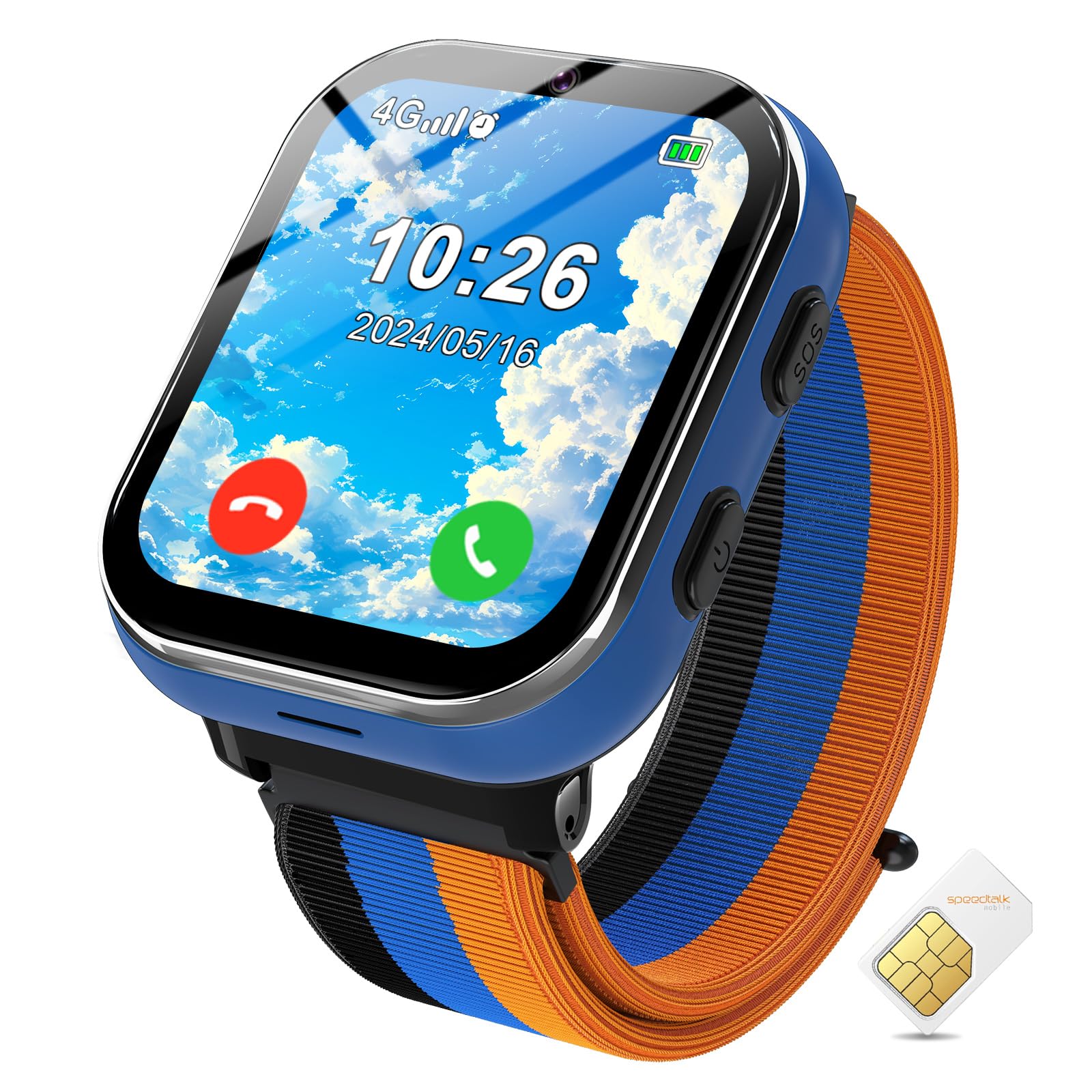
Image: PTHTECHUS Kids 4G Smartwatch LT49, blue variant.
Important Note: This Kids Smartwatch does not require connection to a smartphone application. The GPS function and video call function are not available on this model.
Pakkens indhold
Tjek venligst pakken for følgende varer:
- PTHTECHUS Kids 4G Smartwatch (Model LT49)
- USB opladningskabel
- SIM-kort (forinstalleret eller medfølger separat)
- Brugermanual
- Three Color Watch Frames (interchangeable)
Produkt overview
Familiarize yourself with the physical components of your smartwatch.

Image: Key components of the PTHTECHUS Kids Smartwatch.
- HD kamera: Located at the top of the watch face for taking photos.
- SIM-kortplads: Located on the side for inserting the 4G SIM card.
- SOS knap: A dedicated button for emergency calls.
- Power knap: Used to turn the watch on/off and wake/sleep the screen.
- Colorful Soft Band: The comfortable and adjustable watch strap.
- Mental Watch Case: The durable casing protecting the watch's internal components.
Opsætning
1. SIM Card Installation and Activation
The smartwatch requires an activated 4G SIM card for calling features. A SIM card is included with your purchase.
- Sørg for, at smartwatchet er slukket.
- Find SIM-kortstikket på siden af uret.
- Carefully insert the provided Nano SIM card into the slot. Ensure it is correctly oriented.
- To activate the SIM card, insert it into a smartphone and visit the SpeedTalk Mobile webwebsted for at fuldføre aktiveringsprocessen.
- Once activated, reinsert the SIM card into the smartwatch.

Image: SIM card installation and 2-way voice call feature.
2. Første tænd/sluk
- For at tænde: Tryk og hold tænd/sluk-knappen nede, indtil skærmen lyser.
- For at slukke: Press and hold the Power Button, then select 'Power Off' on the screen.
3. Opladning af smartwatchet
Oplad smartwatchet helt før første brug.
- Tilslut USB-opladerkablet til opladningsporten på smartwatchet.
- Tilslut den anden ende af USB-kablet til en standard USB-strømadapter (medfølger ikke) eller en computers USB-port.
- The screen will indicate charging status. A full charge typically takes 2-3 hours.
- The smartwatch features a 700 mAh high-capacity battery.
Betjeningsvejledning
1. Two-Way Calling
With an activated 4G SIM card, your child can make and receive calls.
- Navigate to the 'Phone' icon on the watch screen.
- Select a contact from the address book or dial a number directly.
- To answer an incoming call, tap the green answer icon. To reject, tap the red hang-up icon.
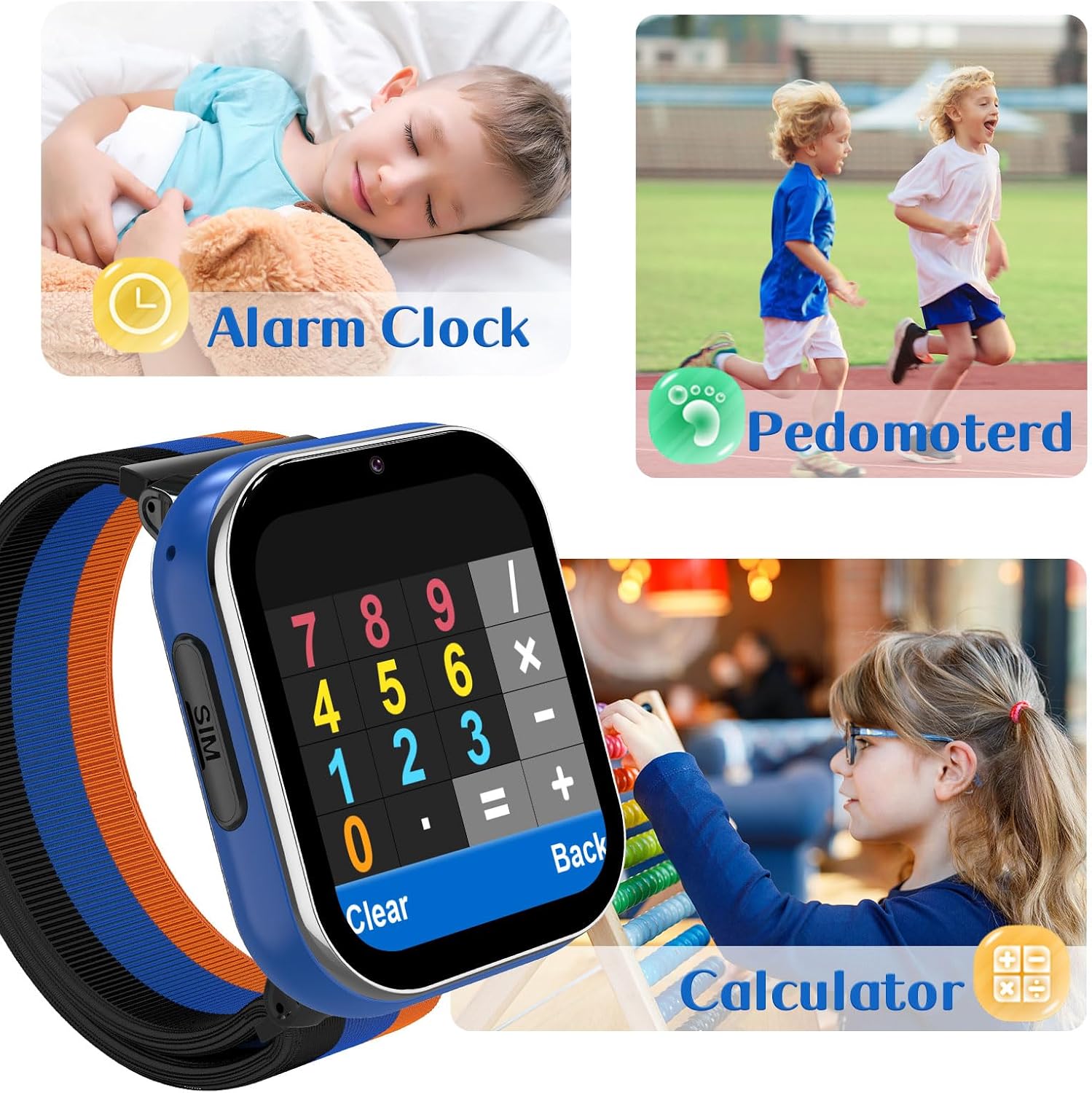
Image: Two-way calling and SOS function demonstration.
2. SOS-funktion
In an emergency, the SOS function allows your child to quickly contact pre-set numbers.
- Tryk og hold SOS-knappen nede i 3 sekunder.
- The watch will automatically dial the pre-set emergency contacts in a loop until one is answered.
3. Kamera
The built-in camera allows your child to capture photos.
- Tap the 'Camera' icon on the screen.
- Tap the capture button to take a photo.
- Photos are saved in the watch's gallery.

Image: Camera and Music Player features.
4. Musikafspiller
The smartwatch includes a music player for entertainment.
- Tap the 'Music' or 'MP3' icon.
- Select a song from the list to play.
- Brug skærmknapperne til at afspille, pause, springe over og justere lydstyrken.
5. Learning Cards & Audio Books
Engage with educational content designed for early learning.
- Navigate to the 'Learning Cards' or 'Audio Books' section.
- Learning cards cover various topics like animals, vegetables, and colors.
- Audio books provide stories to enhance listening skills.

Image: Learning Cards and Audio Books features.
6. Puzzle Games
The smartwatch includes 7 built-in puzzle games to develop thinking and logic skills.
- Tap the 'Games' icon.
- Vælg et spil fra listen for at begynde at spille.

Image: Classroom Mode and Puzzle Games.
7. Classroom Mode
To minimize distractions during school hours, activate Classroom Mode.
- Access 'Settings' and locate 'Classroom Mode'.
- Set the desired time periods during which the watch will limit functions to prevent distractions.
- During Classroom Mode, only essential functions like time display and SOS calls may be available.
8. Vækkeur
Indstil alarmer til påmindelser eller daglige rutiner.
- Tap the 'Alarm' icon.
- Add a new alarm, set the time, and choose repetition options.

Image: Alarm Clock, Pedometer, and Calculator features.
9. Skridttæller
Registrer dine daglige skridt for at fremme fysisk aktivitet.
- Access the 'Pedometer' function to view skridttælling.
- The watch automatically tracks steps when worn.
10. Lommeregner
A basic calculator is available for quick calculations.
- Tap the 'Calculator' icon to open the application.
- Use the touch screen to input numbers and operations.
11. Customizing Wallpaper
Personalize the watch face with different wallpapers.
- Go to 'Settings' and find 'Wallpaper' or 'Display'.
- Choose from the available pre-loaded wallpapers.

Image: Customizable watch wallpapers.
12. Habit Tracking
The watch includes features to help guide children in developing good habits.
- Access the 'Habit Tracking' feature from the main menu.
- Review and set up daily routines or tasks.

Image: Habit Tracking feature with daily activity icons.
Opretholdelse
1. Rensning
- Tør urets skærm og kabinet af med en blød, tør og fnugfri klud.
- Undgå at bruge skrappe kemikalier eller slibende materialer.
- Note: The watch is not water resistant. Avoid exposure to water.
2. Batteripleje
- Oplad uret regelmæssigt, selvom det ikke er i brug, for at opretholde batteriets sundhed.
- Undgå ekstreme temperaturer, da disse kan påvirke batteriets ydeevne.
- Brug kun det medfølgende ladekabel.
Fejlfinding
Hvis du støder på problemer med dit smartwatch, kan du se følgende almindelige løsninger:
| Problem | Mulig løsning |
|---|---|
| Uret tænder ikke | Ensure the watch is fully charged. Press and hold the Power Button for several seconds. |
| Kan ikke foretage/modtage opkald | Verify the 4G SIM card is correctly installed and activated. Check for network signal. Ensure sufficient balance on the SIM card. |
| Charging issues (e.g., not charging, loose connection) | Ensure the charging cable is securely connected to both the watch and the power source. Try a different USB power adapter or port. Inspect the charging port for debris. |
| Skærmen reagerer ikke | Genstart uret. Hvis problemet fortsætter, skal du sørge for, at skærmen er ren og tør. |
| Sound issues (no audio, low volume) | Check the volume settings on the watch. Ensure the speaker is not obstructed. |
Specifikationer
| Feature | Detalje |
|---|---|
| Modelnummer | LT49 |
| Mærke | PTHTECHUS |
| Cellulær teknologi | 4G |
| SIM-kortstørrelse | Nano |
| Batterikapacitet | 700 mAh (lithium-ion) |
| Display Type | LCD |
| Human Interface Input | Touchskærm |
| Båndmaterialetype | Nylon |
| Vandmodstandsniveau | Ikke vandafvisende |
| Hukommelseslagringskapacitet | 3.7 GB |
| Yderligere funktioner | Alarm Clock, Camera, Music Player, SOS Button, Touchscreen, Puzzle Games, Learning Cards, Habit Tracking, Classroom Mode, Pedometer, Calculator |
| GPS -funktionalitet | Ingen GPS |
| Video Call Functionality | No Video Call |
Garanti og support
Garantioplysninger
This PTHTECHUS Kids 4G Smartwatch comes with a limited warranty. Please refer to the warranty card included in your package or contact the manufacturer for specific terms and conditions.
Kundesupport
For further assistance, technical support, or inquiries regarding your smartwatch, please contact PTHTECHUS customer service through their official webwebstedet eller kontaktoplysningerne på din produktemballage.