
Indledning
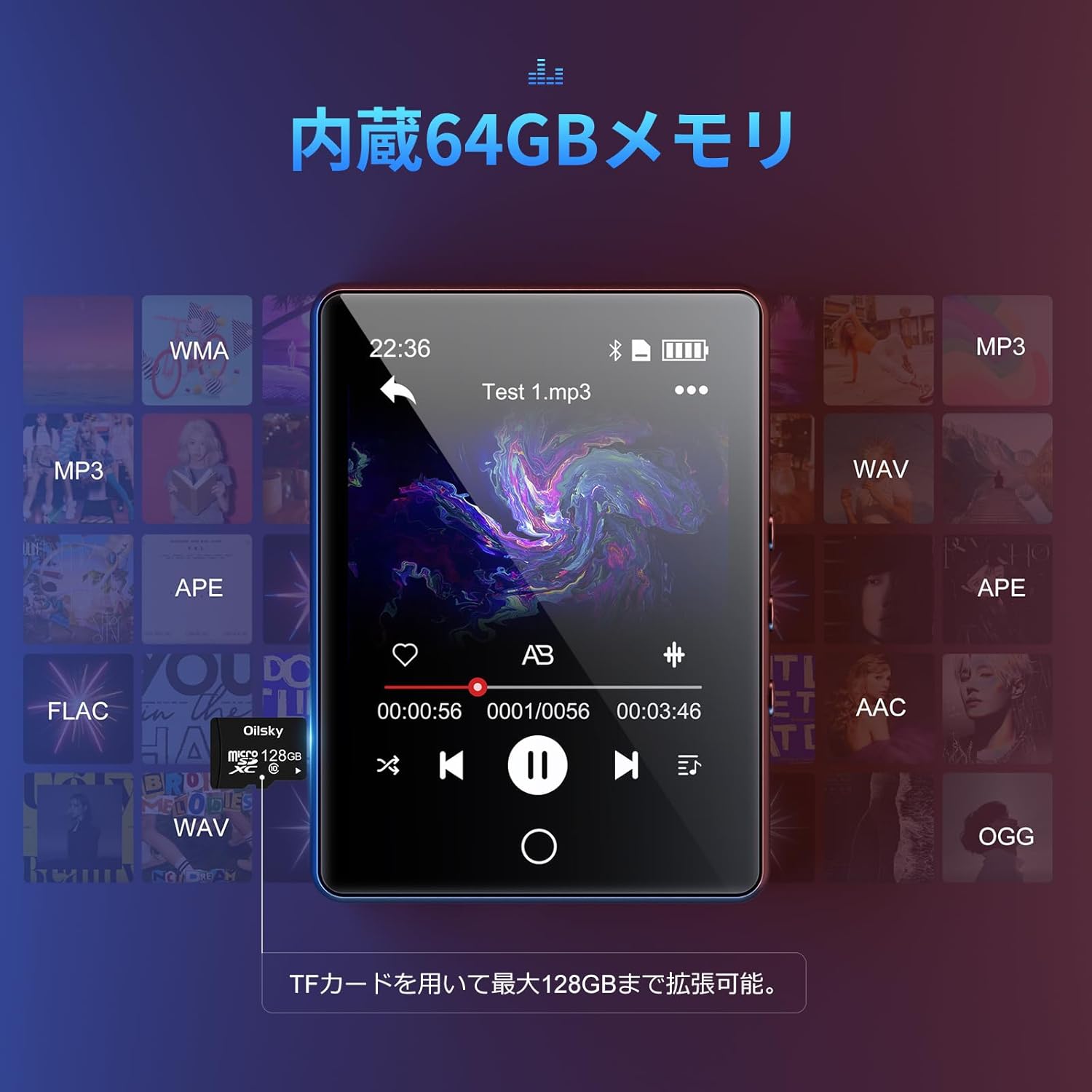
Tak for købetasing the Oilsky D26 MP3 Player. This device combines a 2.8-inch full touchscreen with Bluetooth 5.0 connectivity, a built-in speaker, and a robust alloy design. It offers 64GB of internal storage, expandable up to 128GB with a microSD card, and supports various audio formats. This manual provides essential information for setup, operation, and maintenance to ensure optimal performance.
Pakkens indhold
Tjek venligst pakken for følgende varer:
- Oilsky D26 MP3 Player Unit
- Høretelefoner
- Type-C USB-kabel
- Instruktionsmanual
- Beskyttende etui

Hvis der mangler eller er beskadigede varer, bedes du kontakte kundesupport.
Produkt overview
The Oilsky D26 MP3 Player features a sleek alloy design with a 2.8-inch full touchscreen for intuitive navigation. It includes a home button for easy return to the main menu.

Opsætning
1. Opladning af enheden
Before first use, fully charge the MP3 player. Connect the provided Type-C USB cable to the player's charging port and the other end to a USB power adapter (not included) or a computer's USB port. The battery indicator on the screen will show charging status.
2. Indsættelse af et microSD-kort (valgfrit)
The device has 64GB of internal storage. To expand storage up to 128GB, insert a microSD card into the designated slot. Ensure the card is inserted correctly until it clicks into place.

3. Overførsel Files
Connect the MP3 player to your computer using the Type-C USB cable. The device will appear as a removable disk. You can then drag and drop audio files (MP3, WMA, APE, FLAC, AAC, WAV, OGG) into the player's internal storage or the inserted microSD card.
Betjeningsvejledning
1. Grundlæggende navigation
The D26 features a 2.8-inch full touchscreen. Tap icons to select functions and swipe to navigate menus. The physical home button at the bottom allows you to return to the main menu from any application.

2. Musikafspilning
Tap the 'Music' icon on the main screen to access your audio library. The player supports various formats including MP3, WMA, APE, FLAC, AAC, WAV, and OGG, ensuring high-quality audio playback with minimal loss.
3. Bluetooth-forbindelse
The D26 features Bluetooth 5.0 for stable wireless connections. To pair with Bluetooth headphones or speakers:
- Gå til 'Indstillinger' og vælg 'Bluetooth'.
- Tænd Bluetooth, og scan efter tilgængelige enheder.
- Vælg dine Bluetooth-hovedtelefoner eller -højttalere fra listen for at parre.
Note: This device can only pair with Bluetooth headsets or speakers. It cannot pair with mobile phones, cars, or computers. Ensure you are in an area free from strong electromagnetic interference to maintain a stable Bluetooth connection.

4. FM Radio
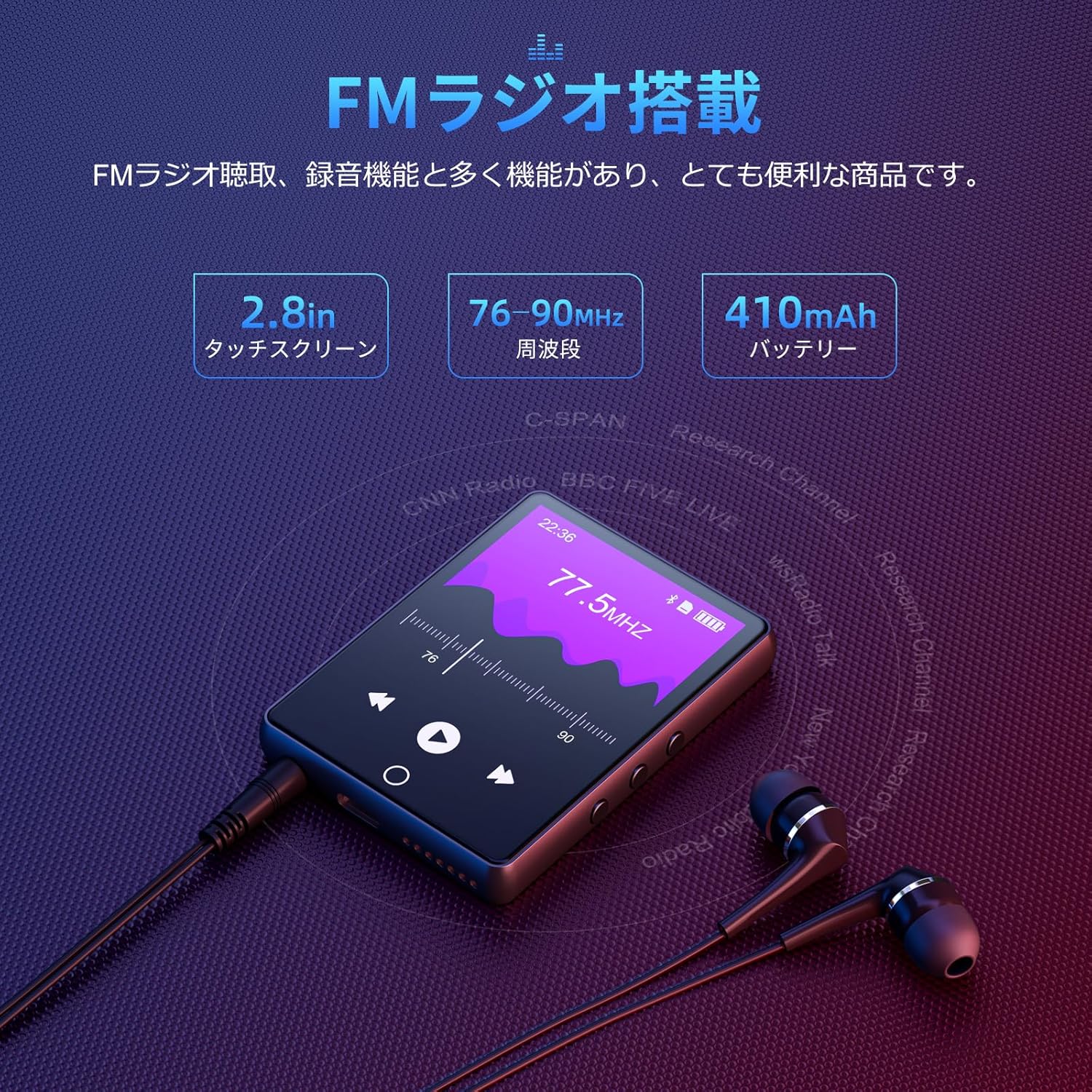
To use the FM radio function, connect the wired earphones (included) as they act as the antenna. Tap the 'FM Radio' icon on the main screen. You can then scan for stations and listen to broadcasts.
5. Optagefunktion
The D26 includes a recording function, useful for lectures, meetings, or personal notes. Tap the 'Record' icon to start and stop recordings. Recorded files are saved on the device.

6. Andre funktioner
The device also includes additional utilities such as a timer, calendar, and calculator. Access these features from the main menu.

Opretholdelse
- Hold enheden tør. Undgå udsættelse for fugt eller væsker.
- Rengør skærmen og kabinettet med en blød, tør klud. Brug ikke slibende rengøringsmidler.
- Undgå ekstreme temperaturer.
- Forsøg ikke selv at adskille eller reparere enheden.
Fejlfinding
Enheden tænder ikke:
- Sørg for, at enheden er fuldt opladet.
- Tryk og hold tænd/sluk-knappen nede i et par sekunder.
Kan ikke oprette forbindelse via Bluetooth:
- Ensure Bluetooth is enabled on both the player and the receiving device (headphones/speaker).
- Make sure the receiving device is in pairing mode.
- Confirm that you are attempting to pair with a compatible device (Bluetooth headphones or speakers only).
- Gå væk fra potentielle kilder til elektromagnetisk interferens.
Ingen lyd:
- Kontroller lydstyrken.
- Ensure earphones are properly connected or Bluetooth device is paired and connected.
- Test with different earphones or Bluetooth device.
Filespiller ikke:
- Bekræft, at lyden file format is supported (MP3, WMA, APE, FLAC, AAC, WAV, OGG).
- Sørg for files er ikke beskadiget.
Specifikationer
| Feature | Specifikation |
|---|---|
| Modelnummer | D26 |
| Mærke | Oilsky |
| Skærmstørrelse | 2.8 tommer |
| Displayteknologi | LCD |
| Intern opbevaring | 64 GB |
| Udvidelig opbevaring | Op til 128 GB via microSD-kort |
| Forbindelse | Bluetooth 5.0 |
| Understøttede lydformater | MP3, WMA, APE, FLAC, AAC, WAV, OGG |
| Andre funktioner | FM Radio, Built-in Speaker, Recording, Calculator, Timer, Calendar |
| Dimensioner | 14.7 x 14.6 x 1.9 cm |
| Vægt | 200 g |
Garanti og support
This product comes with a standard manufacturer's warranty. For specific warranty details, please refer to the warranty card included in your package or contact the seller directly. If you encounter any issues or have questions regarding your Oilsky D26 MP3 Player, please reach out to our customer support team for assistance.
Kontaktoplysninger: Please refer to the contact details provided on the product packaging or the seller's information page.