
Edifier ES850NB
Edifier ES850NB Active Noise Cancelling Headphones
Brugermanual
1. Introduktion
The Edifier ES850NB Active Noise Cancelling Headphones are designed to provide an immersive audio experience with advanced noise cancellation technology. Featuring Hi-Res Audio certification, long battery life, and comfortable over-ear design, these headphones are suitable for various listening environments, from daily commutes to long-haul travel.

Figure 1: Edifier ES850NB Active Noise Cancelling Headphones (Black)
2. Hvad er der i æsken
Når du åbner pakken, skal du kontrollere, at alle komponenter er til stede og i god stand:
- Edifier ES850NB Headphones x 1
- Brugervejledning x 1
- Rejsetaske x 1
- Type-C ladekabel x 1
- Vigtige sikkerhedsinstruktioner x 1

Figur 2: Pakkens indhold
3. Produktet er slutview
3.1 Nøglefunktioner
- Immersive Hi-Res Audio: Certified for both Hi-Res Audio and Hi-Res Audio Wireless, featuring 40mm titanium-coated drivers and support for LDAC/AAC/SBC codecs.
- Upgraded Hybrid Active Noise Cancellation: Blocks up to -45dB of ambient noise with multiple ANC modes (high, medium, wind reduction, and ambient sound).
- Extended Battery Life & Fast Charging: Up to 92 hours of playback (ANC off) or 53 hours (ANC on). A 15-minute charge provides up to 11.5 hours of playback (ANC off).
- Clear Calls & Versatile Connectivity: Built-in microphones with AI noise cancellation for crystal-clear calls. Supports Bluetooth 5.4 for dual-device connection and wired listening via USB-C.
- Komfort hele dagen: Lightweight design (approx. 260g) with skin-friendly leather ear cushions, an ergonomic steel headband, and a fully foldable design.

Figure 3: Immersive Hi-Res Audio Experience
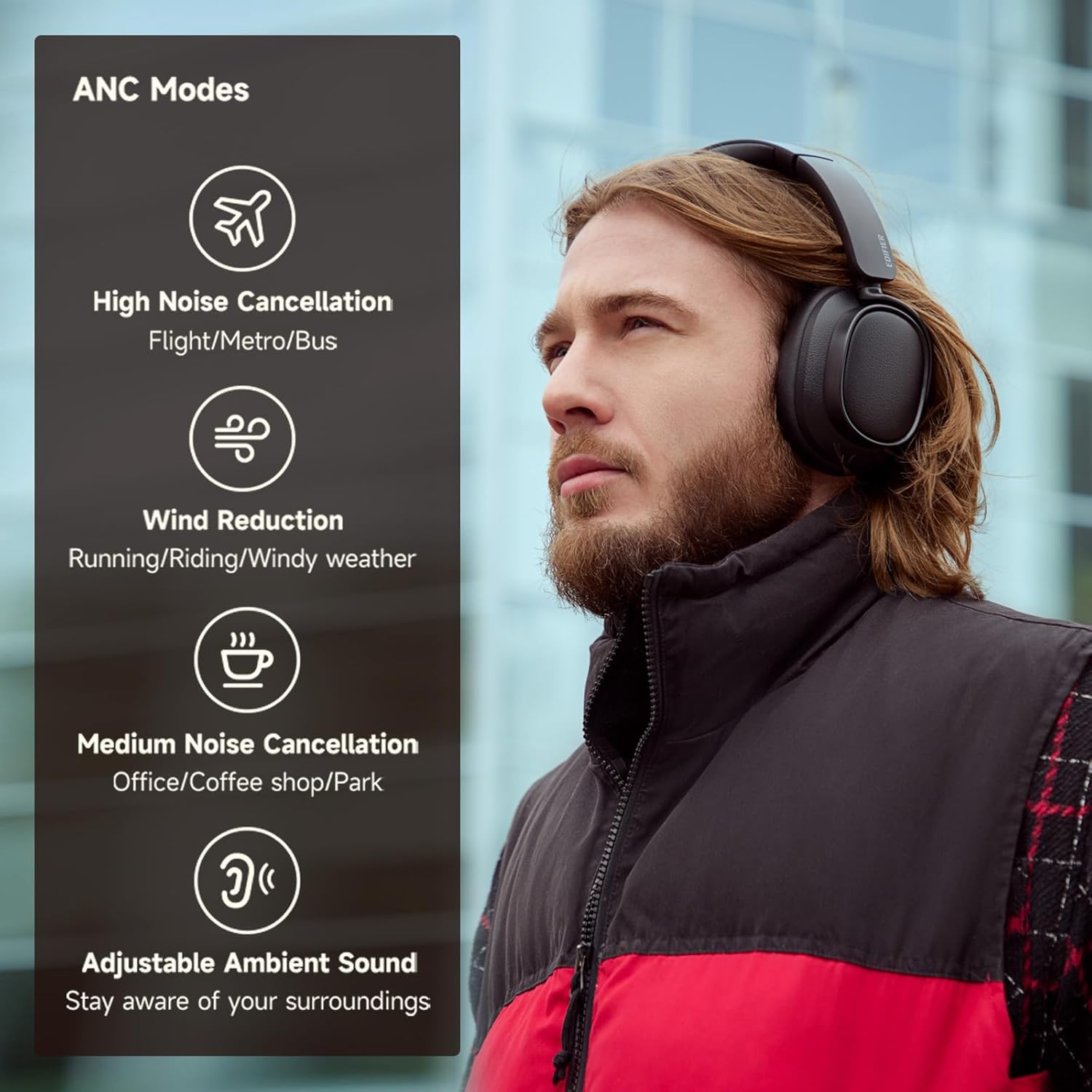
Figur 4: Aktive støjreduktionstilstande
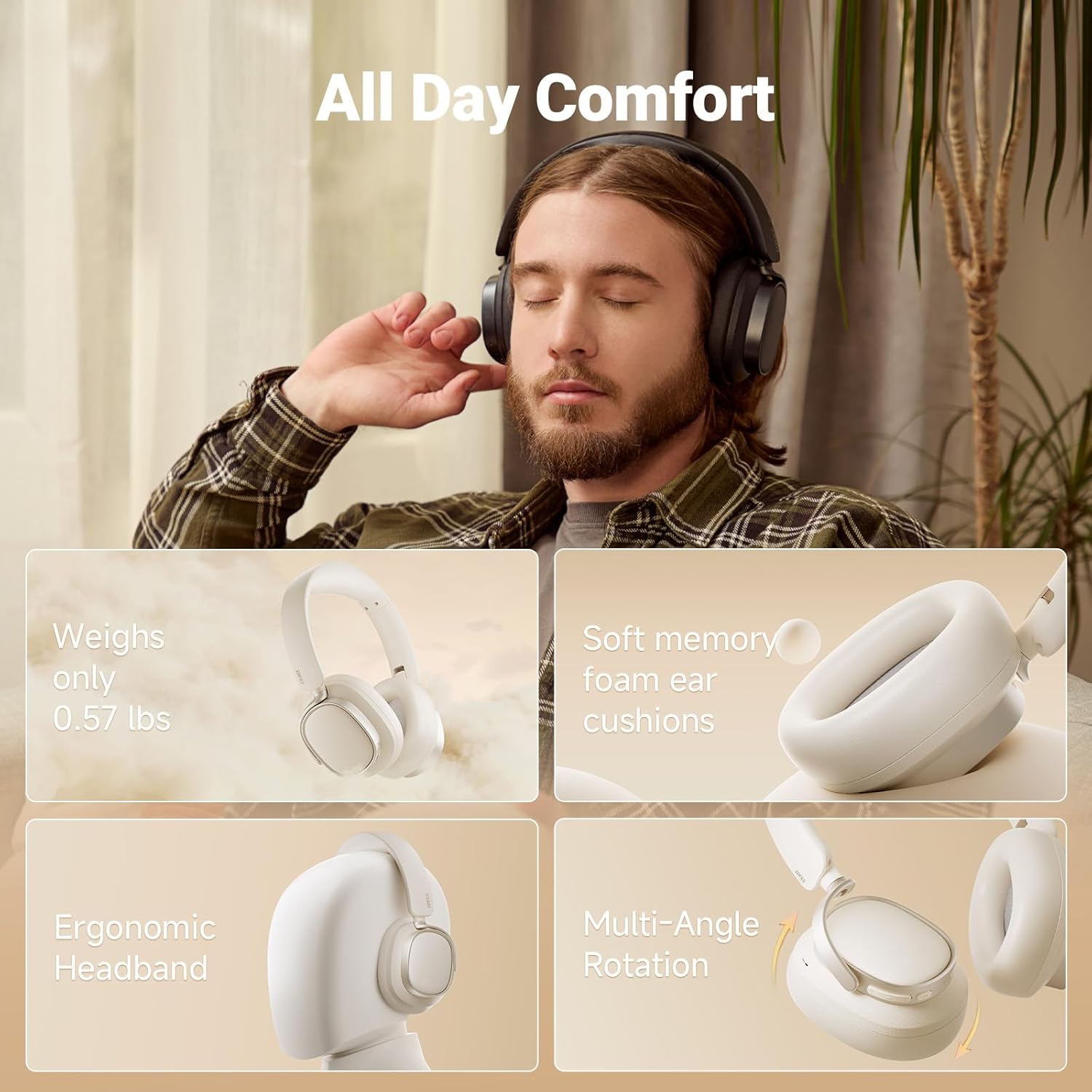
Figur 5: Design med komfort hele dagen
3.2 Styringer
Hovedtelefonerne har intuitive betjeningselementer på ørekopperne, der giver nem adgang til forskellige funktioner:
- Lydstyrke op (+): Single press for volume up, press and hold for next track.
- Power ON/OFF / Pause/Play (I): Press and hold for power, single press for pause/play.
- Answer/End Call (I): Single press to answer/end a call.
- Reject Call (I): Dobbelttryk for at afvise et opkald.
- Voice Assistant (I): Double press to activate voice assistant.
- Skrue ned for lyden (-): Single press for volume down, press and hold for previous track.
- ANC Modes Switch (Bluetooth icon): Single press to cycle through ANC modes.
- Sound Effects Switch (Bluetooth icon): Double press to switch sound effects.
- Bluetooth Pairing (Bluetooth icon): Press and hold to initiate Bluetooth pairing.

Figure 6: Easy Controls Overview
4. Opsætning
4.1 Indledende opladning
Before first use, it is recommended to fully charge your headphones. Connect the supplied USB Type-C charging cable to the charging port on the headphones and a compatible USB power source. The indicator light will show charging status.
4.2 Bluetooth -parring
- Sørg for, at hovedtelefonerne er slukket.
- Tryk på tænd/sluk-knappen, og hold den nede, indtil indikatorlampen blinker, hvilket angiver parringstilstand.
- Aktiver Bluetooth på din enhed (smartphone, tablet, computer) og søg efter tilgængelige enheder.
- Select "Edifier ES850NB" from the list of devices.
- Når der er oprettet forbindelse, skifter indikatorlampen, og du vil høre en bekræftelse med et hørbart hørbart tegn.
The headphones support multi-point connection, allowing seamless switching between two paired Bluetooth devices.
Video 1: Edifier Active Noise Cancelling Headphones Overview. This video demonstrates the features and design of the Edifier ES850NB headphones, including their comfort, sound quality, and connectivity options.
5. Betjeningsvejledning
5.1 Lydafspilning
- Afspil/pause: Tryk enkelt gang på tænd/sluk-knappen.
- Lydstyrkejustering: Single press the Volume Up (+) or Volume Down (-) buttons.
- Næste nummer: Tryk på knappen Lydstyrke op (+), og hold den nede.
- Forrige nummer: Tryk og hold nede på lydstyrke ned-knappen (-).
5.2 Aktiv støjreduktion (ANC) tilstande
Cycle through the ANC modes by single pressing the Bluetooth icon button:
- Høj støjreduktion: Ideal for noisy environments like flights, metros, or buses.
- Mellem støjreduktion: Suitable for offices, coffee shops, or parks.
- Vindreduktion: Minimerer vindstøj under udendørsaktiviteter.
- Adjustable Ambient Sound: Giver dig mulighed for at høre dine omgivelser, mens du lytter til lyd.
5.3 Opkaldshåndtering
- Besvar/afslut opkald: Tryk enkelt gang på tænd/sluk-knappen.
- Afvis opkald: Dobbelttryk på tænd/sluk-knappen.
- Aktiver stemmeassistent: Double press the Power button (when not on a call).

Figure 7: Clear Hands-Free Calls
5.4 Kabelforbindelse
For an alternative listening method or when battery is depleted, connect the headphones to your audio source using the supplied USB-C to USB-A cable.
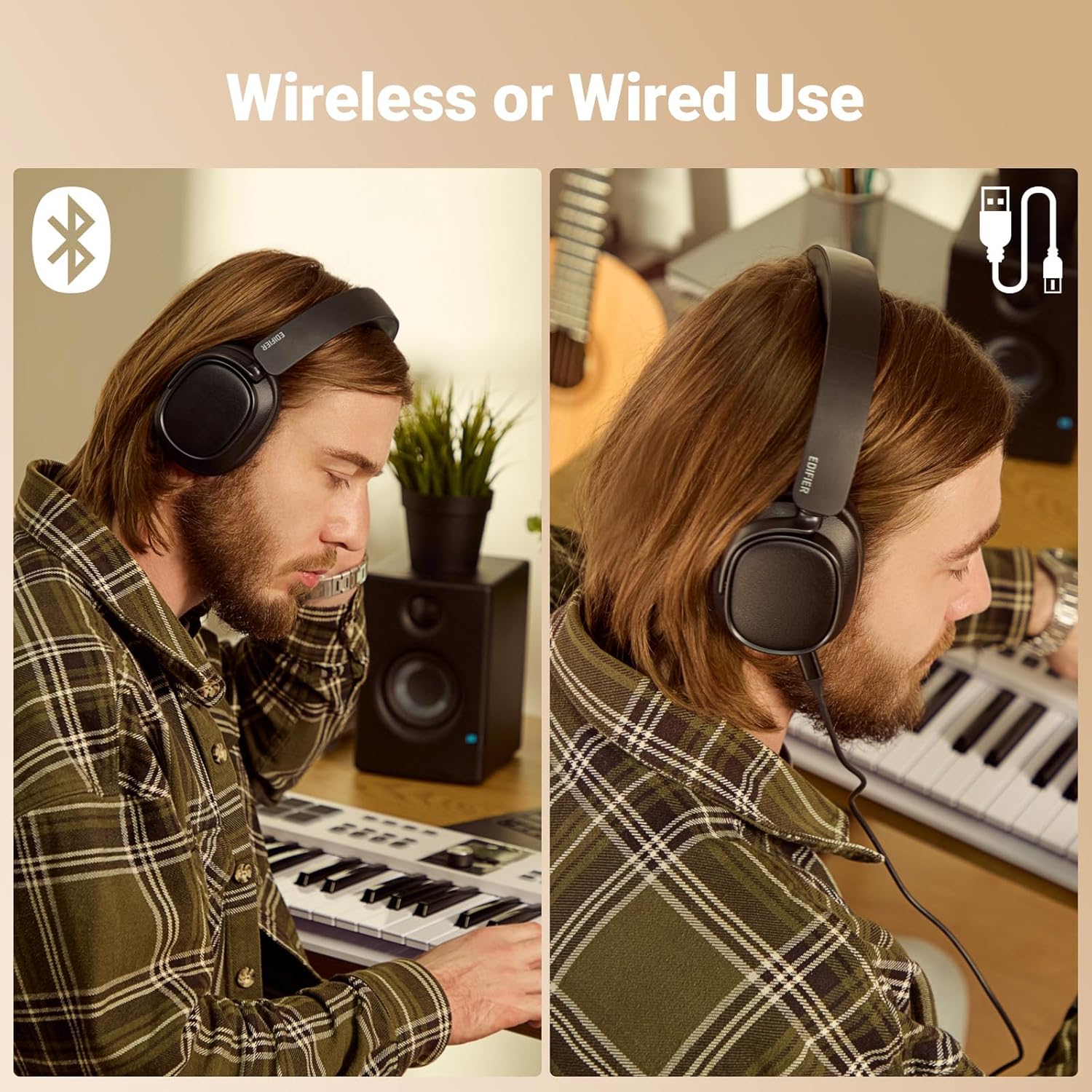
Figure 8: Wireless and Wired Use
5.5 Edifier Connect App
Download the Edifier Connect app for additional functionalities, including:
- Tilpasning af EQ-indstillinger.
- Switching sound effects (Music, Game, Spatial).
- Firmware upgrades.
- Adjusting control settings.
6. Opladning og batterilevetid
The Edifier ES850NB headphones offer impressive battery performance:
- Up to 92 hours of playback with Active Noise Cancellation (ANC) off.
- Up to 53 hours of playback with Active Noise Cancellation (ANC) on.
The fast charging feature provides significant playback time with a short charge:
- A 15-minute fast charge yields up to 11.5 hours of playback (ANC off).
- A 15-minute fast charge yields up to 7.5 hours of playback (ANC on).
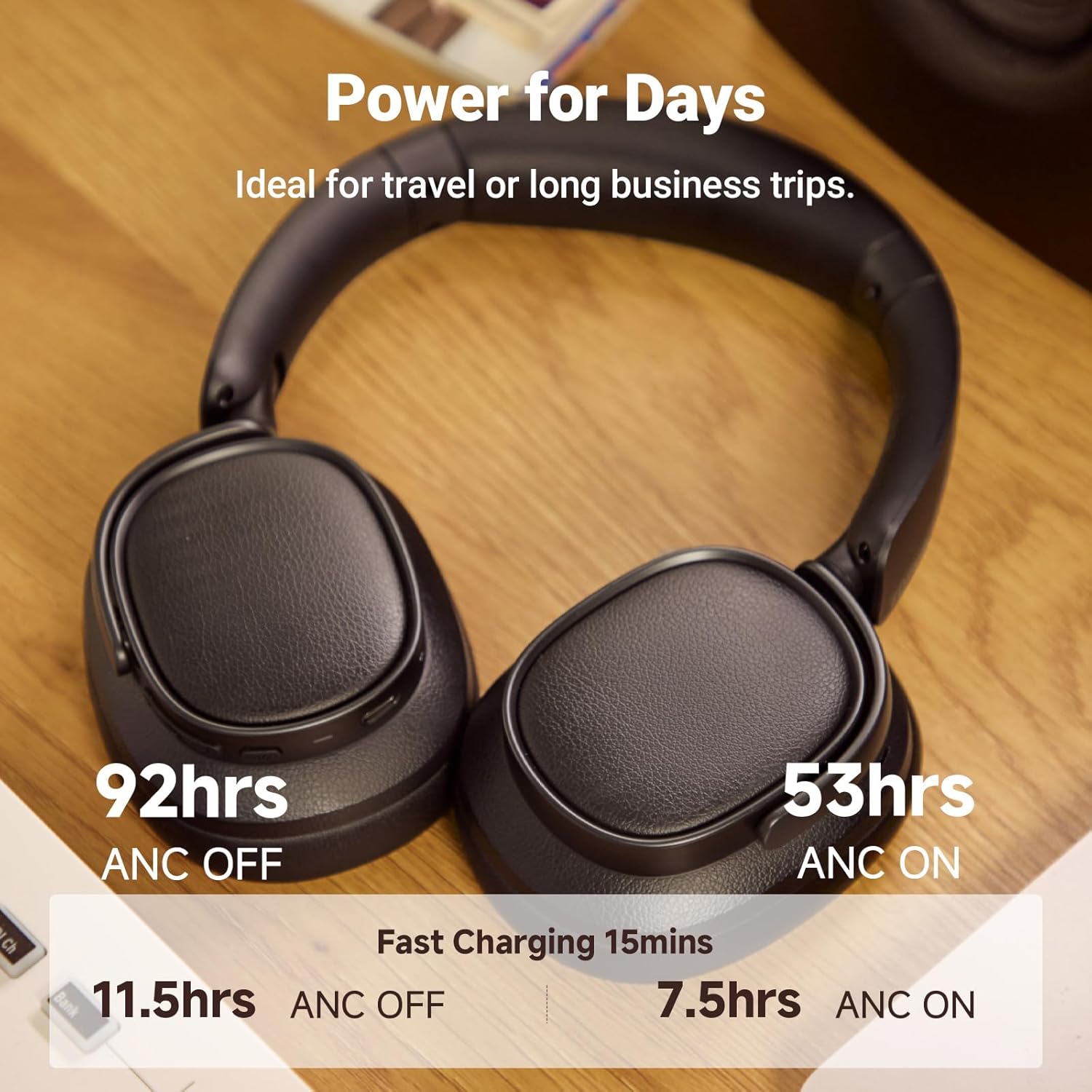
Figur 9: Batterilevetid og hurtig opladning
7. Vedligeholdelse
To ensure the longevity and optimal performance of your Edifier ES850NB headphones, follow these maintenance guidelines:
- Rensning: Use a soft, dry cloth to clean the surfaces of the headphones. Avoid using abrasive cleaners, solvents, or strong chemicals.
- Opbevaring: When not in use, store the headphones in the provided travel bag to protect them from dust, scratches, and impacts. Store in a cool, dry place away from direct sunlight and extreme temperatures.
- Undgå fugt: Do not expose the headphones to water or excessive moisture. If they get wet, wipe them dry immediately.
- Håndteres med forsigtighed: Undgå at tabe hovedtelefonerne eller udsætte dem for kraftige stød.
- Opladning: Use only the supplied charging cable or a certified USB Type-C cable with a compatible power adapter.
8. Fejlfinding
Hvis du støder på problemer med dine hovedtelefoner, kan du se følgende almindelige fejlfindingstrin:
| Problem | Mulig årsag | Løsning |
|---|---|---|
| Hovedtelefonerne tændes ikke | Lavt batteri | Oplad hovedtelefonerne helt. |
| Kan ikke parres via Bluetooth | Hovedtelefoner er ikke i parringstilstand; Enhedens Bluetooth er slukket; Interferens | Ensure headphones are in pairing mode. Turn device Bluetooth off/on. Move closer to the device. |
| Ingen lyd eller lav lydstyrke | Volume too low; Incorrect audio output; Headphones not connected | Increase volume on headphones and device. Check device's audio output settings. Re-pair headphones. |
| ANC er ikke effektiv | Forkert ANC-tilstand; Dårlig pasform | Cycle through ANC modes. Adjust headphone fit for a proper seal around ears. |
| Mikrofon virker ikke | Microphone muted; App permissions | Check if microphone is muted on your device. Ensure app has microphone permissions. |
Hvis problemet fortsætter efter at have prøvet disse trin, bedes du kontakte Edifiers kundesupport for yderligere assistance.
9. Specifikationer
| Feature | Detalje |
|---|---|
| Model | ES850NB |
| Bluetooth version | V5.4 |
| Lyd-codecs | LDAC, AAC, SBC |
| Bluetooth rækkevidde | Ca.. 10m |
| Lydtrykniveau | 91 ± 3 dB (A) |
| Frekvensrespons | 20Hz - 40kHz |
| Batterilevetid (ANC FRA) | Ca. 92 timer |
| Batterilevetid (ANC TIL) | Ca. 53 timer |
| Input | 5V = 1A |
| Varens vægt | 1.5 pund (ca. 260 g) |
| Øreplacering | Over Ear |
| Støjkontrol | Hybrid støjreduktion |

Figur 10: Produktspecifikationer
10. Garanti og support
Edifier products are designed and manufactured to the highest quality standards. For information regarding warranty coverage, please refer to the warranty card included in your product packaging or visit the official Edifier webwebsted.
For technical support, troubleshooting assistance, or service inquiries, please contact Edifier customer support through their official channels. Contact information can typically be found on the Edifier webwebstedet eller i den medfølgende dokumentation.
Ask a question about this manual
Ask about setup, troubleshooting, compatibility, parts, safety, or missing instructions. Manuals+ will review the question and use this page’s manual context to help answer it.