
Indledning
B22 Micro-Cut dokumentmakulatoren er designet til sikker og effektiv makulering i kontormiljøer. Med P-5 sikkerhedsniveau mikroskæringsteknologi sikrer den, at følsomme dokumenter og kreditkort destrueres i henhold til høje standarder. Denne makulator er egnet til 1-5 brugere og tilbyder kontinuerlig drift, anti-jamming-teknologi og støjsvag ydeevne. Dens kompakte design integreres godt i ethvert kontormiljø og giver et pålideligt værktøj til beskyttelse af følsomme oplysninger.
Vigtige sikkerhedsinstruktioner
Læs venligst disse instruktioner omhyggeligt, inden du bruger makulatoren. Manglende overholdelse af disse instruktioner kan resultere i personskade eller beskadigelse af makulatoren.
- Hold hænder, hår og løstsiddende tøj væk fra papirindføringsåbningen.
- Hold børn og kæledyr væk fra makuleringsmaskinen.
- Ilæg ikke flere ark end angivet (maks. 9 ark).
- Makuler ikke metalgenstande, store papirclips eller selvklæbende etiketter.
- Tag stikket ud af stikket, når makulatoren ikke er i brug, eller før du flytter/rengør den.
- Brug ikke makulatoren, hvis netledningen er beskadiget.
- Tøm skraldespanden regelmæssigt for at undgå papirstop.
Hvad er der i æsken
Når du åbner pakken, skal du kontrollere, at alle komponenter er til stede:
- HSM Securio B22 mikroskåret dokumentmakulator
- Integreret affaldsbeholder med en kapacitet på 8.7 gallon
- Strømledning
- Brugervejledning (dette dokument)
Opsætning
Udpakning og placering
Tag forsigtigt makulatoren ud af emballagen. Placer makulatoren på en flad, stabil overflade i nærheden af en stikkontakt. Sørg for, at der er tilstrækkelig plads omkring enheden til ventilation og nem adgang til skraldespanden.
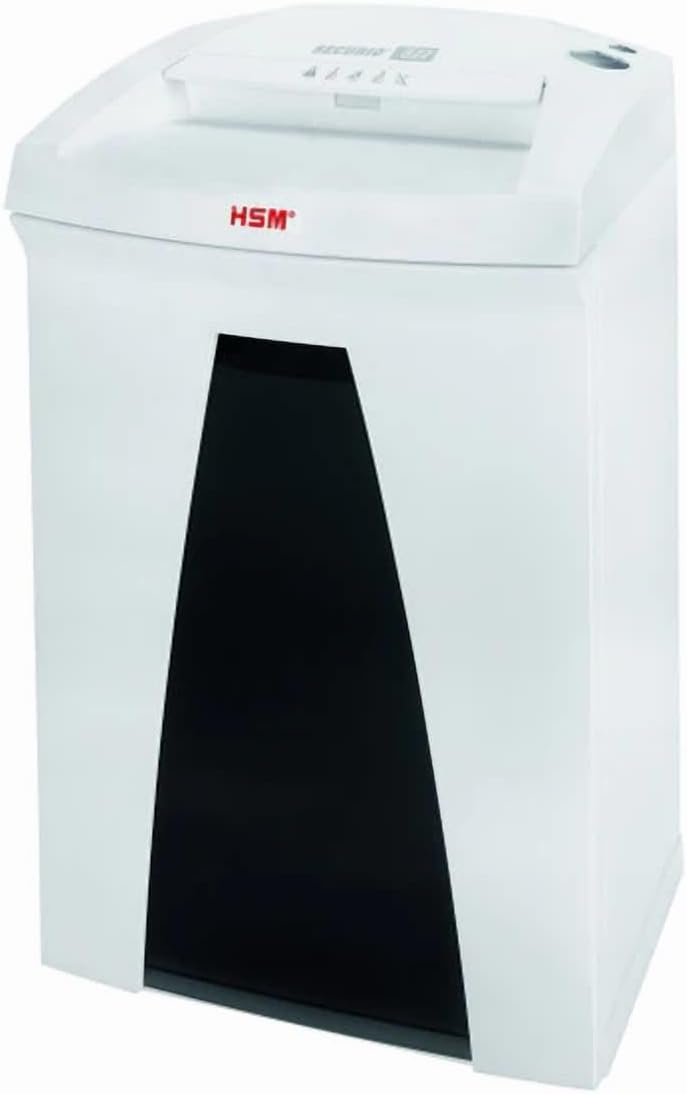
Billede: HSM Securio B22 Micro-Cut dokumentmakulatoren, der viser dens kompakte design og adgang til affaldsbeholderen.
Installation af affaldsbeholderen
Sørg for, at den integrerede 8.7-gallons affaldsbeholder er korrekt placeret i makulatorenheden. Makulatoren fungerer ikke, hvis beholderen ikke er korrekt isat.
Strømtilslutning
Sæt netledningen i makulatorens strømindgang, og sæt derefter den anden ende i en almindelig stikkontakt (120 V / 60 Hz). Makulatoren er nu klar til brug.
Betjeningsvejledning
Tænd/sluk
Find tænd/sluk-knappen, typisk på toppen eller bagsiden af makulatoren. Sæt den på "ON" for at aktivere makulatoren. Sluk den ved at sætte kontakten på "OFF". Hvis makulatoren ikke er i brug i længere perioder, skal du tage stikket ud af stikkontakten.
Makulering af dokumenter
Indsæt papir, hæfteklammer eller papirclips i papirindføringsåbningen. Makulatoren starter automatisk makuleringen. Overskrid ikke den maksimale arkkapacitet på 9 ark pr. gennemgang for at undgå papirstop. Kreditkort skal indsættes et ad gangen i den dertil beregnede åbning (hvis separat) eller den primære papirindføringsåbning.
Kontinuerlig drift
Denne makulator er designet til kontinuerlig drift, hvilket giver mulighed for længerevarende makulering uden overophedning. Det er dog altid god praksis at overvåge makulatorens ydeevne og tømme beholderen, når den er fuld.
Anti-jamming-teknologi
Makulatoren er udstyret med anti-jamming-teknologi. Hvis der opstår papirstop, kan makulatoren automatisk vende tilbage for at fjerne papirstoppet. Hvis det ikke fjernes automatisk, skal du sætte makulatoren i omvendt tilstand (hvis tilgængelig) eller slukke den, tage stikket ud og forsigtigt fjerne det fastklemte papir.
Stille drift
B22 Micro-Cut makulatoren er lydløs og minimerer forstyrrelser i kontormiljøer. Denne funktion muliggør komfortabel brug, selv i travle arbejdstimer.
Opretholdelse
Tømning af affaldsbeholderen
Kontroller og tøm regelmæssigt den 8.7-liters affaldsbeholder for at forhindre overfyldning og potentielt papirstop. Makulatoren kan stoppe med at fungere, når beholderen er fuld.
Rensning
Tag stikket ud af makulatoren før rengøring. Brug en blød, tør klud til at tørre ydersiden af. Brug ikke slibende rengøringsmidler eller opløsningsmidler. Rengør papirindføringsområdet med jævne mellemrum for at fjerne papirstøv eller -rester.
Smøring af kværnbladene (anbefales)
For at opretholde optimal ydeevne og forlænge din makulators levetid anbefales det at smøre skærebladene regelmæssigt, især efter tømning af skraldespanden eller efter kraftig brug. Brug en makulatorspecifik olie. Påfør en tynd streg olie på tværs af papirindføringsåbningen, og kør derefter et par ark papir gennem makulatoren for at fordele olien.
Fejlfinding
| Problem | Mulig årsag | Løsning |
|---|---|---|
| Makulatoren tænder ikke. | Ikke tilsluttet; strømafbryder slukket; affaldsbeholder ikke isat korrekt; overophedning. | Sørg for, at netledningen er sat ordentligt i. Tænd afbryderen for at tænde. Sæt affaldsbeholderen korrekt i igen. Lad makulatoren køle af i 30 minutter, hvis den har været i brug kontinuerligt. |
| Papirstop. | For mange ark ilagt; papiret er ikke ilagt lige; bakken er fuld. | Reducer antallet af ark. Læg papiret lige i. Tøm papirkurven. Brug omvendt funktion til at fjerne papirstoppet. Tag stikket ud, og fjern forsigtigt papiret, hvis det er nødvendigt. |
| Makulatoren er støjende. | Knivene skal smøres; fremmedlegemer i knivene. | Smør kværnbladene i henhold til vedligeholdelsesinstruktionerne. Tag stikket ud af kværnen, og undersøg omhyggeligt bladene for fremmedlegemer. |
| Makulatoren stopper under drift. | Affaldsbeholder fuld; overophedning; sikkerhedssensor udløst. | Tøm affaldsbeholderen. Lad makulatoren køle af. Kontroller, om beholderen sidder korrekt, og om der er blokerede sikkerhedssensorer. |
Specifikationer
| Feature | Detalje |
|---|---|
| Produktdimensioner | 12.2 x 14.76 x 23.62 tommer |
| Varens vægt | 35 pund |
| ASIN | B0DT4MSDMF |
| Varemodelnummer | Securio B22 Micro-Cut |
| Dato først tilgængelig | 15. januar 2025 |
| Fabrikant | HSM |
| Oprindelsesland | Tyskland |
| Skæretype | Micro Cut |
| Mærke | Generisk |
| Kapacitet | 8.7 gallon (beholder) |
| Speciel funktion | Stille drift |
| Standard arkkapacitet | 9 ark |
| Sikkerhedsniveau | P-5 (DIN 66399: E-4 | F-2 | P-5 | T-5) |
| Makuler Størrelse | 1/16 x 5/8 tommer |
| Makulerbare materialer | Papir, hæfteklammer, papirclips, kreditkort |
| Køretid | Sammenhængende |
| Hastighed | 17.7 fod/min |
| Halsbredde | 9.45 tommer |
| Strømforbrug | 440 watt |
| Voltage/Frekvens | 120 V / 60 Hz |
Garantioplysninger
Denne 1832 Model B22 Micro-Cut dokumentmakulator leveres med en standard producentgaranti mod defekter i materialer og udførelse. Se venligst garantikortet, der følger med dit produkt, for specifikke vilkår, betingelser og varighed. Behold din købskvittering som købsbevis i tilfælde af garantikrav.
Kundesupport
For teknisk assistance, fejlfinding eller garantiforespørgsler, kontakt venligst producentens kundesupport. Se kontaktoplysningerne på produktemballagen eller producentens officielle webwebsted. Når du kontakter support, bedes du have dit modelnummer (Securio B22 Micro-Cut) og ASIN (B0DT4MSDMF) klar.
For mere information kan du besøge produktside på Amazon.