
1. Introduktion
Thank you for choosing the Auusda T156A 15.6-inch Business Laptop. This manual provides essential information for setting up, operating, and maintaining your new laptop. Please read this manual thoroughly before using the device to ensure proper function and longevity. This laptop is designed for productivity and portability, featuring a 4-core processor, 8GB DDR4 RAM, and a 512GB M.2 PCIe NVMe SSD, all running on Windows 11 Pro.
2. Pakkens indhold
Bekræft at alle varer er til stede i pakken:
- Auusda T156A Laptop
- Strømadapter og kabel
- Transparent Keyboard Cover
- Spanish Keyboard Cover
- Instruktionsmanual (dette dokument)

Image: The laptop, power adapter, and keyboard covers as included in the package.
3. Produktet er slutview
3.1 Nøglefunktioner
- Kraftig ydeevne: Equipped with a 4-core N95 processor (1.7-3.4 GHz) and 8GB DDR4 RAM for efficient multitasking.
- AmpOpbevaring: Features a 512GB M.2 PCIe NVMe SSD for fast data access and sufficient storage.
- Vibrant Full HD Display: A 15.6" Full HD IPS LCD screen offers clear visuals with wide viewing vinkler.
- Praktiske funktioner: Includes a backlit keyboard for low-light use and a fingerprint reader for secure access.
- Connectivity & Versatility: Offers Bluetooth, an SD card reader, and essential ports for various devices.

Billede: En overview of the Auusda T156A laptop with its main features labeled.
3.2 Processor og hukommelse
The laptop is powered by an Intel N95 4-core processor, capable of speeds up to 3.4 GHz, ensuring smooth operation for business and academic tasks. It comes with 8GB of DDR4 RAM and a 512GB M.2 PCIe NVMe Solid State Drive (SSD) for quick boot times and application loading.

Image: A visual representation of the 4-core N95 processor chip.

Image: The laptop highlighting its 8GB RAM and 512GB SSD configuration.
3.3 Display
Experience clear and vibrant visuals on the 15.6-inch Full HD (1920x1080) IPS LCD display. The screen features a narrow bezel and supports 16 million colors, providing an immersive viewing experience. A privacy shutter is integrated for the webcam.

Image: The laptop's 15.6-inch Full HD IPS LCD display and its features.
3.4 Tastatur og touchpad
The laptop features a full-size backlit keyboard, allowing comfortable typing in various lighting conditions. The integrated touchpad includes a fingerprint sensor for secure and quick login.

Image: The backlit keyboard and the fingerprint ID sensor on the touchpad.
3.5 Porte og tilslutningsmuligheder
The Auusda T156A offers a range of connectivity options:
- DC-strømindgang
- USB-A Ports (multiple)
- HDMI udgang
- microSD kortlæser
- Hovedtelefonstik
- Bluetooth and Wi-Fi (802.11ac, 802.11ax)
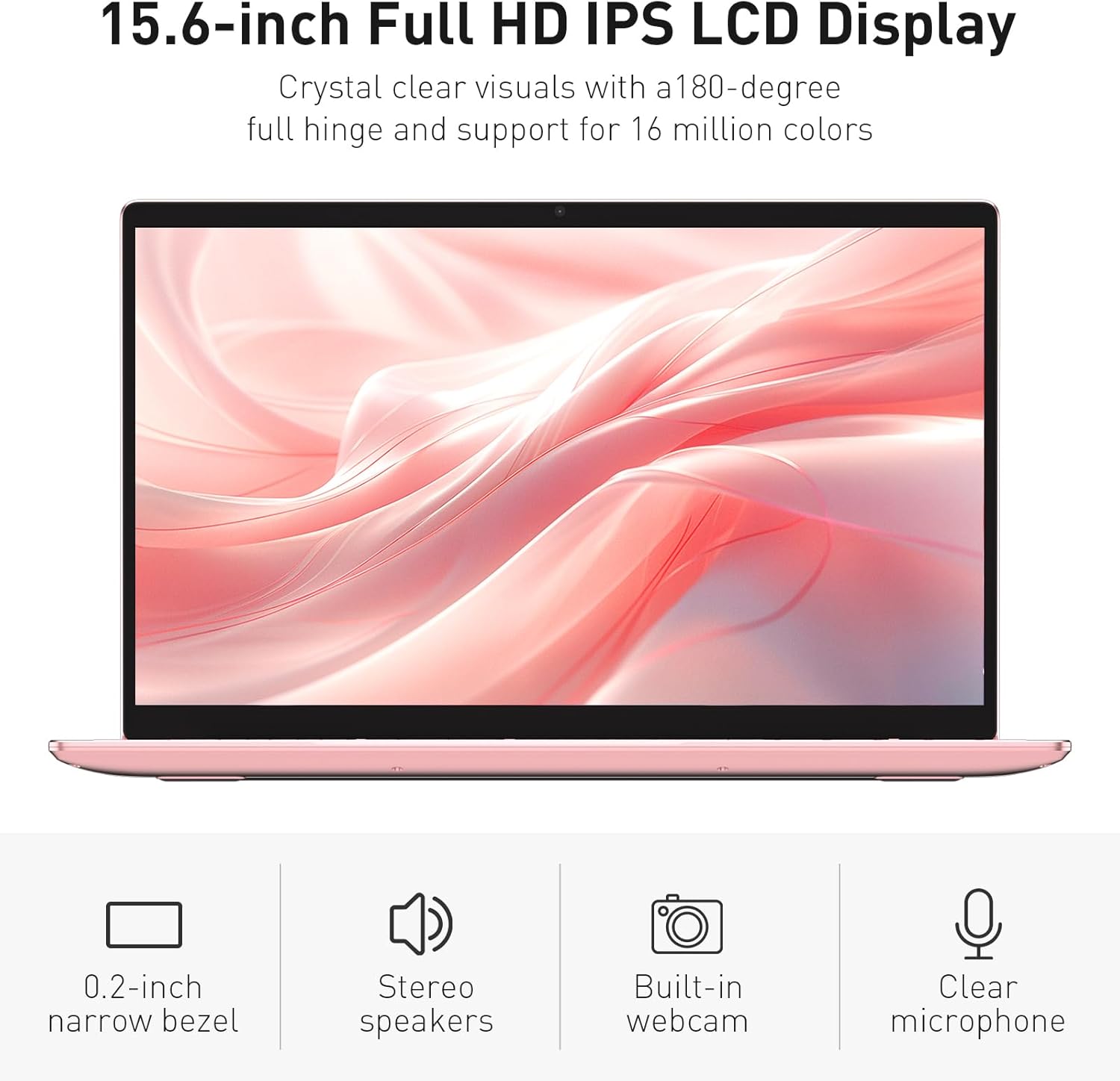
Image: The various ports available on the sides of the laptop.
4. Opsætning
4.1 Første opstart og opladning
- Pak den bærbare computer og strømadapteren ud af kassen.
- Connect the power adapter to the DC power input port on the laptop and then to a power outlet.
- Allow the laptop to charge for at least 30 minutes before initial use, or until the charging indicator light shows a full charge.
- Tryk på tænd/sluk-knappen for at tænde for den bærbare computer.
4.2 Windows 11 Pro-opsætning
Follow the on-screen instructions to complete the initial Windows 11 Pro setup. This will include:
- Valg af region og tastaturlayout.
- Opretter forbindelse til et Wi-Fi-netværk.
- Accept af licensaftalen.
- Oprettelse af en brugerkonto eller log ind med en Microsoft-konto.
4.3 Opsætning af fingeraftrykssensor
For forbedret sikkerhed, konfigurer fingeraftrykssensoren:
- Once Windows is set up, navigate to Indstillinger > Konti > Log ind-muligheder.
- Under 'Windows Hello Fingeraftryk' skal du klikke på Indstil.
- Follow the on-screen prompts to register your fingerprint. You will be asked to lift and place your finger multiple times on the sensor until it is fully registered.
5. Betjening af den bærbare computer
5.1 Grundlæggende brug
- Tænd/sluk: Press the power button located on the top right of the keyboard to turn the laptop on or off.
- Sove mode: Luk låget, eller tryk kort på tænd/sluk-knappen for at sætte den bærbare computer i dvaletilstand.
- Restart/Shut Down: Access these options from the Start Menu in Windows.
5.2 Backlit Keyboard Control
The keyboard backlight can be adjusted or turned off using the function keys. Look for the key with a keyboard icon (often F5 or F6) to cycle through brightness levels or toggle the backlight on/off.
5.3 Webcam Privacy Shutter
Den integrerede webcam includes a physical privacy shutter. Slide the small cover located directly above the webcam lens to open or close it, ensuring your privacy when the camera is not in use.
5.4 Tilslutning af eksterne enheder
Use the available ports to connect peripherals:
- USB-enheder: Plug USB drives, mice, or keyboards into the USB-A ports.
- Eksternt display: Connect an external monitor or projector using the HDMI port.
- Lyd: Use the headphone jack for headphones or external speakers.
- MicroSD-kort: Insert a microSD card into the dedicated slot for additional storage or data transfer.
5.5 Spilydelse
The Auusda T156A is capable of handling light gaming and provides a smooth experience for many popular titles. For optimal performance, ensure your drivers are updated and close unnecessary background applications.
Video: Demonstration of the Auusda T156A laptop's light gaming capabilities.
Video: Et kort klip, der viserasing the laptop's performance during racing games.
6. Vedligeholdelse
- Rensning: Brug en blød, fnugfri klud til at rengøre skærmen og ydersiden. Fjern genstridige pletter ved atampRengør kluden med vand eller et skærmsikkert rengøringsmiddel. Undgå skrappe kemikalier.
- Batteripleje: To prolong battery life, avoid fully discharging the battery frequently. It is recommended to keep the battery charged between 20% and 80% when possible. Store the laptop in a cool, dry place.
- Softwareopdateringer: Søg regelmæssigt efter og installer Windows-opdateringer og driveropdateringer for at sikre optimal ydeevne og sikkerhed.
- Ventilation: Sørg for, at den bærbare computers ventilationsåbninger ikke er blokeret for at forhindre overophedning. Brug den bærbare computer på en hård, flad overflade.
- Data backup: Sikkerhedskopier regelmæssigt vigtige data til et eksternt drev eller cloud-lagring for at forhindre datatab.
7. Fejlfinding
This section addresses common issues you might encounter with your Auusda T156A laptop.
| Problem | Mulig løsning |
|---|---|
| Den bærbare computer tænder ikke. | Ensure the power adapter is securely connected and the outlet is working. Try charging the laptop for a while before attempting to power it on again. |
| Skærmen er blank eller sort. | Check if the laptop is powered on. Try pressing Fn + F1 (or the display toggle key) to ensure the display is not turned off. Connect to an external monitor to check if the issue is with the laptop's screen. |
| Problemer med Wi-Fi-forbindelse. | Sørg for, at Wi-Fi er aktiveret i Windows-indstillingerne. Genstart din router og den bærbare computer. Tjek for opdaterede Wi-Fi-drivere. |
| Fingeraftrykssensoren virker ikke. | Ensure your finger is clean and dry. Re-register your fingerprint in Windows settings. Check for driver updates for the fingerprint sensor. |
| Tastaturets baggrundsbelysning virker ikke | Press the dedicated backlight function key (e.g., Fn + F5 or F6) to toggle or adjust brightness. |
| Den bærbare computer kører langsomt. | Close unnecessary applications. Check Task Manager for resource-intensive processes. Ensure sufficient free space on the SSD. Run a malware scan. |
8. Specifikationer
Detailed technical specifications for the Auusda T156A laptop:
| Feature | Detalje |
|---|---|
| Mærke | Auusda |
| Modelnavn | T156A |
| Skærmstørrelse | 15.6 tommer |
| Harddisk størrelse | 512 GB (SSD) |
| CPU model | Intel N95 (4-Core, 1.7 GHz base, up to 3.4 GHz turbo) |
| Installeret RAM-hukommelsesstørrelse | 8 GB DDR4 |
| Operativsystem | Windows 11 Pro |
| Særlige funktioner | Baggrundsbelyst tastatur, fingeraftrykslæser |
| Grafik coprocessor | UHD Graphics (Integrated) |
| Forbindelsesteknologi | Bluetooth, Wi-Fi (802.11ac, 802.11ax) |
| Antal havne | 2 (USB-A, HDMI, microSD, Headphone Jack) |
| Battericelletype | Litiumpolymer (6000 mAh) |
| Emnedimensioner (L x B x Tykkelse) | 14 cm L x 9 cm B x 0.7 cm T |
| Indfødt opløsning | 1920 x 1080 pixels |
| Opdateringshastighed | 60 Hz |
| Webkamerafunktion | Yes (with privacy shutter) |
9. Garanti og support
9.1 Produktgaranti
The Auusda T156A laptop comes with a 2 års producentgaranti. Please retain your proof of purchase for warranty claims. For detailed warranty terms and conditions, refer to the documentation provided with your product or contact Auusda customer support.
9.2 Kundesupport
For technical assistance, troubleshooting, or service inquiries, please visit the official Auusda Store or contact their customer support channels. You can find more information and support resources at the Auusda Official Store on Amazon.
Video: A short promotional video from the Auusda Official Store, showcasing the laptop's features for college students.