
1. Produktet er slutview
The Jawploy ZY-006 is a portable MP3 player designed for high-fidelity audio playback and various multimedia functions. It features a compact design, touch controls, and a built-in speaker, making it suitable for music on the go.
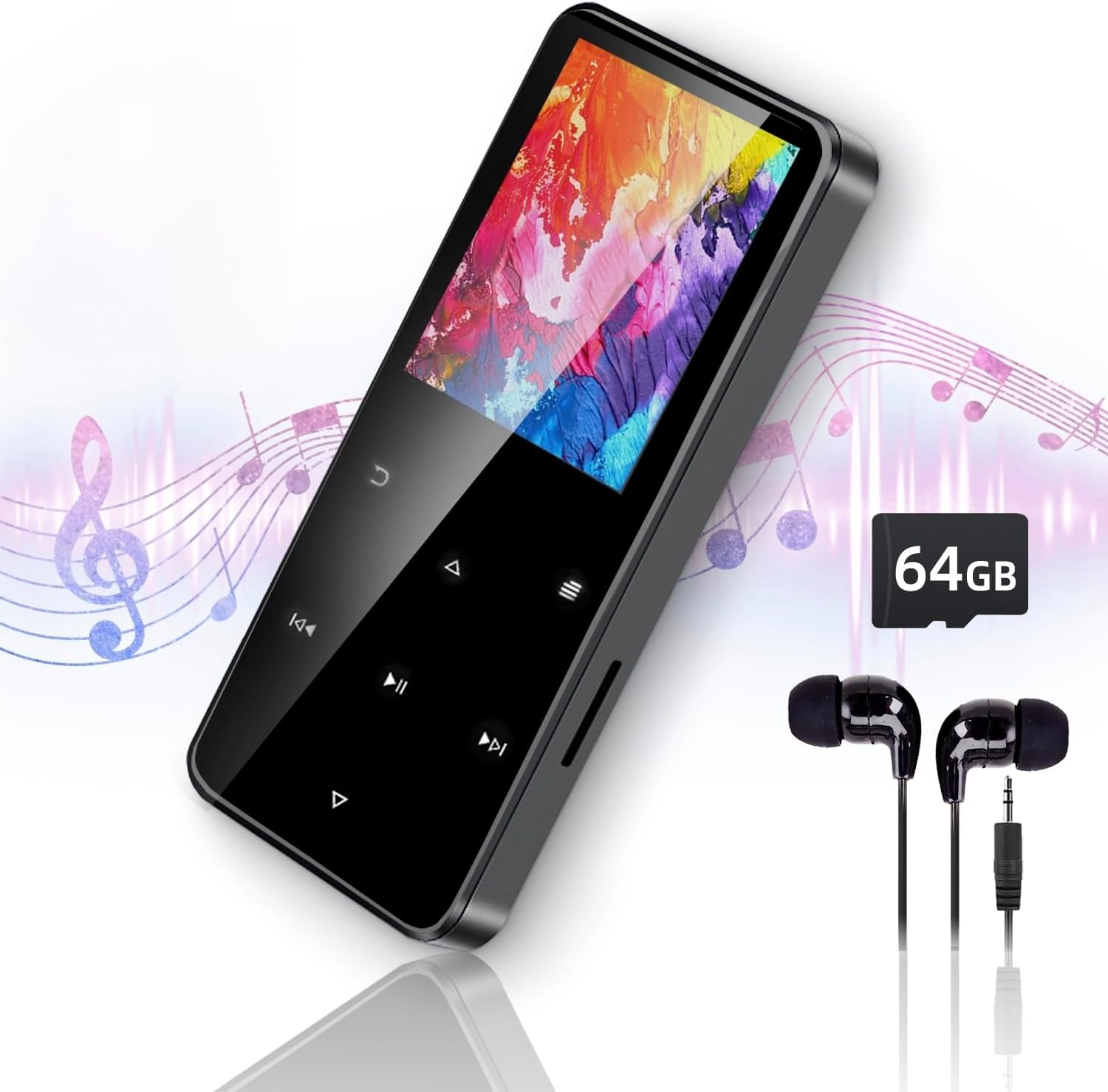
Image 1.1: The Jawploy ZY-006 MP3 Player, showcasing its sleek design, included earphones, and a 64GB TF card.
Pakkeindhold:
- 1x Jawploy ZY-006 MP3 Player (with 16GB built-in memory)
- 1x 64GB TF-kort
- 1x øretelefoner
- 1 x USB-kabel
- 1x Brugermanual (dette dokument)
2. Enhedslayout og kontroller
Familiarize yourself with the physical components and touch controls of your MP3 player.

Image 2.1: Diagram illustrating the key components of the Jawploy ZY-006 MP3 Player, including the sturdy alloy casing, touch buttons for navigation, built-in HD speaker, TF card slot, and 3.5mm audio jack.
Nøglekomponenter:
- Sturdy Alloy Casing: Giver holdbarhed og en førsteklasses fornemmelse.
- Touch-knapper: For intuitive navigation and control.
- Indbygget HD-højttaler: Til lydafspilning uden høretelefoner.
- TF-kortslot: Til udvidelse af lagerkapaciteten.
- 3.5 mm lydstik: For connecting wired earphones or headphones.
- USB-port: Til opladning og dataoverførsel.
3. Kom godt i gang
3.1 Opladning af enheden
Before first use, fully charge the MP3 player. Connect the included USB cable to the device's USB port and the other end to a computer's USB port or a compatible USB wall adapter (not included).
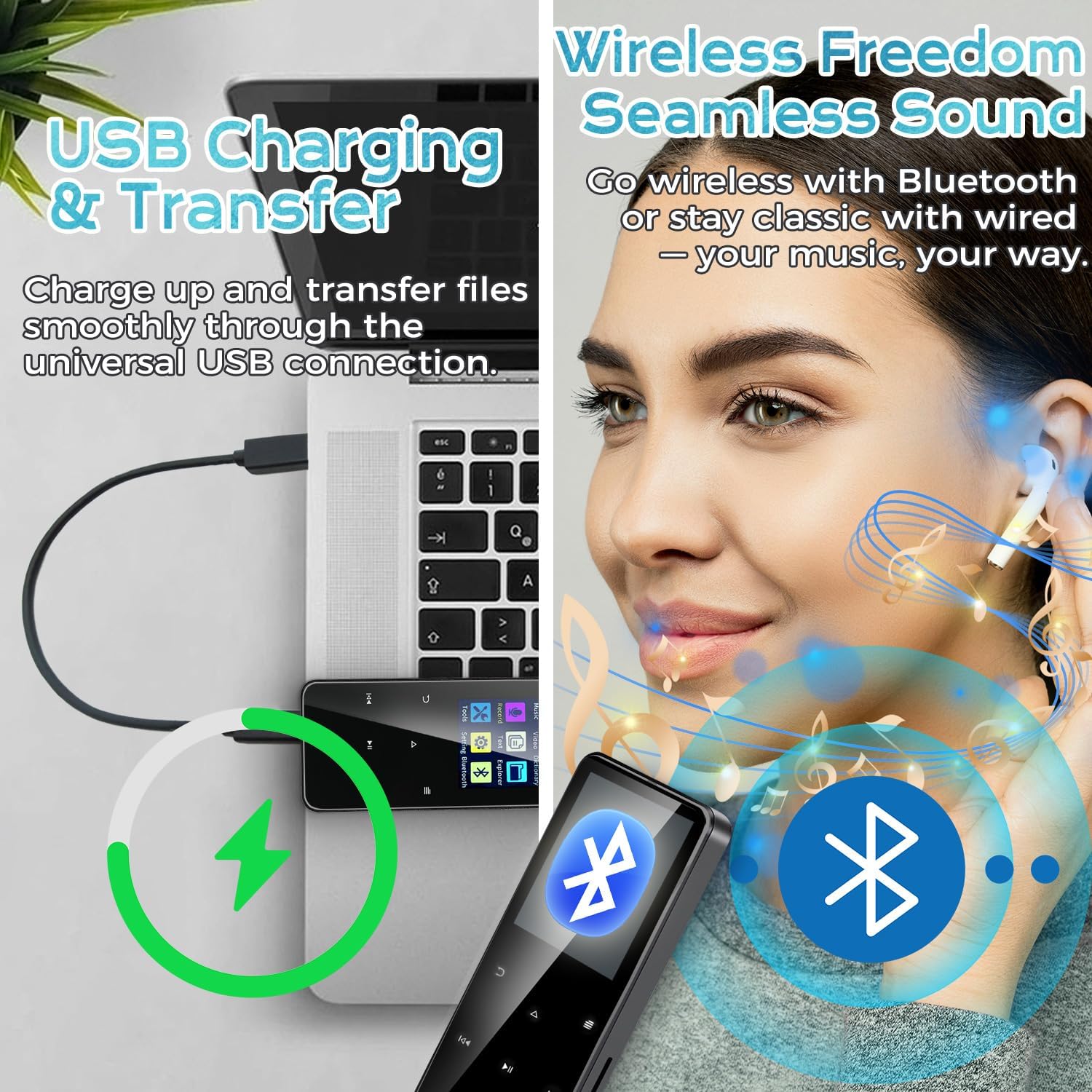
Image 3.1: The MP3 player connected to a laptop via USB cable, illustrating the process of charging and file overførsel.
Batteriindikatoren på skærmen viser opladningsstatus. En fuld opladning tager typisk et par timer.
3.2 Indsættelse af TF-kortet
Your MP3 player comes with a 64GB TF card pre-installed or included separately. To insert or replace a TF card:
- Find TF-kortstikket på siden af enheden.
- Gently push the TF card into the slot until it clicks into place. Ensure the card is oriented correctly.
- To remove, gently push the card again until it springs out.
Note: The device supports TF cards up to 128GB, providing a total capacity of 144GB (16GB built-in + 128GB TF card).
3.3 Overførsel Files
Connect the MP3 player to your computer using the provided USB cable. The device will appear as a removable disk. You can then drag and drop music, video, e-book, and image files into the appropriate folders on the device or the TF card.
- For music, place files in the 'Music' folder.
- For videos, place files in the 'Video' folder.
- For e-books, place files in the 'E-Book' folder.
- For images, place files in the 'Pictures' folder.
4. Betjeningsvejledning
4.1 Power On/Off and Screen Navigation
- Tænd: Tryk og hold tænd / sluk-knappen nede, indtil skærmen lyser.
- Sluk: Press and hold the power button until the power-off option appears, then confirm.
- Skærmlås/lås op: Briefly press the power button to lock or unlock the screen.
- Navigation: Use the touch buttons (Up, Down, Left, Right, Menu, Back) to navigate through the menus and select options on the 1.8-inch color screen.
4.2 Musikafspilning
The player supports FLAC, MP3, WMA, WAV, AAC, and OGG audio formats up to 48kHz.
- Vælg 'Musik' fra hovedmenuen.
- Browse by Artist, Album, Song, or Folder.
- Vælg en sang for at starte afspilningen.
- Use the touch buttons for Play/Pause, Next/Previous Track, and Volume adjustment.

Image 4.1: The MP3 player's music interface, highlighting its capability for true lossless audio playback and portable design.
4.3 Bluetooth-forbindelse
Connect your MP3 player to Bluetooth headphones or speakers for wireless audio.
- Vælg 'Bluetooth' fra hovedmenuen.
- Slå Bluetooth til.
- Sørg for, at din Bluetooth-enhed er i parringstilstand.
- MP3-afspilleren scanner efter tilgængelige enheder. Vælg din enhed fra listen for at parre.
4.4 FM radio
Lyt til FM-radiostationer.
- Vælg 'FM-radio' fra hovedmenuen.
- Connect wired earphones; they act as the antenna.
- Brug scanningsfunktionen til at finde tilgængelige stationer, eller indstil manuelt.
4.5 Stemmeoptager
Optag lyd ved hjælp af den indbyggede mikrofon.
- From the main menu, select 'Record'.
- Vælg 'Start optagelse' for at begynde.
- Press 'Stop' to end and save the recording.
4.6 Videoafspilning
The player supports AVI and AMV video formats with a resolution of 128x160.
- From the main menu, select 'Video'.
- Browse and select a video file at spille.
4.7 E-bogslæser
Read TXT format e-books.
- Vælg 'E-bog' i hovedmenuen.
- Gennemse og vælg en tekstfil file at åbne.
4.8 Andre funktioner
The device also includes:
- Vækkeur: Indstil alarmer for påmindelser.
- Billede Viewing: Gennemse billede files.
- Værktøjer: Access utilities like calendar, stopwatch.
- Indstillinger: Adjust display, language, date/time, and other system preferences.
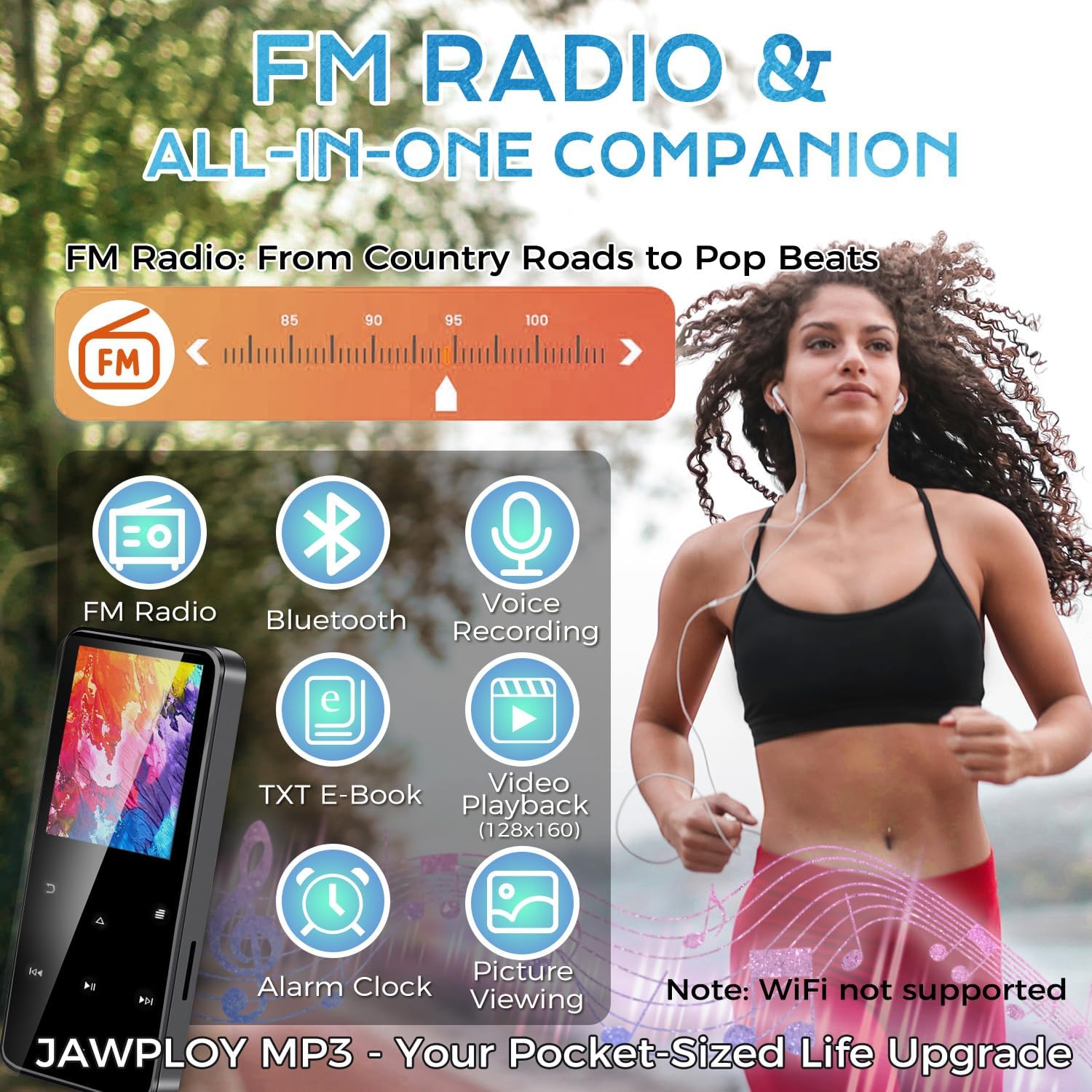
Image 4.2: The main menu of the Jawploy MP3 Player, showing icons for its multi-functional capabilities.
5. Vedligeholdelse
5.1 Rengøring
Wipe the device with a soft, dry cloth. Avoid using liquid cleaners or abrasive materials, as they may damage the screen or casing.
5.2 Pleje af batterier
- Undgå at aflade batteriet helt ofte.
- Udsæt ikke enheden for ekstreme temperaturer.
- If storing the device for an extended period, charge it to about 50% and recharge every few months.
5.3 Opbevaring
Store the MP3 player in a cool, dry place away from direct sunlight and moisture. Keep it away from strong magnetic fields.
6. Fejlfinding
If you encounter issues with your Jawploy ZY-006 MP3 player, refer to the following common problems and solutions:
| Problem | Mulig årsag | Løsning |
|---|---|---|
| Enheden tænder ikke | Lavt batteri; enheden er frosset | Charge the device for at least 30 minutes. If still unresponsive, try a hard reset (refer to manual for specific reset instructions, if available, or hold power button for 10-15 seconds). |
| Knapperne reagerer ikke | Software glitch; device frozen | Restart the device. If the issue persists, ensure the screen is not locked. |
| Kan ikke overføre files | Incorrect USB connection; driver issue; full storage | Ensure the USB cable is securely connected. Try a different USB port or computer. Check available storage space on the device and TF card. |
| Musik files not recognized or playing | Unsupported format; corrupted file; incorrect file beliggenhed | Bekræft, at musikken files are in a supported format (FLAC, MP3, WMA, WAV, AAC, OGG). Ensure files are placed in the 'Music' folder. Try re-transferring the files. |
| Audio playback glitches or interruptions | Ødelagt file; interference; software issue | Try playing a different file. Ensure no strong interference sources are nearby. Restart the device. |
| Difficulty removing TF card | Card not fully ejected | Gently push the TF card further into the slot until you feel a click, then release. The card should spring out. Avoid forcing it. |
| Music order is jumbled | Metadata issues; no playlist created | Sørg for musik files have correct metadata (track numbers, album info). Create playlists on the device for desired playback order. |
7. Specifikationer
Technical details of the Jawploy ZY-006 MP3 Player:
- Modelnavn: ZY-006
- Mærke: Jawploy
- Hukommelseslagringskapacitet: 80 GB (16GB built-in + 64GB TF card included, expandable up to 128GB TF card)
- Skærmstørrelse: 1.8 tommer
- Farve: Sort
- Varens vægt: 1.76 ounce (50 gram)
- Pakkedimensioner: 4.37 x 2.91 x 1.34 tommer
- Forbindelse teknologi: Bluetooth, USB (Wi-Fi not supported)
- Understøttede lydformater: FLAC, MP3, WMA, WAV, AAC, OGG (up to 48kHz)
- Understøttede videoformater: AVI, AMV (128x160)
- Supported E-Book Format: TXT
- Særlige funktioner: Built-In Speaker, E-Book Reader, FM Radio, Video Playback, Voice Recorder, Touch Buttons
- Batteri: 1 CR5 batteri påkrævet (medfølger)
- Spilletid: Up to 16 hours via wired headphones (MP3 format, varies by volume and format)
- Sprog: Understøtter 28 sprog
8. Support og garanti
For technical assistance or warranty inquiries, please refer to the contact information provided with your purchase or visit the official Jawploy support webwebsted. Gem din købsbevis til garantikrav.
This product is designed for reliable performance. Should you encounter any issues not covered in this manual, please contact customer support for further assistance.