
Indledning
The SEUNKWANG GX710S is a full-size wired USB computer keyboard designed for comfortable and efficient typing. It features a simple white backlight, upgraded water drop pudding keycaps for enhanced light transmittance and reduced noise, and an ergonomic design for extended use. This manual provides detailed instructions for setting up, operating, and maintaining your keyboard.
Opsætning
Tilslutning af tastaturet
Locate the USB-A cable attached to your GX710S keyboard.
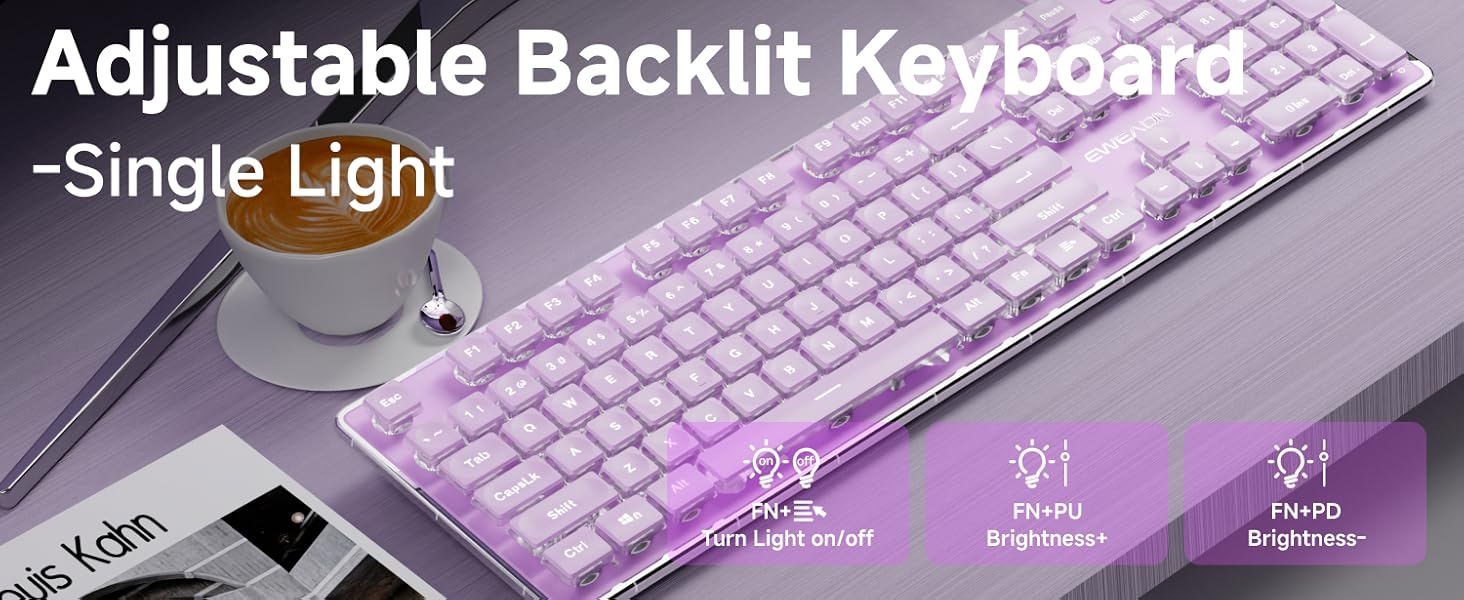
Image: The GX710S keyboard with its wired USB-A cable, illustrating the 'Plug and Play' functionality.
Plug the USB-A connector into an available USB port on your computer (PC, desktop, laptop, or notebook).
The keyboard is plug-and-play, meaning it should be recognized automatically by your operating system without requiring additional driver installation.
Betjeningsvejledning
Baggrundslys kontrol
The GX710S keyboard features a simple white backlight with adjustable brightness levels and a breathing light mode.
- Justering af lysstyrke: Trykke FN + PU to increase the backlight brightness. Press FN + PD to decrease the backlight brightness. There are 5 levels of brightness adjustment.
- Turning On/Off Backlight: Trykke FN + Light Mode Key (often indicated by a light bulb icon) to toggle the backlight on or off.
- Åndedrætslystilstand: The keyboard supports a breathing light mode, which can be activated or adjusted using the FN key combinations.
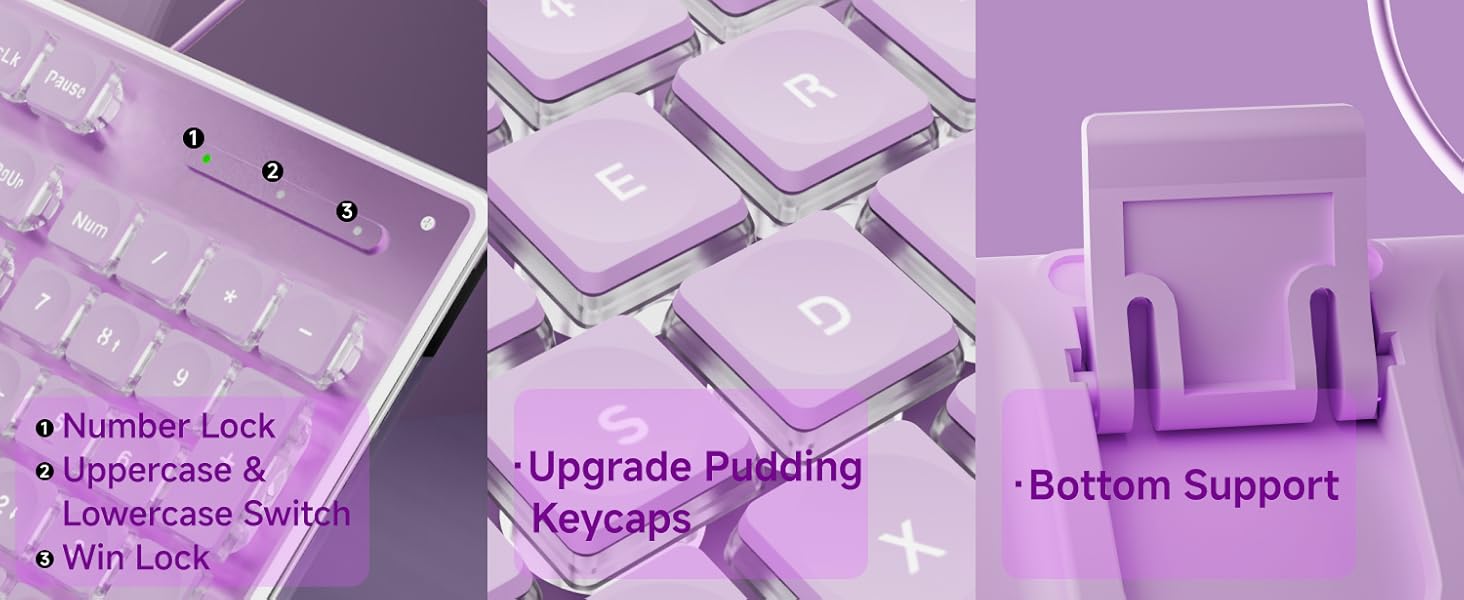
Image: Close-up of the keyboard showing the FN key and dedicated keys for adjusting backlight brightness and toggling the light mode.
Multimediefunktioner
Utilize the FN key in combination with the F1-F12 keys for various multimedia and system shortcuts:
| Nøglekombination | Fungere |
|---|---|
| FN + F1 | Open Multimedia Player |
| FN + F2 | Lydstyrke fald |
| FN + F3 | Lydstyrkeforøgelse |
| FN + F4 | Stum |
| FN + F5 | Stop Afspilning |
| FN + F6 | Afspil tidligere sang |
| FN + F7 | Afspil/pause |
| FN + F8 | Afspil næste sang |
| FN + F9 | Åbn e-mail |
| FN + F10 | Open My Home Page |
| FN + F11 | tastatur lås |
| FN + F12 | Kalkulator |
| FN+WIN | Vindlås |
| FN+W/A/S/D | Interchange arrow keys with W/A/S/D |
Nøglefunktioner
- Water Drop Pudding Keycaps: The upgraded suspended water drop keycaps feature a transparent pudding structure, enhancing light transmission. Their concave and convex surface is designed for comfortable typing and gaming.
- Stille skriveoplevelse: The silent membrane keyboard design, combined with the water drop keycaps, reduces typing noise by up to 95%, making it suitable for quiet environments.
- 26-nøgle Anti-ghosting: This feature allows up to 26 keys to be pressed simultaneously without conflict, ensuring accurate and fast responses during typing or gaming.
- Ergonomisk design: The keyboard features concave and convex keys that fit your fingertips, promoting smoother typing. It includes two adjustable footrests and four anti-slip bottom stickers, allowing for a 7° tilt to enhance typing comfort and reduce hand fatigue.
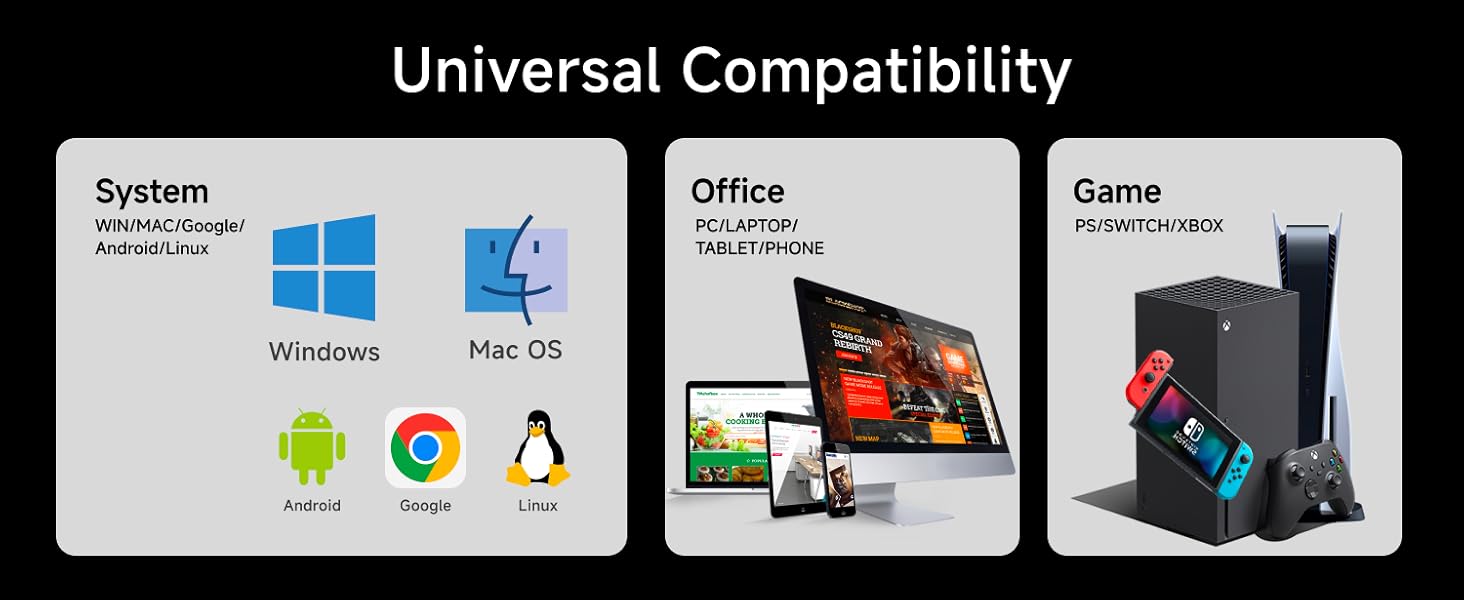
Image: A user typing on the GX710S keyboard, highlighting its comfortable ergonomic design.
Kompatibilitet
The SEUNKWANG GX710S keyboard offers broad compatibility with various operating systems and devices:
- Operativsystemer: Windows, Linux, Chrome, Mac OS.
- Enheder: PC, desktop, laptop, notebook, gaming consoles, smart TVs, smartphones, tablets.

Image: A visual representation of the keyboard's universal compatibility across different systems and devices.
Opretholdelse
For at sikre dit tastaturs levetid og optimale ydeevne skal du følge disse retningslinjer for vedligeholdelse:
- Rensning: Regularly wipe the keyboard surface with a soft, damp cloth. For deeper cleaning, use compressed air to remove dust and debris from between the keys. Avoid using harsh chemicals or abrasive materials.
- Forebyggelse af spild: Keep liquids away from the keyboard to prevent damage. In case of a spill, immediately unplug the keyboard and allow it to dry completely before reconnecting.
- Opbevaring: Når tastaturet ikke er i brug, skal det opbevares et rent og tørt sted væk fra ekstreme temperaturer.
Fejlfinding
If you encounter any issues with your GX710S keyboard, try the following steps:
- Tastaturet reagerer ikke:
- Sørg for, at USB-kablet er korrekt tilsluttet både tastaturet og computeren.
- Prøv at tilslutte tastaturet til en anden USB-port på din computer.
- Genstart din computer.
- Baggrundslys virker ikke:
- Sørg for, at baggrundsbelysningen er tændt ved hjælp af FN + Light Mode Key kombination.
- Juster lysstyrken ved hjælp af FN + PU/PD.
- Nøgler registreres ikke korrekt:
- Clean the affected keys to ensure no debris is obstructing their movement.
- Test tastaturet på en anden computer for at afgøre, om problemet skyldes tastaturet eller computerens software/drivere.
Specifikationer
| Feature | Detalje |
|---|---|
| Modelnummer | GX710S |
| Mærke | SEUNKWANG (Manufactured by EWEADN) |
| Forbindelsesteknologi | USB-A (kablet) |
| Tastaturbeskrivelse | Quiet Wired Membrane Keyboard |
| Særlige funktioner | Backlit, Ergonomic, Foldable (via footrests), Lightweight, Quiet |
| Baggrundsbelysningsfarve | Single White Color |
| Materiale | Metal, Plast |
| Varens vægt | 1.57 pund |
| Pakkedimensioner | 17.76 x 6.85 x 1.5 tommer |
| Farve (aktuelt produkt) | Lilla |
Garanti og support
The SEUNKWANG GX710S keyboard comes with 48 måneders brandsupport. For any questions, troubleshooting, accessory reissues, or returns and exchanges, please contact the seller directly.
Du kan typisk finde sælgers kontaktoplysninger på produktets købsside eller via din ordrehistorik.

Image: A guide illustrating how to contact customer support for inquiries before or after placing an order.
Produktvideoer
Taro Purple Silent Keyboard Overview
Video: A short demonstration of the Taro Purple Silent Keyboard, showcasing its design and quiet operation.
Aesthetic & Effective Keyboard Preview
Video: En kort optaktview highlighting the aesthetic appeal and effective functionality of the keyboard, including its backlighting.