
1. Introduktion
This manual provides instructions for the BoxWave DirectSync PD 100W USB-C to USB-C Cable (10ft). This cable is designed for efficient power delivery and high-speed data transfer between compatible USB-C devices. It features a durable braided nylon construction and reinforced strain reliefs for enhanced longevity.
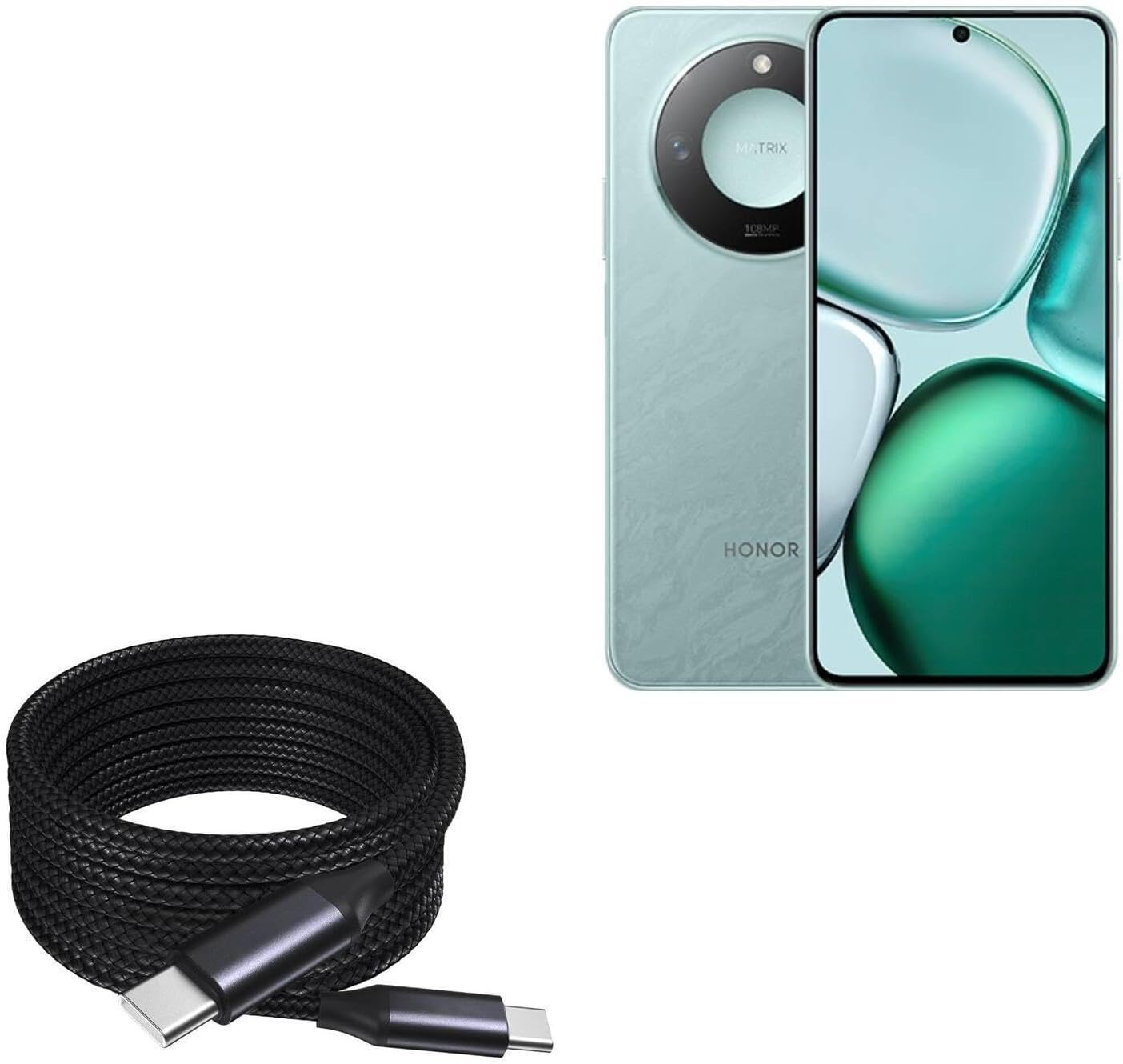
Image 1: The BoxWave DirectSync PD 100W USB-C to USB-C Cable (10ft) shown coiled next to a compatible smartphone, illustrating its design and intended use.
2. Opsætning og tilslutning
The DirectSync PD Cable is designed for simple plug-and-play functionality. No software installation is required.
- Identificér porte: Ensure both your charging adapter/power source and your device have USB-C ports.
- Tilslut til opladning: Insert one end of the USB-C cable into a compatible USB-C power adapter or power bank. Insert the other end into the USB-C charging port of your device (e.g., smartphone, tablet, laptop).
- Opret forbindelse til dataoverførsel: Insert one end of the USB-C cable into the USB-C port of your computer. Insert the other end into the USB-C port of your device. Your device should appear as a connected storage device on your computer.

Billede 2: Et nærbillede view of the coiled braided nylon cable, highlighting the robust USB-C connectors at each end.
3. Betjeningsvejledning
3.1 Opladning af strømforsyning (PD)
The DirectSync PD Cable supports up to 100W Power Delivery, allowing for rapid charging of compatible devices, including laptops, tablets, and smartphones. For optimal charging speeds, ensure your power adapter also supports 100W PD or a wattage suitable for your device.
- Connect the cable as described in Section 2.
- The charging indicator on your device should activate, confirming power delivery.

Image 3: The DirectSync PD cable connected to a laptop, demonstrating its capability for high-wattage strømforsyning.
3.2 Dataoverførsel
This cable facilitates high-speed data transfers up to 480Mbps, allowing you to sync files, photos, and videos between your devices and computer efficiently.
- Connect the cable between your device and computer as described in Section 2.
- Once connected, your device should be recognized by your computer, allowing you to access and transfer files.

Image 4: The cable simultaneously charging a smartphone and connected to a laptop, demonstrating its dual function for charging and data synchronization.
4. Vedligeholdelse
Proper care will extend the life of your BoxWave DirectSync PD Cable.
- Opbevaring: Store the cable in a clean, dry place. Avoid tightly coiling or bending the cable at sharp angles, especially near the connectors.
- Rensning: Brug en blød, tør klud til at rengøre kablet og stikkene. Brug ikke skrappe kemikalier eller slibende materialer.
- Håndtering: Always grasp the connector head when plugging or unplugging the cable, rather than pulling on the cable itself. This prevents stress on the internal wires and reinforced strain reliefs.

Billede 5: En detaljeret view of the braided nylon exterior, highlighting the cable's durable construction designed to resist tangles and fraying.

Image 6: A close-up of the rubberized grommet strain relief at the connector, designed to prevent cable fraying and enhance durability.
5. Fejlfinding
- Enheden oplades ikke:
- Sørg for, at begge ender af kablet er forsvarligt forbundet.
- Verify that your power adapter is functioning correctly and is compatible with your device's charging requirements.
- Kontroller, om din enheds opladningsport er ren og fri for snavs.
- Confirm your power adapter supports Power Delivery (PD) for fast charging.
- Langsom opladning:
- Sørg for, at din strømadapter leverer tilstrækkeligt med strømtage for your device. For 100W charging, a 100W PD adapter is required.
- Nogle enheder kan begrænse opladningshastigheden baseret på batteriniveau eller temperatur.
- Problemer med dataoverførsel:
- Ensure the cable is securely connected to both the device and the computer.
- Verify that your device is set to 'File Transfer' or 'MTP' mode when connected to a computer, if applicable.
- Prøv at tilslutte til en anden USB-C-port på din computer.
6. Specifikationer
| Feature | Specifikation |
|---|---|
| Produktnavn | BoxWave DirectSync PD Cable |
| Model | DirectSync PD Cable |
| Connector Type | USB-C til USB-C |
| Strøm levering | Op til 100W |
| Dataoverførselshastighed | Op til 480 Mbps |
| Kabellængde | 10 fod (cirka 3 meter) |
| Materiale | Braided Nylon, Rubberized Grommet Strain Relief |
| Farve | Jet Black |
| Varens vægt | 6 ounce |
7. Garanti og support
For warranty information or technical support regarding your BoxWave DirectSync PD Cable, please refer to the official BoxWave webwebstedet eller kontakt deres kundeservice direkte. Kontaktoplysninger findes typisk på produktemballagen eller producentens webwebsted.
Webwebsted: www.boxwave.com