
Indledning
The Acer AHR140 Wireless Sports Headphones are designed for active users, featuring open-ear air conduction technology that allows you to enjoy audio while remaining aware of your surroundings. These headphones offer a comfortable and secure fit, high-definition audio, and reliable Bluetooth connectivity, making them suitable for various sports and outdoor activities.
Pakkens indhold
Kontroller venligst, at alle varer er til stede i din pakke:
- Acer AHR140 Wireless Sports Headphones
- USB-C ladekabel
- Brugermanual
Produkt overview
Familiarize yourself with the components and features of your Acer AHR140 headphones.
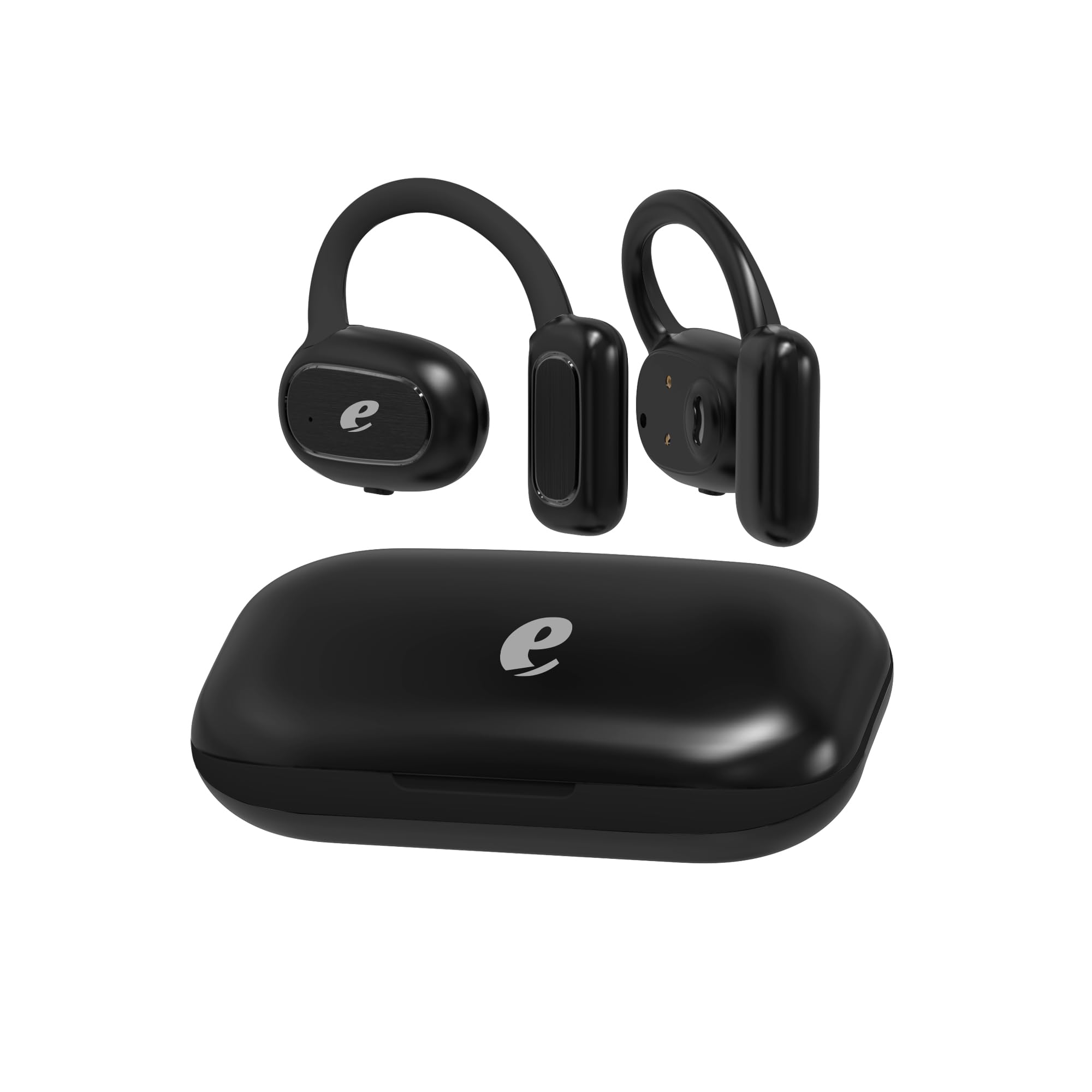
Billede: The Acer AHR140 Wireless Sports Headphones charging case, presented in black.

Billede: Visual representation of key features including HD Voice, comfortable wear design, long battery life, and a 14.2mm audio driver.

Billede: En detaljeret view of one earbud, highlighting the light indicator and the multi-functional touch button for control.
Nøglefunktioner:
- Åben-øre luftledningsteknologi: Allows ambient sound awareness for safety during outdoor activities.
- Lang batterilevetid: Provides extended hours of use on a single charge.
- Hurtig Type-C opladning: Enables quick and efficient recharging.
- High-Definition Audio & Bluetooth Connectivity: Ensures clear sound and stable wireless connection for calls and music.
- Lightweight and Comfortable Fit: Ergonomically designed for secure and non-intrusive wear throughout the day.
Opsætning
1. Opladning af hovedtelefonerne
- Tilslut det medfølgende USB-C-opladerkabel til opladningsporten på hovedtelefonerne.
- Sæt den anden ende af kablet i en kompatibel USB-strømadapter (medfølger ikke) eller en computers USB-port.
- The indicator light will show the charging status. A full charge typically takes approximately 1.5 hours.
2. Tænd/sluk
- Tænd: Press and hold the multi-functional button on the earbud for approximately 3 seconds until the indicator light flashes.
- Sluk: Press and hold the multi-functional button for approximately 5 seconds until the indicator light turns off.
3. Bluetooth-parring
- Sørg for, at hovedtelefonerne er slukket.
- Press and hold the multi-functional button for about 5-7 seconds until the indicator light flashes red and blue alternately, indicating pairing mode.
- Aktiver Bluetooth på din enhed (smartphone, tablet, bærbar computer), og søg efter tilgængelige enheder.
- Select "Acer AHR140" from the list of devices.
- Når der er oprettet forbindelse, blinker indikatorlampen langsomt blåt.
Betjeningsvejledning
Musikafspilning
- Afspil/pause: Single tap the multi-functional button.
- Næste nummer: Double tap the multi-functional button on the right earbud.
- Forrige nummer: Double tap the multi-functional button on the left earbud.
- Lydstyrke op: Triple tap the multi-functional button on the right earbud.
- Skrue ned for lyden: Triple tap the multi-functional button on the left earbud.
Opkaldsstyring
- Besvar/afslut opkald: Single tap the multi-functional button.
- Afvis opkald: Press and hold the multi-functional button for 2 seconds.
- Stemmeassistent: Press and hold the multi-functional button for 2 seconds (when not on a call).
Opretholdelse
- Rensning: Tør hovedtelefonerne af med en blød, tør klud. Brug ikke slibende rengøringsmidler eller opløsningsmidler.
- Opbevaring: Opbevar hovedtelefonerne et køligt, tørt sted væk fra direkte sollys og ekstreme temperaturer.
- Vandeksponering: These headphones are not water-resistant. Avoid exposure to water, rain, or excessive moisture.
Fejlfinding
| Problem | Løsning |
|---|---|
| Hovedtelefonerne tændes ikke. | Sørg for, at hovedtelefonerne er fuldt opladede. |
| Kan ikke parres med enheden. | Sørg for, at hovedtelefonerne er i parringstilstand (blinker rødt/blåt). Slå Bluetooth fra og til på din enhed. Gå tættere på enheden. |
| Ingen lyd eller lav lydstyrke. | Check volume levels on both headphones and your connected device. Ensure headphones are properly connected. |
| Intermitterende forbindelse. | Ensure no obstacles are between the headphones and your device. Move away from other wireless devices that may cause interference. |
Specifikationer
| Feature | Detalje |
|---|---|
| Mærke | Acer |
| Modelnavn | AHR140 |
| Farve | Sort |
| Øreplacering | Over Ear |
| Hovedtelefoner Form Factor | Over Ear |
| Forbindelsesteknologi | Trådløs |
| Trådløs kommunikationsteknologi | Bluetooth |
| Bluetooth version | 5.0 |
| Bluetooth rækkevidde | 10 meter |
| Audio driver størrelse | 14.2 mm |
| Audio driver type | Dynamisk Driver |
| Frekvensrespons | 20 Hz - 20,000 Hz |
| Impedans | 32 Ohm |
| Følsomhed | 3 dB |
| Støjkontrol | Lydisolering |
| Kontroltype | Tryk på kontrol |
| Vandmodstandsniveau | Ikke vandafvisende |
| Materiale | Plast |
| Anbefalede anvendelser | Gaming, Making calls, Running, Cycling |
| Kompatible enheder | Phones, Tablets, Laptops, Desktop Computers |
Garantioplysninger
The Acer AHR140 Wireless Sports Headphones come with a et års begrænset garanti from the date of purchase. This warranty covers manufacturing defects and workmanship under normal use. It does not cover damage caused by misuse, accidents, unauthorized modifications, or exposure to water. Please retain your proof of purchase for warranty claims.
Støtte
For further assistance, technical support, or warranty inquiries, please refer to the official Acer support website or contact their customer service. Detailed contact information can typically be found on the Acer official webwebsted eller i produktemballagen.